13 Essential Web Design & Development Features That Improve Customer Experience
-

- March 02nd, 2026
- 380 views
Every site that aims to convert visitors into customers needs a clear set of web design features for customer experience. This guide lists 13 proven design and development elements, explains why each matters, and shows how to prioritize changes so improvements are measurable and sustainable.
Detected intent: Informational
- Primary focus: Improve usability, speed, accessibility, and conversion.
- Includes a named checklist (S.A.F.E. CX Checklist), a short scenario, practical tips, and common mistakes.
- Core cluster questions: see list below for internal-link ideas.
- How does site speed affect conversion rates?
- What accessibility standards should websites follow?
- Which responsive layout patterns work best for mobile users?
- How can personalization be implemented without harming privacy?
- What metrics track improvements in customer experience?
web design features for customer experience: the 13 essentials
The following features are grouped by priority: fundamentals, conversion-focused elements, and long-term engagement features. Implement them in phases, measure impact, and iterate.
Fundamentals (1–5)
1. Performance and Core Web Vitals
Fast loading pages are foundational. Optimize images, enable caching, use a content delivery network, and minimize render-blocking scripts. Track Google's Core Web Vitals (LCP, FID/INP, CLS) to measure improvements.
2. Mobile-first responsive design
Design layouts that prioritize small screens, then scale up. Mobile-first CSS, fluid grids, and touch-friendly controls reduce friction for the majority of users who browse on phones.
3. Accessibility and inclusive design
Follow Web Content Accessibility Guidelines (WCAG) to make sites usable for people with disabilities. Implement semantic HTML, ARIA where appropriate, keyboard navigation, and sufficient color contrast. For official best practices, see W3C WCAG.
4. Clear information architecture and navigation
Consistent menus, descriptive labels, and predictable page hierarchy help users find what they need. Use breadcrumbs, sitemaps, and internal search for larger sites.
5. Secure and privacy-aware implementation
HTTPS, secure cookies, and transparent privacy notices improve trust. Design privacy-forward personalization (consent prompts, granular settings) to balance utility with compliance.
Conversion-focused features (6–9)
6. Frictionless checkout and form UX
Reduce fields, support autofill, use inline validation, and offer guest checkout. Progressive disclosure (show only necessary fields) reduces abandonment.
7. Fast, relevant search with filtering
Implement instant results, typo tolerance, and useful filters. Highlight matching terms in results and surface popular queries.
8. Microcopy and affordances
Clear microcopy (error messages, help text, CTA labels) guides users. Use visual affordances—buttons that look clickable, form fields that look editable—to reduce cognitive load.
9. Personalization and contextual content
Personalized product suggestions, saved preferences, and dynamic landing content can increase relevance. Balance personalization with privacy and allow easy opt-out.
Engagement & retention features (10–13)
10. Fast, progressive web apps and offline support
Service workers and PWAs can improve perceived speed and allow offline caching for repeat users or poor network conditions.
11. Accessible multimedia and optimized images
Serve responsive images (srcset), use modern formats (WebP/AVIF where supported), add captions/transcripts for video, and lazy-load noncritical media.
12. Robust error handling and graceful degradation
Design friendly 404s, retry strategies for failed requests, and fallbacks for unsupported browser features so critical tasks remain possible.
13. Instrumentation, analytics, and experimentation
Measure behavior with event tracking, funnel reports, and user session sampling. Use A/B tests or feature flags to validate changes before full rollout.
S.A.F.E. CX Checklist (named framework)
The S.A.F.E. CX Checklist helps prioritize implementation by focusing on four pillars:
- Speed — Optimize LCP, reduce JavaScript payloads.
- Accessibility — Meet WCAG basics (keyboard, labels, contrast).
- Functionality — Ensure core flows (search, checkout) work across devices.
- Engagement — Personalization, retention hooks, and testing.
Practical implementation scenario
Example: An online retailer reduces checkout abandonment by prioritizing the S.A.F.E. checklist. Steps included: compress product images, remove nonessential scripts on checkout pages, simplify the form to three fields, add guest checkout, and instrument conversion events. After staged A/B tests, the retailer rolled out changes sitewide and continued optimizing via experiment results.
Trade-offs and common mistakes
Trade-offs
Adding dynamic personalization can increase JavaScript size and slow first load—trade performance for relevance by deferring noncritical personalization until after the main content loads. Heavy analytics and third-party widgets can harm privacy and speed; evaluate necessity and asynchronous loading.
Common mistakes
- Optimizing visual design without measuring behavior—design changes must be validated with analytics and user testing.
- Ignoring mobile assumptions—desktop-only QA misses most user issues today.
- Implementing accessibility as an afterthought rather than part of the design process.
Practical tips (actionable)
- Audit top user journeys first (homepage → product → cart → checkout) and fix the fastest 20% of issues that block 80% of users.
- Use lazy-loading for offscreen images and defer nonessential scripts to reduce Time to Interactive.
- Measure before and after: capture baseline conversion funnels, Core Web Vitals, and accessibility issues to quantify impact.
- Run lightweight usability tests (5–8 users) on mobile prototypes to catch major UX problems early.
- Document design tokens and components to ensure consistent UI affordances and reduce implementation drift.
Related terms and signals to track
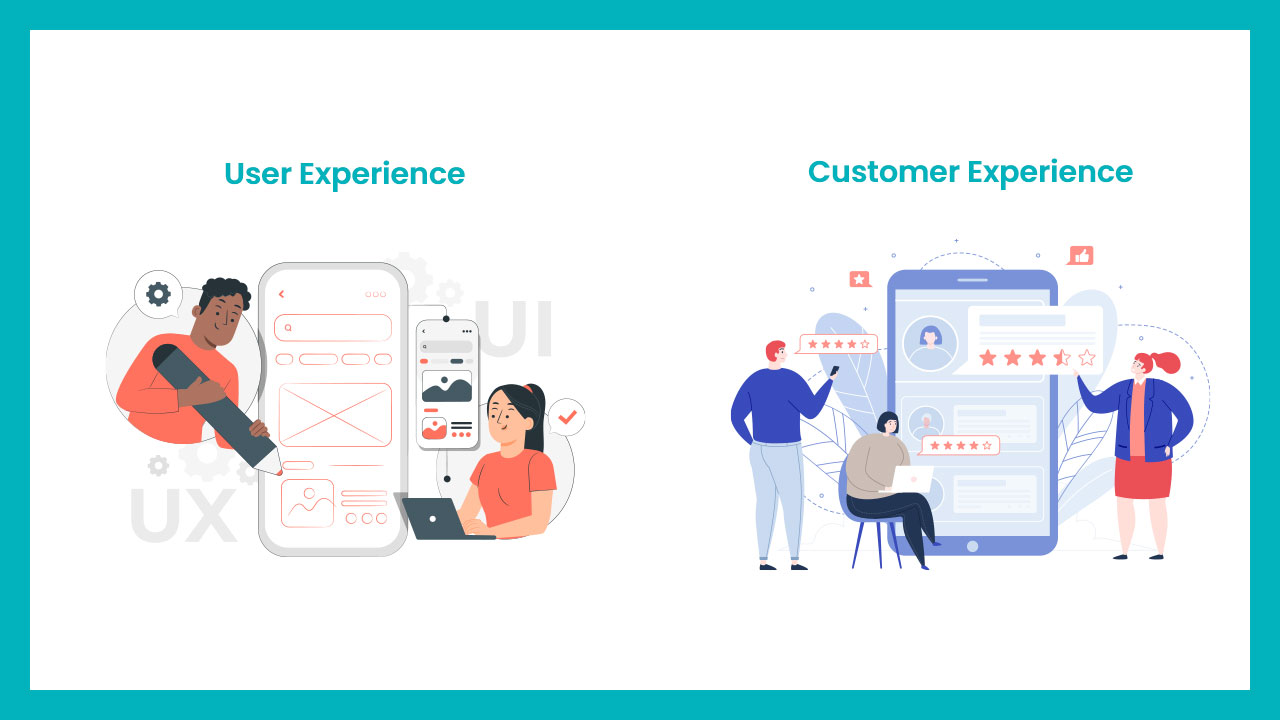
UX, UI, accessibility, Core Web Vitals, LCP, INP/FID, CLS, PWA, responsive images, server-side rendering (SSR), headless CMS, personalization, A/B testing, session replay, and conversion funnel metrics.
FAQ
What are the most important web design features for customer experience?
The highest-impact features are performance optimization (fast LCP, low INP), mobile-first responsive layouts, accessibility basics, frictionless checkout, and strong instrumentation to measure results.
How does accessibility impact customer experience?
Accessibility expands the audience, reduces legal risk, and often improves clarity for all users. Basic WCAG compliance (keyboard navigation, readable contrast, semantic HTML) also enhances SEO and usability.
When should personalization be used versus a simpler approach?
Start with simple relevance (recently viewed, popular items) and instrument results. Scale to deeper personalization when data quality, consent, and performance safeguards exist.
How can site speed be improved without redesigning the whole site?
Prioritize image optimization, enable caching/CDN, defer or remove nonessential third-party scripts, and minify assets. Measure improvements with lab and field tools before proceeding to larger refactors.
Which metrics should be tracked to measure customer experience improvements?
Track Core Web Vitals (LCP, INP, CLS), conversion rate per funnel step, bounce rate on key pages, task completion time from usability tests, and retention/return visit rates.