15 Proven Tips to Create Video Content That Works
-

- March 20th, 2026
- 739 views
Creating video content that works starts with clear intent, simple execution, and measurable distribution. This guide lays out 15 practical, repeatable tips to plan, produce, and promote video content that reaches the right audience and moves them to action.
- Dominant intent: Procedural
- Primary focus: make video content that works—engage, convert, and scale
- Includes: 15 tips, the CLEAR checklist, short real-world example, 3–5 practical actions, and 5 core cluster questions
How to create video content that works: 15 practical tips
The following 15 tips are organized around three phases—plan, produce, and publish—so teams or individuals can follow a repeatable process. The secondary keywords "how to make engaging videos for social media" and "video production tips for beginners" appear in contextual advice below.
Planning (tips 1–5)
- Start with one clear objective. Define the desired action (watch, subscribe, click, buy) and a measurable KPI. Decisions about length, platform, and hook follow the objective.
- Know the audience and platform. Map user intent: educational viewers expect longer how-to content; social skimmers respond to strong openings. This affects format and aspect ratio.
- Craft a 5–10 second hook. For social platforms, capture attention within the first 3–5 seconds. Use curiosity, value, or contrast to stop the scroll.
- Write a micro-script. A one-paragraph outline (intro, 3 points, CTA) prevents rambling and reduces wasted footage during production.
- Plan for reuse. Capture vertical, square, and landscape-friendly shots to repurpose for different channels.
Production (tips 6–11)
- Prioritize clear audio and lighting. Viewers tolerate lower video quality more than poor audio. Use a lavalier or directional mic and a soft, frontal light source.
- Keep composition simple. Use the rule of thirds and steady framing. For talking-head content, eye-level framing with slight headroom works well.
- Record b-roll and cutaways. B-roll supports claims and creates rhythm in edits—especially useful for product demos and explainer pieces.
- Use on-screen text for key points. Subtitles and short captions increase comprehension and retention, and they make content accessible for muted autoplay.
- Follow basic editing economy. Cut filler, keep sentences short, and use pacing to match emotional intent—faster cuts for excitement, slower for explanation.
- Test formats with minimal edits. Start with a raw version for testing performance before spending time on a polished edit.
Distribution and optimization (tips 12–15)
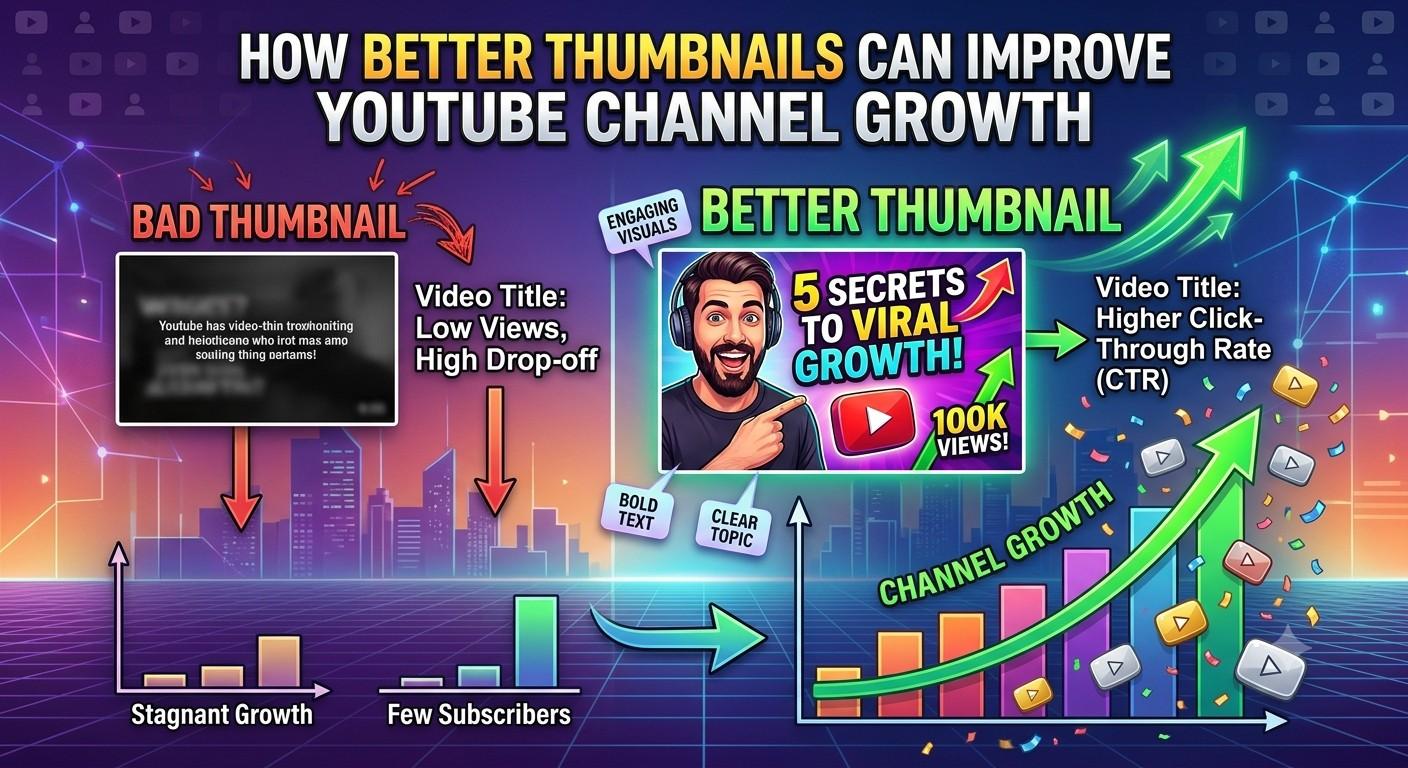
- Optimize metadata and thumbnails. Descriptive titles, clear thumbnails, and brief descriptions improve click-through. For platform-specific best practices, consult platform creator resources.
- Use a strong first-frame and thumbnail pairing. The still image and first few seconds determine whether a viewer taps or scrolls past.
- Publish consistently and analyze results. Use simple AB tests on thumbnails, opening hooks, and CTAs. Track watch time, retention, and conversion as primary metrics.
- Repurpose high-performing clips. Turn long-form wins into short, shareable clips and use captions to expand reach.
CLEAR checklist for repeatable video production
- Core message: One sentence that explains the purpose.
- Length: Target duration for platform and objective.
- Engagement hook: First 5 seconds planned.
- Accessibility: Subtitles, alt text, and readable captions.
- Repurposing plan: How clips will feed other channels.
Real-world scenario
A small brand produced a 90-second product demo (objective: email signups). Using the CLEAR checklist, the team wrote a one-paragraph script, recorded b-roll and a vertical crop, prioritized audio, and published a test ad. After optimizing the thumbnail and trimming the first 3 seconds, watch-through rate improved 18% and signups increased across two test audiences. This demonstrates how modest production changes plus targeted distribution produce measurable gains.
Practical tips (3–5 actionable steps)
- Batch content creation: Block two hours monthly to film multiple short clips that can be edited into different formats.
- Start with a template: Use a simple intro, three value points, and a single CTA to speed editing and maintain consistency.
- Always export one captioned version: Auto-caption then edit for accuracy; captions increase retention and accessibility.
Trade-offs and common mistakes
Making video content involves trade-offs between speed, polish, and testing. Common mistakes include:
- Overproducing before validating demand—polish comes after concept-market fit.
- Ignoring platform norms—vertical footage often outperforms landscape on mobile-first apps.
- Skipping captions—many users watch muted.
- Measuring vanity metrics only—likes are less useful than watch time and conversion rates.
Core cluster questions
- How long should a promotional video be for social platforms?
- What are the best video production tips for beginners to improve audio?
- Which metrics matter most for video content performance?
- How to repurpose long-form video into short social clips?
- What accessibility practices should be used for online video?
References and best-practice pointer
For platform-specific creator guidance and optimization tips, see the YouTube Creator Academy for up-to-date recommendations on thumbnails, metadata, and audience development: YouTube Creator Academy.
FAQ
What is video content that works for social media?
Video content that works for social media delivers the promised value quickly, matches platform format and audience expectations, and uses a clear CTA. For short-form channels, the first 3–5 seconds determine retention. Include subtitles, a strong hook, and platform-appropriate aspect ratios to increase reach.
How long should marketing videos be for conversions?
Length depends on the goal: ads and social clips often perform best at 15–60 seconds, explainer videos and demos work well at 90–240 seconds. Always prioritize retention—shorter is better if the message can be delivered clearly.
What are key video production tips for beginners?
Begin with good audio, simple lighting, and steady framing. Use a micro-script, record extra B-roll, and export a captioned version. These video production tips for beginners lower the barrier to publishable results.
How should performance be measured for video campaigns?
Primary metrics: watch time, retention by segment, click-through rate, and conversion rate. Use platform analytics to compare different thumbnails, openings, and CTAs. Avoid optimizing purely for views—engagement and conversion are more closely tied to ROI.
How can captions and accessibility improve results?
Captions increase comprehension for non-native speakers, viewers in noisy environments, and users watching on mute. Accessibility practices (captions, readable font sizes, descriptive metadata) expand reach and comply with accessibility expectations, improving both user experience and performance.