How Computer Vision Services Are Automating Visual Tasks: A Practical Guide
-

- April 29th, 2026
- 3,574 views
Detected intent: Informational
Computer vision services are increasingly used to automate visual tasks across industries—from quality inspection on factory lines to automating content moderation and extracting text from documents. This article explains what these services do, how they fit into automation workflows, and offers a practical deployment checklist and tips for real-world use.
Why computer vision services are transforming automation
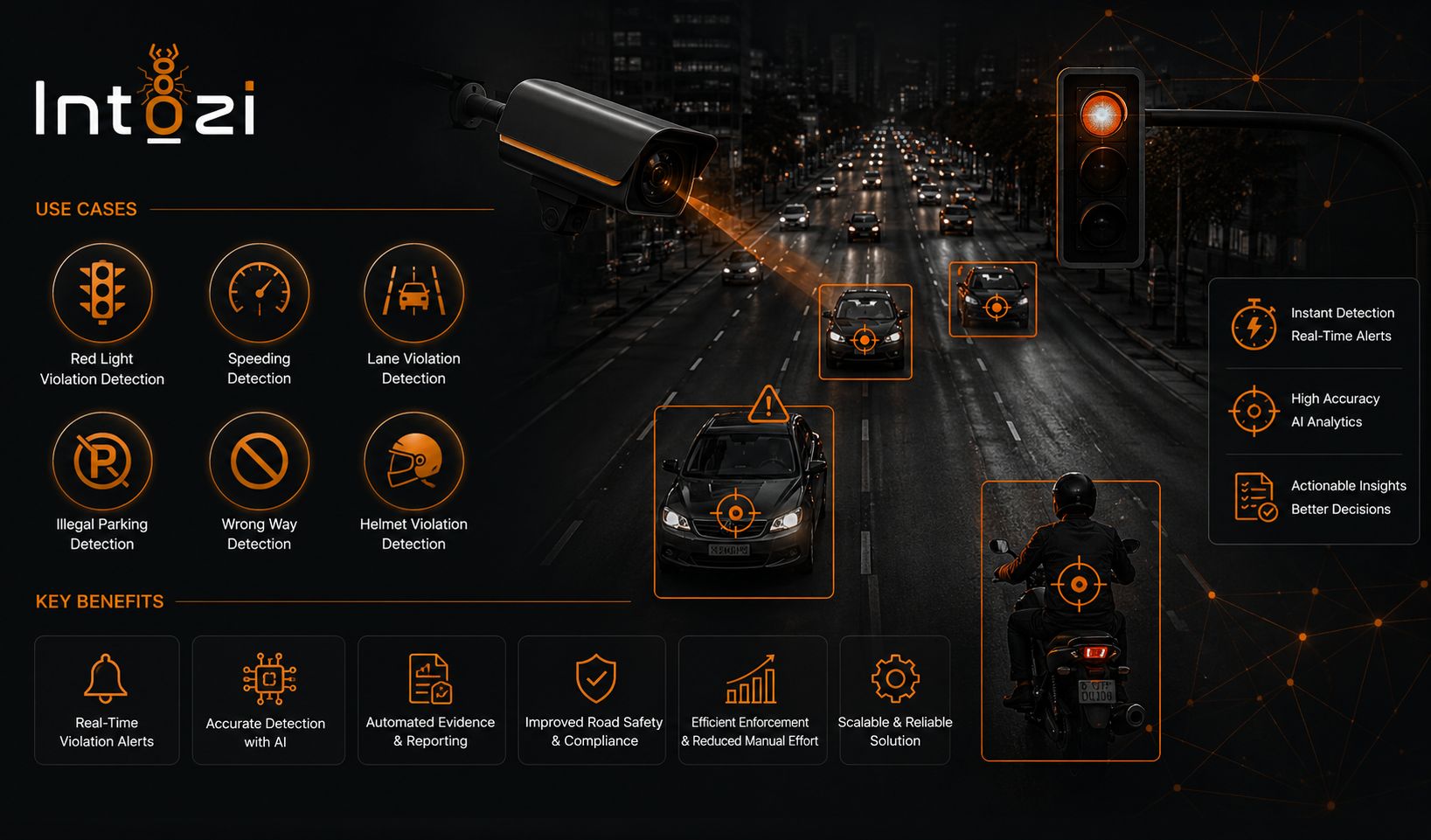
Automation traditionally focused on structured data and process orchestration; now visual inputs (images and video) are entering automation systems via computer vision services. These services expose capabilities such as object detection, image classification, optical character recognition (OCR), and segmentation through APIs or edge SDKs. The result: business rules and robotic process automation (RPA) workflows can act on pixels with near-human speed and scale.
Core capabilities and common terms
Key capabilities to know when evaluating visual automation tools include:
- Object detection and classification (bounding boxes, labels)
- Instance and semantic segmentation (precise outlines vs class maps)
- OCR and document understanding (structured data extraction from images or PDFs)
- Video analytics (temporal tracking, event detection)
- Pose estimation and anomaly detection for quality control
Related technical terms and technologies: convolutional neural networks (CNNs), transfer learning, edge AI, model quantization, inference latency, RESTful image recognition API, and MLOps pipelines (for example, CI/CD for models).
How computer vision services integrate with automation
Typical integration points include:
- RPA bots calling an image recognition API to decide the next action
- Edge devices running inference for low-latency control loops (robotic arms, cameras on conveyors)
- Cloud-based pipelines that batch-process images and write structured outputs to databases or message queues
Practical deployment: the VISION checklist
Use this named framework—the VISION checklist—to assess readiness and guide deployment decisions.
- Verify input quality: Confirm resolution, lighting, and viewpoint match training data.
- Identify success metrics: Define precision, recall, latency, and throughput targets.
- Select model & inference location: Decide between cloud, edge, or hybrid inference.
- Integrate with workflows: Map the output schema to automation rules, APIs, or RPA steps.
- Observe and monitor: Set up drift detection, logging, and performance alerts.
- Navigate compliance: Address privacy, retention policies, and model explainability.
Real-world scenario: automated visual inspection at a warehouse
Scenario: A warehouse wants to detect damaged packages on a conveyor and route affected packages to a manual inspection lane. A camera captures overhead images; a cloud-hosted image recognition API performs object detection and damage classification. The automation system then updates the warehouse management system and instructs a conveyor diverter via an integration event. This flow reduces manual checks, lowers error rates, and speeds throughput while keeping human oversight for ambiguous cases.
Practical tips for reliable visual automation
- Validate on representative data: Collect and test on samples that reflect real-world lighting, occlusion, and angle variations—synthetic tests are not enough.
- Start with simple, high-value tasks: Automate clear binary decisions (e.g., defect/no defect) before moving to subtle classifications.
- Plan for monitoring and retraining: Implement data pipelines that capture edge cases and schedule periodic retraining to handle drift.
- Balance latency and accuracy: For control loops, prefer edge inference; for batch tasks with higher accuracy needs, cloud inference may be acceptable.
- Instrument for explainability: Log model confidence and cropped input images for flagged decisions to help troubleshoot and comply with audits.
Trade-offs and common mistakes
Deploying computer vision services includes trade-offs:
- Cloud vs edge: Cloud offers scalability and centralized updates but adds latency and potential data-transfer costs. Edge reduces latency and data exposure but increases complexity for updates and hardware management.
- Prebuilt vs custom models: Pretrained models (or managed services) speed time to value but may underperform on domain-specific visual tasks. Custom models require labeled data and MLOps rigor.
- Overfitting to lab data: Models that perform well in controlled settings can fail in production when input conditions change.
Common mistakes include neglecting input validation (bad images in equal bad outputs), skipping continuous monitoring, and failing to involve domain experts when labeling data.
Core cluster questions for related content
- How to choose between edge and cloud inference for visual automation?
- What data labeling strategies work best for object detection projects?
- How to measure and monitor model drift in image recognition systems?
- Which privacy controls are essential when processing video in public spaces?
- What are the integration patterns between RPA platforms and image recognition APIs?
What are computer vision services and when should they be used?
Computer vision services analyze images or video to deliver structured outputs—labels, bounding boxes, text extraction, or segmentation masks. They should be used when visual evidence can reduce manual effort, increase consistency, or enable decisions that were previously impossible at scale (for example, continuous visual monitoring of production lines).
How accurate are image recognition API results in production?
Accuracy varies by task and data quality. For constrained tasks with clear visual differences (e.g., presence/absence, bright defects), high precision and recall are attainable. For nuanced or subjective categories, accuracy drops and requires domain-specific training data, careful labeling, and iterative validation.
What privacy and compliance steps are required when deploying visual automation?
Implement data minimization (capture only needed frames), anonymization (blur faces), retention policies, and access controls. For governance and best practices on AI and risk management, consult authoritative guidance such as the NIST AI resources: NIST AI resources, which outline risk management and transparency recommendations.
Can visual automation replace human inspection entirely?
Visual automation can replace or reduce manual inspection in many scenarios, but human oversight remains valuable for ambiguous cases, continuous verification, and handling novel edge cases. A hybrid human-in-the-loop approach often provides the best balance of speed and safety.
How to integrate visual automation with existing RPA or MES systems?
Integrations commonly use APIs or message queues: the vision service posts structured outputs (JSON) to an endpoint consumed by RPA bots or a manufacturing execution system (MES). Design idempotent callbacks, include confidence scores, and build fallback paths for low-confidence results to route tasks to humans.
FAQ
Are computer vision services suitable for small projects?
Yes. Managed image recognition APIs and lightweight edge SDKs allow small teams to prototype quickly. Start with a narrow, high-impact use case and iterate on data collection and modeling before scaling.
What costs should be expected when using visual automation tools?
Costs come from model development (labeling, compute), inference (API calls or edge hardware), data storage, and integration work. Expect higher early-stage costs for labeling and validation; operational costs depend on inference volume and whether cloud or edge inference is used.
How to evaluate vendors or open-source options for vision services?
Evaluate by testing on representative datasets, measuring latency and throughput, assessing update and monitoring capabilities, and checking security/privacy features. Consider whether managed APIs or open-source frameworks better match the team's engineering capacity and compliance needs.
With proper planning—using the VISION checklist, realistic validation, and continuous monitoring—computer vision services can reliably automate many visual tasks and deliver measurable efficiency gains while managing the trade-offs of deployment and governance.