Mobile App Development for Nonprofits: Practical Benefits, Costs, and Action Plan
-

- March 11th, 2026
- 569 views
Introduction
Mobile app development for nonprofits can improve donor engagement, streamline volunteer coordination, and make services more accessible. This guide explains concrete benefits, an action checklist, cost-and-priority trade-offs, and practical next steps for organizations considering a nonprofit mobile app.
- Benefits: better donor retention, easier mobilization of volunteers, and direct service delivery via mobile.
- Start: use an MVP checklist and prioritize accessibility, security, and CRM integration.
- Trade-offs: cost vs custom features, native vs cross-platform, and maintenance commitments.
Detected intent: Informational
Why invest in mobile app development for nonprofits
Mobile apps provide a persistent channel to reach supporters through push notifications, personalized content, and integrated giving flows. For many organizations, an app raises average donation size, increases volunteer sign-ups, and reduces administrative overhead by linking mobile data to a CRM or donor management system. Related concepts include donor engagement, volunteer management, push notifications, CRM integration, accessibility (WCAG), and data security standards.
Core benefits and use cases
- Fundraising and micro-donations: mobile-first giving forms and in-app campaigns.
- Volunteer coordination: sign-ups, shift scheduling, and check-in with geolocation.
- Service delivery: appointment booking, informational resources, and offline content.
- Community building: event calendars, discussion boards, and peer-to-peer fundraising.
- Data collection and impact tracking: structured forms, surveys, and analytics.
MVP checklist for nonprofit mobile apps
Use this named framework — the "MVP Checklist" — to prioritize features that deliver value quickly and keep costs manageable:
- Core goal: Define the single most important outcome (donations, volunteers, service sign-ups).
- Essential features only: authentication, one core action (donate/register/book), basic profile, and notifications.
- Accessibility baseline: follow WCAG guidelines for contrast, screen reader support, and clear navigation.
- Security essentials: encrypted data in transit, minimal local storage, and compliance with privacy rules (GDPR/other).
- Analytics hook: basic event tracking connected to Google Analytics or another platform for behavior insights.
- Integration points: plan how the app will connect with CRM, payment gateway, and email systems.
Practical implementation steps
Adopt a phased approach: discovery, prototype (clickable), MVP build, pilot with a small user group, then scale. Consider cross-platform tools to reduce initial cost, but weigh performance needs for features like background location tracking or complex offline sync.
Real-world example: local food bank app
A community food bank launched a simple Android and iOS app focusing on two tasks: volunteer signups and a recurring micro-donation flow. By integrating the app with the organization's CRM and sending targeted push messages about upcoming shifts, the food bank increased regular volunteer attendance by 25% and recurring donations by 18% within six months. The MVP used a cross-platform framework to reduce build time and adhered to an accessibility checklist to ensure older volunteers could use the app easily.
Practical tips for success
- Start with measurable goals: choose 1–2 KPIs (e.g., monthly donors acquired through the app, volunteer shift fill rate).
- Prioritize accessibility: consult the W3C Web Content Accessibility Guidelines for mobile-friendly accessibility practices (W3C WCAG).
- Plan for data integration: map how mobile data will flow into donor and volunteer databases before building features.
- Test with real users early: pilot with a diverse group of beneficiaries, donors, and volunteers to catch usability issues.
- Budget for maintenance: allocate ~15–25% of initial development cost per year for updates, security patches, and content changes.
Trade-offs and common mistakes
Trade-offs to evaluate
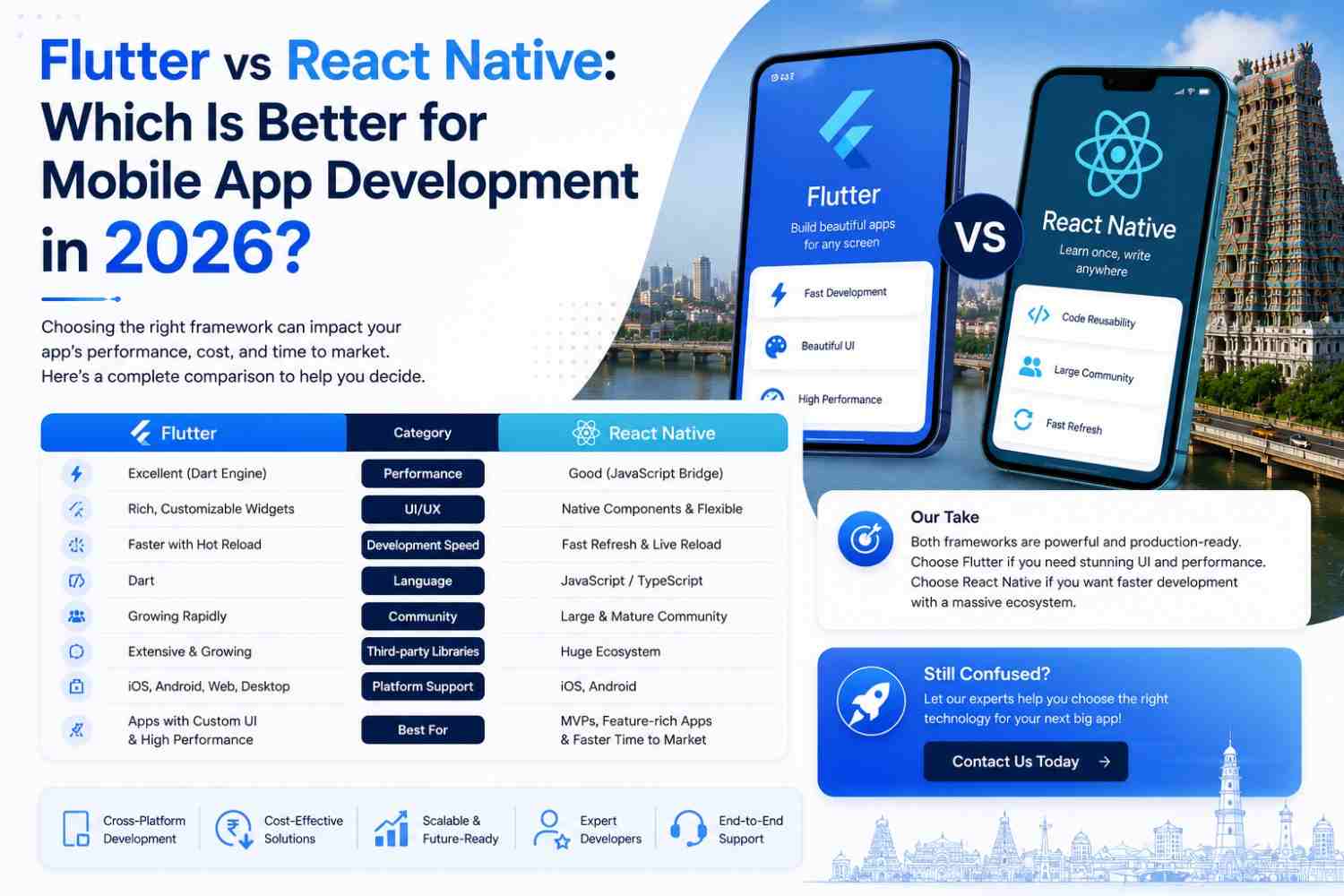
- Native vs cross-platform: native delivers best performance; cross-platform shortens time-to-market but may limit platform-specific features.
- Custom features vs off-the-shelf modules: custom work provides unique value but raises costs and maintenance burden.
- Immediate full-feature launch vs phased MVP: a phased MVP reduces risk and provides early learnings but delays some desired capabilities.
Common mistakes to avoid
- Skipping accessibility testing: exclusion reduces reach and can create compliance issues.
- Ignoring backend integration: apps without CRM/payment integration create manual work and data silos.
- Underestimating ongoing costs: hosting, API usage, and app store fees add recurring expense.
- No plan for growth: failure to design for scale can lead to expensive rework when user numbers rise.
Core cluster questions
- How much does a basic nonprofit mobile app typically cost?
- What features should a nonprofit prioritize in an app MVP?
- How can nonprofits measure ROI from mobile apps?
- Should a nonprofit build native apps or use cross-platform frameworks?
- How to ensure mobile accessibility and data privacy for app users?
Metrics and evaluation
Track acquisition metrics (downloads, installs), engagement (DAU/MAU, session length), conversion (donation completion rate, volunteer sign-ups), and retention (repeat donors, returning volunteers). Use analytics to iterate on messaging, UI flows, and feature prioritization.
Next steps for decision-makers
Commission a short discovery phase (2–4 weeks) that clarifies goals, identifies integrations, and produces a clickable prototype. Use the MVP Checklist to scope development and set a realistic budget with a maintenance plan.
Implementation resources and standards
Follow accessibility and privacy best practices from recognized standards bodies: W3C (WCAG) for accessibility and local data protection authorities for privacy and consent rules. Ensure payment processing follows PCI DSS if accepting cards.
Common funding options
- Grants earmarked for digital capacity building
- Partnering with corporate sponsors for an app pilot
- Board-designated technology funds or donor-designated capital
Final checklist before launch
- Confirm core KPI and tracking is installed
- Complete accessibility and security testing
- Validate CRM and payment integrations end-to-end
- Prepare app store listings and privacy policy text
- Plan a small pilot with feedback channels
FAQ: What is mobile app development for nonprofits?
Mobile app development for nonprofits refers to designing, building, testing, and maintaining mobile applications tailored to nonprofit goals such as fundraising, volunteer management, service delivery, and community engagement.
FAQ: How much does a basic nonprofit app typically cost?
Costs vary widely, but a simple cross-platform MVP often ranges from low five figures to mid five figures depending on integrations and security needs. Ongoing maintenance should be budgeted separately.
FAQ: How do nonprofit mobile apps improve donor retention and fundraising?
Apps streamline giving with saved payment methods, recurring donation flows, and timely push notifications. They also enable personalized messaging and in-app campaigns that increase donor engagement over time.
FAQ: What are common mistakes when creating nonprofit mobile apps?
Common mistakes include skipping accessibility checks, failing to integrate with CRM systems, underbudgeting for maintenance, and building too many unvalidated features before pilot testing.
FAQ: Which features should be included in an MVP for nonprofit mobile apps?
An MVP should include one primary user action (donate or sign up), basic profile management, push notifications, analytics, and secure payment integration. Prioritize accessibility and CRM syncing.