Next-Gen CRM Software: How to Choose, Implement, and Measure Impact
-
- March 09th, 2026
- 423 views

Get a free topical map and start building content authority today.
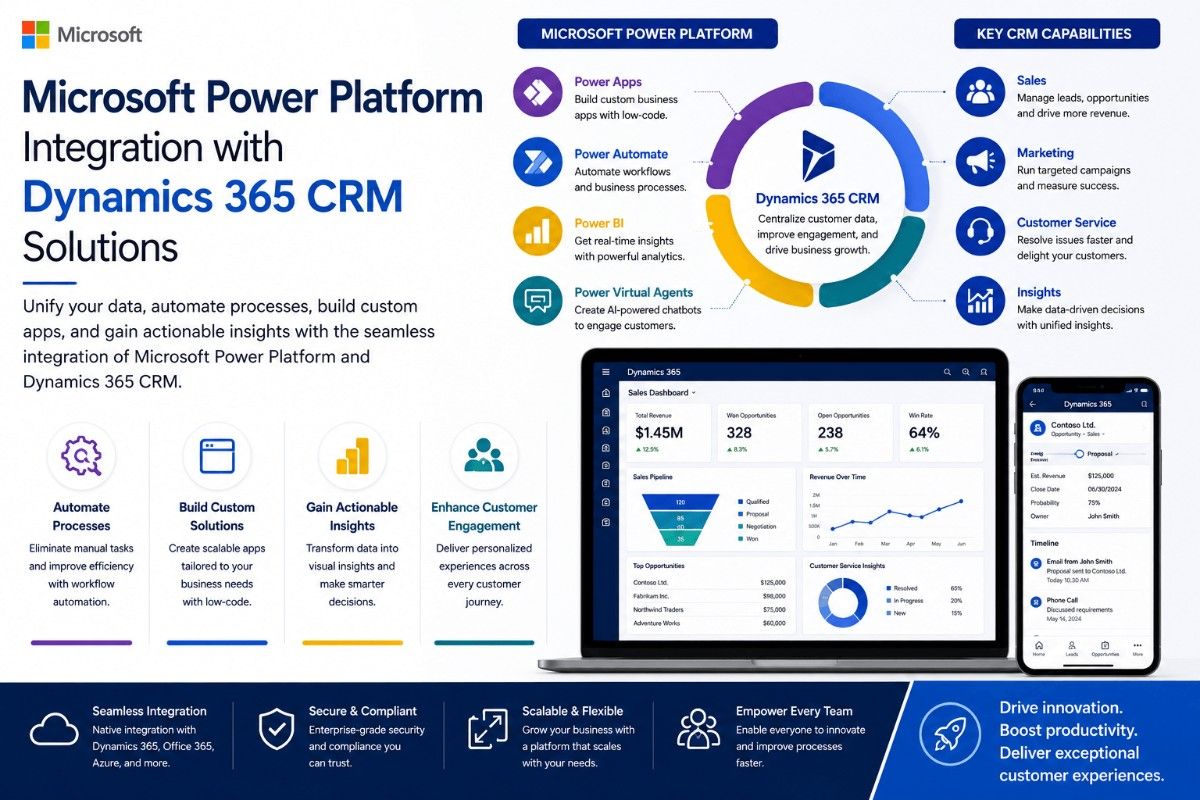
Next-gen CRM software promises more than contact lists: it brings AI-driven insights, seamless cloud integrations, and automated workflows that tie sales, service, and marketing to measurable outcomes. This guide explains what next-gen CRM software is, how it differs from legacy systems, and concrete steps to evaluate and implement a solution that reduces risk and delivers ROI.
- Define the core capabilities of modern CRMs (AI insights, automation, integrations, security).
- Use the ALIGN framework and checklist to assess vendors and plan implementation.
- Follow practical tips for deployment, training, and measurement.
- Watch common trade-offs: customization vs. maintainability, AI value vs. data quality.
Detected intent: Informational
What is next-gen CRM software?
Next-gen CRM software refers to platforms that extend traditional customer relationship management with capabilities such as AI-driven lead scoring and forecasting, event-driven automation, unified customer profiles across channels, low-code integration with third-party systems, and built-in analytics. These systems aim to remove data silos and enable real-time, personalized customer interactions.
Key features and technologies in next-gen CRM software
AI and automation
AI-powered features include predictive lead scoring, churn risk prediction, natural language processing for sentiment analysis, and automated routing of inquiries. When evaluating AI, verify data quality, model explainability, and whether models can be tuned to business KPIs.
Cloud-based integrations and APIs
Cloud-based CRM integration enables real-time sync with ERP, marketing automation, e-commerce, and analytics platforms. Look for robust APIs, event-driven webhooks, and prebuilt connectors to reduce implementation time.
Security, compliance, and governance
Security matters: encryption at rest and in transit, role-based access, audit logs, and support for data residency controls. For a vendor-neutral source on cybersecurity best practices when integrating systems, consult the NIST Cybersecurity Framework.
ALIGN framework: a practical model for selecting and implementing CRM
The ALIGN framework is a five-step model that helps teams evaluate, adopt, and scale next-gen CRM software.
- Assess — Map current processes, data sources, and KPIs.
- Link — Define required integrations and data flows (APIs, ETL, middleware).
- Integrate — Plan phased technical integration and data migration tests.
- Govern — Establish security, compliance, and data governance rules.
- Nurture — Train users, iterate on automation rules, and measure outcomes.
ALIGN checklist
- Document top 3 business outcomes the CRM must improve (e.g., reduce response time by 30%).
- Inventory data sources and map fields to canonical customer record.
- Validate vendor API capabilities and SLAs for uptime and support.
- Define access control matrix and data retention policies.
- Plan pilot for a single department with measurable KPIs and rollback steps.
Short real-world example
A mid-sized B2B services firm used the ALIGN framework to replace an on-premise CRM. After Assessing needs, the team piloted a cloud-based platform integrated with their billing system and marketing automation. Post-pilot, automated lead assignment reduced average response time from 48 to 12 hours, and sales-qualified leads increased by 18% within three months.
Choosing between vendors: trade-offs and common mistakes
Trade-offs to consider
- Customization vs. maintainability: Heavy customizations can lock teams into complex upgrade paths; prefer configurable workflows when possible.
- Best-of-breed vs. suite: Integrated suites reduce integration overhead; best-of-breed tools can provide deeper functionality but need middleware and more governance.
- On-premise control vs. cloud agility: On-prem may ease data residency concerns but increases operational burden.
Common mistakes
- Skipping a data clean-up before migration, which corrupts AI outputs and reporting accuracy.
- Underestimating change management — lack of training leads to low adoption.
- Deploying AI use-cases without measurable KPIs or a plan to validate model predictions.
Practical tips for implementation and adoption
- Start with a focused pilot that targets one clear KPI (e.g., lead response time) rather than a broad rollout.
- Enforce a canonical customer schema to avoid duplicate records and ensure AI models have consistent inputs.
- Use role-based training and short microlearning modules tied to daily tasks to increase adoption.
- Migrate data in stages and run reconciliation reports after each phase.
- Measure success with a combination of usage metrics (logins, feature use) and business KPIs (conversion rates, churn, response time).
How to measure ROI for next-gen CRM software
Define baseline metrics before implementation: lead-to-opportunity rate, average deal size, time-to-resolution, and customer satisfaction. After deployment, run A/B tests where possible, and track improvements against the baseline. Assign dollar values to time saved (e.g., time to close) and to retention gains to build a business-case model.
Core cluster questions
- What features should a modern CRM include to support omnichannel customer journeys?
- How can AI improve lead scoring and sales forecasting in CRM systems?
- What are common integration patterns between CRM and ERP systems?
- How to migrate customer data from legacy CRMs with minimal downtime?
- What governance practices reduce privacy and compliance risk in CRM deployments?
Implementation roadmap (quick checklist)
- Week 0–4: Complete Assess phase, select pilot team, and freeze source data fields.
- Weeks 4–8: Configure platform, build integrations for pilot, and migrate a data subset for testing.
- Weeks 8–12: Run pilot, collect KPIs, tune automation rules, and train users.
- Months 3–6: Gradually roll out to additional teams, enforce governance, and iterate on AI models.
Measuring long-term success
Track adoption rates, process cycle time reductions, and revenue-related metrics quarterly. Revisit governance and data quality every six months and schedule vendor reviews aligned with contract milestones.
FAQ
What is next-gen CRM software and why does it matter?
Next-gen CRM software extends core CRM with AI, automation, and cloud integrations that make customer interactions faster, more personalized, and measurable against business outcomes.
How does AI-powered CRM for small business differ from enterprise solutions?
AI-powered CRM for small business often focuses on out-of-the-box automations and simpler pricing, with fewer integration options; enterprise solutions provide deeper customization, advanced governance, and scalability for complex data landscapes.
What should be included in a cloud-based CRM integration plan?
Include API capability mapping, data transformation rules, retry and error handling, authentication strategy (OAuth, SSO), and monitoring for data sync health.
How to avoid common mistakes when deploying next-gen CRM software?
Avoid skipping data cleanup, underinvesting in training, and adopting AI features without KPIs. Use the ALIGN checklist to mitigate these risks.
Is next-gen CRM software secure enough for regulated industries?
Security varies by vendor. Verify encryption, access controls, audit logging, and compliance certifications. Align technical controls with standards such as the NIST Cybersecurity Framework to reduce risk.