5-Step Guide to Using an AI Email Generator for Recruiters to Boost Outreach
-

- Published Updated
- 1,666 views
AI email generator for recruiters: 5 easy steps to better candidate outreach
An AI email generator for recruiters can speed up candidate outreach, increase personalization at scale, and help track response performance. This guide explains five practical steps to use AI-generated email content while protecting candidate data, improving deliverability, and measuring results.
- Step 1: Define audience and sourcing context.
- Step 2: Craft compelling subject lines and preview text.
- Step 3: Generate and personalize the body with clear calls to action.
- Step 4: Refine tone, check compliance, and integrate with ATS.
- Step 5: Test, send, and track open, reply, and conversion metrics.
Why use AI for recruiting outreach?
AI tools can create tailored templates, suggest subject lines that improve open rates, and insert personalization tokens that increase reply likelihood. When combined with segmentation and applicant tracking systems (ATS), an AI email workflow can reduce manual work and improve time-to-hire. However, any use must respect data protection rules such as GDPR and sending regulations like CAN-SPAM in the United States.
5 practical steps to create effective outreach
Step 1 — Define the audience and context
Begin by segmenting candidates (e.g., active vs passive, role seniority, location, skill set). Use concise input prompts for the AI that describe role, required skills, and the sourcing channel (LinkedIn message, cold email, referral follow-up). Attach context such as the company mission and a one-line value proposition to guide tone.
Step 2 — Write subject lines and preview text
Subject lines determine open rates. Ask the AI to produce several short variants (5–7 words) and a matching preview line. Use action-oriented wording, mention a relevant skill or role, and avoid spammy terms. Save subject lines for A/B testing to measure which phrasing performs best for each segment.
Step 3 — Generate the email body and personalize
Provide the AI with personalization tokens (candidate name, current company, key skill) and a clear call to action (schedule a call, reply with availability). Keep the opening line focused on relevance: a brief mention of why the candidate fits, followed by role highlights and next steps. Include an optional sentence that offers flexibility in scheduling to raise reply rates.
Step 4 — Refine tone, check compliance, and integrate with systems
Adjust tone to match employer brand and role seniority. Before sending at scale, verify legal and privacy considerations: include an unsubscribe option for marketing-style outreach, and ensure lawful basis for processing candidate data under relevant rules. For EU candidates, consult guidance on data protection; the European Commission provides an overview of GDPR that explains legal obligations and candidate rights European Commission GDPR overview. Integrate the finalized template and tokens with the ATS or CRM to automate merges and keep candidate records synchronized.
Step 5 — Test, send, and monitor performance
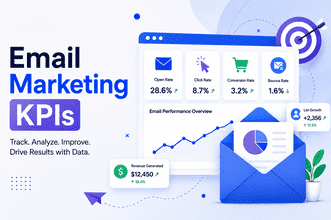
Run small A/B tests for subject lines and opening sentences. Monitor deliverability metrics (bounce rate, spam complaints), engagement metrics (open rate, click-throughs), and conversion metrics (reply rate, interview scheduling). Use results to refine prompts and templates. Keep a log of templates that perform well for specific segments and update them periodically.
Best practices and operational considerations
Personalization vs scale
Balance tokenized personalization (name, company) with short custom lines that reference a candidate's background. Hyper-personalization can improve outcomes but requires up-to-date profile data and careful checking to avoid inaccuracies.
Deliverability and sender reputation
Warm up sending domains, use consistent From names, and maintain a verified DKIM/SPF setup via IT or email provider. Monitor spam complaints and remove recipients who opt out promptly.
Privacy and consent
Recruiters must follow applicable laws and internal data-handling policies. Keep candidate data secure, provide clear opt-out instructions where required, and store only necessary information in compliance with organizational retention policies.
Frequently asked questions
What is an AI email generator for recruiters and how does it work?
An AI email generator for recruiters creates draft outreach messages based on input prompts and candidate data. It can suggest subject lines, personalize body copy using tokens, and produce variations for testing. The output is intended for review and integration with ATS or CRM systems before sending.
Can AI-generated emails replace human review?
No. AI can accelerate drafting and suggest options, but human review is necessary to confirm factual accuracy, align tone with employer brand, and verify compliance with privacy rules.
How should performance be measured?
Track open rate, reply rate, positive response rate (e.g., interviews scheduled), and deliverability metrics. Segment results by candidate source, role, and subject line to identify what works for each group.
Are there legal constraints when sending AI-generated outreach?
Yes. Follow local and international regulations on unsolicited communications and data protection, including opt-out requirements and lawful bases for processing candidate data. When working with EU residents, consult GDPR guidance and local supervisory authority recommendations.
How to avoid sounding generic with AI-generated content?
Include a short personalized sentence referencing a recent role, project, or skill. Limit template length, vary wording across segments, and use candidate-specific details only when verified to avoid inaccuracies.
Using an AI email generator for recruiters can streamline outreach while preserving personalization—when combined with clear processes for compliance, testing, and human oversight.