Apple Screen Repair Dubai
-

- August 24th, 2026
- 2,136 views

FREE SEO Topical Map Generator: Find Your Next Content Ideas
A cracked, flickering, or black MacBook screen has a way of stopping your day cold, and in Dubai, where your laptop is your office, that's the last thing you need. MacTech Pro gets you back up and running, fast.
MacTech Pro is a specialist Apple MacBook repair shop in Dubai Sports City, and screen repair is one of the things we do best. We handle every MacBook Air and MacBook Pro from 2016 to 2026, Intel and Apple Silicon (M1, M2, M3, M4, and M5), with component-level expertise that goes well beyond a simple swap. Whether you've searched MacBook screen repair near me at 2am after a drop, or you're comparing the official Apple Store quote against something more sensible, you've found the right team.
Free diagnostic, OEM-grade panels, honest pricing, and a turnaround measured in hours for most models. We know the audience we serve: busy professionals, expats, and businesses across Dubai who can't afford to be without a working Mac for a week. That's why MacTech Pro built its screen service around speed, transparency, and genuine technical depth, not guesswork.
The MacTech Pro Process
How We Diagnose & Fix Your MacBook Screen
This is where real expertise separates a proper repair from a parts swap. Here's exactly how MacTech Pro approaches a MacBook screen repair.
1
Free diagnostic and fault isolation Diagnose
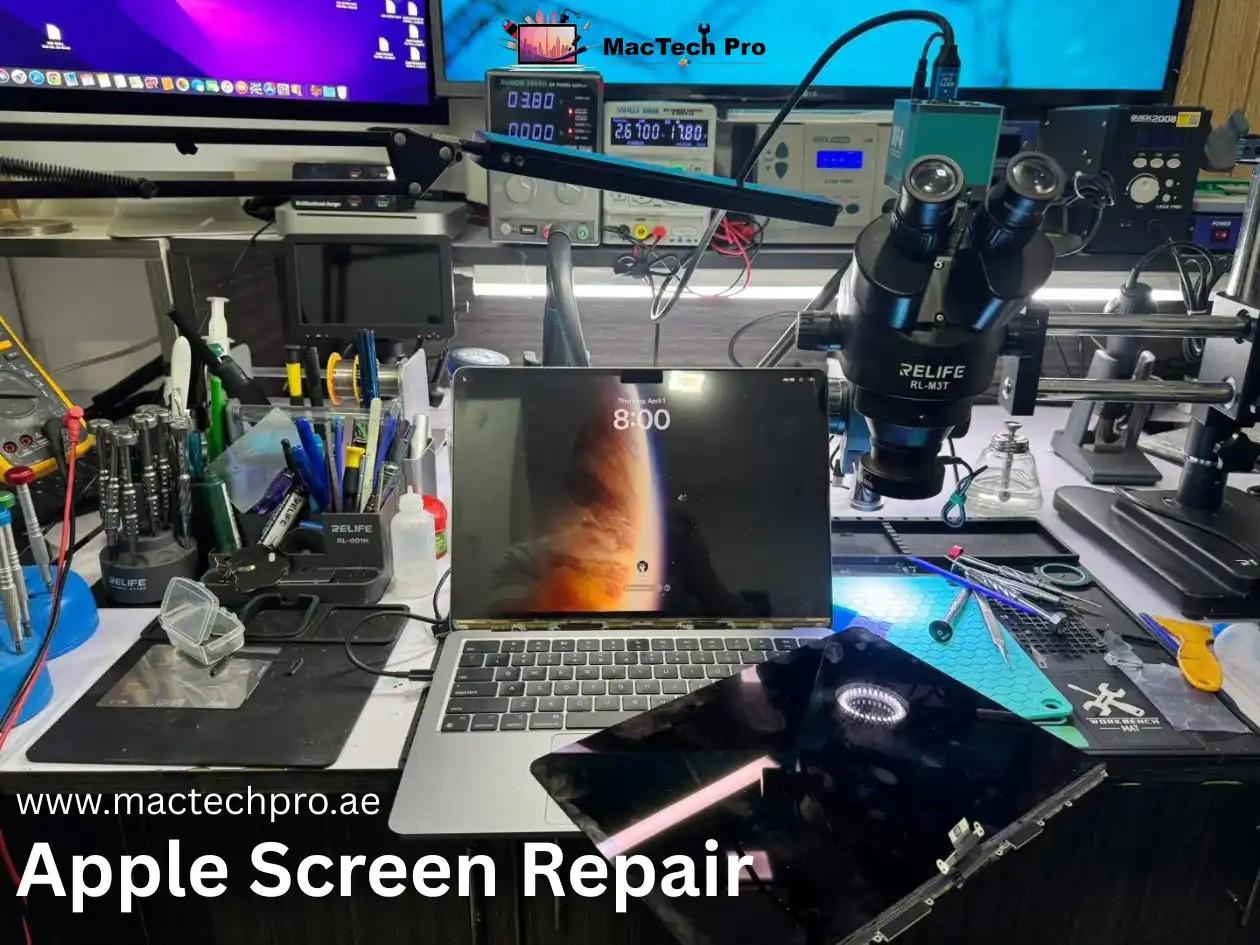
We first confirm where the fault actually lives. A dark or distorted screen can come from the LCD panel itself, the display flex cable, the backlight driver circuit on the logic board, or the T-CON timing controller. Using a multimeter and a bench power supply, our technicians check the backlight voltage rails and the data lines feeding the panel before we touch a single screw. This is the step that stops you paying for a full screen when a cable repair would do.
2
ESD-safe disassembly Protect
The MacBook is opened on an anti-static, ESD-protected bench. Apple Silicon boards are dense and unforgiving, and a single static discharge can damage a component, so safety protocols here are not optional.
3
Panel or assembly decision Honest Call
If the housing, hinges, camera, and antennas are intact, MacTech Pro replaces only the bonded LCD panel — the more affordable internal-screen route. If the lid or hinges are damaged, a full display assembly is the honest call, and we tell you which before any work begins.
4
OEM-grade replacement and calibration Calibrate
We fit a panel matched to your exact model, then verify brightness, colour accuracy, and True Tone behaviour against the ambient light sensor so the new screen performs like the original, not a washed-out substitute.
5
Board-level repair where needed Micro-Solder
If the backlight circuit or a fuse on the logic board failed alongside the panel, MacTech Pro carries out micro-soldering under a microscope to replace the affected components, including backlight driver ICs and the small filter components on the LCD power rails. Most Dubai shops can't do this; we can.
6
Full testing and quality check Verify
Before your Mac leaves the bench, we test the display across brightness levels, check for dead pixels and uniformity, confirm the camera and Wi-Fi still work, and verify the hinge and lid sensor. Then it's cleaned and handed back.
Every MacBook We Repair — All Models & Sizes
MacTech Pro covers Apple screen repair across the full MacBook range, Intel through M5, in 13-inch, 14-inch, 15-inch, and 16-inch sizes. Find your machine and its model number below; for example, the popular MacBook Pro 15-inch 2017 carries the model number A1707. Your number is printed on the underside of the chassis or shown under About This Mac.
MacBook Air — Model Numbers (2017–2026)
| MacBook Air Model & Size | Model No. | Chip |
|---|---|---|
| MacBook Air 13-inch (2017) | A1466 | Intel |
| MacBook Air 13-inch Retina (2018) | A1932 | Intel |
| MacBook Air 13-inch Retina (2019) | A1932 | Intel |
| MacBook Air 13-inch Retina (2020) | A2179 | Intel |
| MacBook Air 13-inch M1 (2020) | A2337 | Apple M1 |
| MacBook Air 13-inch M2 (2022) | A2681 | Apple M2 |
| MacBook Air 15-inch M2 (2023) | A2941 | Apple M2 |
| MacBook Air 13-inch M3 (2024) | A3113 | Apple M3 |
| MacBook Air 15-inch M3 (2024) | A3114 | Apple M3 |
| MacBook Air 13-inch M4 (2025) | A3240 | Apple M4 |
| MacBook Air 15-inch M4 (2025) | A3241 | Apple M4 |
| MacBook Air 13-inch M5 (2026) | A3449 | Apple M5 |
| MacBook Air 15-inch M5 (2026) | A3448 | Apple M5 |
MacBook Pro — Model Numbers (2016–2026)
| MacBook Pro Model & Size | Model No. | Chip |
|---|---|---|
| MacBook Pro 13-inch (2016/2017, 2 ports) | A1708 | Intel |
| MacBook Pro 13-inch (2016/2017, 4 ports) | A1706 | Intel |
| MacBook Pro 15-inch (2016/2017) | A1707 | Intel |
| MacBook Pro 13-inch (2018) | A1989 | Intel |
| MacBook Pro 15-inch (2018) | A1990 | Intel |
| MacBook Pro 13-inch (2019) | A1989 / A2159 | Intel |
| MacBook Pro 15-inch (2019) | A1990 | Intel |
| MacBook Pro 16-inch (2019) | A2141 | Intel |
| MacBook Pro 13-inch (2020, 2 ports) | A2289 | Intel |
| MacBook Pro 13-inch (2020, 4 ports) | A2251 | Intel |
| MacBook Pro 13-inch M1 (2020) | A2338 | Apple M1 |
| MacBook Pro 14-inch M1 Pro/Max (2021) | A2442 | M1 Pro / Max |
| MacBook Pro 16-inch M1 Pro/Max (2021) | A2485 | M1 Pro / Max |
| MacBook Pro 13-inch M2 (2022) | A2338 | Apple M2 |
| MacBook Pro 14-inch M2 Pro/Max (2023) | A2779 | M2 Pro / Max |
| MacBook Pro 16-inch M2 Pro/Max (2023) | A2780 | M2 Pro / Max |
| MacBook Pro 14-inch M3 (2023) | A2918 | Apple M3 |
| MacBook Pro 14-inch M3 Pro/Max (2023) | A2992 | M3 Pro / Max |
| MacBook Pro 16-inch M3 Pro/Max (2023) | A2991 | M3 Pro / Max |
| MacBook Pro 14-inch M4 (2024) | A3112 | Apple M4 |
| MacBook Pro 14-inch M4 Pro (2024) | A3401 | M4 Pro |
| MacBook Pro 14-inch M4 Max (2024) | A3185 | M4 Max |
| MacBook Pro 16-inch M4 Pro (2024) | A3403 | M4 Pro |
| MacBook Pro 16-inch M4 Max (2024) | A3186 | M4 Max |
| MacBook Pro 14-inch M5 (2025) | A3434 | Apple M5 |
| MacBook Pro 14-inch M5 Pro (2026) | A3426 | M5 Pro |
| MacBook Pro 14-inch M5 Max (2026) | A3427 | M5 Max |
| MacBook Pro 16-inch M5 Pro (2026) | A3428 | M5 Pro |
| MacBook Pro 16-inch M5 Max (2026) | A3429 | M5 Max |
We also repair screens on the 12-inch Retina MacBook (A1534) and older models not listed here. Whatever the year, if it's an Apple laptop with a damaged display, MacTech Pro can almost certainly fix it.