Reasons to Avoid Trying to Disable Glance on an MI Phone
-

- Published Updated
- 2,113 views
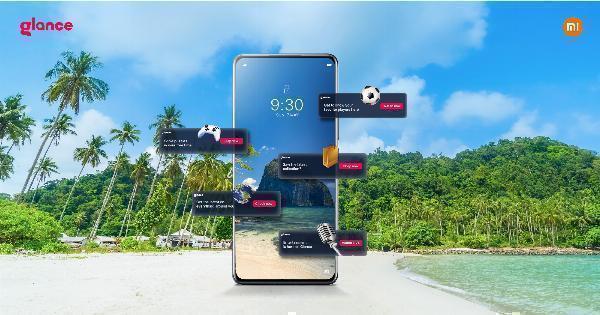
The decision to disable Glance in MI phone software may seem straightforward, but seeking unverified methods can carry practical and security risks. The feature interacts with the lock screen, system permissions, and manufacturer firmware; attempting to disable it without official guidance can lead to warranty voiding, system instability, or exposure to malware. This article explains why avoiding unofficial attempts to disable Glance is often the safer course and outlines alternative approaches and trusted sources for help.
- Searching for ways to disable Glance in MI phone can prompt risky modifications such as rooting or sideloading apps.
- Unofficial methods may void warranty, break updates, or expose personal data to third parties.
- Safer options include using official settings, adjusting permissions, or contacting manufacturer support and consumer protection bodies.
Reasons not to disable Glance in MI phone
Glance is often implemented as part of the device’s lock-screen and content-delivery system. It may be integrated with the MIUI user interface and rely on built-in services to provide content, notifications, or ambient information. Looking for ways to disable Glance through third-party tutorials or tools can introduce several downsides:
System and update instability
Some online guides suggest modifying system files, removing packages, or installing modified firmware to remove preinstalled features. These changes can interfere with official over-the-air updates and recovery mechanisms. A device altered at the system level may fail to install security updates correctly, leading to longer-term stability and safety problems.
Warranty and support implications
Manufacturers commonly limit warranty coverage for devices that have been rooted or flashed with unofficial firmware. Removing or disabling integrated features by bypassing built-in protections can be considered an unauthorized modification. This can reduce or eliminate the ability to obtain official repairs or technical support.
Security and malware risk
Instructions that require downloading APKs or utilities from non-reputable sources create a risk of installing malicious software. Sideloaded packages can request broad permissions, capture personal data, or create persistent backdoors. Relying on unverified sources for system changes increases exposure to threats that legitimate app stores and official updates are designed to mitigate.
Privacy and legal considerations
Concerns about targeted content, advertising, or data collection are common reasons users consider disabling Glance. However, attempts to alter how the service operates can have unintended consequences.
Data access and permissions
Some proposed workarounds depend on removing permissions or altering the way the lock screen displays content. Improper changes may create new permission gaps or cause apps to request additional access. Reviewing privacy settings through the official system menus and consulting privacy policies is a more controlled way to address data concerns.
Regulatory context
Consumer data rights vary by jurisdiction. For example, data protection frameworks in many regions (including the EU's data protection rules) outline user rights for access and erasure; these frameworks do not require risky device modifications. For information on data protection principles, see the European Commission data protection overview: ec.europa.eu data protection. When in doubt about lawful data practices, contacting a national consumer protection agency or data protection authority is recommended.
Practical downsides of unofficial solutions
Loss of integrated features
Removing a built-in feature can break dependencies with system apps, lock-screen shortcuts, or notification routing. This can degrade the overall user experience beyond simply removing a single service.
Misinformation and fragile guides
Online forums sometimes circulate fragmented instructions that appear to work on one device or software version but fail on others. Differences in MIUI versions, region-specific builds, and carrier customizations make many guides unreliable. Following a method that worked for a different phone model or software build can lead to unpredictable results.
Safer alternatives
Use official settings and permissions
Reviewing the system settings for the lock screen, notifications, and app permissions can address many concerns without risky modifications. Adjusting permission scopes, notification preferences, or personalization options preserves system integrity while reducing undesired content.
Contact official support or retailer
For persistent issues, contacting the device manufacturer’s official support channels or an authorized service center provides guidance that preserves warranty rights. If a feature raises privacy or consumer-rights questions, official documentation and customer support can explain available options for opting out or limiting data sharing.
Consider device-level alternatives
Choosing different display or lock-screen configurations, using secure lock methods, or using built-in ‘do not disturb’ features can often mitigate the reasons users consider disabling Glance. These approaches avoid system-level changes while addressing practical concerns.
When and how to proceed carefully
If a decision is made to pursue technical changes, do not rely on anonymous forums alone. Verify compatibility with the exact device model and software build, back up important data, and understand the manufacturer’s policies on modifications. Engaging a qualified technician or authorized service provider reduces the risk of irreversible damage.
Frequently asked questions
Is it safe to disable Glance in MI phone?
Attempting to disable built-in features through unofficial means can pose risks to device stability, security, and warranty status. Safer options include adjusting official settings, permissions, or contacting manufacturer support.
Will disabling Glance improve battery life?
Battery impact depends on many factors. Rather than modifying system components, check battery-usage tools and reduce background activity through official settings to find the main power drains.
What are the consumer protection steps if a feature collects data?
Review the device privacy policy, use built-in controls to limit data sharing, and contact a local data protection authority or consumer protection agency for guidance on exercising privacy rights in the relevant jurisdiction.
Where to get official help for feature concerns?
Use the device manufacturer’s official support channels, authorized service centers, or retail point of sale. Official support can clarify settings, guide safe configuration changes, and explain warranty terms.