Cloud Repatriation Strategy: When and How Enterprises Reverse Cloud Moves to Reduce Cost and Risk
-

- March 03rd, 2026
- 214 views
Cloud Repatriation Strategy: When and How Enterprises Reverse Cloud Moves
Cloud repatriation strategy is the deliberate process of moving applications, data, or workloads from a public cloud back to on-premises, colocation, or private cloud environments. This guide explains why organizations consider repatriating cloud workloads, how to evaluate the decision, and how to execute repatriation with minimal disruption. Detected intent: Informational
- Cloud repatriation strategy evaluates cost, performance, security, data gravity, and regulatory factors before moving workloads out of public cloud.
- Use a repeatable decision framework and a checklist to assess candidates, plan migration, and validate outcomes.
- Expect trade-offs: reduced vendor lock-in and lower predictable costs versus upfront capital and reduced elasticity.
Why enterprises are rethinking cloud: drivers behind repatriating cloud workloads
Several practical forces prompt a cloud repatriation strategy. Major drivers include rising and unpredictable cloud costs for steady-state workloads, data sovereignty and compliance obligations, performance or latency issues tied to regional placement, and strategic desire to reduce vendor lock-in. In some cases, massive datasets create data-gravity effects that make continued cloud hosting inefficient compared with colocated or on-premises solutions.
Decision framework: a named model for evaluating repatriation
Apply the CLOUD Decision Framework to evaluate candidates systematically. CLOUD stands for:
- Cost profile: steady-state vs burstable and true TCO.
- Latency & performance: user experience and geographic constraints.
- Ownership & compliance: data residency, audits, legal restrictions.
- Usage patterns: predictable workload vs spiky demand.
- Data gravity & integration: dependencies and data transfer overhead.
Use this framework to score workloads and prioritize high-impact candidates.
REMAP checklist: practical pre-migration actions
Follow the REMAP checklist before executing a repatriation project:
- Reassess architecture diagrams and runtime dependencies.
- Estimate total cost of ownership, including capital, operations, and network egress.
- Map data flows, APIs, and third-party integrations that may change.
- Architect target environments with capacity planning and resilience requirements.
- Plan cutover, rollback, and validation tests; schedule during low-impact windows.
Practical steps to repatriate cloud workloads
Move from decision to execution with these high-level steps:
1. Inventory and classification
Identify every asset: compute instances, storage buckets, databases, networking rules, IAM policies, and third-party services. Classify by business criticality, compliance sensitivity, and traffic patterns.
2. Cost and performance modeling
Run a realistic TCO model that includes hardware depreciation, staffing, energy, network, and backup. Include cloud egress, licensing, and expected utilization. Model performance differences for latency-sensitive services.
3. Proof-of-concept and parallel run
Start with a low-risk, high-value candidate. Run it in the target environment in parallel to the cloud version, validate performance, and confirm monitoring and backup behavior.
4. Cutover and validation
Perform staged cutovers with feature flags or blue/green patterns. Validate transaction integrity, user experience, and security posture. Keep rollback paths and documented runbooks.
Short real-world example
A mid-sized financial services firm observed steady monthly costs for transaction-processing VMs that exceeded on-premises estimates after three years. Using the CLOUD Decision Framework, the firm identified batch processing as a top candidate. A REMAP checklist confirmed data residency benefits and lower TCO on dedicated hardware. After a parallel run and a blue/green cutover, monthly costs dropped by 35% and SLA latency improved for domestic users. Regulatory audits became simpler because logs and retention lived inside controlled datacenter systems.
Trade-offs and common mistakes
Repatriation can solve legitimate problems but introduces trade-offs. Common mistakes include underestimating capital expenses, ignoring staffing and operational maturity, and failing to account for lost elasticity during demand spikes.
- Trade-offs: Lower predictable operating cost and greater control versus reduced on-demand scalability and longer procurement cycles.
- Common mistakes: Skipping dependency mapping, failing to model egress charges, and choosing the wrong first candidate (too complex or too mission-critical).
Practical tips for successful repatriation
- Start with a clear set of measurable success criteria: cost per transaction, latency targets, and compliance checks.
- Automate infrastructure provisioning with IaC (Infrastructure as Code) to maintain reproducibility and speed deployment.
- Include networking and bandwidth testing in proofs-of-concept; data transfer constraints often drive hidden costs.
- Retain cloud-native capabilities where they make sense—hybrid approaches can combine best-of-both-worlds.
- Document runbooks and train operations teams before cutover to avoid human-error rollback scenarios.
Hybrid approaches and when to repatriate versus refactor
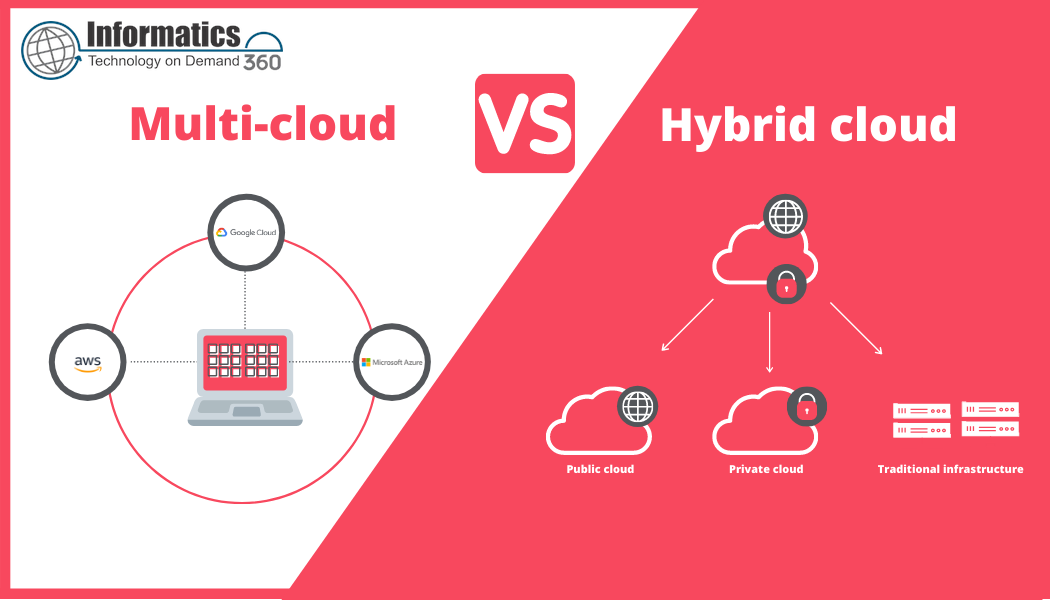
Complete repatriation is rarely the only path. Many organizations adopt hybrid cloud repatriation patterns: moving data or stateful components on-premises while keeping stateless services in public cloud. In other cases, refactoring code to be cloud-agnostic or using multi-cloud orchestration reduces lock-in without moving everything.
Core cluster questions for internal linking and content planning
- How to calculate the true cost of staying in public cloud versus moving on-premises?
- Which workloads are best suited for repatriation: databases, batch jobs, or analytics?
- What compliance and data residency rules should drive a repatriation decision?
- How to design network architecture and security for repatriated systems?
- What metrics and monitoring change after repatriation and how to validate them?
For established definitions and cloud characteristics referenced in planning, consult the National Institute of Standards and Technology (NIST) cloud computing overview: NIST: Cloud Computing.
Measuring success and post-migration governance
Track the original success criteria and conduct a 30/60/90-day review. Monitor cost, performance, incident frequency, and compliance metrics. Establish a governance policy that defines thresholds for when a workload should be considered for future repatriation or re-clouding.
When not to pursue repatriation
Repatriation is likely not appropriate when workloads are highly elastic, have unpredictable spikes, or when operational teams lack the maturity to run complex platforms on-premises. In such cases, refactoring for cost-efficiency or negotiating cloud discounts can be superior alternatives.
Final checklist: quick decision guide
- Score workload against CLOUD framework.
- Run TCO and performance modeling with realistic inputs.
- Validate with a parallel PoC and automation-first deployment.
- Prepare rollback and runbooks before cutover.
- Define governance and re-evaluation cadence post-migration.
FAQ
What is a cloud repatriation strategy and when is it appropriate?
A cloud repatriation strategy is a planned approach to move workloads from public cloud back to on-premises, colocation, or private cloud environments. It is appropriate when cost models, latency, compliance, or data gravity make cloud hosting suboptimal, and when operational capabilities exist to run the target environment reliably.
How much does repatriating cloud workloads typically save?
Savings vary widely. Typical reductions occur for predictable, steady-state workloads when amortized capital and operational costs are lower than ongoing cloud fees. A reliable estimate requires a detailed TCO model including egress, licensing, staffing, and capacity utilization assumptions.
Can repatriation reduce vendor lock-in?
Yes. Moving critical stateful systems off a single cloud provider and standardizing on open interfaces reduces dependency on provider-specific services. However, moving does not eliminate lock-in entirely if proprietary tools remain in use.
What are common operational risks during repatriation?
Operational risks include misconfigured networking, missing security controls, insufficient capacity planning, and incomplete data synchronization. These risks are mitigated by thorough dependency mapping, automation, and staged cutovers.
How to approach hybrid cloud repatriation for databases and analytics?
Consider moving data storage closer to users or compute where data gravity matters, while keeping analytics pipelines flexible. Hybrid approaches often place raw data on-premises with burstable analytics in the cloud or vice versa depending on cost and latency profiles.