Dynamics 365 Business Central for Manufacturing: Implementation Best Practices and Production Planning Tips
-

- Published Updated
- 761 views
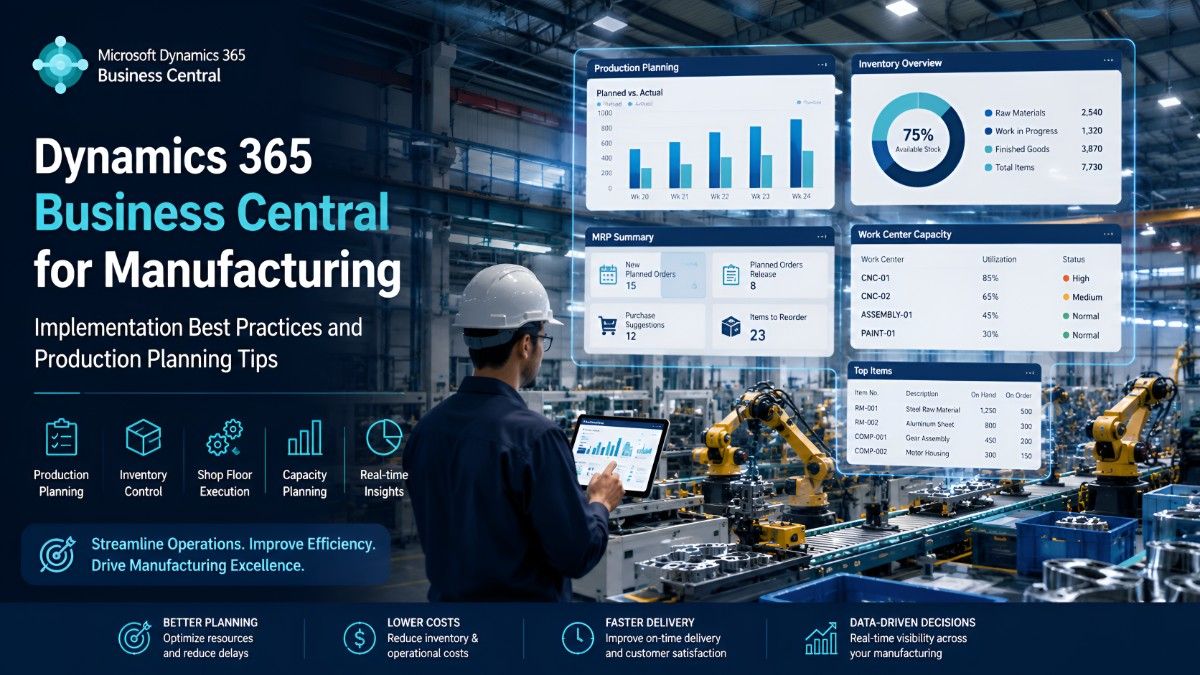
If you run a manufacturing business — whether you make machine parts, furniture, food products, or plastic components — you already know the daily headaches. Stockouts on critical raw materials, production delays, machines sitting idle, and endless Excel sheets that never quite match reality. Many mid-sized manufacturers in India and the Middle East are now moving to Dynamics 365 Business Central manufacturing solutions to fix these issues.After helping over a dozen manufacturing companies implement Business Central, I’ve seen the difference it makes when done right. In this article, I’ll share practical implementation best practices and real production planning tips that actually work on the shop floor.
Why Manufacturers Are Choosing Business Central
Business Central (often called BC) is a cloud-based ERP that combines finance, sales, inventory, and manufacturing in one system. The manufacturing module is particularly strong for small-to-medium manufacturers who need proper BC production planning without the complexity and high cost of larger systems like Dynamics 365 Finance & Supply Chain.It handles Bills of Materials (BOMs), routings, MRP, capacity planning, and shop floor execution quite well out of the box.Common Challenges Before Switching to a Modern Manufacturing ERPMost manufacturers I meet are still struggling with:
- Disconnected systems (separate software for accounting, production, and inventory)
- Inaccurate stock levels leading to rush purchases or dead stock
- Poor visibility into production capacity and bottlenecks
- Manual planning that can’t keep up with changing customer orders
- Difficulty calculating true production costs
A good manufacturing ERP like Business Central solves most of these by bringing everything together in real time.
Pre-Implementation Best Practices
Don’t rush into implementation. The companies that succeed follow these steps:
- Clean your data first — Spend time fixing item masters, BOMs, and routings before migration. Dirty data is the number one reason projects fail or get delayed.
- Define clear objectives — Decide whether you want better inventory accuracy, shorter lead times, or accurate costing. Be specific.
- Get the right team — Involve your production manager, planner, and finance lead from day one. Top management support is essential.
- Choose the right partner — Pick a Microsoft partner who has real manufacturing experience, not just general ERP knowledge.
- Start with standard functionality — Avoid heavy customisation in the first phase. Business Central works best when you adapt your processes to it initially.
Step-by-Step Implementation Approach for Manufacturers
A typical successful rollout follows this pattern:
- Discovery & Planning (4–6 weeks): Map current processes and decide configuration.
- System Setup & Data Migration (6–8 weeks): Configure BOMs, routings, work centres, and import clean data.
- Training & Testing (4–6 weeks): Train key users and run parallel testing with real scenarios.
- Go-Live & Hypercare (4–8 weeks): Go live with close support, then gradually hand over.
Most mid-sized manufacturers go live in 4–7 months when they follow this disciplined approach.
BC Production Planning & Scheduling Tips That Actually Work
This is where Business Central shines for manufacturers.Bill of Materials (BOMs)
Create multi-level BOMs with versions. This is crucial if you have engineering changes or different product variants. Always link BOMs to routings so the system knows both what and how to produce.Material Requirements Planning (MRP)
Run the Planning Worksheet regularly. It looks at sales orders, forecasts, current stock, and open purchases to suggest production and purchase orders. Tip: Use demand forecasts based on historical sales for better accuracy.Capacity Planning
Set up Work Centres and Machine Centres properly with calendars, efficiency percentages, and stop times. This prevents the system from scheduling production when machines are down or shifts are over.Production Orders
Use three types wisely:
- Planned orders (suggestions)
- Firm Planned orders (locked for execution)
- Released orders (on the shop floor)
Shop Floor Execution
Workers can report output and consumption directly. For better visibility, many of our clients add simple barcode or mobile solutions that integrate with Business Central.Key Features Manufacturers Love in Business Central
- Real-time inventory across multiple locations
- Automated reordering based on MRP
- Production costing (standard, FIFO, etc.)
- Integration with Power BI for dashboards
- Quality management basics (inspection lots)
- Demand forecasting tools
Common Pitfalls to Avoid
- Trying to replicate your old system 100% in BC — this leads to heavy customisation and future upgrade problems.
- Underestimating change management and training.
- Going live with unclean data.
- Ignoring capacity planning — MRP alone is not enough if your machines are overloaded.
Real Results Our Clients Have SeenOne engineering components manufacturer in India reduced excess inventory by 28% within six months and improved on-time delivery from 65% to 89%.A food processing company in the Middle East cut manual planning time by 70% and gained accurate product costing for the first time.These are typical outcomes when implementation is done properly.Final ThoughtsDynamics 365 Business Central manufacturing is an excellent choice for growing manufacturers who want a modern, affordable, and scalable ERP. The key to success lies in solid preparation, clean data, practical production planning setup, and working with an experienced partner.If you’re struggling with production planning, rising costs, or a lack of visibility, Business Central can make a genuine difference.Ready to explore how Dynamics 365 Business Central can work for your manufacturing business?Contact the team at dnetsoft.com for a free consultation and manufacturing-specific demo. We’ll review your current setup and show you exactly how BC can improve your production planning and overall efficiency.