Practical Strategies to Enhance Project Visualisation Without Microsoft Project
-

- February 23rd, 2026
- 1,673 views

FREE SEO Topical Map Generator: Find Your Next Content Ideas
Project visualisation helps teams understand timelines, dependencies and resource allocation at a glance. This article explains practical techniques for improving project visualisation without Microsoft Project, using alternative views, lightweight tools and clear data practices that work for Agile, hybrid and traditional project approaches.
- Use multiple visual formats (Gantt-like timelines, Kanban boards, dashboards) to match stakeholder needs.
- Prepare clean data and use CSV or spreadsheet exports to create custom visuals.
- Leverage open formats, lightweight tools and shared dashboards for collaboration and version control.
- Reference standards from professional bodies such as the Project Management Institute for consistent planning and reporting.
Core concepts for better project visualisation
Effective project visualisation depends on clarity of scope, accurate scheduling and relevant metrics. Visual formats translate abstract plans into timelines, resource maps and status indicators. Key concepts to apply include work breakdown structure (WBS), critical path, resource loading and risk registers. Align visuals with reporting rhythms such as sprint planning, monthly steering meetings or milestone reviews so the audience sees the right level of detail.
Key methods to enhance project visualisation
Choose the right visual view for the audience
Different stakeholders need different views: executives require high-level timelines or milestone dashboards, while delivery teams benefit from Kanban boards or task boards. Common views include:
- Gantt-like timelines for schedule and dependency context
- Kanban or task boards for workflow and WIP limits
- Dashboards showing progress, risks and resource utilisation
- Heat maps or RAG (red/amber/green) status tables for quick health checks
Use spreadsheets as a universal data source
Spreadsheets remain a universal interchange format. Export task lists as CSV with fields such as task name, start, finish, duration, predecessor IDs, owner and percent complete. Spreadsheets enable quick filtering, pivot tables and the ability to feed lightweight visualization tools. Maintaining a single source of truth reduces duplicate work and conflicting visuals.
Build simple Gantt alternatives without Microsoft Project
Gantt-style timelines can be created in spreadsheet apps, presentation software or timeline-specific web tools. Key practices when producing timelines include showing dependencies, highlighting critical path items, and using baseline vs actual bars to reveal schedule drift. For recurring reports, maintain baseline columns to show planned vs current schedule.
Implement Kanban and Agile boards
Kanban boards visualize flow: columns represent process stages and cards represent work items. Use WIP limits and swimlanes for teams, and add color-coded tags for priority, risk or component. Boards are effective for continuous delivery and make bottlenecks visible without heavy scheduling artifacts.
Use dashboards and visual metrics
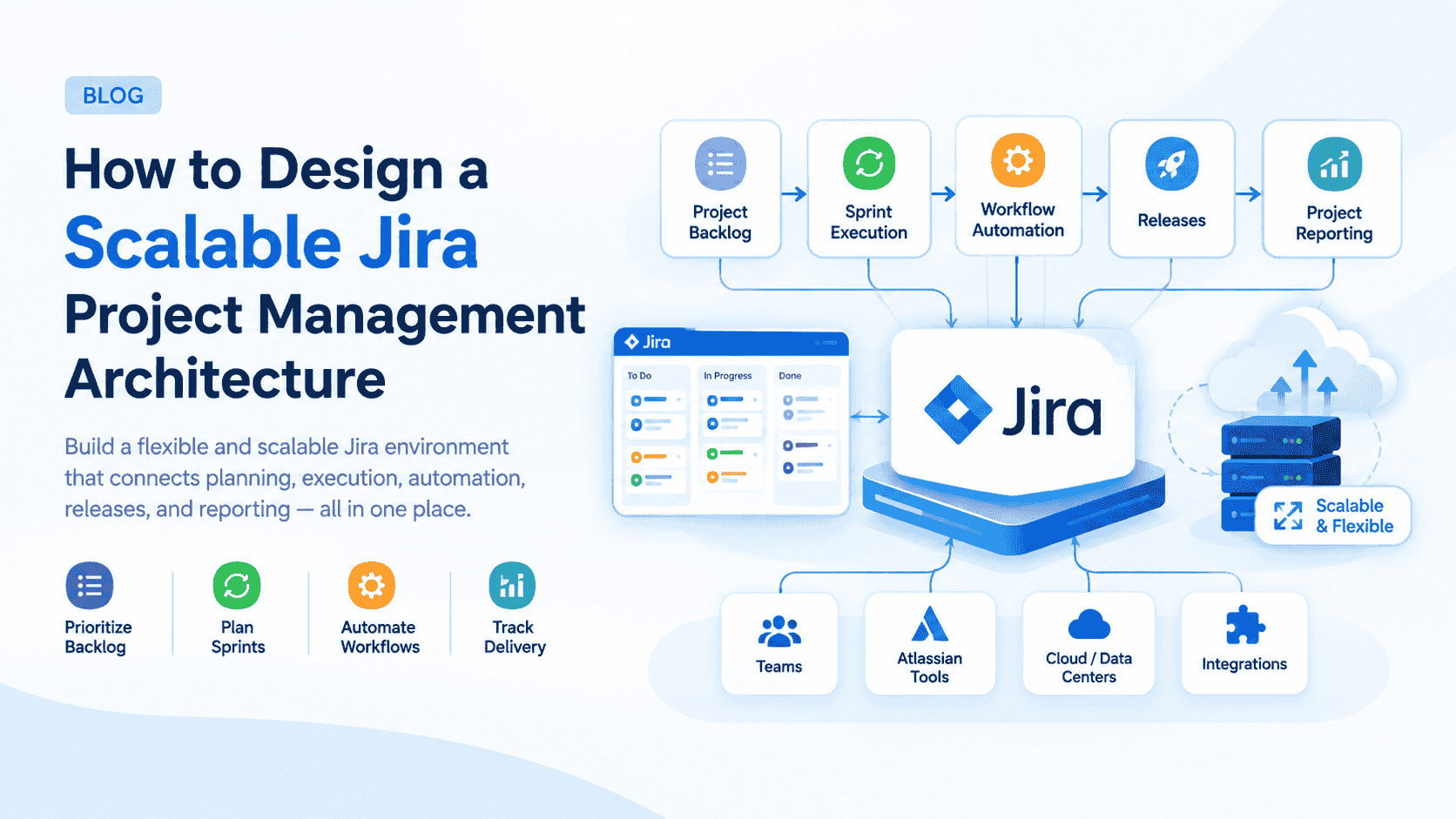
Dashboards combine charts, indicators and text to provide a snapshot. Common widgets include burn-down or burn-up charts for Agile, cumulative flow diagrams, resource histograms and a small risk register summary. Dashboards can be built from spreadsheet data or connected to lightweight BI tools for automated refresh.
Data workflows and collaboration practices
Maintain a clean task register
A consistent task register captures the attributes needed to generate visuals: IDs, dependencies, owners, start/finish, percent complete and risk status. Apply naming conventions and status categories so automated exports and manual reports are reliable.
Use version control and change logs
Record changes to schedule and scope with a simple change log. Timestamped updates or a revision column in the register make it easy to compare baselines and identify why a date shifted. This supports transparent conversation with stakeholders and auditability for governance frameworks like ISO 21500 or PMI guidance.
Leverage shared cloud storage and real-time collaboration
Cloud document systems and collaborative spreadsheets keep visualisations synchronized. Limit the number of master files and use view-level permissions to protect data while giving stakeholders the visuals they need.
Tools and integrations (tool-agnostic approach)
Lightweight timeline and diagram tools
Many simple timeline, diagram and charting tools accept CSV or spreadsheet input. Export data from the task register and import to create visuals quickly. Focus on portability—use tools that support standard formats so visual outputs can be archived or republished.
BI and dashboard connectors
Business intelligence tools can turn raw project data into interactive dashboards. Use connectors that accept CSV, APIs or Google Sheets to automate updates. Keep KPI definitions consistent and documented.
Standards and guidance
For consistent planning and reporting terminology, consult recognized professional resources. The Project Management Institute offers standards, guides and vocabulary relevant to project planning and reporting, which can help align visualisation practices with industry expectations: Project Management Institute.
Practical tips for clearer visuals
- Simplify: remove non-essential tasks from executive views.
- Use color consistently: same colors should mean the same thing across reports.
- Annotate: add brief notes to explain major changes or risks on timelines.
- Automate refresh where possible to avoid stale visuals.
- Validate data weekly to reduce reporting errors.
When to move to a dedicated scheduling tool
Lightweight techniques work for many projects, but complex programs with heavy resource constraints, cross-project dependencies or regulatory requirements may benefit from dedicated enterprise scheduling tools. Evaluate needs against cost and team capability before migrating.
Frequently asked questions
How can project visualisation be improved without Microsoft Project?
Improve project visualisation by selecting views that match stakeholder needs (timelines, Kanban, dashboards), maintaining a clean task register, exporting to CSV for flexible import, and using lightweight timeline and dashboard tools. Consistent naming, baseline tracking and simple change logs make visuals reliable and actionable.
What data fields are essential for creating reliable visuals?
Essential fields include task ID, name, owner, start date, finish date or duration, percent complete, predecessor IDs for dependencies and a status or risk flag. Additional fields for cost or resource allocation can enhance resource histograms and capacity planning charts.
Can dashboards replace status meetings?
Dashboards can reduce meeting time by providing shared, up-to-date information, but they do not fully replace the need for focused discussions on decisions, risks and stakeholder alignment. Use dashboards to prepare participants and make meetings more efficient.
Is it necessary to follow PMI or ISO standards for visuals?
Following recognized standards helps ensure consistent terminology and governance, especially for regulated environments or large programs. For many small teams, pragmatic practices aligned with these standards are sufficient without full formal adoption.
How often should visuals be updated?
Update visuals at a cadence aligned with delivery rhythms: daily for active Kanban boards, at the end of each sprint for Agile reports, and weekly or monthly for executive timelines and dashboards. Automate refresh where feasible to keep information current.