What I Learned After Recovering Data From a Dead External Hard Drive
-

- Published Updated
- 8,688 views
I never expected a simple external hard drive failure to create so much stress until it happened to me personally. Like many people, I used an external hard drive to store almost everything important in one place — office documents, old projects, client folders, backups, personal images, and years of work data. Since the drive had always worked properly, I never really thought much about what would happen if it suddenly failed. But one day, the drive simply stopped opening.
When I connected it to my computer, the system detected the drive, but I could not access any files. Windows became unusually slow, folders stopped responding, and eventually I started seeing messages asking me to format the drive before using it.
At that moment, I realized how quickly important data can become inaccessible.
My First Reaction and the Mistakes I Almost Made
My first instinct was panic. I immediately started trying random fixes:
- reconnecting the drive
- changing USB ports
- restarting the system
- testing it on another computer
For a few minutes, I even considered formatting the drive because Windows kept suggesting it.
Thankfully, I stopped myself before doing that.
One thing I learned during this experience is that panic often makes recovery situations worse. Many people accidentally overwrite recoverable data because they rush into formatting, running unsafe repair tools, or repeatedly reconnecting a damaged drive.
That is why the first step should always be understanding the actual problem before attempting fixes.
How I Realized the Drive Was Not Completely Dead
After some careful checking, I noticed something important.
The external hard drive was still:
- showing inside Disk Management
- getting detected by Windows
- spinning normally
That gave me hope that the issue might be logical corruption rather than complete physical damage.
There is a major difference between:
- a corrupted drive
- and a physically destroyed drive
If a drive still appears in the system, there is often a chance the data can still be recovered safely.
However, if the drive:
- makes clicking sounds
- overheats badly
- disappears completely
- fails to spin
then the situation may involve hardware failure instead of logical corruption.
Understanding this difference helped me avoid unnecessary mistakes.
Why I Stopped Using Random Recovery Methods
Like most people, I searched online for quick fixes first.
But I quickly realized many internet suggestions can actually make recovery harder. Some methods involve:
- forced repairs
- unsafe commands
- repeated scan attempts
- risky formatting tricks
The more I researched, the more I understood that repeatedly experimenting with a damaged drive can reduce recovery chances later.
At that point, I decided I needed a safer and more professional recovery approach instead of random troubleshooting.
What Actually Helped Me Recover the Data
After trying basic troubleshooting carefully, I decided to use a professional recovery solution.
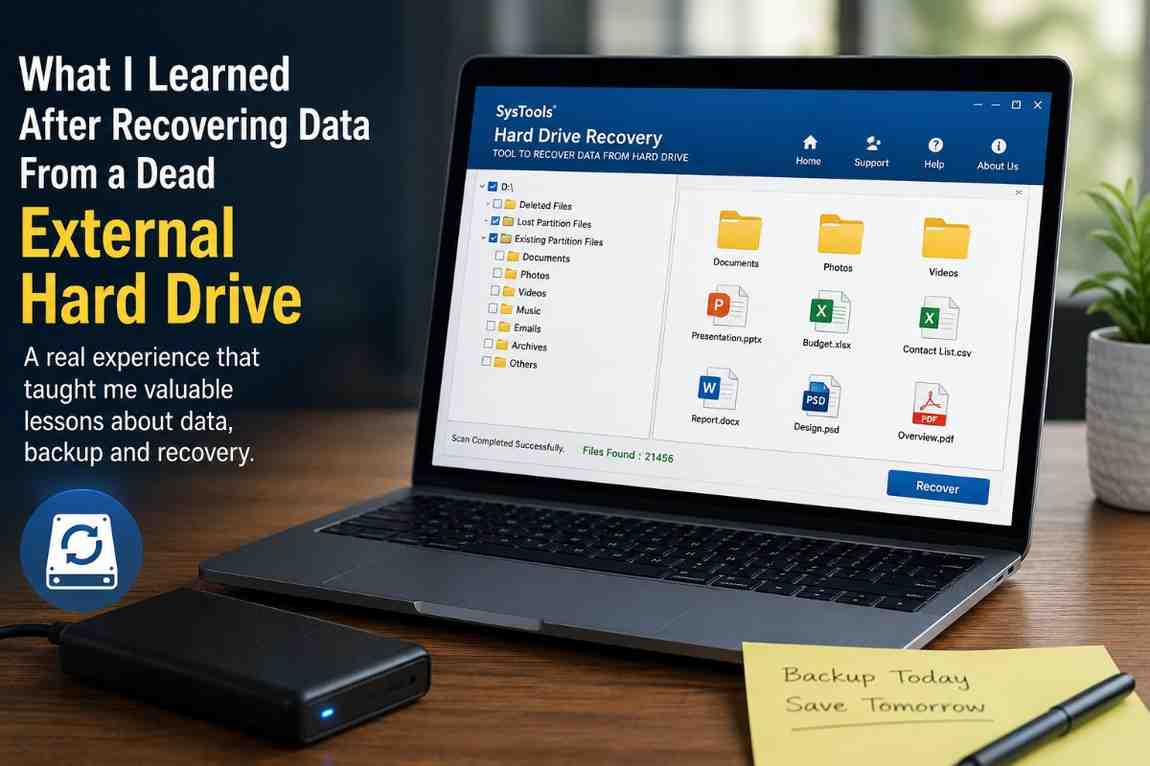
In my case, I used SysTools Hard Drive Recovery Software because I needed something that could deeply scan the external hard drive without formatting it.
The process was much simpler than I expected. After scanning the drive, the software started showing recoverable folders and files one by one. What surprised me most was that many old documents and deleted files were still visible during the scan. I honestly thought most of the data was already gone permanently. One feature I found especially useful was the preview option. Before recovering the files, I could verify whether the documents were still accessible and intact.
That gave me confidence during the recovery process. The biggest relief came when my important office files and client project folders were successfully recovered. Some of those documents existed nowhere else. At that point, I realized how close I had come to losing years of work data permanently.
What This Experience Taught Me About External Hard Drives
Before this happened, I assumed external hard drives were automatically safe because they are commonly used as backup devices.
But external drives can fail unexpectedly for many reasons, including:
- file system corruption
- unsafe removal
- bad sectors
- power issues
- malware attacks
- accidental deletion
- aging hardware
Sometimes there are warning signs. Sometimes the failure happens suddenly without any obvious indication. This experience completely changed the way I think about data storage and backups.
The Biggest Recovery Mistake People Make
One of the biggest mistakes users make after hard drive failure is writing new data onto the affected drive.
This can overwrite recoverable files permanently.
I also learned that recovered data should never be saved back onto the same damaged drive. Doing so increases the risk of further corruption and data loss.
Instead, recovered files should always be saved to:
- another hard drive
- SSD
- cloud storage
- separate external device
This keeps the original damaged drive untouched during recovery.
How I Changed My Backup Strategy After Recovery
After recovering my files, I completely changed the way I manage backups.
Now I maintain:
- cloud backups
- secondary external backups
- separate storage for critical work files
instead of depending on a single external hard drive. I also started organizing important folders more carefully so recovery becomes easier if something goes wrong in the future.
What I Learned From This Entire Experience
Looking back, the experience was stressful, but it taught me valuable lessons that I probably would have ignored otherwise. The biggest lesson was simple - Never assume your external hard drive is permanently safe just because it worked yesterday.
Drives fail unexpectedly. File systems become corrupted. Hardware ages over time. And sometimes years of important data can suddenly become inaccessible within seconds. The good news is that recovery is often still possible if the situation is handled carefully and unnecessary actions are avoided early.
In my case Hard Drive Recovery Software that helped me recover important files without formatting the drive, and honestly, that experience saved me from losing years of work permanently.
Final Thoughts
If your external hard drive suddenly stops opening, the most important thing is not to panic.
Avoid:
- formatting immediately
- random repair attempts
- unsafe software
- repeated failed recovery methods
Instead, take a careful approach and understand whether the issue is logical corruption or physical damage first. Sometimes a drive that appears “dead” still contains fully recoverable data underneath the corruption. And as I learned personally, the right recovery approach at the right time can make the difference between complete data loss and getting your important files back safely.