Power of Workflow Management Software: Streamline Processes and Boost Efficiency
-

- February 23rd, 2026
- 1,499 views

FREE SEO Topical Map Generator: Find Your Next Content Ideas
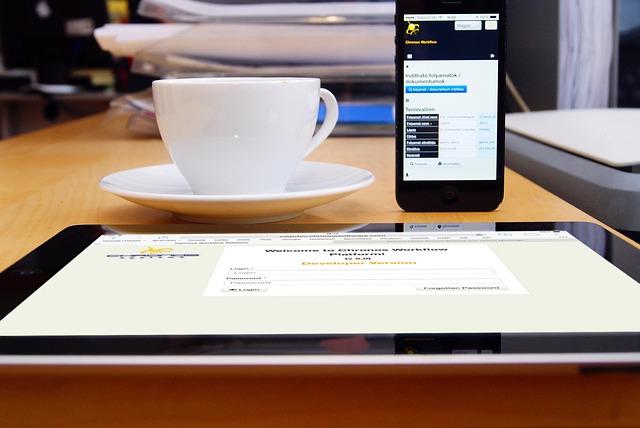
Workflow management software helps organizations design, automate, monitor, and optimize business processes to reduce manual work and improve outcomes. Clear task assignment, process mapping, and data-driven reporting are common capabilities that support teams across operations, HR, finance, and IT.
- Workflow management software centralizes process definition, automation, and monitoring.
- Key benefits include increased efficiency, better visibility, and stronger compliance controls.
- Core features to evaluate: process modeling, task tracking, integrations, and analytics.
- Adopt a phased implementation with governance, pilot testing, and continuous improvement.
Benefits of workflow management software
Efficiency and productivity
Automating repetitive steps reduces manual handoffs and the risk of human error. Standardized workflows preserve best practices, shorten cycle times, and free staff for higher-value work. Features such as templates, conditional routing, and automated notifications streamline task completion and reduce delays.
Visibility and accountability
Central dashboards and audit trails provide real-time insight into process status, overdue items, and resource bottlenecks. Clear ownership for each task improves accountability; managers can use workload views, Kanban boards, or Gantt charts to balance assignments and forecast capacity.
Compliance and auditability
Built-in logging, version control, and role-based access controls support regulatory and internal audit requirements. An auditable record of approvals and task changes helps organizations demonstrate adherence to standards such as ISO 9001 and internal control frameworks.
Key features to evaluate
Process modeling and automation
Graphical process builders and rule engines enable teams to map business rules and automate decision points. Support for BPMN-like notation or low-code automation accelerates the translation of policies into executable flows.
Task tracking and collaboration
Task lists, priority flags, comments, file attachments, and notifications support day-to-day execution. Collaboration features that integrate with standard communication tools help maintain context and reduce email-based tracking.
Integration and APIs
Connectivity to core systems—ERP, CRM, HRIS, document management, and identity providers—prevents duplicate data entry and allows workflows to trigger actions across platforms. Open APIs and connectors make it easier to build end-to-end automated processes.
Reporting and analytics
Process mining, cycle-time analysis, and custom reports reveal inefficiencies and improvement opportunities. Dashboards tailored to operational and executive audiences support data-driven decisions and continuous improvement initiatives.
Implementing workflow management software
Define processes and objectives
Document current-state processes, identify pain points, and define clear success metrics such as reduced cycle time, fewer errors, or lower operational costs. Engage stakeholders from the start to capture requirements and secure buy-in.
Pilot, iterate, and scale
Begin with a pilot for a high-impact, contained process. Use lessons from the pilot to refine process models, permissions, and integrations before broader rollout. Iterative improvement and feedback loops help align the system with real work practices.
Governance and security
Establish governance for process ownership, change management, and access policies. Ensure security controls, data retention, and encryption meet organizational and regulatory requirements; involve information security and compliance teams early in selection and deployment.
Common use cases and sectors
Typical business scenarios
Common applications include employee onboarding, procurement approvals, invoice processing, customer service case routing, IT service management (ITSM), and quality management. Both transactional operations and knowledge work benefit from workflow standardization.
Industry considerations
Sectors with strong regulatory obligations—such as finance, healthcare, and manufacturing—often require audit-ready workflows, strict access controls, and traceability. Public sector and higher-education organizations prioritize transparency, records retention, and accessibility.
Standards and external guidance
Best-practice references
Guidance from standards organizations and professional bodies can inform process design and controls. For example, ISO 9001 provides a framework for quality management systems, which aligns with workflow governance and continuous improvement principles. See ISO 9001 page for more details: ISO 9001 — Quality management. Additional discipline-specific frameworks such as ITIL for IT service management and Project Management Institute (PMI) guidance are also relevant when aligning workflows to organizational objectives.
Measuring success
Key performance indicators
Choose KPIs that reflect process goals: throughput, cycle time, error rates, rework, customer satisfaction, and compliance incidents. Regularly review metrics and incorporate feedback from frontline users to refine workflows and training.
Continuous improvement
Workflow management should support an iterative approach: monitor performance, identify bottlenecks with analytics, update process models, and retrain users. Combining process mining with stakeholder input drives sustained gains.
Frequently asked questions
What is workflow management software?
Workflow management software is a system that defines, automates, monitors, and optimizes sequences of tasks and approvals to complete business processes. It centralizes process logic, assigns tasks to users or systems, and records actions for reporting and auditing.
How does workflow management software improve compliance?
By capturing approvals, version histories, and access logs, the software creates an auditable trail. Role-based access, standardized forms, and enforcement of process rules reduce deviations and support regulatory reporting.
Which teams benefit most from workflow management tools?
Operations, HR, finance, procurement, legal, and IT often see immediate benefits, but any team with repeatable, multi-step processes can use workflow tools to reduce manual work and improve predictability.
How long does implementation typically take?
Implementation timelines vary by scope. A focused pilot can take weeks; enterprise-wide adoption usually spans months and includes integration, change management, and training phases.