Complete Guide to Smart SIM Registration: Requirements, Steps, and FAQs
-

- September 21st, 2026
- 58 views
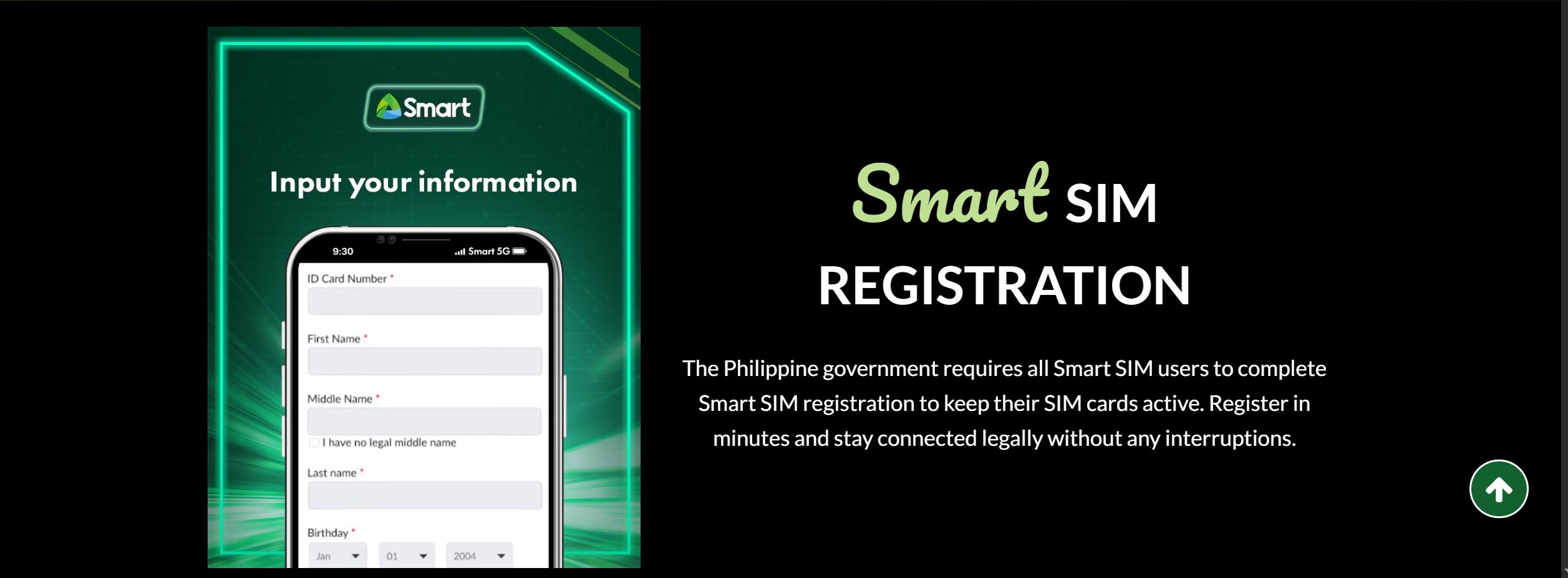
Under Republic Act No. 11934, officially designated as the SIM Registration Act in the Philippines, registering your Smart SIM card is a mandatory statutory requirement for all mobile network subscribers. This legislative landmark was enacted to combat the rampant spread of SMS-based scams, identity fraud, phishing attempts, and digital cybercrime. By establishing a direct, verified link between every active mobile telephone number and a legal individual identity, the law fosters digital security and ensures subscriber accountability across the entire country.
Failing to register an active SIM card results in line deactivation, which cuts off access to standard calls, outgoing text messages, and mobile data services. Whether you are using a new Smart Prepaid line, a Smart Bro pocket Wi-Fi, an eSIM, or an existing Postpaid account, completing the verification process is essential for maintaining continuous mobile connectivity.
Essential Requirements for Smart SIM Registration
To ensure a smooth, error-free registration session, subscribers should prepare all necessary documents and information before accessing the digital platform. The precise documentation rules vary depending on the subscriber category:
1. Local Residents and Filipino Citizens
Active Smart SIM Card: Inserted into a working mobile device capable of receiving an SMS One-Time Password (OTP).
Personal Details: Full legal name, date of birth, gender, nationality, and complete residential address.
Valid Photo ID: A clear, original digital scan or photo of an accepted government photo ID (file size under 5 MB in
.jpg,.jpeg, or.pngformat).Live Facial Selfie: Taken directly through the registration portal during the online session for live facial matching.
Acceptable Government-Issued IDs:
Philippine Identification (PhilID / ePhilID)
Valid Philippine Passport
Driver’s License
Social Security System (SSS) ID or Unified Multi-Purpose ID (UMID)
Government Service Insurance System (GSIS) e-Card
Professional Regulation Commission (PRC) License ID
Voter’s ID or Voter's Certification
Bureau of Internal Revenue (BIR) TIN ID
Senior Citizen ID or Persons with Disabilities (PWD) ID
Valid NBI Clearance or Barangay / Police Clearance
2. Minors (Subscribers Under 18 Years Old)
By law, SIM cards operated by minors cannot be registered directly under their own names. Instead, the SIM card must be registered under the official name of a parent or legal guardian. The required items include:
Valid government-issued photo ID of the registering parent or guardian.
Written legal consent or signed authorization form from the parent or legal guardian.
Official Birth Certificate of the minor subscriber.
3. Foreign Nationals and Travelers
Tourists (Maximum 30-day SIM validity): Passport bio page, arrival visa entry stamp, official proof of hotel or accommodation booking in the Philippines, and a confirmed return or onward flight ticket.
Foreign Residents, Workers, and Students: Passport bio page, Alien Certificate of Registration Identity Card (ACR I-Card) issued by the Bureau of Immigration, Alien Employment Permit (AEP) issued by DOLE, or an official school registration document.
Step-by-Step Online Registration Process
Smart Communications offers multiple convenient channels to complete subscriber verification free of charge.
Method 1: Registration via the Official Smart Web Portal
Access the Web Portal: Open your mobile or desktop browser and navigate to Smart's official registration website at
smart.com.ph/simreg.Input Mobile Number: Type your 10-digit Smart or TNT mobile number (e.g., 9181234567) and tap the Send OTP button.
Verify via OTP: Check your phone's SMS inbox for a 6-digit One-Time Password. Input this code into the portal screen within the allotted timer.
Enter Personal Information: Fill out the online registration form. Provide your legal full name, date of birth, sex, nationality, and full residential address matching your official records.
-
Upload Valid ID & Capture Selfie:
Select the ID type from the drop-down menu.
Upload a clear, uncropped photo of your physical government ID.
Follow the prompt to take a well-lit, direct live facial selfie.
Review and Submit: Check the confirmation box acknowledging the Data Privacy Act agreement and certifying that all submitted details are true and accurate. Click Submit.
Save Reference Code: Once successful, a unique Control or Reference Code will appear on the confirmation screen. Take a screenshot or write down this reference number for future account tracking and customer verification.
Method 2: Registration via the Smart Mobile App
Download or launch the official Smart App from the Apple App Store or Google Play Store.
Locate and tap the SIM Registration banner displayed on the main home screen.
Type your Smart mobile phone number and enter the received OTP code.
Fill out the registration form, upload your government-issued ID image, and capture the live facial selfie.
Save the generated Control Number displayed upon successful submission.
Method 3: Smart Postpaid Subscribers
For existing Smart Postpaid subscribers, the registration process is streamlined because personal data and government identification documents were already vetted during the initial subscription contract. Postpaid users typically receive a direct SMS prompt from Smart to confirm their details on file by replying with an affirmative confirmation code or logging into the self-service portal to verify their information.
Troubleshooting Common Registration Errors
Delayed or Missing OTPs: If the verification code does not arrive within a few minutes, turn Airplane Mode ON for 10 seconds and turn it back OFF to reset your cellular connection. Ensure your message inbox is not full and check that signal bars are steady.
ID Upload or File Size Failures: If the portal rejects your ID photo, ensure the image file is under 5 MB. Convert high-resolution images to
.jpgor.pngformat. Make sure all four corners of the ID card are visible and that there is no lens glare obscurely covering text or birthdate details.Facial Recognition Errors: When capturing your live selfie, sit in a well-lit area facing a natural light source. Avoid dark backgrounds, remove hats or sunglasses, and keep your face centered within the circular camera frame.
Security, Privacy, and Fraud Prevention
Official Smart SIM registration is 100% free. Smart Communications will never request credit card numbers, online banking passwords, or payment fees to process your SIM verification.
To protect your personal data, only submit information through official, verified Smart channels (smart.com.ph/simreg or the official Smart App). Never share your One-Time Passwords (OTPs), registration control numbers, or government ID scans with unauthorized third-party individuals, suspicious social media groups, or unverified SMS links.