Website Redesign Guide: Essential Steps for Business Success
-

- Published Updated
- 61 views
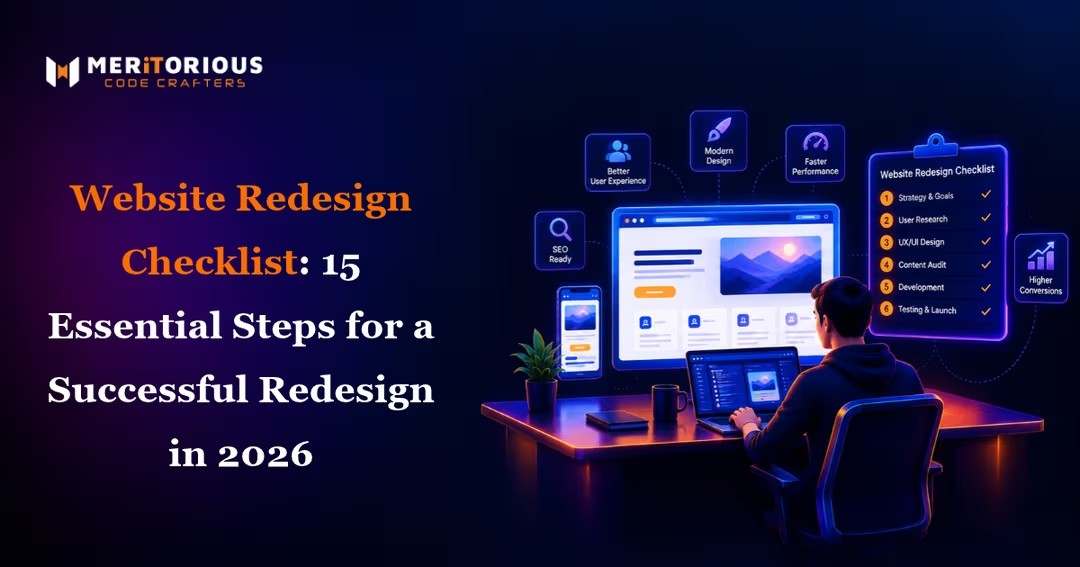
A website redesign is an opportunity to improve user experience, strengthen brand credibility, and make it easier for visitors to take meaningful action. However, redesigning a website involves more than changing its colors, layout, or visual style. It requires careful planning, performance evaluation, content review, and technical preparation.
A successful redesign should solve existing problems while preserving the website elements that already work well. Whether a business wants to improve conversions, modernize its brand, or make its website easier to manage, following a structured checklist can reduce risks and keep the project focused on measurable goals.
Key Takeaways
Define clear business goals before changing the website.
Audit existing content, performance, analytics, and user journeys.
Prioritize mobile usability, accessibility, and intuitive navigation.
Preserve valuable SEO signals through careful URL and redirect planning.
Test functionality, forms, speed, and tracking before launch.
Monitor results after launch and continue improving the website.
1. Define Your Website Redesign Goals
Before beginning a redesign, identify why the existing website needs improvement.
Some businesses want more qualified leads, while others need better mobile usability, clearer messaging, improved performance, or a more modern brand presentation.
Establish measurable objectives such as:
Increasing qualified inquiries
Improving conversion rates
Reducing friction in important user journeys
Improving mobile usability
Making content easier to discover
Simplifying website management
Clear goals help teams prioritize features and avoid spending time on visual changes that do not address real business needs.
2. Audit Your Existing Website
A detailed website audit helps identify what should be retained, improved, or removed.
Review the current website's page structure, content quality, loading performance, navigation, conversion paths, and technical functionality.
Use analytics and user feedback where available to identify high-performing pages, common exit points, and pages that attract relevant visitors.
Do not automatically remove older content or redesign every page. Some pages may already perform well and require only small improvements.
3. Understand Your Target Audience
A website should reflect the needs and expectations of the people who use it.
Consider what visitors want to learn, what questions they ask before making a decision, and what prevents them from taking the next step.
For example, a service-based business may need clear descriptions of its offerings, relevant case studies, transparent contact options, and evidence of expertise.
Audience research can also reveal whether visitors struggle with technical language, unclear navigation, lengthy forms, or missing information.
These insights provide a stronger foundation for redesign decisions than personal design preferences alone.
4. Improve Website Structure and Navigation
Visitors should be able to find important information without unnecessary effort.
Review the website's main menu, page hierarchy, internal links, footer navigation, and calls to action. Group related content logically and avoid overwhelming visitors with too many navigation options.
A well-organized structure also helps search engines understand the relationship between pages.
Before changing the navigation, consider how users currently move through the website and whether existing paths support important business goals.
5. Prioritize UI/UX Design
Visual appeal matters, but usability is equally important. A redesigned website should help visitors understand the business, find information, and complete tasks with minimal confusion.
Effective UI/UX Design Services can help businesses improve page layouts, visual hierarchy, interaction patterns, readability, and user journeys.
During the design process, consider:
Consistent spacing and typography
Clear headings and content hierarchy
Visible and understandable calls to action
Readable text and sufficient color contrast
Simple forms and predictable interactions
Consistent design patterns across pages
Wireframes and prototypes can help teams evaluate the proposed experience before investing in full development.
6. Make the Website Mobile-Friendly
Visitors may access a website from smartphones, tablets, laptops, and desktop computers. The redesigned experience should work reliably across different screen sizes.
Check that navigation menus are easy to use, text remains readable, buttons are comfortable to tap, and forms work correctly on smaller screens.
Images and other media should scale appropriately without causing layout problems.
Mobile testing should also include real interactions, such as opening menus, submitting forms, using search, and navigating between pages.
7. Improve Website Speed and Performance
Slow pages can frustrate visitors and interrupt important user journeys. A redesign is an opportunity to address unnecessary scripts, oversized images, inefficient code, and other performance bottlenecks.
Useful optimization steps include:
Compressing and appropriately sizing images
Using modern image formats where suitable
Reducing unnecessary JavaScript and CSS
Enabling effective caching
Reviewing hosting and server performance
Measuring Core Web Vitals and real-user performance where possible
Performance should be evaluated throughout development rather than only after launch.
8. Review and Optimize Website Content
A new design cannot compensate for unclear or outdated content.
Review every important page to ensure the information is accurate, useful, easy to understand, and aligned with visitor intent.
Improve headings, service descriptions, product information, calls to action, FAQs, and supporting resources. Remove unnecessary repetition and explain technical concepts in language that the intended audience understands.
For SEO, preserve relevant keywords naturally and ensure that each page serves a clear purpose. Avoid replacing useful content solely to make the layout shorter.
9. Plan Your Website SEO Before Launch
Website redesigns can affect search visibility when URLs, content, internal links, or page structures change without proper planning.
Before launch, create a record of important existing URLs and identify which pages will remain, move, merge, or be removed.
Your SEO checklist should include:
Preserving valuable page content where appropriate
Mapping changed URLs to relevant replacement pages
Implementing necessary permanent redirects
Updating internal links
Reviewing page titles and meta descriptions
Checking canonical tags and indexation settings
Maintaining XML sitemaps where required
Testing robots directives and structured data
Monitoring search performance after launch
Avoid redirecting every removed page to the homepage. Redirects should generally lead to the most relevant replacement page when one exists.
10. Strengthen Calls to Action and Conversion Paths
A website should make it clear what visitors can do next.
Depending on the business, the desired action may be booking a consultation, requesting a quote, purchasing a product, signing up for a service, or contacting the team.
Use clear, descriptive calls to action and position them where they support the visitor's decision-making process.
Review forms for unnecessary fields and explain what happens after submission. Test contact details, email notifications, confirmation messages, and conversion tracking to ensure that inquiries are not lost.
11. Choose the Right Website Design and Development Partner
A redesign often involves design, content, development, SEO, analytics, and quality assurance. Coordinating these areas helps prevent visual improvements from creating technical or marketing problems.
When evaluating Web Design Services, review the provider's portfolio, approach to responsive design, accessibility practices, communication process, and ability to connect design decisions with business objectives.
Ask how the team handles testing, content migration, redirects, performance optimization, and post-launch support.
A strong partner should be able to explain its process and identify potential risks before they become expensive problems.
12. Review Your CMS and Development Requirements
A redesign may also reveal that the current content management system no longer meets the organization's needs.
Consider whether the CMS makes it easy to publish content, manage permissions, maintain consistent layouts, and integrate with other business tools.
For businesses requiring broader technical improvements, Web & CMS Development Services can support custom functionality, CMS configuration, integrations, performance improvements, and ongoing maintenance.
Choose a platform based on the team's capabilities, content workflow, security requirements, scalability needs, and total cost of ownership—not simply on popularity.
13. Test Everything Before Launch
A pre-launch quality assurance process helps identify problems while they are still easy to fix.
Test the redesigned website across supported browsers, devices, and screen sizes. Check navigation, forms, buttons, search functionality, account features, and third-party integrations.
Also verify:
Page loading and layout consistency
Broken links and missing images
Redirect behavior
SEO metadata and indexation settings
Analytics and conversion events
Accessibility and keyboard navigation
Security settings and form validation
Backup and rollback procedures
Create a clear list of issues, assign responsibility, and confirm that critical problems are resolved before the new site goes live.
14. Launch the Website Carefully
A successful launch requires coordination between design, development, marketing, and operations.
Choose a suitable launch window, confirm that backups are available, and ensure the team knows how to respond if a critical issue occurs.
After deployment, check important pages, redirects, forms, analytics, and server responses. Review crawl reports and monitoring tools for unexpected errors.
If possible, prepare a rollback plan so the team can restore the previous version if a serious problem cannot be resolved quickly.
15. Monitor Results and Continue Improving
Website redesign is not finished when the new design goes live.
Monitor relevant indicators such as qualified leads, conversion rates, engagement, page performance, search visibility, and form completion rates.
Compare results with the baseline established before the redesign. Investigate unexpected changes rather than assuming that every metric will improve immediately.
Use visitor feedback, analytics, and usability testing to identify opportunities for further refinement.
Businesses seeking professional Website Design Services should prioritize a long-term improvement process that combines good design, reliable technology, useful content, and measurable business outcomes.
Frequently Asked Questions
How often should a business redesign its website?
There is no universal schedule. A redesign may be appropriate when the website no longer supports business goals, has persistent usability problems, uses outdated technology, or requires major changes to branding or functionality.
How long does a website redesign take?
The timeline depends on the number of pages, complexity of the design, content requirements, integrations, and approval process. A small business website may take substantially less time than a complex e-commerce or enterprise platform.
Can a website redesign affect SEO rankings?
Yes. Changes to URLs, content, internal links, technical settings, and page structure can affect search visibility. A planned SEO migration, relevant redirects, and post-launch monitoring can reduce avoidable risks.
What should be tested before launching a redesigned website?
Test navigation, forms, responsive layouts, browser compatibility, loading performance, redirects, analytics, accessibility, security, and important integrations. Verify that critical user journeys work correctly.
What is the most important part of a website redesign?
The most important step is aligning the redesign with clear user and business goals. Design, content, SEO, performance, and development should all support those objectives.
Conclusion
A successful website redesign combines thoughtful planning, user-focused design, useful content, technical reliability, and careful launch management.
By auditing the existing website, improving navigation, protecting SEO value, testing functionality, and measuring results after launch, businesses can create a digital experience that better serves their audience and supports growth.
Meritorious CodeCrafter can be considered by businesses looking to evaluate their website requirements and plan improvements across design, development, usability, and ongoing website performance.
Originally Published On : https://meritorious.global/website-redesign-checklist-essential-steps-for-a-successful-redesign/
Related Articles