Essential Conference Room Technology in Sydney: 6 Systems Every Office Needs
-

- March 02nd, 2026
- 278 views
Choosing the right conference room technology in Sydney ensures meetings run smoothly, supports hybrid teams, and protects sensitive discussions. This guide lists six must-have systems, a practical checklist, and clear setup tips for organizations of all sizes.
- Six core technologies: video conferencing, room audio, display & control, room scheduling, network & bandwidth, and security.
- Includes a named PACERS checklist, a real-world Sydney scenario, practical tips, and common mistakes to avoid.
Detected intent: Informational
conference room technology in Sydney: the 6 essentials
Every modern conference room needs systems that work together: reliable video conferencing hardware, clear audio capture, large or flexible displays, intuitive room control, simple room booking displays, and a secure, high-bandwidth network. The list below explains what each technology does and why it matters for workplaces in Sydney where hybrid meetings are now standard.
1. Video conferencing hardware
What to include
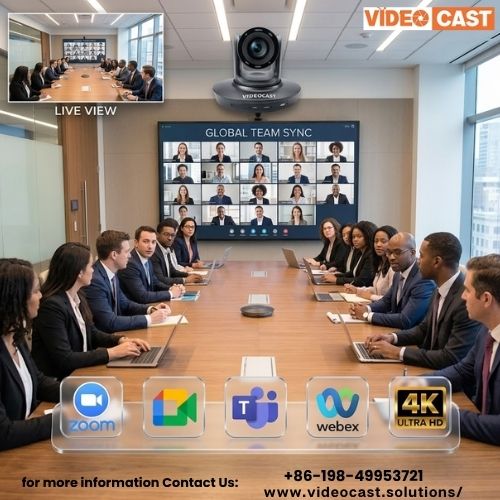
Choose codecs and cameras that support 1080p (or 4K if budget allows) and wide field-of-view lenses for group meetings. Built-in AI framing or PTZ (pan-tilt-zoom) helps when participants move. For small huddle rooms, a USB all-in-one device may suffice; larger boardrooms require room-specific codecs and multiple cameras.
2. Room audio and microphones
Microphone arrays and echo cancellation
Ceiling or table microphone arrays with beamforming and echo cancellation provide consistent pickup across a room. Combine with a DSP (digital signal processor) for noise suppression and automatic gain control to keep remote attendees heard clearly.
3. Displays and room control
Single large display vs dual-screen setups
For collaboration, dual screens allow content and gallery view simultaneously. Touch-capable displays or wireless presentation systems reduce cable clutter and support multiple presenters. Integrate a simple control panel for source switching, volume, and camera presets so meetings start faster.
4. Room scheduling and occupancy tools
On-door displays and calendar integration
Small, networked room scheduling displays tied to Microsoft 365 or Google Workspace calendars prevent double-booking and show real-time status. Combine occupancy sensors to free rooms when no one shows up.
5. Network, bandwidth, and infrastructure
Quality of Service and wired backhaul
Video and VoIP are sensitive to latency. Use wired Gigabit Ethernet for room endpoints when possible, and configure Quality of Service (QoS) on switches to prioritise conferencing traffic. Plan for at least 2–4 Mbps upstream per HD video stream; scale up for multiple concurrent rooms.
6. Security and compliance
Authentication, encryption, and device management
Enable device-level authentication and end-to-end encryption where supported. Keep firmware updates scheduled and manage endpoints using an MDM or AV management platform. For official guidance on secure online collaboration, consult the Australian Cyber Security Centre: Australian Cyber Security Centre.
PACERS checklist: a named framework for room readiness
Use the PACERS checklist to validate readiness before rollout:
- Prepare: confirm calendar integration and user access
- Audio: test mics, speakers, and DSP settings
- Connectivity: wired backhaul and QoS verified
- Equipment: camera, codec, and displays calibrated
- Room control: panels and remote management tested
- Security: firmware, authentication, and encryption in place
Real-world example: upgrading a mid-size Sydney boardroom
A 12-person law firm in Sydney replaced an aging setup with a 4K display, dual ceiling microphone arrays, a PTZ camera and a room codec with HDMI inputs. Wired the codec to the building switch, set QoS for SIP and RTP traffic, and added a small on-door scheduling display. After configuration the average meeting start time dropped from 6 minutes of setup to under 90 seconds and remote attendees reported markedly better audio clarity.
Practical tips for successful installations
- Test in the actual room during peak hours to validate network load and echo behavior.
- Prefer wired connections for endpoints and use Wi‑Fi only for guest devices or BYOD presentation casting.
- Document camera presets and DSP profiles for typical meeting types (presentation, roundtable, panel).
- Schedule monthly firmware and security checks; automate updates where management allows.
Trade-offs and common mistakes
Trade-offs to consider
High-end integrated systems provide simplicity but cost more and can lock buyers into a vendor ecosystem. Modular approaches (separate cameras, codecs, DSP) offer flexibility and easier upgrades but need more planning and professional setup.
Common mistakes
- Choosing consumer-grade cameras for large rooms — results in poor remote framing.
- Underestimating upstream bandwidth — causes dropped frames and audio glitches.
- Skipping user training — even the best tech fails if people don't know how to start a meeting.
Core cluster questions
- What AV equipment is essential for modern conference rooms?
- How much bandwidth is needed for HD and 4K video calls?
- How to choose between integrated video systems and modular components?
- What are best practices for securing conference room endpoints?
- How do room scheduling displays integrate with Google Workspace or Microsoft 365?
FAQ
What is the best conference room technology in Sydney for hybrid teams?
Best depends on room size and use: small huddle rooms typically need a compact all-in-one USB conferencing device and a scheduling display; medium and large rooms benefit from dedicated codecs, ceiling mic arrays, PTZ cameras, and wired network connections. Prioritise reliable audio and wired connectivity for hybrid meetings.
How much does a basic boardroom AV upgrade cost in Sydney?
Costs vary: a basic huddle-room setup can start in the low thousands (AUD) while a fully integrated boardroom with ceiling mics, PTZ cameras, and commercial displays often ranges higher. Budget for cabling, network upgrades, and professional installation.
Can existing meeting rooms support BYOD wireless presentation?
Yes — add a wireless presentation gateway or use platforms that support native casting. Ensure the network segregates guest wireless traffic from corporate conferencing traffic and that QoS is applied to protect meeting quality.
How should organisations secure conference room devices?
Use strong device authentication, enable encryption, keep firmware current, and manage endpoints from a central MDM or AV management platform. Follow guidance from national cybersecurity authorities such as the Australian Cyber Security Centre for up-to-date best practices.
How to plan bandwidth for multiple simultaneous meetings?
Estimate 2–4 Mbps upstream per HD stream as a baseline, scale upwards for 4K or multiple high-quality streams, and configure QoS on switches and routers. Test during peak periods to confirm real-world performance.