Who Receives Your Atlassian Renewal Notice? A Five-Minute License Check
-

- Published Updated
- 59 views
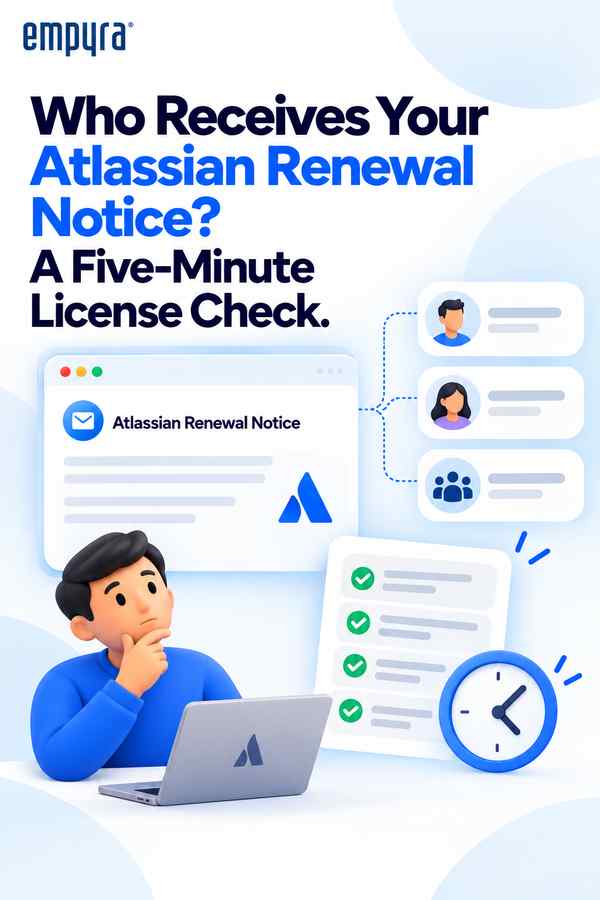
Atlassian sends billing and renewal notices to the billing contacts on your account. If those contacts are people who have left the company or changed roles, a renewal can pass without anyone reviewing usage first. The result is familiar to many admins: seats nobody uses, apps nobody remembers buying, and an invoice that arrives after the window to change anything has closed. Most avoidable renewal surprises come from a handful of small gaps, and you can close them with about five minutes of checking, followed by a few minutes of routine each quarter.
Why renewals slip through
The person who set up a subscription is rarely the person managing it two years later. Their name stays on the billing contact, their inbox keeps receiving the notice, and if they have moved teams or left, nobody acts on it. Even when the notice reaches a current employee, it may land in a personal inbox with no context about who is allowed to approve a change. Renewals also tend to fall in different months across products and Marketplace apps, which makes it easy to review one and miss another. None of this is anyone's failure. It is what happens when ownership is implicit rather than written down.
Step 1: Check your billing contacts
Open your Atlassian admin billing settings and review who is listed as a billing contact. Replace anyone who has left or changed roles. Then add a shared mailbox, such as a finance or IT operations address, alongside named individuals, so a notice never depends on a single person's inbox. Confirm that at least one current person knows they are responsible for acting on these emails. Menus in the admin console change from time to time, so follow Atlassian's current documentation if the path looks different from what you remember.
Step 2: Know how each subscription renews
For every product and Marketplace app, check whether it is set to renew automatically and on which date. Put all of them in one list, with columns for product, renewal date, billing contact, current user count and owner. If you have several apps with different renewal dates, consider whether aligning them is possible, so you run one review instead of many. A single list also makes it obvious when a product has been quietly renewing for apps the team stopped using.
Step 3: Set a review window
A reminder 60 to 90 days before each renewal gives you room to work. In that window, compare active users with the seats you pay for, look for accounts belonging to people who have left, and check whether each Marketplace app is still in use. If usage has dropped, you have time to adjust before the renewal locks in. If usage has grown, you have time to plan the cost instead of being surprised by it. Two weeks is rarely enough, because approvals, budget conversations and vendor questions all take longer than people expect.
Step 4: Decide who can approve
A review is only useful if someone can act on it. Before the window opens, name the person who can approve a change to seats, tier or apps, and agree how quickly they need the numbers. Many teams discover during a renewal that the person who found the problem cannot approve the fix, and the person who can approve it is on leave. Settling this in advance costs a short conversation and avoids a rushed decision.
Step 5: Make it a habit
Add the renewal list to a calendar your team already uses, and add "update billing contacts" to the checklist you run when someone leaves or changes role. Review the list once a quarter even if no renewal is close. A short, regular look is far easier than a large cleanup once a year.
FAQ
What if we have many Marketplace apps?
Each app can have its own renewal date. List them all, and consider aligning dates where possible so there is one review instead of many. Also confirm which team owns each app, since an app with no owner is the one most likely to renew unnoticed.
Does reviewing early save money?
It gives you the chance to. Whether it does depends on what the review finds, so check usage against seats before each renewal rather than assuming there is a saving.
Who should be the billing contact?
Use a mix: a shared mailbox for continuity and one or two named people who are accountable for responding. Avoid listing only someone whose role is likely to change.
If you would like help setting up a renewal calendar and a usage review, that is what atlassian license management services from Empyra cover. Our teams in Texas and Bangalore support organizations with exactly this kind of routine housekeeping, so renewals become a planned review instead of an annual surprise.