DataVare Just Got an Important Upgrade: Everything New in Version 2.0
-

- Published Updated
- 3,390 views
The Problem With Converting Files Blindly
If you have used any DataVare conversion tool before, you already know the drill. Pick your files, hit convert, hope for the best. That last part is exactly what Version 2.0 is here to fix.
DataVare has rolled out a suite wide update across its conversion tools, and this is not a small patch. It is a genuine shift in how the tools look, feel, and behave. Here is everything that changed, and why it actually matters for the person doing the conversion at 11pm with a deadline in the morning.

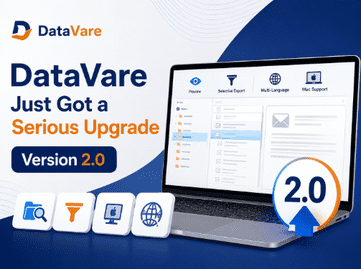
No More Guessing: The New Preview Option
This is the update everyone has been asking for.
Before you convert a single file, you can now open it up and actually look inside. See the folders, check the emails, confirm you have the right data before you commit to anything.
Why this is a big deal:
• No more converting the wrong PST file and starting over
• Catch corrupted or empty folders before they waste your time
• Peace of mind when you are handling sensitive client or company mail
A Modern Interface That Does Not Feel Like Homework
The old interface got the job done. The new one gets the job done and does not make you squint at tiny buttons while doing it.
What changed:
• Modern/Neat Layout with less messy Stuff.
• A more guided flow, so first time users are not left guessing what to click next
• Visual cues that make multi step conversions easier to follow
It sounds small until you are the one running your fifth conversion of the day and your eyes thank you for it.
Selective Export: Take What You Need and Leave the Rest
Not all migrations require the full mailbox. Sometimes you just want one folder or all the emails for one project or a certain date range.
With 2.0 Selective Export you are able to:
• Select the exact folders or items to convert
• Ignore the junk, spam or irrelevant data
• Export only what is truly useful saving time and storage
This is especially helpful for anyone doing partial migrations or cleaning up a mailbox prior to a full switch.
Mac Users Mostly Welcome Now
Mac users were locked out of much of the DataVare lineup for a long time. Version 2.0 closes a lot of that gap.
The tools now have native Mac support everyplace except for one thing: NSF based conversions are still Windows only for now because the handling of NSFs is tied closely to Windows specific components.
If your workflow is all Outlook, Thunderbird, Apple Mail or similar formats, you are covered on Mac. NSF users hang in there, that piece is still behind.
Speaking Your Language: 19 Languages and Counting
Software shouldn’t force everyone into English. This update bumps the interface to 19 languages, allowing a much broader range of users to comfortably navigate the tools in the language they actually think in.
This is a quieter update compared to Preview or Selective Export, but it is arguably one of the most meaningful ones for global users who have been working around an English only interface until now.
So, Should You Update?
If you already use a DataVare tool, updating brings a few practical changes worth knowing about. You can now check file contents before converting, choose specific folders instead of exporting everything, and work on Mac for most formats except NSF. The interface has also been rebuilt to guide users through each step of a conversion, and it now supports 19 languages, so the tool is no longer limited to English speaking users.
None of this changes what the tools fundamentally do. Email conversion still works the same way at its core, moving data from one format to another. What changes is the amount of visibility and control you have while doing it, which tends to matter most when you are dealing with large mailboxes, mixed or unfamiliar data, or migrations you genuinely cannot afford to redo.
For teams handling multiple mailboxes at once, these changes also mean fewer support tickets and less time spent double checking exports after the fact, since most of that checking can now happen upfront.
Version 2.0 is available now across the DataVare lineup, with Mac support currently excluding NSF based conversions, and Windows remaining the primary platform for those tools: https://www.datavare.com/