Benefits of SaaS for Businesses: Practical Adoption Framework & Checklist
-

- March 06th, 2026
- 1,293 views

FREE SEO Topical Map Generator: Find Your Next Content Ideas
Benefits of SaaS for businesses
Informational
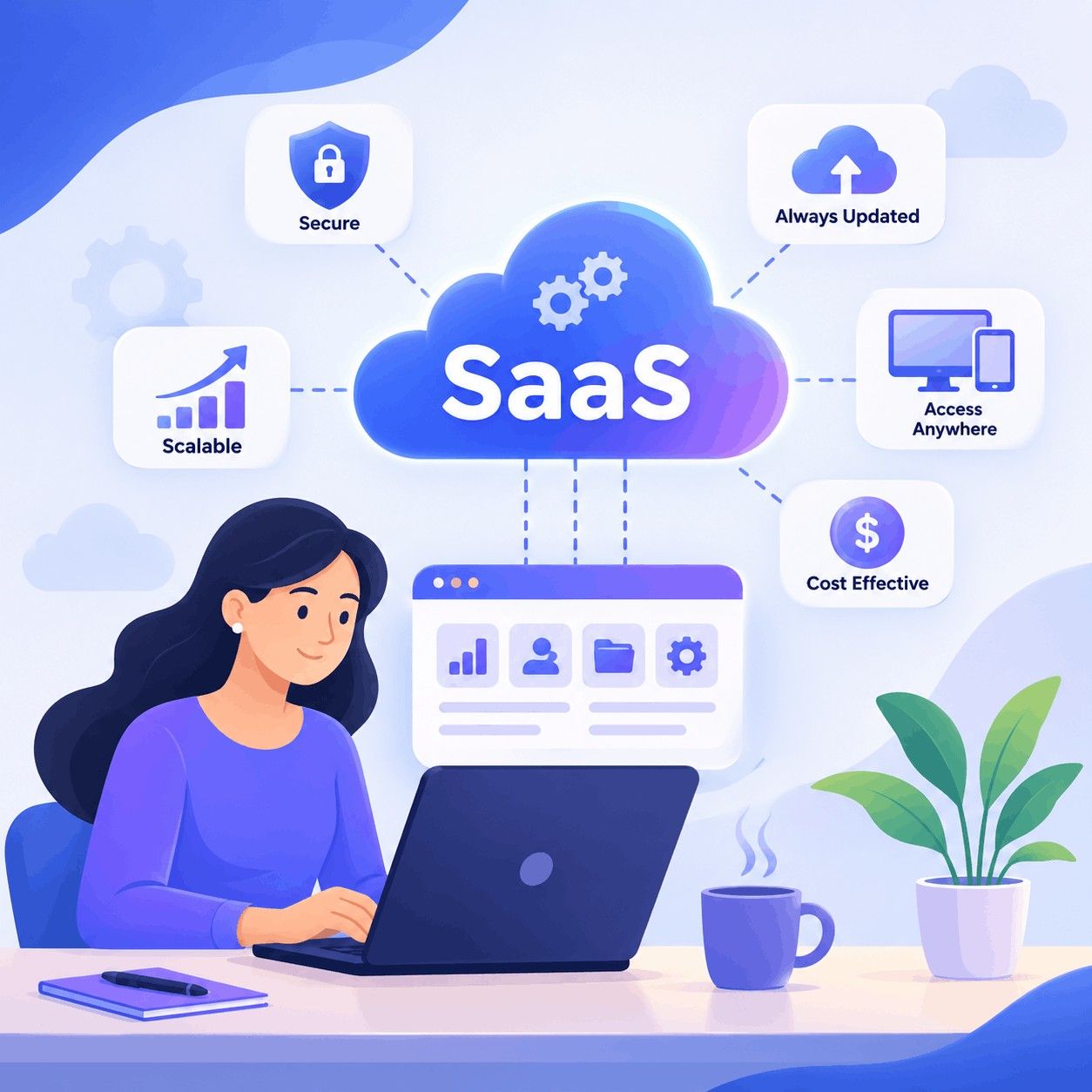
The Benefits of SaaS for businesses are concrete: faster deployment, predictable costs, and continuous updates that keep software current without heavy internal maintenance. This guide explains what those benefits mean in practical terms, how to adopt SaaS reliably, and where trade-offs appear during implementation.
- SaaS reduces upfront capital and shifts to subscription OPEX.
- Use the ASSESS framework (Assess, Select, Secure, Enable, Scale, Support) for predictable rollout.
- Common mistakes include neglecting integration and underinvesting in change management.
How SaaS works and why it changes operations
SaaS (Software as a Service) delivers applications over the internet, hosted by the vendor on shared or dedicated cloud infrastructure. Organizations gain built-in redundancy, automated updates, and vendor-managed security controls. For clarity and best-practice definitions, see the NIST cloud computing guidance: NIST Special Publication 800-145.
SaaS implementation checklist: ASSESS framework
Adopting SaaS becomes manageable with a named framework. The ASSESS framework is a one-page model for practical rollout:
- Assess — Map processes, data flows, and compliance needs.
- Select — Evaluate vendors, SLAs, recovery objectives, and integration capability.
- Secure — Confirm identity, encryption, access controls, and vendor security posture (look for ISO/IEC 27001, SOC 2 reports, GDPR alignment where relevant).
- Enable — Prepare users with training, data migration plans, and a phased cutover.
- Scale — Plan for scaling users, API limits, and multi-region access if needed.
- Support — Define SLA escalation, vendor contacts, and internal support roles.
SaaS implementation checklist (quick)
- Document current-state workflows and data owners.
- Define RTO/RPO and acceptable downtime.
- Run a pilot with representative users and data.
- Plan integrations and test data syncs end-to-end.
- Train users and freeze legacy processes after cutover.
Real-world example: SaaS cost savings example
Scenario: A 200-employee retail chain replaced an on-premises POS and CRM with SaaS alternatives. Upfront capital fell by 70% because servers and maintenance contracts were eliminated. Time-to-value dropped from 9 months to 6 weeks using vendor templates and migration tools. Over two years, the organization measured a 20% reduction in combined IT and operations costs, largely from lower maintenance and faster feature delivery. This is a representative SaaS cost savings example that shows how recurring subscription pricing converts capital expenses to predictable operating expenses.
Core benefits explained
Key advantages include:
- Lower initial investment and predictable monthly or annual fees.
- Rapid upgrades and new features without long upgrade projects.
- Outsourced infrastructure and security responsibilities, often with higher maturity than small IT teams can achieve alone.
- Better scalability—add or remove seats and services as demand changes.
Practical tips for adoption
Actionable steps to reduce risk during migration:
- Start with a pilot for a single department to validate integrations and user workflows.
- Negotiate clear SLAs including uptime, incident response time, and data export formats.
- Define data ownership and export procedures before moving production data.
- Include IT, legal, and business stakeholders in vendor selection to cover compliance and technical fit.
- Use phased rollouts and continuous feedback to refine training and processes.
Trade-offs and common mistakes
Adopting SaaS has trade-offs. Common mistakes include:
- Ignoring integration complexity — many SaaS apps require APIs or middleware for end-to-end workflows.
- Underestimating change management — user adoption is often the biggest hidden cost.
- Failing to confirm vendor portability — lock-in can be costly if exit terms are unclear.
- Assuming vendor security equals enterprise security — shared responsibility still applies; identity and access management remain internal obligations.
Core cluster questions
- How does SaaS pricing compare to on-premises software over 3–5 years?
- What security controls are essential when moving sensitive data to SaaS?
- How long does a typical SaaS implementation take for mid-size companies?
- What are the integration patterns for connecting SaaS apps to on-prem systems?
- How to measure ROI after migrating a process to SaaS?
Related terms and concepts
Include these terms when researching vendors and strategies: cloud-native applications, multi-tenant vs. single-tenant, API-first integrations, identity federation (SAML, OAuth), SOC 2, ISO/IEC 27001, business continuity, and subscription lifecycle management. Also search for 'cloud software subscription benefits' when comparing commercial models.
Implementation checklist recap
Use the ASSESS framework checklist as a project backbone and keep these deliverables: current-state map, vendor evaluation matrix, security due diligence report, pilot results, cutover runbook, and post-launch support plan.
FAQ
What are the benefits of SaaS for businesses?
SaaS reduces capital expenditures, accelerates feature delivery, simplifies maintenance, and enables predictable scaling. It shifts responsibility for infrastructure to the vendor while allowing businesses to focus on process and outcomes.
How long does a typical SaaS rollout take?
Depending on scope, a pilot can take 2–8 weeks; full rollouts for mid-size organizations typically range from 2–6 months. Complexity grows with required integrations and data migration volume.
What should be included in a SaaS security review?
Request SOC 2 or ISO/IEC 27001 evidence, confirm encryption at rest and in transit, review identity and access controls, examine incident response procedures, and validate data export and deletion capabilities.
How can the organization avoid vendor lock-in?
Negotiate data portability clauses, prefer standard data formats and documented APIs, and include exit criteria and migration assistance in the contract.
What is a SaaS implementation checklist for a first project?
Essential items: scope definition, data mapping, integration plan, pilot test, training plan, SLA negotiation, and a cutover runbook. The ASSESS framework above structures these into repeatable phases.