Top Data Warehousing Tools: Compare Cloud, On‑Premise, and Hybrid Solutions
-
- April 11th, 2026
- 378 views

Get a free topical map and start building content authority today.
Choosing among modern data warehousing tools starts with a clear view of architecture, workload patterns, and integration needs. This guide compares the main categories of data warehousing tools, highlights trade-offs, and shows a repeatable evaluation checklist to pick the right platform for analytics and reporting. The phrase "data warehousing tools" refers to platforms that ingest, store, and serve structured or semi-structured data for analytics, whether cloud-native, on-premise, or hybrid.
- Dominant intent: Commercial Investigation
- Primary takeaway: Match workload type (OLAP, BI, machine learning) and operational constraints (latency, cost, data gravity) when comparing data warehousing tools.
- Use the SCALE vendor-evaluation checklist (Scalability, Cost, Access, Latency, Ecosystem) included below.
- Core cluster questions: see the list after this box for related article targets.
Core cluster questions
- How do cloud data warehouses differ from on-premise solutions?
- What performance metrics matter when evaluating analytics warehouses?
- When is a data lakehouse a better choice than a traditional warehouse?
- How to estimate total cost of ownership for a warehouse project?
- Which data ingestion and ETL patterns pair best with large-scale analytics?
Compare data warehousing tools: categories and trade-offs
Data warehousing tools fall into clear categories: cloud data warehouses, on-premise/managed appliances, and hybrid or lakehouse platforms. A simple comparison clarifies trade-offs for common analytics workflows.
Cloud data warehouse (cloud data warehouse comparison)
Cloud-first warehouses offer rapid scalability, managed infrastructure, and pay-as-you-go billing. They shine for variable workloads and fast time-to-value but can grow expensive with heavy egress, frequent small queries, or poorly optimized storage/compute patterns. Consider columnar storage, separation of compute and storage, and concurrency limits when comparing vendors.
On-premise and managed appliances
On-premise systems (or appliances) give predictable performance and tight data-control, useful for regulatory or data-gravity constraints. They usually require higher upfront investment and experienced operations staff. Expect fewer auto-scaling niceties than cloud offerings.
Lakehouse and hybrid architectures
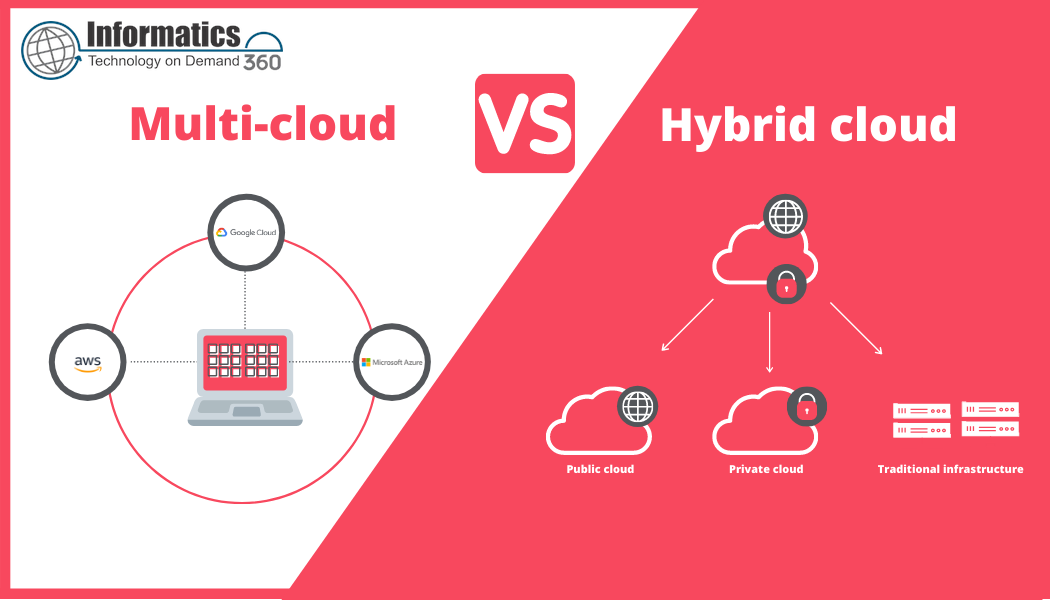
Lakehouses combine data lake storage with warehouse-style queries. They reduce ETL but shift complexity to governance, metadata, and optimization layers. Hybrid solutions may be ideal when raw data needs to be retained cheaply but analytical workloads require structured, performant access.
SCALE checklist for evaluating vendors
Use the named framework below as a vendor-evaluation checklist. It focuses selection on operational reality rather than feature lists.
SCALE: Scalability, Cost, Access, Latency, Ecosystem
- Scalability — Can the platform scale storage and compute independently? How does it handle concurrency spikes?
- Cost — What pricing model is used (storage, compute, throughput)? Are there hidden egress or metadata costs?
- Access — Does the tool integrate with existing ETL/ELT, BI, security (IAM) and catalog tools?
- Latency — Is sub-second query performance required, or are batch windows acceptable?
- Ecosystem — Are connectors, managed services, and vendor support sufficient for the stack?
How to compare tools step-by-step
1. Define workloads and SLAs
Classify queries (ad-hoc analytics, dashboards, ML feature engineering) and set response-time SLAs. This narrows candidate architectures quickly.
2. Model expected data volumes and concurrency
Estimate daily ingestion, retention, and concurrent query counts. Cost and performance profiles diverge dramatically between steady and spiky workloads.
3. Run a proof of concept
Benchmark typical queries and ETL jobs on representative datasets. Measure both throughput and operational complexity: schema evolution, backup, and disaster recovery.
Real-world example
Scenario: A mid-size retailer needs a central analytics store for daily sales reporting, weekly inventory forecasting, and ad-hoc marketing analysis. Requirements: hourly fresh data, < 5-second dashboard queries, and cost under a fixed monthly budget. Using the SCALE checklist, a shortlist of cloud warehouse options was tested with a 1-week POC measuring ingestion latency and query latency on a 500GB dataset. Results showed that separating compute for reporting and ETL jobs reduced interference and met SLAs while keeping costs predictable.
Practical tips
- Optimize for the most frequent query patterns first — choose columnar formats and partitioning that align with WHERE clauses.
- Leverage separation of storage and compute where possible to scale independently and control costs.
- Automate cost monitoring and set alerts for unusual egress or compute spikes to avoid billing surprises.
- Include governance and metadata early — a data catalog reduces time-to-insight and prevents duplicate ETLs.
Common mistakes and trade-offs
Over-optimizing for headline performance
Choosing a platform solely on peak benchmark numbers often misses operational costs and integration effort. Balance raw query speed with ease of operations.
Ignoring data gravity and compliance
Moving petabytes across regions or clouds to chase marginal performance gains can be costly or noncompliant. Consider proximity to source data and regulatory constraints.
Standards and best practices
For formal guidance on data interoperability and architecture best practices, reference NIST's materials on big data frameworks (NIST Big Data resources). Standards-oriented guidance helps align governance and security expectations across vendors.
Evaluation checklist (quick)
- Define primary workload and SLA
- Estimate data size, retention, and concurrency
- Run a representative POC with cost measurements
- Verify integration with ETL, BI, and IAM
- Plan for backups, disaster recovery, and schema evolution
Next steps
Build a two-week proof of concept that exercises ingestion, typical queries, and peak concurrency. Use the SCALE checklist to score vendors and include a cost projection for 12 months under expected growth scenarios.
FAQ: Which data warehousing tools are best for a small team?
Focus on low operational overhead and pay-as-you-go pricing. Cloud data warehouses with managed services reduce setup and maintenance time; prioritize integration with the team's preferred BI and ETL tools.
How does a data lakehouse compare to traditional warehouses?
Lakehouses reduce ETL by enabling direct queries over data lake storage and are cost-effective for large volumes of raw data. They often require additional governance tools to match the maturity of traditional warehouses for BI workloads.
What metrics should be used in warehouse benchmarks?
Measure query latency (median and tail), throughput, concurrency handling, ingestion latency, and cost per terabyte and per query under realistic workloads.
How to estimate total cost of ownership for a warehouse?
Include storage, compute, data egress, administrative effort, integration costs, and projected growth. Use a 12–36 month horizon and model different usage patterns (steady vs. spiky).
What are the common integration pitfalls?
Underestimating catalog and metadata needs, neglecting IAM and network configuration, and assuming all connectors behave the same at scale are common causes of delays during rollout.