Smart Google Workspace Backup Solution for Modern Organizations
-

- May 22nd, 2026
- 6,893 views
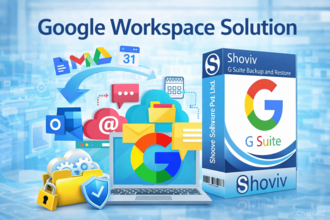
Google Workspace has become one of the most trusted cloud productivity platforms for businesses around the world. From Gmail and Google Drive to Calendar, Contacts, and shared collaboration tools, organizations depend on Google Workspace for daily communication and workflow management. While cloud-based platforms provide flexibility and accessibility, they are not completely immune to data loss risks.
Accidental deletion, ransomware attacks, synchronization failures, insider threats, and account compromise can still lead to the loss of important business data. Many organizations assume their cloud data is always fully protected, but relying only on native cloud storage is often not enough for long-term data security. This is why businesses are increasingly adopting professional backup solutions to ensure complete protection and recovery of their Google Workspace data.
The Shoviv Google Workspace Backup Tool provides a smart, reliable, and secure solution for backing up and restoring Gmail, Google Drive, Calendar, and Contacts data without complexity.
Why Google Workspace Backup Is Important
Business communication and collaboration heavily rely on cloud platforms today. However, cloud accessibility does not eliminate the possibility of data loss. Organizations still face several challenges that can affect critical business information, including:
- Accidental deletion of emails or files
- Malware and ransomware attacks
- Human errors during account management
- Insider threats and unauthorized access
- Compliance and legal retention requirements
- Synchronization issues and account corruption
Google follows a shared responsibility model, which means users are also responsible for protecting and managing their own data. Without a proper backup strategy, recovering deleted or compromised data may become difficult or impossible after retention periods expire.
A dedicated backup solution helps businesses maintain secure copies of their important data and ensures fast recovery whenever needed.
Challenges with Manual Backup Methods
Many organizations initially rely on manual export methods or native tools to secure their data. While these approaches may work temporarily for small environments, they often become impractical for businesses managing multiple users and large amounts of data.
Some common limitations of manual backup methods include:
- Time-consuming backup procedures
- No automated scheduling
- Limited restoration capabilities
- Difficulty managing multiple accounts
- Risk of incomplete or inconsistent backups
- No incremental backup support
Manual processes also increase administrative workload and may not provide sufficient protection for growing organizations. Modern businesses require an automated and scalable solution that simplifies both backup and recovery operations.
Complete Backup and Recovery Solution for Google Workspace
The Shoviv Google Workspace Backup Tool is designed to provide organizations with a complete and professional backup solution for Google Workspace environments. The software allows users to securely back up Gmail emails, Google Drive files, Calendars, and Contacts without affecting original data integrity.
The software supports exporting mailbox data into multiple file formats, including:
- PST
- MBOX
- EML
- MSG
- HTML
- MHT
This flexibility allows organizations to access and manage backup data across different email platforms and applications whenever required.
Additionally, the tool supports restoring PST, OST, OLM, MBOX, MSG, EML, vCard, and ICS files directly into Google Workspace mailboxes. This simplifies both recovery and migration processes for businesses.
Advanced Features That Simplify Backup Management
Incremental Backup Support
The software includes an advanced incremental backup feature that processes only newly added or modified items during future backup cycles. This helps avoid duplicate backups, reduces storage consumption, and improves overall backup performance.
Automated Scheduler
Organizations can automate backup tasks using the built-in scheduling feature. Users can configure daily, weekly, or monthly backup operations according to their business requirements, ensuring continuous protection without manual effort.
Multiple Mailbox Processing
The software supports backing up multiple Google Workspace mailboxes simultaneously. This feature is highly beneficial for enterprises and IT administrators managing large-scale environments.
Google Drive Backup Capability
Apart from Gmail backup, the software also supports backing up Google Drive data directly to local storage. Users can apply filters based on file extension, folder selection, date range, and size for more customized backup operations.
Advanced Filter Options
The tool provides advanced filter options that allow users to include or exclude mailbox items based on folder, date, or item type. This enables businesses to create more targeted and efficient backup strategies.
Maintains Complete Data Integrity
During backup and restoration processes, the software preserves:
- Folder hierarchy
- Email formatting
- Attachments
- Metadata
- Read/unread status
This ensures accurate recovery and smooth migration without affecting original mailbox structure.
Why Shoviv Is a Better Choice for Organizations
The Shoviv Google Workspace Backup Tool stands out because of its balance between advanced functionality and ease of use. Unlike many traditional backup solutions, the software combines backup and restoration capabilities within a single platform, making management simpler for businesses and IT teams.
Its user-friendly interface allows both technical and non-technical users to perform backup and recovery tasks efficiently without requiring extensive expertise. The software also supports running multiple backup jobs concurrently, helping organizations save time during large-scale backup operations.
With features like incremental backup, scheduler support, multiple mailbox processing, and secure restoration capabilities, the software offers a dependable solution for businesses looking to strengthen their Google Workspace data protection strategy.
Conclusion
As businesses continue relying on Google Workspace for communication and collaboration, protecting Gmail, Google Drive, Calendar, and Contacts data has become essential. Cloud-based services improve productivity, but they do not eliminate the risks of accidental deletion, cyber threats, or operational failures.
The Shoviv Google Workspace Backup Tool provides a smart and reliable backup solution for modern organizations with advanced features like incremental backup, automated scheduling, multiple mailbox processing, and secure recovery capabilities. It helps businesses ensure long-term protection, accessibility, and management of critical Google Workspace data while reducing operational risks and downtime.