How Case Management Software Transforms Remote Work: Benefits, Challenges, and Best Practices
-

- Published Updated
- 1,178 views
Case management software has become a central tool for organizations adapting to distributed teams and sustained remote work. By combining workflow automation, secure data access, and collaboration features, modern systems aim to maintain service continuity for legal, social service, health, and customer-support operations even when employees are dispersed.
- Case management software centralizes records, automates processes, and supports remote collaboration for distributed teams.
- Key benefits include improved productivity, clearer accountability, and better client service; common challenges are data security, integration, and user adoption.
- Compliance with standards such as GDPR, HIPAA, and guidance from organizations like NIST is important for remote deployments.
- Best practices include role-based access, encrypted remote access, workflow standardization, and regular performance metrics.
How case management software supports remote work
Case management software provides a unified platform for managing records, schedules, communications, and task assignments across locations. For remote and hybrid teams, this kind of platform reduces reliance on in-person handoffs and paper files by enabling secure cloud access, version control, and integrated communication channels. Core functions—such as intake forms, case notes, deadlines, and status tracking—become visible to authorized users regardless of physical location, which supports continuity of service and remote supervision.
Key features that affect remote work outcomes
Workflow automation and task routing
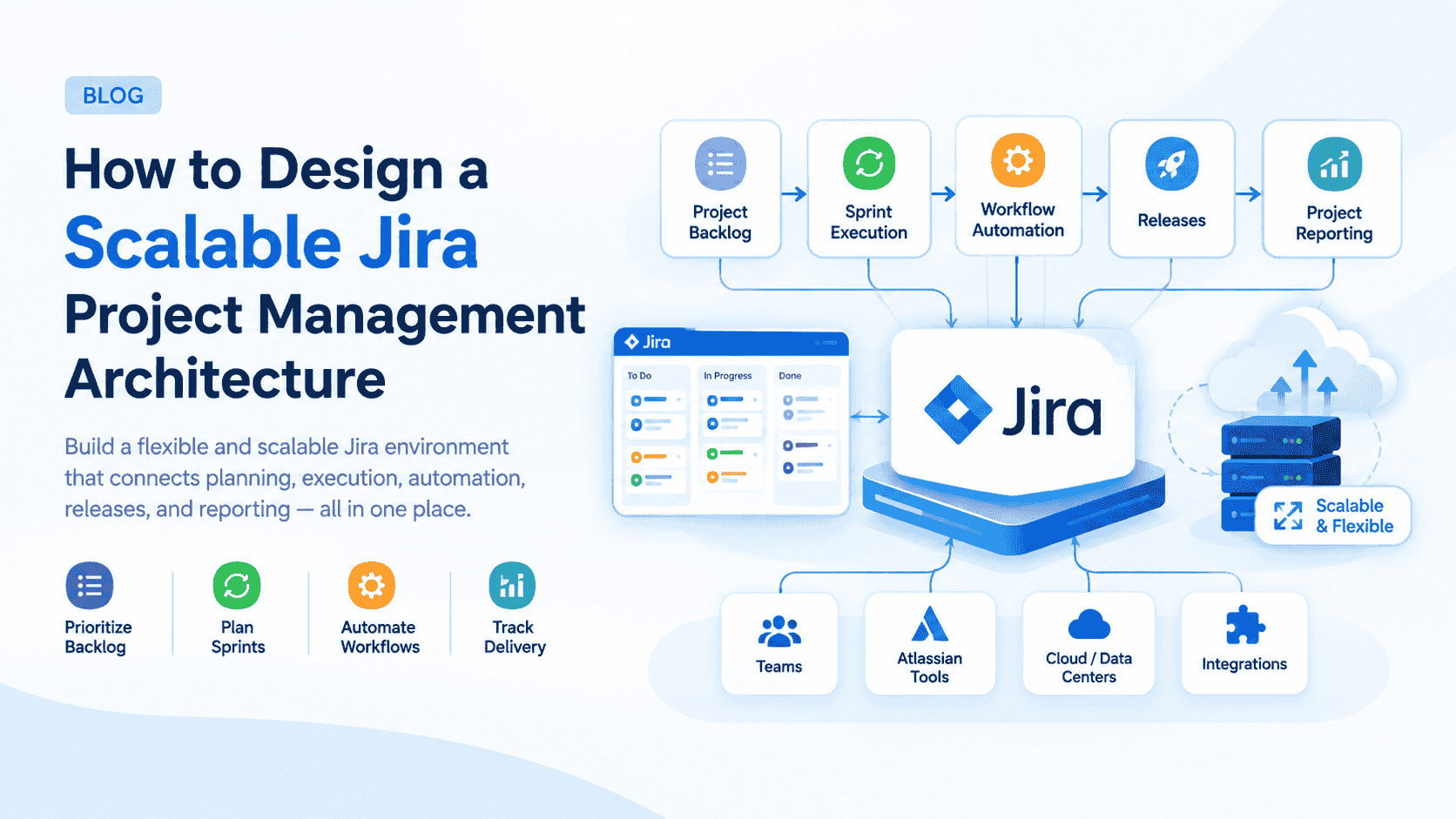
Automated workflows assign tasks based on rules (e.g., case type, priority, or skill set), trigger notifications, and update statuses. Automation reduces manual coordination and speeds throughput for remote teams by minimizing back-and-forth communication.
Collaboration and communication tools
Built-in messaging, comment threads on records, and shared dashboards help distributed team members coordinate work without relying on separate chat or e-mail threads. Integration with calendaring and conferencing systems can further streamline remote collaboration.
Secure remote access and data controls
Role-based access control, audit logs, encryption in transit and at rest, and multi-factor authentication are essential for protecting sensitive case data when accessed remotely. Organizations should map regulatory obligations—such as GDPR for personal data in the EU or HIPAA for protected health information in the U.S.—to system configuration and user training.
Benefits for organizations and employees
Case management software can improve remote work outcomes in several measurable ways:
- Productivity: Centralized data and task automation reduce time spent searching for files and clarifying responsibilities.
- Visibility and accountability: Dashboards and audit trails make it easier to monitor caseloads and performance remotely.
- Service continuity: Remote access supports uninterrupted client-facing operations when office access is limited.
- Scalability: Cloud-based solutions enable rapid provisioning for distributed staff and new locations.
Challenges and considerations when deploying remotely
Integration with existing systems
Legacy records, court systems, or other enterprise applications may require custom integrations or data migration. Poorly planned integration can create data silos that hinder remote workflows.
User adoption and training
Remote training programs, clear process documentation, and staged rollouts are important. Without focused change management, adoption can lag and the anticipated productivity gains may not materialize.
Data security and compliance
Remote deployments raise concerns about endpoint security, home-network vulnerabilities, and secure storage. Following recognized guidance and standards—such as those from the National Institute of Standards and Technology (NIST), privacy regulators, and sector-specific rules—helps organizations design compliant architectures. For guidance on secure remote work and telework practices, see the NIST resources on telework and remote access: NIST.
Implementation best practices for remote teams
Define clear workflows and ownership
Document standardized workflows and assign owners for key stages of a case. Clear rules for escalation, handoffs, and expected response times reduce ambiguity across time zones and remote schedules.
Enforce access controls and monitoring
Use least-privilege principles, session timeouts, and detailed logging. Combine technical controls with routine audits and role reviews to maintain compliance and detect unauthorized activity.
Measure impact and iterate
Track metrics such as cycle time, case backlog, user logins, and client satisfaction. Use these indicators to identify bottlenecks, improve training, and refine automation rules.
Technology and organizational alignment
Successful remote adoption of case management software requires both technology readiness and organizational alignment. Technology choices should reflect regulatory needs (e.g., data residency), interoperability requirements, and bandwidth constraints for remote staff. Organizational policies should address remote work allowances, equipment provisioning, and privacy expectations. Collaboration between IT, compliance, and operations teams helps balance usability with security.
Conclusion
Case management software can be a key enabler for effective remote work by centralizing information, improving workflows, and supporting secure collaboration. Attention to integration, compliance with relevant regulations, and active change management increases the likelihood that remote teams will realize productivity and service quality gains.
FAQ
How does case management software improve remote work productivity?
By centralizing case data, automating routine tasks, and providing shared dashboards and notifications, case management software reduces time spent on coordination and searching for information, allowing remote workers to focus on case resolution.
What security standards should be considered for remote deployments?
Consider industry and regional requirements such as GDPR for data protection, HIPAA for health-related information, and best-practice frameworks from organizations like NIST and ISO. Implement encryption, multi-factor authentication, and access controls aligned with these standards.
Which metrics are useful for measuring the software's impact on remote teams?
Useful metrics include average case cycle time, backlog size, first-contact resolution, user adoption rates, and client satisfaction scores. Combine quantitative data with qualitative feedback from remote staff to guide improvements.
What are common pitfalls when moving to a remote case management model?
Common pitfalls include inadequate integration with legacy systems, insufficient training, unclear workflows, and lack of attention to endpoint and network security. Addressing these risks during planning reduces disruption and improves outcomes.