How Digital Printing Improves Modern Marketing Materials
-

- Published Updated
- 96 views
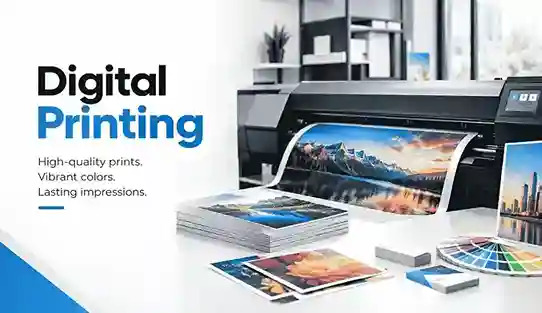
Marketing materials often look simple after they reach a customer. A brochure sits neatly on a counter, a postcard arrives in the mail, or a sales sheet lands in a presentation folder. Behind that finished piece, however, businesses make dozens of decisions about quantity, color, paper, timing, artwork, personalization, and cost.
We see those decisions create problems when teams treat printing as the final task instead of part of the marketing process. A campaign may change after 200 brochures have already gone to press. An event date may move. A sales team may need different versions for several customer groups. These situations make flexibility just as important as print quality.
Modern Digital Printing gives businesses more control over those changes. Instead of building every print project around large quantities and long production cycles, companies can print closer to actual demand, update artwork more easily, personalize selected pieces, and keep physical marketing aligned with current campaigns.
Digital Printing Gives Modern Marketing Materials More Flexibility
One of the biggest changes we have seen in commercial printing involves quantity. Years ago, businesses often ordered more material than they needed because larger print runs made economic sense. That approach still works for certain projects, but it creates problems when information changes quickly.
Digital production gives marketing teams another option. A company can produce a smaller quantity for a product launch, event, local promotion, sales meeting, or market test without automatically committing to thousands of identical pieces.
That flexibility matters because marketing rarely stays fixed for long. Pricing changes, offers expire, phone numbers move, products disappear, and branding evolves. When businesses print closer to actual demand, they reduce the chance of storing boxes of materials that nobody can use.
Short Print Runs Match Real Marketing Needs
We often see businesses estimate print quantities from habit rather than actual usage. Someone orders 5,000 flyers because that was the quantity ordered last year, even though the current campaign may only need 1,200.
Short-run printing encourages a more practical question: how many pieces will the business realistically distribute before the message changes?
That shift can improve inventory control and make campaign planning easier. A restaurant may need menus for one location update. A real estate team may need property sheets for a limited listing period. A conference organizer may need programs for a known attendance range.
Digital production fits those situations because businesses can match print volume more closely to immediate requirements.
Smaller Batches Make Marketing Updates Easier
A printed piece has no value once its information becomes inaccurate. Even a beautifully designed brochure creates confusion when it contains an old service, incorrect pricing, or outdated contact information.
Smaller production batches reduce that exposure. A business can review performance, revise the message, and produce the next batch with updated content instead of waiting until thousands of old pieces disappear.
We consider that one of the most practical advantages of digital print workflows. The business gains room to learn between production cycles.
Faster Print Production Supports Time-Sensitive Campaigns
Marketing deadlines rarely arrive under perfect conditions. A trade show gets confirmed late. A sales team suddenly needs leave-behind materials. A restaurant changes a menu before an event. A company approves a promotion after several rounds of revisions.
Digital printing removes several traditional setup steps, which can shorten production preparation for suitable projects. That does not mean every job becomes an instant print job, but it does give businesses more options when schedules tighten.
We still encourage clients to leave enough time for proofing, finishing, packing, and delivery. Speed helps only when the artwork, specifications, and production plan remain accurate.
Fast Printing Still Requires Good File Preparation
A tight deadline often exposes problems that a normal schedule would catch earlier. Missing bleed, low-resolution photographs, incorrect page sizes, RGB artwork, font problems, or last-minute copy edits can interrupt production.
We have learned that the fastest print job usually starts with the cleanest file. Marketing teams should confirm dimensions, final copy, images, quantities, finishing requirements, and delivery expectations before submitting artwork.
This matters even more when a campaign depends on a fixed event date. Our guide to same-day print order risks explains why rushing production without checking those details can create avoidable problems.
Turnaround And Delivery Need Separate Planning
Businesses sometimes treat printing time and arrival time as the same thing. They are not.
A printer may complete production quickly, but trimming, folding, binding, packing, courier pickup, and transportation still affect the final schedule. Local pickup also creates a different timeline from shipping materials across the country.
We recommend planning backward from the date when the material must reach the customer, store, event, or sales team. That approach gives every production step enough room instead of putting the entire campaign at risk on the final day.
Digital Printing Makes Personalized Marketing More Practical
Modern marketing relies heavily on relevance. Businesses already segment email campaigns, online advertising, landing pages, and customer databases. Printed marketing can follow the same principle.
Digital workflows can support variable data printing, which allows selected information to change from one printed piece to another. Depending on the campaign, businesses may vary a customer name, location, offer, image, QR code, salesperson, branch information, or another relevant field.
Personalization does not mean every postcard needs a complicated design. In many cases, small changes can make the material feel more appropriate for its intended audience.
Variable Data Can Create More Relevant Print Pieces
Consider a business with three service areas. Instead of sending one generic postcard to every household, the marketing team can create versions that show the closest location, local contact information, or an area-specific offer.
The same principle works for franchise locations, real estate farming, membership programs, nonprofit outreach, educational organizations, and account-based sales campaigns.
We recommend using personalization only when the data improves the message. Adding someone's name without improving relevance rarely fixes a weak campaign. Good variable data printing starts with useful customer information and a clear reason for changing the content.
QR Codes Can Connect Print With Digital Campaigns
A printed piece no longer needs to work as an isolated marketing asset. Businesses can connect postcards, flyers, brochures, table tents, sales sheets, and event materials to digital experiences through QR codes and short URLs.
The destination matters more than the code itself. Sending every reader to a generic homepage often wastes the opportunity.
A stronger campaign sends the reader to a relevant landing page, appointment form, product page, event registration page, menu, portfolio, or offer. Marketers can then measure activity from the printed material and compare responses across different campaigns.
Better Version Control Reduces Expensive Marketing Mistakes
Many print problems start before the file reaches production. A designer sends one version, a manager approves another, and someone uploads an older PDF. The printer may receive a technically correct file that contains the wrong business information.
Digital printing cannot solve poor internal communication, but shorter production cycles can make version management easier. Teams do not need to treat one massive print run as their only opportunity to get everything right for the next six months.
We recommend giving every final artwork file a clear naming structure. Include the project name, size, revision date, and final version number. Remove outdated versions from the upload folder when possible.
Proofing Should Focus On Content As Well As Design
People naturally look at colors, photographs, and layout during proofing. They often miss the smaller information that creates bigger problems.
Check phone numbers, URLs, addresses, dates, prices, coupon codes, QR destinations, disclaimers, opening hours, names, and product specifications. Read the piece as a customer would rather than simply admiring the design.
We also recommend having someone who did not create the artwork review the final file. Fresh eyes often catch mistakes that become invisible after a designer or marketing manager has reviewed the same piece repeatedly.
Consistent Print Quality Strengthens Brand Presentation
Customers may never discuss paper stock, image resolution, or color reproduction, but they notice inconsistency. A premium brand can feel less organized when its brochure uses one shade of a brand color while its sales sheet uses another.
Digital print technology gives businesses strong control over repeated short-run materials when the printer manages files, color, substrates, and production settings carefully.
The goal should not involve making every material look artificially glossy or expensive. The goal involves reproducing the brand appropriately for the application.
Paper Selection Changes How A Design Feels
Paper does more than hold ink. It changes contrast, color appearance, stiffness, texture, handling, and the overall character of the finished piece.
A lightweight flyer may make sense for high-volume distribution. A heavier cover stock may suit a presentation piece. Matte paper can support a restrained corporate design, while a coated stock may suit photography or colorful promotional artwork.
We advise clients to choose paper after considering how customers will use the piece. A menu, postcard, booklet, presentation insert, and product sheet all face different handling conditions.
Finishing Should Support The Purpose Of The Piece
Folding, binding, cutting, scoring, lamination, mounting, and other finishing choices can improve a marketing piece when they solve a practical problem.
More finishing does not automatically make a job better. A simple, clean flyer may need nothing beyond accurate trimming. A multi-page booklet may need saddle stitching. A frequently handled reference sheet may benefit from added durability.
We encourage businesses to start with function and then select finishing options that support it.
Digital Printing Helps Businesses Test Marketing Ideas
One of the most useful benefits of short-run digital printing receives surprisingly little attention: businesses can test before committing to a much larger campaign.
A marketing team might want to compare two headlines, two offers, different cover designs, or several neighborhood-specific messages. Printing smaller batches creates room for controlled testing without producing a warehouse full of unproven material.
Print testing works best when the team tracks results properly. Separate QR codes, landing pages, phone extensions, coupon codes, or campaign identifiers can help connect responses with each version.
Small Tests Can Prevent Large Print Mistakes
We have seen businesses become attached to a design because everyone inside the company likes it. Customers may react differently.
A small market test creates evidence before the business scales production. If one postcard format attracts more inquiries, the company can invest more confidently in the next run.
This approach also gives teams a chance to test physical details. They can compare paper stocks, sizes, folds, finishes, and readability before standardizing a format.
Printed Materials Can Change Alongside Digital Campaigns
Marketing campaigns rarely live in one channel anymore. A business may run social ads, email messages, direct mail, in-store signage, landing pages, and sales outreach around the same offer.
Digital print production helps the physical pieces keep pace with those changes. When the online message changes, marketers can update the next print batch rather than continuing to distribute material that no longer matches the campaign.
That alignment improves customer clarity. People should see the same offer, branding, terminology, and next step whether they encounter the company online or in print.
Digital Printing Supports A Wider Range Of Marketing Materials
Different marketing goals need different formats. A sales team may need presentation folders and sell sheets, while a retailer may need postcards, table displays, flyers, product cards, and event signage.
Digital production works particularly well when a company needs several materials in manageable quantities rather than one enormous run of a single item.
This gives marketing teams more freedom to build a coordinated set of physical touchpoints around a campaign.
Brochures And Sales Sheets
Brochures work well when customers need more explanation than a postcard or ad can provide. They can organize service information, product features, company credentials, pricing ranges, or sales talking points in a format customers can keep.
Sales sheets serve a more focused purpose. They usually work best when they address one product, service, solution, or audience and give the sales team a clear leave-behind piece.
In both cases, digital production makes content revisions easier when products, teams, or offers change.
Flyers And Postcards
Flyers and postcards remain useful because they communicate quickly. Their limited space forces marketers to choose one primary message instead of trying to explain everything at once.
The strongest pieces usually contain a clear headline, supporting details, recognizable branding, and one obvious next step. Overcrowding them with services, icons, phone numbers, URLs, offers, and small-print messages makes the reader work too hard.
We recommend designing these materials around scanning behavior. The reader should understand the main point within a few seconds.
Booklets, Catalogs And Event Materials
Longer printed pieces require more production planning because pagination, binding, paper selection, image quality, and finishing all interact.
Digital printing can make shorter catalog runs, training booklets, event programs, presentations, manuals, and product guides more practical when companies expect regular updates.
Businesses can revise sections between runs rather than treating every edition as a permanent document.
Digital Printing Can Reduce Unnecessary Print Inventory
Businesses sometimes focus only on the price per piece when comparing print options. That number matters, but it does not show the full cost of unused inventory.
Suppose a company saves money per brochure by ordering a much larger quantity, then changes a service, address, product line, or price three months later. The remaining brochures now represent storage cost, disposal, and wasted marketing budget.
Printing closer to actual usage can reduce that risk. The lowest unit price does not always produce the lowest overall campaign cost.
Print Quantity Should Follow Distribution Plans
Before choosing a quantity, we suggest mapping where the materials will actually go.
How many will the sales team use each month? How many locations need stock? How long will the offer remain valid? Will any details change soon? Does an upcoming rebrand affect the artwork?
Those questions create a much stronger quantity estimate than simply repeating the previous order.
Reordering Can Work Better Than Overstocking
Businesses sometimes fear running out of printed material, so they dramatically overorder. A reliable reorder process can solve that problem without filling storage rooms.
Keep final artwork organized, document specifications, record paper choices, and monitor remaining inventory. When stock reaches a predetermined level, place the next order.
This approach works particularly well for businesses that update marketing materials several times a year.
Strong Digital Print Results Start With Better Artwork
Printing technology cannot repair every design problem. Low-resolution photographs remain low resolution. Tiny text remains difficult to read. Weak contrast still reduces readability.
We encourage marketing teams to think about production requirements during design rather than after finishing the artwork.
That means setting the correct document size, allowing bleed, checking image resolution, reviewing color expectations, and keeping essential content safely away from trim lines.
Design For The Finished Size
A design that looks excellent on a 27-inch monitor may feel crowded on a 4 x 6 postcard. Screen zoom can hide readability problems.
Print a basic office proof at actual size when possible. Hold it at a normal reading distance and check the headline, body copy, contact information, and call to action.
The goal does not involve judging final color from an office printer. The test helps you understand scale and readability.
Keep The Customer Journey Clear
Every marketing piece should answer a simple question: what should the customer do next?
The answer may involve visiting a website, scanning a QR code, calling a business, bringing a coupon to a store, registering for an event, or contacting a salesperson.
Do not make customers search for that action. Good print design guides the eye from the message to the next step without clutter.
Common Digital Printing Mistakes Businesses Can Avoid
Most print problems do not start with the press. They start with rushed decisions.
We regularly see businesses spend time perfecting a layout while leaving basic production choices unresolved. They approve the artwork before confirming quantity, stock, finished size, folding, mailing requirements, or deadline.
A better workflow connects marketing, design, and production from the start.
Ordering Before Final Content Approval
Do not send a file to production while stakeholders still debate the wording. A small text change can affect line breaks, spacing, pagination, folds, and other design elements.
Complete content approval first. Then perform the technical file check.
That sequence reduces unnecessary revisions and prevents teams from treating the printer as the final proofreader.
Choosing Materials Based Only On Price
Budget always matters, but the cheapest stock does not suit every application.
A disposable event handout has different requirements from a proposal booklet that a customer may keep for months. Match the material to its expected lifespan and role in the buying process.
You can often control costs more effectively by adjusting quantity, size, page count, or finishing than by choosing a paper that weakens the finished piece.
Ignoring Distribution Until The End
A beautiful printed piece still needs a realistic distribution plan.
Before ordering, determine whether staff will hand it out, mail it, place it inside packaging, display it on a counter, include it in sales meetings, or distribute it at an event.
Distribution affects format, quantity, weight, finishing, timing, and sometimes design. Treat it as part of the project brief rather than an afterthought.
A Practical Digital Printing Workflow For Marketing Teams
We recommend keeping the process simple. Start with the campaign objective and audience, then decide what physical material supports that objective.
Next, define quantity, size, stock, finishing, personalization requirements, distribution method, and deadline before final artwork approval. Give the designer those specifications so the creative file matches production requirements from the beginning.
Finally, review content, test QR codes and URLs, check technical artwork details, approve the final version, and leave realistic time for printing, finishing, and delivery.
Step 1: Define The Marketing Goal
Decide what the material needs to accomplish. Lead generation, event attendance, product education, in-store promotion, customer retention, and sales support require different approaches.
Step 2: Match The Format To The Audience
Choose a postcard, flyer, brochure, booklet, sales sheet, card, or another format based on how much information the customer needs and where they will encounter it.
Step 3: Set Realistic Specifications
Confirm size, quantity, paper stock, printed sides, finishing, personalization, delivery method, and deadline before production.
Step 4: Review The Actual Customer Experience
Look at the final piece from the recipient's perspective. Make sure the message makes sense, important information appears quickly, and the next action feels obvious.
Step 5: Measure And Improve The Next Run
Use campaign-specific URLs, QR codes, offers, or response tracking where appropriate. Apply what you learn to the next print batch instead of automatically repeating the previous order.
Frequently Asked Questions About Digital Printing
Is Digital Printing Good For Small Quantities?
Yes. Digital printing often suits short and medium print runs because the production process does not rely on the same plate setup required for traditional offset workflows. Businesses can therefore order quantities that more closely match a campaign, event, location, or testing requirement.
The right production method still depends on quantity, size, paper, finishing, color expectations, and budget. We recommend comparing the whole project rather than choosing a process based on quantity alone.
Can Digital Printing Handle Personalized Marketing Materials?
Yes. Variable data workflows can change selected elements from one printed piece to another. Businesses may personalize names, offers, locations, images, QR codes, account information, or other relevant fields.
The quality of the customer data matters as much as the printing technology. Clean databases, clear segmentation, and relevant personalization create much stronger campaigns than personalization for its own sake.
What Marketing Materials Work Well With Digital Printing?
Businesses commonly use digital printing for brochures, flyers, postcards, sales sheets, booklets, presentations, event materials, short-run catalogs, cards, and other branded collateral.
The best format depends on the message and how customers will receive the piece. We usually recommend choosing the marketing purpose first and the print format second.
How Should Businesses Prepare Files For Digital Printing?
Start with the correct finished dimensions, suitable image resolution, adequate bleed, safe margins, and clean final artwork. Check all text, dates, phone numbers, addresses, URLs, QR codes, pricing, and campaign details before submitting the file.
We also recommend confirming paper, quantity, finishing, turnaround, and delivery requirements before approval. Good preparation prevents most last-minute production problems.
Conclusion
Digital printing has changed more than production speed. It has changed how businesses can plan physical marketing.
Shorter runs give teams more control over inventory. Easier version changes help keep information current. Variable data can make selected campaigns more relevant, while quick production cycles allow printed materials to stay aligned with changing digital campaigns.
The strongest results still come from thoughtful planning. Businesses need clear objectives, accurate artwork, appropriate materials, realistic quantities, and enough time for production and delivery. Technology works best when those fundamentals remain in place.
At Laguna Digital, we approach print as part of the broader marketing process rather than treating it as the final mechanical step. If you are planning new marketing collateral, reviewing the format, quantity, paper, artwork, and distribution strategy before production can help you build a cleaner and more useful print campaign.
Related Articles