Check & Pay E-Challan Online | Traffic Challan Status | Vutto
-

- September 22nd, 2026
- 3,198 views
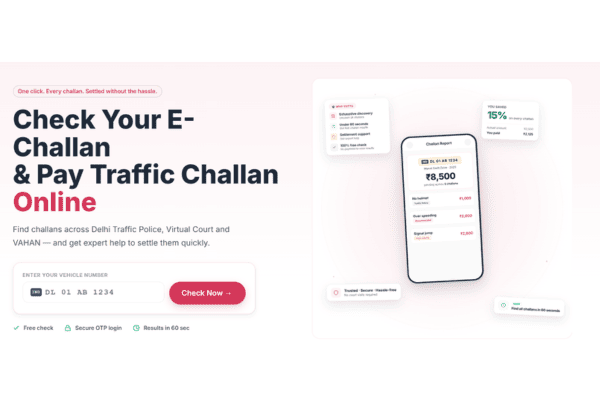
If you want to check your traffic challan status or pay an e-challan online, you can do it without visiting a traffic police office. You can check challan details using your vehicle number or other supported details, see whether a fine is pending, and follow the available online payment process. This guide explains how to check a bike challan, vehicle challan, Delhi traffic challan, Haryana challan and Rajasthan challan, along with what to do if your payment is still showing as pending.
Quick Answer: How to Check a Traffic Challan Online
Open the official e-Challan service.
Select the relevant search option, such as vehicle number.
Enter your vehicle registration number and the required details.
Complete the verification.
Check your challan details and current status.
If payment is available online, follow the payment instructions.
Save your payment confirmation or receipt for your records.
The official e-Challan system supports online challan-related services and is connected with vehicle and driver information used by enforcement authorities.
What Is a Traffic Challan?
A traffic challan is a fine issued when a road user is found violating traffic rules.
Depending on the violation and the enforcement system being used, a challan may be issued electronically. These are commonly referred to as e-challans.
Some common traffic violations include:
Riding a bike without a helmet
Overspeeding
Jumping a red light
Using a mobile phone while driving
Driving without required documents
Parking violations
Other offences under applicable traffic rules
The e-Challan system can record details such as the vehicle, location, offence and challan amount. The official system also supports the recording of evidence such as photographs and other enforcement information.
How to Check Traffic Challan Status Online
Checking your traffic challan status is fairly simple.
Step 1: Open the official e-Challan service
Use the official e-Challan portal rather than an unknown third-party website.
Step 2: Select how you want to search
Depending on the options available, you may be able to search using details such as your vehicle number or challan number.
For most vehicle owners, checking by vehicle number is convenient because the information is readily available on the RC.
Step 3: Enter your vehicle number
Enter your registration number carefully.
For example, if you are checking a bike challan, enter the registration number exactly as it appears on your RC.
Step 4: Complete the verification
Enter the required verification details and submit the information.
Step 5: Check your challan details
If a challan is found, review the information displayed on the screen.
This can include details such as:
Challan number
Vehicle number
Date of the violation
Type of offence
Location
Fine amount
Payment or challan status
The exact information displayed can depend on the challan and the system handling the record.
How to Check Bike Challan Online by Vehicle Number
If you own a motorcycle or scooter, you can use the same process for a bike challan check.
Enter your bike's registration number and complete the required verification to find the available challan records.
This is especially useful if you:
Regularly commute by bike
Have received a traffic notice
Want to check for a pending challan
Are planning to sell your bike
Are considering buying a used bike
A quick check can help you identify an outstanding fine before it becomes an unexpected issue later.
How to Check Vehicle Challan Online
The process is not limited to motorcycles.
You can also check a vehicle challan using the supported vehicle-search option.
Step 1: Keep your registration number ready
Use the vehicle number mentioned on your RC.
Step 2: Open the official challan service
Go to the official online e-Challan service.
Step 3: Enter your vehicle details
Enter the registration number and any other information requested.
Step 4: Verify the details
Complete the verification and submit the request.
Step 5: Review the result
Check whether the vehicle has any pending challans and review the available details.
The e-Challan system can retrieve vehicle and driver information through the relevant transport databases used by the system.
How to Pay an E-Challan Online
Found a pending challan? The next step is to check whether online payment is available.
Step 1: Check the challan details
Before paying, make sure the vehicle number, offence and fine amount are correct.
Step 2: Select the payment option
If the challan is eligible for online payment, use the payment option provided by the official service.
Step 3: Complete the payment
Follow the instructions shown on the payment page and complete the transaction using the available payment method.
Step 4: Save the confirmation
Once the payment is completed, save the receipt, confirmation page or transaction details.
The official e-Challan system supports online payment workflows, and its enforcement system can also generate challan receipts.
Important: Never share your banking PIN, card PIN or other confidential financial credentials with an unknown person claiming to help you pay a challan.
Can You Pay Multiple Challans Online?
Whether multiple challans can be paid together depends on the payment service and the challans associated with the vehicle.
If more than one challan is displayed, review each record individually before making a payment. Check the offence, amount and status to make sure you are paying the correct challan.
If the system does not provide a combined payment option, you may need to complete the payments separately.
Can You Pay a Challan for Someone Else's Vehicle?
You may be able to make a payment on behalf of another vehicle owner if the payment service allows it.
However, you should have the correct vehicle and challan details before making the payment. The payment itself does not change the registered ownership of the vehicle.
If you are buying a used bike or car, it is better to verify the vehicle's challan status before completing the purchase rather than assuming that an outstanding fine will automatically be resolved later.
Frequently Asked Questions
Q: How can I check my traffic challan status online?
You can check your traffic challan status through the official e-Challan service by entering your vehicle number or another supported search detail, completing the verification and reviewing the challan records displayed.
Q: How can I check my bike challan online?
To check a bike challan online, enter your bike's registration number in the relevant vehicle search option on the official e-Challan service and complete the required verification.
Q: Can I check a challan using my vehicle number?
Yes. Vehicle-number-based searches are available through the official e-Challan system for checking relevant challan records.
Q: How can I pay for an e-challan online?
Check your challan details through the official e-Challan service and use the payment option provided if the challan is eligible for online payment. Verify the fine amount before completing the transaction.
Q: Can I pay multiple challans at once?
It depends on the payment service and the records associated with your vehicle. If a combined payment option is not available, the challans may need to be paid separately.
Q: Can I pay a challan for someone else's vehicle?
You may be able to make a payment for another vehicle if the relevant payment service permits it. Make sure you have the correct vehicle and challan details before making the payment.
Q: Why is an OTP required to pay a challan online?
An OTP may be used to authenticate a transaction or verify the user during an authorised payment process. Only enter an OTP on the legitimate service or payment page where it is requested.
Q: Is it safe to share an OTP while paying my challan?
You should never share an OTP with another person. If an OTP is required, enter it yourself only on the legitimate website or payment page. Never share your banking PIN, card PIN or password.
Q: How long does it take to clear a challan after payment?
The status may not update immediately after a successful payment. If the challan continues to show as pending, first check your payment confirmation and transaction details before making another payment.
Q: Will I get a receipt or proof of payment?
A payment confirmation or receipt may be provided after a successful transaction. Save the receipt, transaction ID and other payment details for your records.
Q: Is there an extra charge for paying a challan online?
Any applicable additional charge depends on the payment method or service being used. Check the final amount shown before confirming the payment.
Q: What if my challan still shows as pending after payment?
First verify that the payment was successful and keep your transaction details. If the status remains pending, use the relevant official support channel to resolve the issue. Avoid paying the same challan again until you have confirmed the status of the original payment.
Q: What if my challan payment fails?
If the payment fails and no money was deducted, you can retry through the official payment process. If money was deducted but the challan remains unpaid, keep the transaction details and check the payment status before attempting another payment.
Q: How can I check my Haryana challan online?
You can check your Haryana challan online through the official e-Challan service. Enter your vehicle registration number, complete the required verification and review the available challan records.
Q: How do I check my Haryana traffic challan status?
Use the official online challan service and search using your vehicle number or another supported detail. You can then review the available Haryana traffic challan information and its current status.
Q: How can I pay my Haryana e-challan online?
If your Haryana e-challan is eligible for online payment, use the payment option provided by the official challan service. Verify the challan details and fine amount before completing the transaction.
Q: How can I check my Rajasthan challan online?
You can perform a Rajasthan challan check through the relevant official e-Challan service. Enter your vehicle registration number, complete the required verification and review the available challan information.
Q: How do I check my Rajasthan traffic challan status?
Use the official online challan service and search using your vehicle number or another supported identification method. Review the displayed challan details and payment status.
Q: How can I pay my Rajasthan e-challan online?
If online payment is available for your Rajasthan e-challan, follow the payment instructions provided through the official service. Check the challan details and amount before confirming the payment.