EPFO Portal Login: Complete Guide to UAN Login, PF Balance & Member Services
-

- Published Updated
- 7,638 views
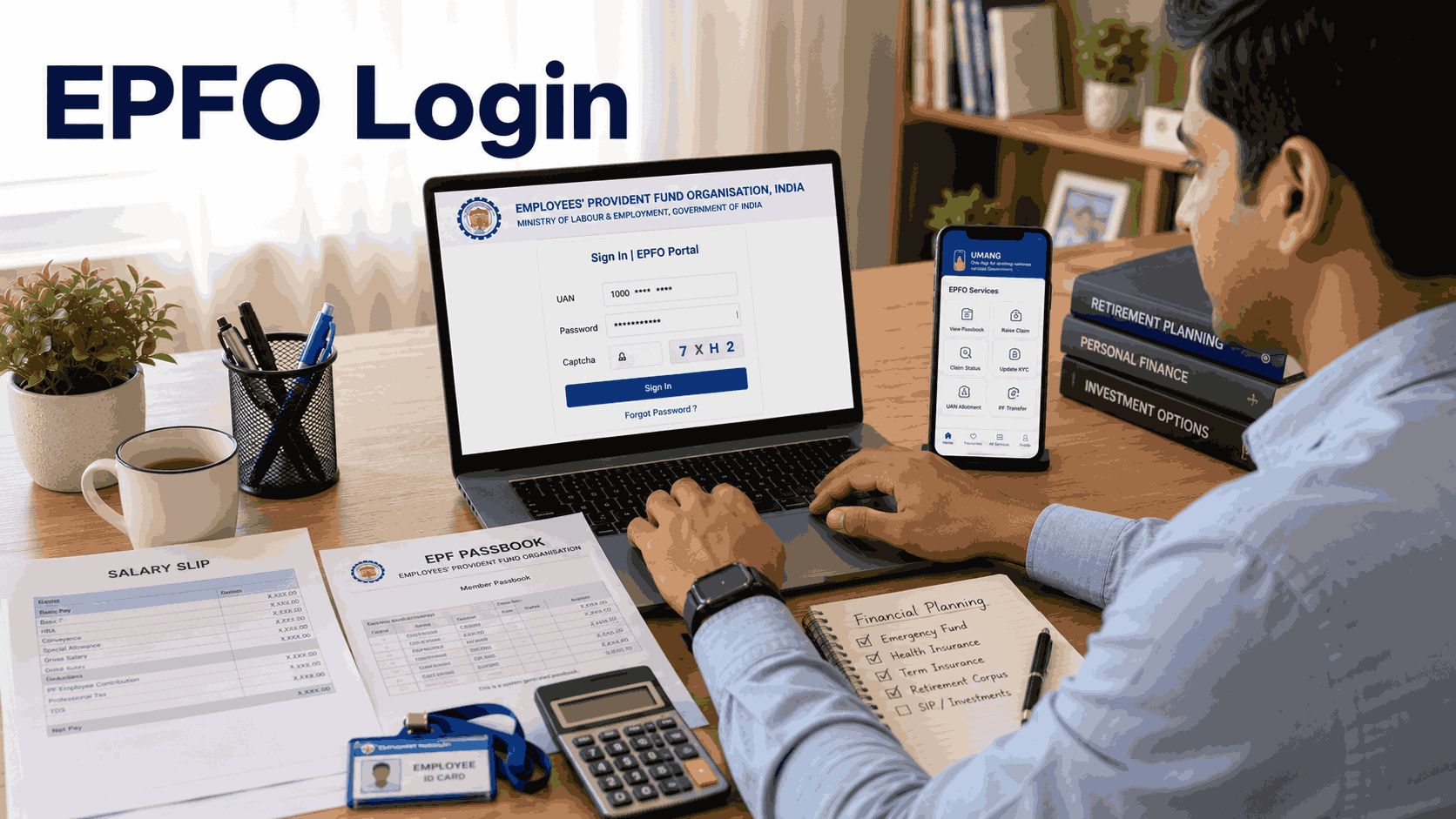
The EPFO Portal Login system has made Provident Fund management easier and more transparent for millions of salaried employees in India. Through the Employees’ Provident Fund Organisation portal, users can check PF balance, download passbooks, file claims, update KYC, and manage retirement savings online without visiting an EPFO office.
The introduction of the unified EPFO member portal has transformed how employees interact with their PF accounts. Earlier, employees had to depend on employers or physical EPFO offices for even small updates. Today, most services are available online through a single login dashboard.
Whether you are a private employee, employer, or pensioner, understanding how the EPFO portal works can help you manage your financial future more efficiently. Platforms like Square Insurance also help users understand important financial and employee-related services, including EPFO and retirement planning solutions.
What is EPFO Portal Login?
EPFO Portal Login is an online access system developed by the Employees’ Provident Fund Organisation that allows members to use various EPF services digitally through a Universal Account Number (UAN).
The portal combines multiple EPFO services into one platform where employees can manage their provident fund accounts securely and conveniently.
Using the EPFO portal, members can:
- Check PF balance
- Download EPF passbook
- File PF withdrawal claims
- Transfer PF account online
- Update KYC details
- Download UAN card
- Track claim status
- Access pension services
The portal is available 24/7, allowing employees to access services anytime from mobile phones, laptops, or desktops.
What is UAN in EPFO?
UAN, or Universal Account Number, is a unique 12-digit identification number assigned to every EPFO member.
This number remains the same throughout an employee’s career, even if they switch companies multiple times. Different PF accounts generated by various employers are linked under one UAN.
Why is UAN Important?
Centralized PF Management
Employees can manage multiple PF accounts using one login.
Faster Online Services
PF transfers, withdrawals, and updates become quicker.
Transparency
Members can track monthly employer contributions easily.
Easy Verification
KYC and account verification become simpler with UAN integration.
Without activating UAN, users cannot access most EPFO online services.
How to Activate UAN for EPFO Portal Login
Before accessing the portal, employees must activate their UAN.
Steps to Activate UAN
Step 1: Visit EPFO Member Portal
Open the EPFO Unified Member Portal on your browser.
Step 2: Click on “Activate UAN”
Choose the UAN activation option available on the homepage.
Step 3: Enter Personal Information
Provide:
- UAN number
- Aadhaar number
- PAN details
- Member ID
- Mobile number
- Date of birth
Step 4: Verify OTP
An OTP will be sent to your registered mobile number.
Step 5: Create Password
Set a secure password for future logins.
Once activation is complete, you can use EPFO Portal Login services immediately.
How to Login to EPFO Portal
The login process is simple and takes only a few minutes.
EPFO Portal Login Process
Step 1: Open the Login Page
Visit the EPFO Unified Member Portal.
Step 2: Enter UAN
Type your 12-digit UAN number.
Step 3: Enter Password
Use the password created during UAN activation.
Step 4: Fill Captcha
Complete captcha verification.
Step 5: Click Sign In
You will be redirected to the EPFO member dashboard.
From here, users can access all major EPF-related services.
Features Available After EPFO Portal Login
The portal offers multiple online services designed to simplify PF management.
PF Balance Check
Employees can view:
- Employee contribution
- Employer contribution
- Pension contribution
- Total PF balance
This feature helps users monitor retirement savings regularly.
EPF Passbook Download
The EPF passbook contains transaction history and monthly contributions. Members can download it anytime through the portal.
Online PF Withdrawal
Users can apply online for:
- Final PF settlement
- Partial PF withdrawal
- Pension withdrawal
Online processing reduces paperwork and waiting time.
Online PF Transfer
Employees changing jobs can transfer their PF accounts digitally through the portal.
KYC Management
Members can update:
- Aadhaar card
- PAN card
- Bank account details
- Passport
- Driving licence
Updated KYC improves claim approval speed.
Claim Status Tracking
Users can monitor PF claim progress directly from the dashboard.
UAN Card Download
The portal allows members to download and print their UAN card instantly.
How to Check EPF Passbook Online
The passbook is one of the most frequently used services on the EPFO portal.
Steps to Download EPF Passbook
Login to EPFO Portal
Use your UAN and password.
Open Passbook Section
Click on the EPF passbook option.
Select Member ID
Choose the PF account linked to your current employer.
Download PDF
The passbook can be viewed and downloaded instantly.
Regular passbook monitoring helps employees ensure that employers are depositing contributions correctly.
How to Reset EPFO Portal Login Password
Many users forget their login credentials. EPFO provides a simple password reset process.
Steps to Reset Password
Click “Forgot Password”
Select the password reset option on the login page.
Enter UAN
Provide your registered UAN number.
Verify Mobile Number
OTP verification will be required.
Create New Password
Set a new secure password.
After resetting the password, users can log in again normally.
Common EPFO Portal Login Issues
Some employees face technical problems while using the portal.
Invalid Credentials
Incorrect UAN or password may prevent login access.
UAN Not Activated
Users must activate their UAN before login.
Aadhaar Not Linked
Several EPFO services require Aadhaar linkage.
Server Busy Error
Heavy traffic on the EPFO portal sometimes causes temporary downtime.
Mobile Number Change
If the registered mobile number is inactive, OTP verification may fail.
Keeping KYC information updated helps avoid most login issues.
Benefits of EPFO Portal Login
The EPFO digital platform offers several advantages for employees and employers.
Saves Time
Most services can now be completed online without visiting EPFO offices.
Faster Claim Processing
Digital verification speeds up PF settlements.
Better Financial Awareness
Employees can monitor retirement savings regularly.
Improved Transparency
Contribution details remain visible at all times.
Paperless Services
Online systems reduce paperwork and manual processes.
Financial awareness platforms like Square Insurance also encourage users to understand retirement planning, insurance protection, and employee financial benefits more effectively.
EPFO Portal Login for Employers
Employers use the portal for workforce-related EPF services.
Employer Services Include:
- Employee registration
- Monthly PF contribution filing
- UAN generation
- KYC verification
- Claim approvals
- PF account management
The unified system helps companies improve compliance and reduce administrative workload.
Tips to Keep Your EPFO Account Safe
Since EPFO accounts contain financial information, security is very important.
Use Strong Passwords
Avoid simple or predictable passwords.
Never Share OTP
Keep OTPs and passwords confidential.
Update KYC Details
Ensure Aadhaar and PAN details are accurate.
Use Official Portal Only
Always access the official EPFO portal carefully.
Logout After Use
Sign out after using shared devices.
EPFO Portal Login and Digital Transformation
The EPFO portal is one of India’s major digital governance initiatives that has simplified employee benefit services significantly.
Online access has improved transparency, reduced delays, and empowered employees to manage their provident fund independently. Today, employees can monitor savings, file claims, and update records from anywhere.
As digital financial awareness continues to grow, services related to provident funds, insurance, pensions, and employee benefits are becoming increasingly important. Square Insurance also helps users stay informed about financial planning and digital financial services in simple language.
Frequently Asked Questions
What is EPFO Portal Login?
EPFO Portal Login is an online system that allows employees to access provident fund services using UAN and password credentials.
How can I activate my UAN?
You can activate your UAN through the EPFO member portal by verifying your mobile number using OTP.
Can I check my PF balance online?
Yes, PF balance can be checked through the EPFO portal after login.
Is Aadhaar mandatory for EPFO services?
Yes, Aadhaar linkage is important for online claims and KYC verification.
Can I withdraw PF online?
Yes, employees can submit PF withdrawal requests online through the portal.
What should I do if I forget my EPFO password?
Use the “Forgot Password” option available on the login page to reset your credentials.
Can I transfer PF account online?
Yes, PF transfer between employers can be completed digitally through the portal.