Gaming PC Vs. Console: How To Choose The Right Platform
-

- Published Updated
- 1,793 views
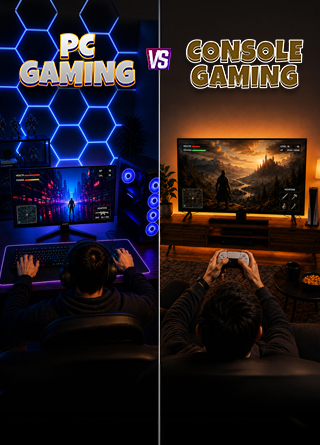
An Elden Ring build can have impressive damage stats, but without enough Vigor, one powerful boss attack can end the fight. Gaming hardware works much the same way. A high frame-rate number may look great on paper, but it does not tell the whole story about how a gaming system actually performs.
The choice between a Gaming PC and a console has also become more complicated in 2026. Consoles are no longer uniformly inexpensive entry points into gaming, with current U.S. prices ranging from $449.99 for Nintendo Switch 2 through August to $899.99 for PlayStation 5 Pro. Nintendo has also announced a price increase that takes Switch 2 to $499.99 from September 1.
Meanwhile, Gaming PCs continue to offer higher performance ceilings, extensive customization, upgrade paths, and access to a wide range of peripherals and software. The trade-off is that building and maintaining a PC can require more technical knowledge.
So, should you choose a Gaming PC or a console? The answer depends less on which platform has the biggest specifications and more on the games you play, the display you own, your budget, and how much control you want over your hardware.
What Is The Difference Between A Gaming PC And A Console?
The biggest difference between a Gaming PC and a console is how the hardware is designed and used.
A console is built around a fixed hardware configuration. Every PlayStation 5, Xbox Series X, or Nintendo Switch 2 of the same model provides developers with a known processor, graphics architecture, memory configuration, storage setup, and operating environment. Developers can therefore optimize their games around a specific target.
A Gaming PC works differently. You can choose the processor, graphics card, RAM, storage, cooling system, case, monitor, and other components based on your requirements. This flexibility can produce significantly higher performance, but it also introduces more decisions.
PC gamers can adjust resolution, textures, ray tracing, upscaling, frame generation, field of view, refresh rates, and other graphical settings. Depending on the game, they can also install mods and use a wider variety of controllers, keyboards, mice, racing wheels, ultrawide monitors, and other peripherals.
Consoles generally keep those decisions simpler. Players select from the performance and graphics modes provided by the developer and start playing.
In simple terms, consoles are designed to optimize the gaming experience around a fixed machine, while PCs allow players to optimize the machine around their preferred gaming experience.
Gaming PC Vs. Console: Performance Is More Than Peak FPS
Performance is one of the biggest differences between the two platforms, but comparing them only by maximum FPS can be misleading.
A powerful Gaming PC can reach substantially higher frame rates, particularly at 1080p and 1440p. Modern GPUs can also support advanced features such as ray tracing, upscaling, and frame generation, depending on the hardware and game.
In its June 2026 GPU benchmark, Tom's Hardware reported that the RTX 5070 averaged 96.4 FPS at 1440p Ultra, while the Radeon RX 9070 averaged 104 FPS under its test conditions without upscaling or frame generation.
Consoles, meanwhile, benefit from hardware consistency. Developers know exactly what hardware they are targeting, which allows them to tune graphical settings and performance modes around that configuration.
Sony says the PlayStation 5 Pro's upgraded GPU provides up to 45% faster rendering than the standard PS5. The console also uses technologies such as PlayStation Spectral Super Resolution, or PSSR, to improve image quality.
However, a console supporting 120Hz does not mean every game will run at 120 FPS. Actual frame rates depend on the game's resolution, graphics settings, effects, and performance target.
The same principle applies to PCs. Buying a powerful GPU does not automatically guarantee smooth gameplay if the processor, memory, cooling, or game optimization becomes a limiting factor.
This creates an important distinction: PCs generally provide a higher performance ceiling, while consoles provide a more predictable performance target.
Gaming PC Vs. Console Cost: The 2026 Price Gap Is Changing
For years, the cost argument was relatively straightforward. Consoles generally offered a cheaper way to start gaming, while a capable Gaming PC required a larger initial investment.
In 2026, however, console pricing has made the comparison less simple.
Nintendo Switch 2 is priced at $449.99 in the U.S. through August, with Nintendo announcing a $499.99 price from September 1. Xbox Series X costs $799.99, while PlayStation 5 Pro is priced at $899.99.
A modern Gaming PC with a dedicated graphics card can still require more upfront spending, particularly if you also need a monitor, keyboard, mouse, operating system, and other accessories.
Tom's Hardware currently places a roughly $1,000 DIY gaming PC in the range of a strong 1080p and competent 1440p system. PC Gamer's August 2026 buying guide places systems around $1,000 to $1,500 in an area it considers attractive for performance per dollar among prebuilts.
Microsoft has also explained that recent Xbox price increases followed substantial increases in storage and memory costs. The company noted that consoles are typically sold below manufacturing cost rather than at a profit.
But upfront price is only one part of the calculation.
PC gaming can benefit from competition between digital storefronts, frequent discounts, and the ability to upgrade individual components. Most PC multiplayer games also do not require a platform-level online subscription.
Console owners may have lower setup complexity, but the total cost can include paid online memberships, games, storage expansions, and potentially a high-refresh television.
Therefore, comparing only the sticker price of the hardware does not provide the complete picture.
GPU Benchmark, CPU Bottleneck And FPS Stability: What Actually Matters?
A GPU benchmark can be useful when comparing graphics cards, but benchmark numbers only tell you so much.
The most meaningful comparison uses the same game, resolution, graphics preset, ray-tracing settings, and upscaling technology. Comparing a native 1440p result with a 4K result using aggressive image reconstruction can produce numbers that look impressive but are not directly comparable.
Average FPS is another metric that needs context.
Average FPS shows how many frames a system produces across a benchmark run, but it can hide short performance drops. This is why metrics such as 1% lows and frame times are important.
A game averaging 100 FPS can still feel inconsistent if frame delivery frequently spikes. Conversely, a lower average frame rate can feel smoother when frames are delivered more consistently.
A CPU bottleneck is another factor PC buyers need to understand. It occurs when the processor cannot prepare frames quickly enough for the GPU. This can become particularly noticeable when targeting very high frame rates or playing at lower resolutions where the GPU has less work to do.
Tom's Hardware uses 1080p testing with a high-end RTX 5090 in its CPU hierarchy to expose differences between processors. At higher resolutions, the GPU can become the primary limitation, making CPU differences less visible.
This is one area where consoles simplify the experience. Console players generally do not need to determine whether their CPU is limiting their GPU or whether a particular graphics setting is creating a bottleneck.
PC owners gain more control, but that control comes with more responsibility.
Why Gaming PCs Offer More Customization
Customization is one of the strongest arguments for choosing a Gaming PC.
PC users can build a system around their specific requirements. Someone focused on competitive gaming might prioritize a fast CPU and high-refresh 1080p monitor, while another player might choose a powerful GPU for 4K gaming with ray tracing.
PCs also make incremental upgrades possible. Instead of replacing the entire system, users can upgrade the GPU, add RAM, install faster storage, replace the processor, or improve cooling when necessary.
The platform also supports a broader range of peripherals. Mechanical keyboards, gaming mice, ultrawide monitors, flight sticks, racing wheels, VR hardware, capture cards, and specialized controllers can all become part of a PC gaming setup.
Mods add another layer of flexibility. Depending on the game, players can install graphical improvements, new maps, gameplay changes, community-created content, and other modifications.
The downside is that PC customization can create compatibility questions. Drivers, component compatibility, graphics settings, game launchers, Windows updates, and troubleshooting can all become part of ownership.
For players who enjoy adjusting hardware and software, that flexibility can be a major advantage. For those who simply want to turn on a system and play, it can feel like unnecessary complexity.
Why Gaming Consoles Keep Things Simple
Consoles are designed around convenience.
Once a console is connected to a television and configured, the number of hardware decisions is relatively small. Players do not need to choose a GPU, balance CPU performance against graphics performance, select RAM speeds, or determine which graphics preset offers the best frame rate.
The fixed hardware also gives developers a consistent target.
Console games may provide performance, quality, or other graphical modes, but the number of variables is generally much smaller than on PC. This makes the experience more predictable for players who do not want to spend time adjusting settings.
Consoles are also well suited to living-room gaming. A television, controller, and couch can provide a straightforward setup for single-player games, sports titles, racing games, and local multiplayer.
Nintendo Switch 2 adds another dimension by supporting both handheld and TV-oriented gaming.
The trade-off is reduced flexibility. Players cannot upgrade the GPU when a game becomes more demanding, and graphical customization is generally limited to the options provided by developers.
How To Choose A Gaming Platform Based On How You Play
The most practical way to choose between a Gaming PC and a console is to start with your gaming habits rather than the specification sheet.
Choose A Gaming PC If You Want
- High-refresh competitive gaming and frame rates beyond typical console targets.
- Greater control over graphics settings and image quality.
- Support for mods and a wider selection of peripherals.
- Ultrawide or specialized monitor support.
- Hardware that can also be used for work, editing, streaming, programming, and other applications.
- The ability to upgrade individual components over time.
- Access to multiple PC game stores and frequent discounts.
- More control over performance tuning and system configuration.
A PC is particularly useful when gaming is only one part of what you want the machine to do.
Choose A Gaming Console If You Want
- A straightforward setup with minimal hardware configuration.
- Fewer driver, compatibility, and troubleshooting decisions.
- A couch-first experience using a TV and controller.
- Performance modes designed around fixed hardware.
- Access to a particular console-exclusive or platform-specific game library.
- Nintendo's handheld-to-TV flexibility through Switch 2.
- A gaming device that requires less ongoing hardware maintenance.
The ecosystem you already use can also influence the decision.
Xbox Play Anywhere, for example, allows supported digital purchases to work across Xbox consoles, PCs, and compatible handheld devices, with shared saves, add-ons, and achievements at no additional cost.
If your friends primarily play on a particular platform or your must-play games are concentrated within one ecosystem, that can matter more than a theoretical difference in performance per dollar.
Gaming PC Vs. Console: Which Factors Should You Compare?
Before buying either platform, consider these questions:
What games do you play?
Your preferred game library should be one of the first considerations. A system is only useful if it supports the games you actually want to play.
What display do you use?
A 4K television, 1440p monitor, 1080p high-refresh display, and ultrawide monitor place different demands on hardware.
How much do you want to customize?
If adjusting graphics settings, installing upgrades, and experimenting with hardware sounds appealing, a PC offers more room to do so.
Do you want to upgrade later?
PC components can generally be replaced individually, while console hardware follows a more fixed lifecycle.
Do you want a gaming-only device?
A console is primarily built for gaming, while a PC can also serve as a workstation for productivity and creative applications.
How much troubleshooting are you willing to do?
PC ownership can involve drivers, compatibility issues, settings, and hardware troubleshooting. Consoles reduce much of that work.
Conclusion
Gaming PC versus console is not simply a contest over which platform produces the highest FPS. The two approaches are designed around different priorities.
A Gaming PC offers a higher performance ceiling, extensive customization, upgrade flexibility, broader peripheral support, and more control over graphical settings. It can also serve as a general-purpose computer for work, streaming, editing, and other tasks.
A console focuses on standardized hardware, simpler setup, predictable performance targets, and a straightforward living-room gaming experience. Players give up some control in exchange for fewer hardware and compatibility decisions.
Performance metrics such as average FPS, 1% lows, frame times, CPU bottlenecks, and GPU performance can help explain what a system is capable of, but those numbers should always be considered alongside the games, resolution, display, and settings you actually use.
The practical choice is therefore not about finding a universally superior platform. It is about matching the hardware to your gaming habits, budget, display, preferred games, multiplayer ecosystem, and willingness to manage the system.
Just like an Elden Ring build, the most powerful option on paper is not automatically the right one for every fight.