Hex Light Brightness Explained: Lumens, Perception, and Practical Evaluation
-
- February 28th, 2026
- 614 views
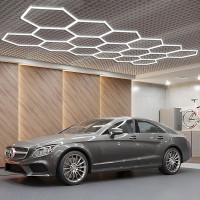
How bright are hex lights is a common question when choosing hexagonal LED panels for home, studio, or accent lighting. This guide explains measurable brightness (lumens and lux), factors that change perceived brightness, and practical steps to compare and evaluate hex lights for real installations. Detected intent: Informational
Typical consumer hex lights range from a few hundred to several thousand lumens per module. Perceived brightness depends on lumens, beam angle, mounting distance, color temperature, diffusion, and room reflectance. Use the BRIGHT evaluation checklist below to choose and test hex lights for task or ambient use.
how bright are hex lights: basic metrics and typical ranges
Brightness is measured in lumens (total light output) and lux (illumination on a surface). A single decorative hex light module often lists output between 200 and 2,000 lumens depending on size, LED type (SMD vs. COB), and power draw. For context, a standard 60W incandescent bulb emits about 800 lumens. When several hex modules are combined, add their lumen outputs to estimate total light output, then adjust for beam angle and diffusion to convert to useful lux on a work surface.
Key factors that change perceived brightness (hexagonal LED brightness, lumens per hex light)
Several technical and practical factors determine how bright hex lights look in a room:
- Lumens vs wattage: Modern LEDs are efficient—lumens per watt vary widely. Wattage no longer reliably indicates brightness.
- Beam angle and diffusion: A narrow beam concentrates lumens into higher lux; a wide beam or heavy diffuser spreads light and lowers lux while appearing softer.
- Color temperature (K): Cooler white (4000–6500K) often reads as brighter than warm white (2700–3000K) at the same lumen level.
- CRI (Color Rendering Index): Low CRI can make areas appear less vibrant and indirectly feel darker.
- Mounting height and layout: Closer fixtures raise lux on a target. Overhead clusters require fewer lumens than low-mounted accents to achieve the same surface lux.
- Room reflectance and surface color: Dark walls absorb light; light walls amplify it. Account for surface reflectance when sizing hex panels.
BRIGHT evaluation checklist (a named framework for choosing hex lights)
Use the BRIGHT framework to evaluate hex lights before purchase or installation:
- B — Baseline lumens: Record the lumen rating per hex panel and total expected lumens.
- R — Room size & reflectance: Measure or estimate room area and wall/ceiling reflectance to convert lumens into expected lux.
- I — Installation height: Note mounting height and projected beam pattern to estimate illumination spread.
- G — Glare & diffusion: Check diffuser type and tilt; add diffusers or dimming for task comfort.
- H — Hardware & heat: Verify driver quality and thermal design—overheating reduces output over time.
- T — Tunability & controls: Confirm dimming, color temperature adjustment, and app/integration capabilities if needed.
Real-world example: sizing hex lights for a desk
Scenario: A 1.5 m x 1.0 m desk needs ~500 lux for focused tasks. One hex panel is rated at 1000 lumens with a wide beam and diffuser. Estimated effective lumens reaching the desk might be ~60% after diffusion and angle losses, so about 600 effective lumens. Lux on the desk = lumens / area (in m^2); desk area = 1.5 m^2, so 600 / 1.5 = 400 lux—close but slightly under the 500 lux target. Add a second identical hex or choose a higher-lumen module to reach or exceed the 500 lux target. This shows the importance of converting lumens to lux for real tasks.
Practical tips for measuring and improving perceived brightness
- Use a handheld lux meter or a smartphone app (calibrated models) to measure illumination on target surfaces rather than relying on specs alone.
- Prefer lumen ratings plus beam angle specs; calculate lux for the specific mounting height and target area.
- Choose higher CRI (>90) for accurate color and better visual comfort in task areas.
- Install dimmers or multi-level controls to prevent glare while keeping peak output available when needed.
- Test a single panel in the intended mounting position before buying large quantities—layout matters more than per-module lumen claims.
Common mistakes and trade-offs when choosing hex lights
Avoid these frequent errors and understand trade-offs:
- Assuming wattage equals brightness: LED efficacy varies; compare lumens, not watts.
- Ignoring beam angle: Two modules with the same lumens can give very different lux values depending on spread.
- Overlooking color temperature and CRI: Warmer light can feel dimmer; low CRI reduces visual clarity.
- Choosing too many high-lumen panels: High lumen count without diffusion or dimming leads to glare and discomfort.
For basic LED lighting guidance and how lumen ratings relate to real-world use, consult official energy-efficiency resources such as the U.S. Department of Energy's LED lighting overview: DOE LED lighting guide.
Core cluster questions
- How to convert hex light lumens to lux for a specific desk or wall?
- What beam angles are best for hex lights used as task versus ambient lighting?
- How does color temperature affect perceived brightness of hex lights?
- What is the difference between perceived brightness and measured lumens for LED panels?
- What mounting and diffuser options improve uniformity for hex light installations?
Installation and maintenance notes
Proper installation ensures long-term brightness. Ensure drivers are rated for continuous operation, keep thermal paths clear to maintain lumen output over the fixture's life, and dust diffusers periodically—accumulated dust can reduce light by 10–30% over time.
When to choose brighter hex modules versus more panels
Choose higher-lumen modules when floor or wall space is limited and fewer fixtures are desired. Choose more lower-lumen modules when uniformity and flexible zoning matter. The trade-off is often glare versus uniformity: concentrated high-lumen sources can create hotspots, while many lower-output panels spread light evenly.
Final checklist before buying hex lights
- Confirm lumen rating and beam angle per module.
- Calculate expected lux at target surface using mounting height and area.
- Check CRI and available color temperature settings.
- Verify driver quality, dimming compatibility, and thermal specs.
- Plan a small in-room test to confirm perceived brightness and color.
How bright are hex lights?
Typical consumer hex lights range from a few hundred to a few thousand lumens per module. Exact perceived brightness depends on lumens, beam angle, mounting, diffusion, color temperature, and room reflectance—convert lumens to lux for task-specific targets.
How many lumens should a hex light have for task lighting?
Aim for a combined output that delivers target lux for the task: for typical desks, 300–500 lux is common, so calculate required lumens = lux target × area (m^2), then account for losses from diffusion and angle.
Do hex lights look brighter at cooler color temperatures?
Yes. Cooler color temperatures (4000–6500K) are perceived as brighter than warm white at the same lumen level. Choose based on application: cooler for tasks, warmer for ambient comfort.
How to measure hex light brightness accurately?
Use a lux meter at the working plane and compare to calculated targets. Measure at multiple points for uniformity and take an average; smartphone lux apps can be a quick proxy but use a calibrated meter for precise work.
Does CRI affect perceived brightness of hex lights?
Indirectly. Higher CRI improves color fidelity and visual clarity, which can make a space appear more illuminated and comfortable even at the same lumen level.