Jira Project Management Implementation: What Should Teams Plan Before Go-Live?
-

- September 16th, 2026
- 46 views
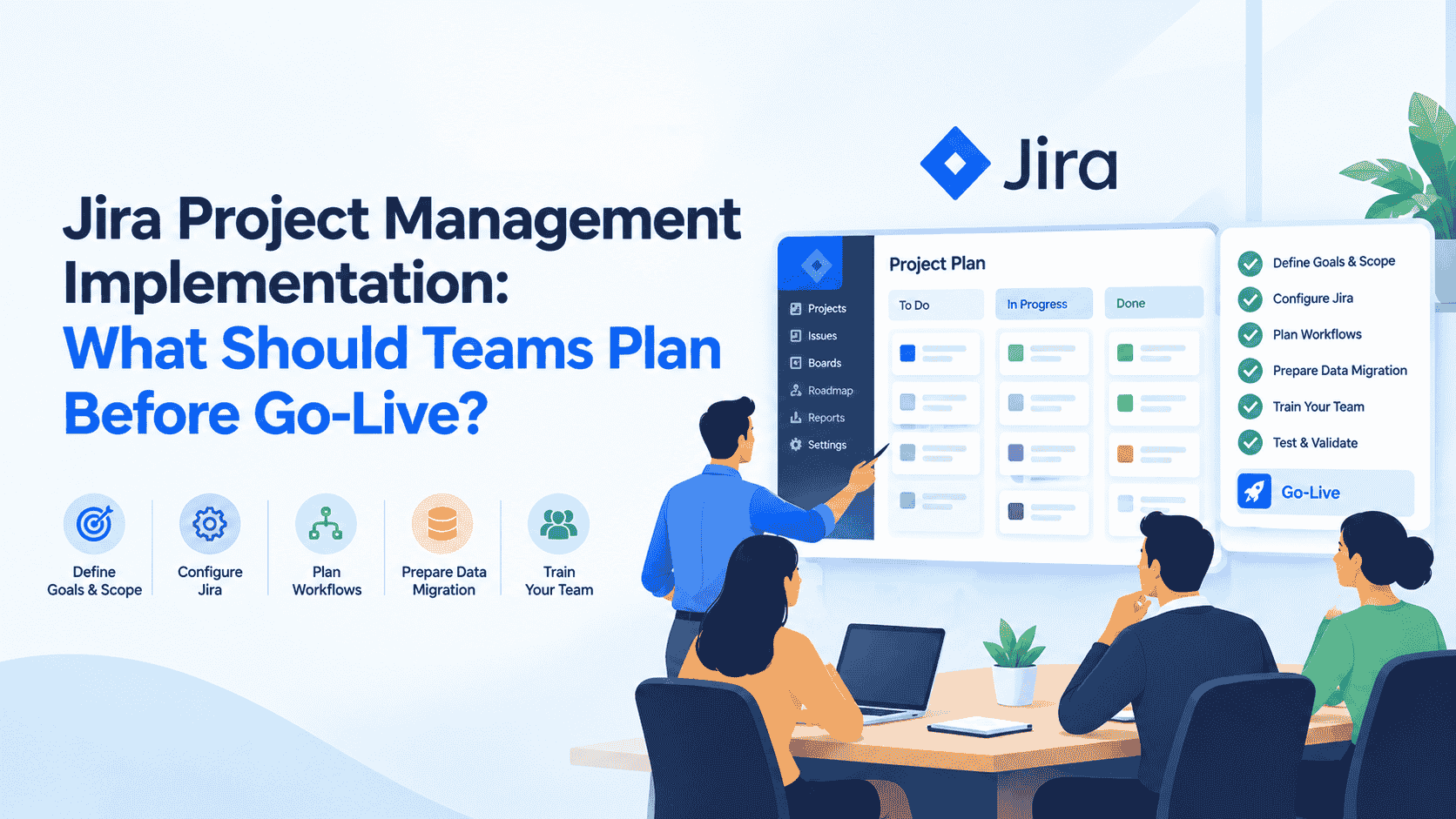
Implementing Jira successfully involves more than creating projects and adding users. Teams need to define workflows, permissions, issue structures, automation rules, reporting requirements, integrations, and migration plans before moving into production. A structured approach to Jira project management helps organizations connect their operational requirements with the right Jira configuration while reducing avoidable issues after go-live.
Whether a team is adopting Jira for the first time or restructuring an existing environment, pre-go-live planning provides an opportunity to validate how work will move through the system. It also helps project administrators identify configuration gaps, clarify responsibilities, and prepare users for the new working environment.
1. Define Project Management Requirements Before Configuration
The first step is to understand what the organization expects Jira to accomplish.
Instead of immediately creating workflows or custom fields, teams should document their existing project-management processes. This creates a baseline for determining which Jira capabilities are required and where configuration or customization may be necessary.
Consider the following questions:
- What types of projects will Jira manage?
- Which teams will use the projects?
- What issue types are required?
- How does work currently move from initiation to completion?
- Which activities require approvals?
- What information must be captured for each issue?
- What reports do project managers need?
- Which systems need to integrate with Jira?
Requirements can vary significantly between software development, IT operations, business teams, and enterprise project environments.
For example, a development team may primarily require epics, stories, bugs, sprints, and releases. Another team may need approval stages, service requests, dependencies, and detailed reporting.
Defining these requirements first helps prevent unnecessary configurations later.
2. Plan the Jira Project Structure
A scalable project structure is important before creating production projects.
Organizations should determine how projects will be separated and whether teams should use company-managed or team-managed projects based on their operational requirements.
Project structure decisions may include:
- Project naming conventions
- Project keys
- Project ownership
- Project templates
- Issue types
- Components
- Versions and releases
- Team responsibilities
- Project categories
Naming conventions are particularly important in larger environments. A consistent structure makes projects easier to identify and manage.
Teams should also consider future growth. A configuration that works for five projects may become difficult to administer when hundreds of projects are introduced.
Therefore, administrators should avoid creating separate configurations for every minor process variation unless there is a genuine business requirement.
3. Design Workflows Around Actual Processes
Workflows determine how issues move through different stages of work.
A basic development workflow might look like:
To Do → In Progress → Code Review → Testing → Done
However, enterprise processes may require additional stages such as approval, security review, deployment, or business validation.
Before go-live, teams should identify:
- Required statuses
- Allowed transitions
- Approval points
- Transition conditions
- Validators
- Post-functions
- Resolution rules
- Reopening processes
The objective should be to represent the actual business process without making the workflow unnecessarily complicated.
Overly complex workflows can make Jira harder to use and maintain. On the other hand, workflows that are too simple may fail to capture important controls.
A workflow review with representatives from each participating team can help identify these issues before users begin working in production.
4. Configure Issue Types and Custom Fields Carefully
Issue types define the categories of work users create in Jira.
Depending on the project, these may include:
- Epic
- Story
- Task
- Bug
- Sub-task
- Change
- Request
Custom fields can capture additional information such as business priority, environment, customer details, risk level, or technical requirements.
However, adding too many fields can create unnecessary complexity.
Before go-live, administrators should review every custom field and determine:
- Why is the field required?
- Who will enter the information?
- Is the information used in reporting?
- Is the field required for a specific issue type?
- Can an existing Jira field provide the same information?
Field configurations, screens, and field contexts should also be tested to ensure users only see relevant information.
5. Establish Permissions and Access Controls
Security and access management should be validated before production use.
Jira permissions can determine who can:
- Browse projects
- Create issues
- Edit issues
- Transition issues
- Assign work
- Delete issues
- Manage project settings
- Access reports
Teams should define access according to actual responsibilities rather than giving broad permissions to every user.
A role-based approach can make administration easier. For example, project administrators, developers, testers, business stakeholders, and external users may require different access levels.
Before go-live, test permissions using representative user accounts.
This is important because a permission configuration may appear correct from an administrator's perspective while producing unexpected results for regular users.
6. Prepare Backlog and Roadmap Structures
For Agile teams, the backlog is a central part of project planning.
Before launch, teams should establish how work will be organized and prioritized.
A typical structure could be:
Initiatives → Epics → Stories/Tasks → Sub-tasks
The team should also determine how backlog items will be prioritized and prepared for upcoming sprints.
Important considerations include:
- Backlog prioritization
- Story refinement
- Estimation methods
- Sprint structure
- Release planning
- Epic organization
- Dependency tracking
Roadmaps can provide a higher-level view of planned work, while backlogs provide a more detailed view of individual work items.
Connecting these structures allows teams to move from long-term planning toward sprint-level execution.
7. Identify Automation Opportunities
Automation can reduce repetitive administrative work and make processes more consistent.
Before go-live, teams should identify tasks that occur repeatedly and can potentially be automated.
Examples include:
- Automatically assigning issues
- Updating issue fields
- Changing statuses
- Sending notifications
- Creating related issues
- Updating parent issues
- Escalating overdue work
For example, when an issue enters a particular status, an automation rule could notify the relevant stakeholder or update another field.
However, automation should be introduced carefully.
Every rule should have a clearly defined purpose, trigger, condition, and action. Teams should also check whether multiple automation rules could conflict with each other.
A useful pre-go-live practice is to document automation rules and test them using representative scenarios before enabling them in production.
8. Plan Integrations With Other Systems
Jira rarely operates in isolation within an enterprise environment.
Organizations may need Jira to work alongside development tools, communication platforms, documentation systems, source-code repositories, CI/CD tools, identity providers, or other business applications.
Before go-live, teams should document:
- Systems requiring integration
- Data exchanged between systems
- Authentication requirements
- Synchronization frequency
- Ownership of each integration
- Error-handling processes
- Required marketplace apps or connectors
Integration testing should cover both successful and unsuccessful scenarios.
For example, if an external system sends information to Jira, teams should verify what happens when required data is missing or synchronization fails.
Planning these scenarios early helps prevent operational problems after launch.
9. Define Dashboards and Reporting Requirements
Jira reporting should reflect the information teams actually need to make decisions.
Different stakeholders may require different views.
Project managers may need:
- Sprint progress
- Open issues
- Overdue tasks
- Workload
- Project risks
Development teams may need:
- Sprint status
- Burndown
- Velocity
- Assigned work
- Blocked issues
Leadership may need:
- Project progress
- Release status
- Major risks
- Cross-project dependencies
- Delivery trends
Dashboards should therefore be designed around specific questions rather than simply adding every available gadget.
Before go-live, teams should verify that reports are based on accurate data and that users have appropriate access to the information.
10. Manage Dependencies Across Teams
Cross-team dependencies can become difficult to track when projects grow.
Teams should identify important relationships between issues, projects, teams, and milestones before production use.
For example:
Development → Security Review → QA → Deployment
If one activity is delayed, downstream work may also be affected.
Jira's issue-linking and dependency capabilities can help teams represent these relationships. Establishing conventions for dependency links can make them easier to interpret across projects.
Teams should also determine how blocked issues will be identified and communicated.
This becomes particularly important when multiple teams contribute to the same release or business initiative.
11. Plan Data Migration and Validation
Organizations moving from another project-management system need a clear migration strategy.
Migration planning should cover:
- Data to be migrated
- Data that can be archived
- User mapping
- Issue mapping
- Attachments
- Comments
- History
- Custom fields
- Workflows
- Links and dependencies
A test migration should be performed before the final production migration.
After importing the data, teams should validate whether records, relationships, users, and important metadata have transferred correctly.
Migration validation should not be limited to checking whether the issue count matches. Teams should also verify representative records from different projects and issue types.
12. Test the Complete Workflow Before Go-Live
Testing should simulate real project activity rather than checking individual configurations separately.
A practical end-to-end test could follow:
Create Issue → Assign → Start Work → Review → Test → Resolve → Report
During testing, teams should verify:
- Workflow transitions
- Permissions
- Required fields
- Notifications
- Automation
- Integrations
- Dashboards
- Issue links
- Notifications
- Search and filters
User acceptance testing is especially valuable because administrators may understand the configuration differently from the people who will use Jira every day.
Feedback from actual users can reveal confusing fields, unnecessary steps, missing permissions, or workflow bottlenecks.
13. Prepare Users and Administrators
Technical configuration alone does not guarantee successful adoption.
Users should understand how their responsibilities change after Jira goes live.
Training can cover:
- Creating issues
- Updating issues
- Using boards
- Managing the backlog
- Working with sprints
- Using filters
- Reading dashboards
- Following workflows
Administrators require deeper knowledge of project configuration, permissions, workflows, automation, and troubleshooting.
Documentation should also be available for common tasks and support procedures.
A defined support process for the first few weeks after launch can help teams identify and resolve configuration issues quickly.
14. Create a Go-Live Checklist
Before moving into production, organizations should conduct a final review.
A practical checklist can include:
| Area | Pre-Go-Live Check |
|---|---|
| Project Structure | Projects and naming conventions validated |
| Workflows | Statuses and transitions tested |
| Permissions | User access verified |
| Fields | Required fields and screens reviewed |
| Automation | Rules tested |
| Integrations | Data synchronization validated |
| Backlog | Priorities and sprint structure prepared |
| Reports | Dashboards validated |
| Dependencies | Cross-team links reviewed |
| Migration | Data accuracy confirmed |
| Training | Users prepared |
| Support | Post-launch process defined |
This final review provides a structured way to identify unresolved issues before production use.
Conclusion
A successful Jira implementation starts before the first production issue is created. Teams need to plan their project structure, workflows, permissions, issue types, automation, integrations, reporting, dependencies, migration, testing, and user training as connected parts of the implementation process.
The goal is not simply to configure as many Jira features as possible. Instead, each configuration should support a clearly defined project-management requirement and provide a practical experience for the people using the system.
With structured planning, testing, and governance, organizations can establish a scalable foundation for Jira Software Project Management and create workflows that support project execution from planning through delivery.
https://www.empyra.com/jira-software-project-management?utm_source=off-page-SEO&utm_medium=Blog-posting-indibloghub-subhrajit