Complete Guide to Managing Thai Airways Bookings: Changes, Check-In, and Refunds
-

- Published Updated
- 2,796 views
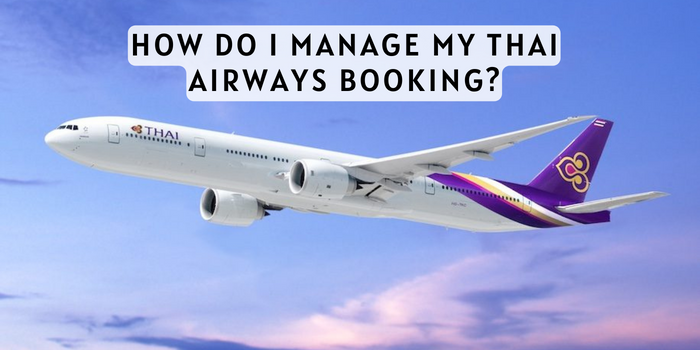
This guide explains how to manage my Thai Airways booking and what to expect when changing flights, checking in, or requesting refunds. Managing a reservation typically involves the booking reference (PNR), e-ticket number, fare rules, and any applicable fees.
- Locate the booking reference (PNR) or ticket number to manage a reservation online.
- Use the airline's Manage Booking tool for changes, seat selection, and online check-in.
- Fare rules and refund eligibility depend on the ticket type and fare class.
- Contact customer service or an issuing travel agent for complex changes or refunds.
How to manage my Thai Airways booking
To manage a Thai Airways booking online, visit the airline's official Manage Booking page and enter the booking reference (PNR) and passenger last name. The Manage Booking tool allows users to view itineraries, change flights (subject to availability and fare rules), select seats, add baggage, and perform online check-in when available. Accessing the reservation requires the e-ticket number or 6-character booking code typically provided in the booking confirmation email.
Before editing a reservation
Check fare rules and ticket type
Review the fare conditions attached to the ticket. Refundability, rebooking fees, and change penalties vary by fare class and promotion. Non-refundable or deeply discounted fares often have restrictions on changes and refunds. The fare rules are part of the ticket information and should appear in the confirmation email or on the Manage Booking screen.
Confirm travel documents and entry requirements
Verify passport validity, visa requirements, and any health or entry documentation for the destination. Regulatory guidance from organizations such as the International Air Transport Association (IATA) and the Civil Aviation Authority of Thailand can help with general travel requirements, but specific entry rules should be checked with destination authorities.
Common tasks in Manage Booking
Change or rebook a flight
When changing a flight through the online tool, select the new date or flight and check fare differences plus any change fees. If the new itinerary costs more, the fare difference must be paid. For international or multi-segment itineraries, changes to one segment can affect the whole ticket. If the Manage Booking site does not permit the change, contact customer service or the travel agent who issued the ticket.
Cancel and request a refund
Cancellations can be initiated through the Manage Booking page if the fare rules allow. Refund processing times vary by payment method and ticket type. For refundable tickets, a refund request can be submitted online or via customer support. For non-refundable tickets, credit vouchers or partial refunds may be available depending on circumstances and airline policies.
Online check-in and boarding passes
Online check-in typically opens 24 to 48 hours before departure for most flights. After checking in online, mobile or printable boarding passes can be downloaded. At the airport, allow extra time if baggage must be checked or if additional security or documentation checks are required.
Seat selection and special requests
Seats can be selected or changed through Manage Booking for a fee on some fares. Requests for special meals, wheelchair assistance, or traveling with an infant should be added before departure and are subject to availability. Confirm any relevant charges for seat upgrades or preferred seating.
Baggage, extras, and upgrades
Adding baggage or services
Excess baggage, additional baggage allowance, and other ancillary services are usually offered in the booking management tool. Pre-purchasing baggage online is often cheaper than paying at the airport. Check the baggage allowance linked to the fare class and route.
Upgrades and frequent flyer benefits
Upgrade options depend on availability, fare class, and frequent flyer status. Apply miles or purchase a paid upgrade in Manage Booking if the option appears. For elite members, specific upgrade policies and priority services are outlined in the airline's frequent flyer program terms.
When to contact support or the issuing agent
Complex itineraries or multi-airline tickets
For itineraries involving partner airlines, codeshares, or tickets issued by a travel agent, changes may require assistance from the issuing office. The agent can modify the reservation, reissue tickets, or advise on connecting flights and fare recalculation.
Lost booking confirmation or PNR
If the booking reference or e-ticket number is not available, contact customer support with the passenger name, travel dates, and flight numbers. Proof of purchase, such as a credit card used for payment or the travel agent receipt, may be requested.
For official tools and to manage reservations directly, use the airline's Manage Booking portal: Thai Airways Manage Booking. For regulatory guidance and international travel standards, consult resources from IATA or the Civil Aviation Authority of Thailand.
Practical tips and common issues
Save all confirmation emails and receipts
Keep booking confirmations, e-ticket details, and receipts for any changes or refunds. These documents are useful if a dispute or unexpected charge arises.
Monitor flight status and allow time at the airport
Check flight status before travel and arrive early for international departures to accommodate security, immigration, and baggage drop-off. If a flight is delayed or canceled, follow the airline's instructions for rebooking or assistance.
Know credit and refund timelines
Refunds can take several weeks to appear on the original payment method depending on the payment processor and banking institutions. Vouchers or credits may appear faster but have expiration and usage conditions.
Documentation for special cases
Keep medical certificates, travel advisories, or government orders handy if requesting exceptions or refunds for illness or travel restrictions. Policies for involuntary refunds or waivers are guided by airline discretion and applicable aviation regulations.
Contact methods and escalation
Phone and social channels
Customer service phone lines, social media support channels, and airport service desks can provide assistance. When contacting support, provide the PNR, passenger names, travel dates, and details of the requested change.
Escalation and dispute resolution
If a satisfactory resolution is not provided, travelers may refer to consumer protection guidance from aviation authorities or file a complaint with the relevant civil aviation regulator in the departure or arrival country.
FAQ
How do I manage my Thai Airways booking online?
Visit the airline's Manage Booking page and enter the booking reference (PNR) and passenger surname. From there, view itinerary details, change flights where permitted, add baggage, select seats, and start online check-in for eligible flights.
What information is needed to change a reservation?
The booking reference (PNR) or e-ticket number, passenger last name, and payment method for any additional charges are typically required. Fare rules determine change fees and refund eligibility.
How long does a refund take after canceling a ticket?
Refund timelines vary by payment method and issuing bank; processing can take several business days to several weeks. The airline will provide confirmation and an estimated processing timeframe when the refund is approved.
Can seat selection and baggage be changed after purchase?
Yes. Seat selection and baggage allowances can usually be adjusted in Manage Booking for a fee depending on fare conditions and availability. Pre-purchasing extras online is often less expensive than at the airport.
What should be done if the Manage Booking tool won't accept a change?
If the online tool prevents a modification, contact customer support or the travel agent who issued the ticket. Complex itineraries, codeshares, or fare recalculations often require agent intervention.