Customize Your Lock Screen with Mi Glance Wallpaper: Dynamic Wallpaper Guide
-

- Published Updated
- 1,477 views
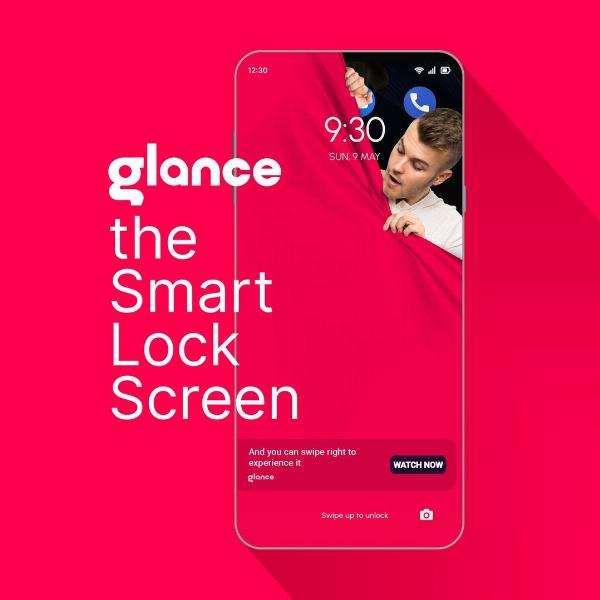
Mi Glance Wallpaper brings changing visuals and contextual content to a device lock screen or always-on display, offering a way to express personal style while surfacing timely information. This guide explains how the feature works, what to expect from customization, and practical considerations such as battery impact and data privacy.
- Mi Glance Wallpaper displays dynamic images and short content snippets on the lock screen or always-on display.
- Customization options typically include image categories, frequency, and minimal settings for notifications and privacy.
- Potential trade-offs include modest battery use, data for content updates, and the need to review privacy permissions.
What is Mi Glance Wallpaper?
Mi Glance Wallpaper is a lock-screen and always-on display feature that rotates background images, short informational cards, or tips. It is designed to replace a static wallpaper with dynamic content that may include photography, illustrations, brief news snippets, or contextual glimpses such as weather or quotes. The system integrates with the device interface (for example, MIUI on Android devices) to show content without requiring manual wallpaper changes.
How Mi Glance Wallpaper works
Content sources and feed
Dynamic wallpaper systems pull images and short text elements from curated feeds or partner providers. Content is typically preloaded or cached on the device and refreshed periodically. Where online updates occur, a small amount of data is used to download new items and thumbnails.
Integration with lock screen and always-on display
When enabled, the feature replaces or layers over the static lock-screen wallpaper. On devices that support an always-on display (AOD), simplified visuals or a condensed card may appear while the screen is in low-power mode. Interaction is usually limited to swiping to change the image, tapping to see more details, or unlocking to open related apps.
Customization and personalization options
Choosing themes and categories
Options often include selecting image categories (landscapes, art, photography), toggling automatic rotation, and adjusting how often new content appears. Some implementations allow users to pin favorite images or exclude categories they do not want to see.
Notification and visibility controls
Privacy settings control whether notifications or sensitive previews appear with dynamic content. Permission settings follow the device's broader app-permission model, so users can limit which apps or services can display or access Glance content.
Performance, battery life, and data use
Battery considerations
Dynamic wallpapers can have a small effect on battery life, especially when paired with an always-on display. The main impacts are screen-on time, CPU cycles for rendering animations, and periodic network use to refresh content. Device manufacturers and mobile systems research advise that well-implemented dynamic wallpaper features aim to minimize background activity and use low-resolution thumbnails for AOD to reduce power draw.
Data and storage
Content is generally cached locally to reduce repeated downloads. Users on limited data plans may want to restrict background data for the wallpaper feed or set updates to occur only on Wi‑Fi via the device's network settings.
Privacy and permissions
Dynamic lock-screen content can involve personalization signals. Review app permissions and privacy settings to control what information is used for suggestions. Regional data-protection rules such as the EU General Data Protection Regulation (GDPR) influence how providers handle personal data. For device-level controls, consult operating system documentation on app permissions and background data access.
Troubleshooting and common questions
Content not updating
If the wallpaper feed stops updating, check network connectivity, background data restrictions, and whether the device is in a battery-saver mode that limits background activity. Clearing the wallpaper app's cache or restarting the device can resolve temporary issues.
Privacy concerns
To reduce data shared with content providers, disable personalization features, limit permissions for the wallpaper service, or opt out of specific content categories. Review the privacy policy for the wallpaper service to understand what data is collected and how it is used.
Where to learn more and official resources
For official setup steps and feature descriptions, consult the device maker's support pages or user guides. Manufacturer documentation provides the most accurate instructions for enabling, customizing, or disabling the feature. For more details on device-specific options, see the official support page: Mi Support — FAQs.
Best practices for using dynamic wallpapers
Balance personalization and battery life
Enable dynamic updates on a schedule that matches data and battery preferences. Use Wi‑Fi-only updates if data usage is a concern and limit animation or high-frequency refresh settings for longer battery life.
Keep privacy in mind
Review permissions and privacy notices for any service that supplies lock-screen content. Disable features that access sensitive personal data if privacy is a priority.
Conclusion
Mi Glance Wallpaper and similar dynamic lock-screen systems offer a way to refresh the look of a device while surfacing small pieces of content. Understanding customization options, potential impacts on battery and data, and privacy controls helps users make informed choices about enabling and configuring the feature.
Frequently asked questions
What is Mi Glance Wallpaper and how does it differ from a regular wallpaper?
Mi Glance Wallpaper is a dynamic wallpaper system that updates images or short content on the lock screen or always-on display, whereas a regular wallpaper remains static until manually changed.
Does Mi Glance Wallpaper use a lot of battery?
Battery impact is usually modest; main factors are refresh frequency, animations, and use of the always-on display. Reducing update frequency and disabling animations can lower power use.
Can dynamic wallpaper access personal data?
Dynamic wallpaper services may request permissions for personalization. Review app permissions and the service's privacy policy to understand data collection and opt-out options.
How can updates be limited to Wi‑Fi only?
Network update preferences are typically found in system settings or the wallpaper service settings; choose Wi‑Fi-only updates or restrict background data to prevent cellular downloads.