Office 365 to Office 365 Migration Tools: Top 7 Tools Compared
-

- Published Updated
- 5,507 views
Introduction
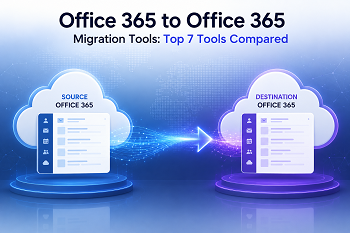
Migrating data from one Microsoft 365 tenant to another can be a challenging task for businesses of all sizes. If you are dealing with a business merger, acquisition, rebranding, or tenant consolidation, the correct Office 365 migration tool is critical to ensure a smooth migration without data loss.
A reliable migration solution helps transfer emails, contacts, calendars, OneDrive files, SharePoint pages, and Teams data with data integrity and minimal downtime.
Here is a summary of the best 7 Office 365 to Office 365 migration software, considering features, ease of use, migration features, support, and overall value.
Why Use an Office 365 to Office 365 Migration Tool?
Manual migration procedures are sometimes time-intensive and need extensive technical expertise. There are many advantages of dedicated migration tools:
- Faster tenant-to-tenant migration
- Support for bulk user migration;
- Less chance of losing data.
- Migration features Incremental
- Minimal interference to business
- Improved reporting and migration tracking
- Easier management for IT admins
Quick Comparison Table
| Tool | Best For | Starting Difficulty | Teams Migration | OneDrive Migration | Free Trial |
|---|---|---|---|---|---|
| Softaken | Small Businesses, Large & Beginners | Easy | Yes | Yes | Yes |
| SysTools | Complete Migration | Moderate | Yes | Yes | Yes |
| MailsDaddy | Email Migration Only | Easy | No | No | Yes |
| Kernel | Enterprise Migration | Moderate | Yes | Yes | Yes |
| eSoftTools | Budget-Friendly Migration | Easy | No | Limited | Yes |
| BitRecover | Large Mailbox Migration | Moderate | No | Limited | Yes |
| Regain | Selective Migration Projects | Moderate | Limited | Yes | Yes |
Top 8 Office 365 to Office 365 Migration Tools
1. Softaken Office 365 Migration Tool
Softaken Office 365 to Office 365 Migration provides an easy solution for Office 365 tenant-to-tenant migration. This software is designed for enterprises seeking to migrate mailboxes with minimal configuration. The software supports all Windows OS versions, like 11, 10, 8.1, 8, and 7 without installing any applications.
Key Features
- Direct migration of mailboxes to Office 365
- Migrate mailboxes in batches
- Maintains folder structure
- Incremental migrations enable
- Simple authentication method
- Large Mailbox Moves Supported
Benefits
- Interface friendly for beginners
- high migration speed
- Mailbox structure preserved
- Suitable for small and medium businesses
Cons
- Advanced Teams migration possibilities limited
- Fewer enterprise management features
Best for
Small enterprises and IT admins that require a straightforward migration method.
2. SysTools Office 365 Migrator
SysTools is a very popular tool for tenant-to-tenant migration projects and offers a wide range of migration options for Microsoft 365 systems.
Key Features
- Office 365 mailbox migration
- Migrate to SharePoint and OneDrive
- Support for migrating teams
- Delta migration capabilities
- Detailed reports on migration
- User Mapping Choices
Benefits
- Extensive coverage of migration
- System of detailed reporting.
- Supports large-scale deployments
Cons
- Strong technical support
- Initial setup can need technical know-how
- Larger projects, higher prices
Best For
Mid-sized and enterprise organizations looking for a total Microsoft 365 conversion.
3. MailsDaddy Office 365 Migration Tool
MailsDaddy is all about mailbox migration and it finds a perfect balance between ease of use and performance.
Key Feature
- Office 365 to Office 365 transition
- Bulk user migration
- Incremental, transfer
- Retains email properties
- Easy-to-use dashboard
Advantages
- Simple to use
- Mailbox Transfer with Efficiency
- Suitable for administrators with little technical knowledge
Disadvantages
- Limited collaboration platform migration
- Less advanced enterprise features
Best For
Organizations whose main focus is on email migration.
4. Kernel Office 365 Migration
Kernel is a powerful migration tool, built for the complexities of tenant migrations for enterprises.
Main Features
- Migration of the mailbox
- SharePoint to OneDrive Migration
- Migration support for Teams
- Pre-migration analysis
- Scheduling alternatives
- Automated migration processes
Pros
- Enterprise functionality
- Supports huge migrations
- Robust reporting tools
- Reliable data integrity
Cons
- Pricing Premium
- Learning curve for new users
Best For
Large enterprises & Managed Service Providers.
5. eSoftTools Office 365 Migration Software
eSoftTools provides flexible migration options with a simple user experience.
Main Features
- Tenant-to-Tenant migrations
- Selective transfer of mailboxes
- Help with mass transfer
- Folder filter options
- Tracking migration status
Advantage
- Easy to navigate
- Multiple filtering options
- Affordable costs
Cons
- Limited Teams migration support
- Less advanced automation capabilities
Best For
Small enterprises are looking for inexpensive migration software.
6. BitRecover Office 365 Migration Solution
BitRecover is well known for doing large-scale mailbox migration in an efficient way while keeping the mailbox structure.
Main Features
- Office 365 mailbox transfer
- Batch processing
- Step-by-step migration
- Admin account support
- Keeps metadata unchanged
Pros
- Handle large mailbox sizes
- Reliable migration performance
- Works in enterprise environments
Disadvantages
- More basic interface
- Advanced features can require more configuration
Best for
Organizations need to migrate large numbers of mailboxes.
7. Regain Office 365 Migration Tool
Regain offers a wide feature set for Office 365 migration projects, as well as multiple migration scenarios.
Main Features
- Tenant to Tenant Move
- OneDrive and mailbox migration
- Incremental sync
- Batch processing
- Benefits of advanced filtering
Benefits
- Flexible migration methods
- Excellent data retention
- selective migration
Cons
- Some advanced features demand technical knowledge
- Documentation might be more thorough
Best For
Businesses that require a specific migration control.
Detailed Feature Comparison Table
| Features | Softaken | SysTools | MailsDaddy | Kernel | eSoftTools | BitRecover | Regain |
|---|---|---|---|---|---|---|---|
| Office 365 Mailbox Migration | Yes | Yes | Yes | Yes | Yes | Yes | Yes |
| Bulk Mailbox Migration | Yes | Yes | Yes | Yes | Yes | Yes | Yes |
| OneDrive Migration | Yes | Yes | No | Yes | Limited | Limited | Yes |
| SharePoint Migration | Yes | Yes | No | Yes | No | No | Limited |
| Teams Migration | Yes | Yes | No | Yes | No | No | Limited |
| No PowerShell Required | Yes | No | Yes | No | Yes | Yes | Yes |
| Suitable for Non-Technical Users | Yes | Moderate | Yes | Moderate | Yes | Moderate | Moderate |
How We Evaluated These Office 365 Migration Tools
The tools were compared according to the following criteria:
Migration Features
We evaluated support for:
- Mailboxes
- Contacts
- Calendars
- One Drive
- SharePoint Team
Usability
A migration solution should provide:
- Easy Setup
- Clean dashboard
- Simple to learn
Data Integrity
The software must maintain:
- Folder structure
- Email format Attachments
- Metadata Scalability
The capacity to handle
- Small business migrations
- Migrations to the enterprise
- Huge amounts of mailboxes
Customer Service
Reliable support can help reduce migration problems and outages.
How to Choose the Right Office 365 to Office 365 Migration Tool
Things to consider before you select a migration solution:
1 Migration range
Choose between basic email migration or a full Microsoft 365 migration, which includes Teams, OneDrive and SharePoint.
2. Size of Organization
A small firm could focus on price, while an enterprise needs enhanced automation and reporting.
3. The Need for Security
Choose a system that guarantees data security during the relocation.
4. Budget
Compare license prices with features and your migration requirements.
5. Technical Skills
Some tools are for novices, others require experienced administrators.
Final Verdict
The best Office 365 to Office 365 migration tool for your business relies on the size of your company, the complexity of your transfer and your budget.
- Softaken is suitable for the best mailbox migration.
- SysTools delivers a good mixture of migration features and scalability.
- MailsDaddy is the best for email-centric migration initiatives.
- Kernel has enterprise-grade migration features.
- eSoftTools is perfect for budget-conscious companies.
- BitRecover is good for massive mailbox migrations.
- Regain provides flexible controls on migration.
By assessing your migration goals and technical needs, you can choose a solution that guarantees a smooth and safe Office 365 migration experience.
Frequently Asked Questions (FAQ)
What is Office 365 tenant-to-tenant migration?
It is the process of migrating user data, emails, documents and collaboration resources from one Microsoft 365 tenant to another.
Can Office 365 migration tools migrate Teams data?
Some advanced utilities like Softaken, SysTools, and Kernel also handle Teams migration together with emails and OneDrive data.
Is incremental migration important?
Yes. Incremental Migration migrates only the newly added or changed data, saving Migration Time and avoiding duplication.
Is it possible to move several users at once?
Most of the professional migration tools support bulk mailbox migration to save time.
What is the best Office 365 migration tool for an enterprise?
Softaken and Kernel are popular choices for large company migration projects.
Visit here: https://www.softaken.com/office-365-to-office-365-migration