What Is Rabbit OS3? The New AI Agent App Moving Beyond R1 Hardware
-

- Published Updated
- 47 views
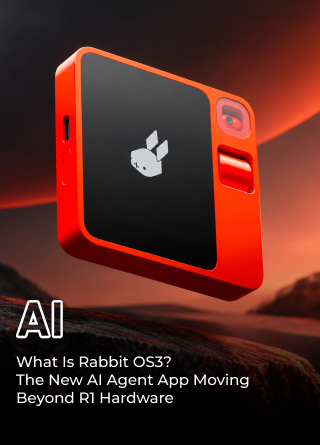
Rabbit is taking a different approach to the AI hardware race. After attracting attention with its orange R1 device in 2024, the company is now putting more emphasis on the software and agent technology behind that device.
The result is Rabbit OS3, an agentic operating system designed to work across computers, web services, messaging platforms, and the R1 itself. Instead of requiring users to perform each step of a digital task manually, Rabbit wants users to describe an outcome and let the AI determine which models, tools, files, skills, or connected computers it needs.
Rabbit OS3 became generally available on September 22, 2026, following an invite-only beta. More importantly, users do not need to own an R1 to access it. The system can operate through the web, desktop software, messaging services, and connected computers, making Rabbit's AI ambitions less dependent on dedicated hardware.
That represents a significant change from Rabbit's original strategy. The R1 was presented as a dedicated interface for AI agents. OS3 instead treats the agent as software that can move between the devices people already use.
What Is Rabbit OS3?
Rabbit describes OS3 as an agentic operating system built around a conversational interface. Rather than opening several applications and manually transferring information between them, users can explain what they want accomplished and allow the system to coordinate the required tools.
The distinction between an ordinary AI chatbot and OS3 is important. A chatbot might explain how to complete a task, generate instructions, or provide information. Rabbit OS3 is designed to go further by interacting with supported software, files, websites, and computers to perform parts of the task.
The system brings several components together, including persistent memory, connected computers, AI models, agent skills, and multiple ways to interact with the platform.
Some of its core capabilities include:
- Persistent memory that can retain relevant context between interactions.
- A local Rabbit Agent for working with files, software, and terminal tools on connected computers.
- Support for up to five devices under one account.
- Bring Your Own Key, or BYOK, support for compatible AI model providers.
- Third-party skills that can expand what the agent can accomplish.
- Access through the web, desktop experience, Telegram, supported messaging channels, and the R1.
Rabbit does not position OS3 itself as an AI model. Instead, it acts as a coordination layer between models, memory, tools, skills, and devices.
This means users can potentially change the supported underlying AI model without having to rebuild the rest of their OS3 environment. Their connected computers, memory, and skills can remain part of the same system.
How Does The Rabbit AI Agent App Work?
Rabbit OS3 primarily operates through the cloud, while Rabbit Agent provides a connection between the service and a user's local computer.
After installing Rabbit Agent, a supported Windows, macOS, or Linux computer can become part of the agent's working environment. Depending on permissions and the task, the agent can interact with files, terminal commands, applications, and other local resources.
Rabbit also uses its Direct Large Action Model, or DLAM, for certain tasks that require interaction with desktop applications and web interfaces. Instead of simply generating text, the system is designed to interpret and interact with graphical environments.
The basic workflow looks something like this:
- The user describes an outcome in natural language.
- Rabbit OS3 determines which model, skill, file, application, or connected computer may be required.
- Rabbit Agent performs supported operations on the selected computer.
- The system can coordinate work across connected devices.
- Relevant memory and context can be carried into subsequent requests.
Rabbit says a single account can connect up to five devices. This means the system does not necessarily have to depend on one computer for every task.
For example, one machine could contain the files needed for a project while another could be used for a different part of the workflow. Instead of manually moving between systems, Rabbit's agentic environment is intended to coordinate those resources.
The broader idea is straightforward: users should focus on describing what needs to happen rather than manually operating every application involved.
Rabbit's Shift From R1 Hardware To Software
Rabbit's move toward OS3 represents a notable change from the company's original R1 strategy.
When Rabbit launched the $199 R1 in 2024, the device was positioned as a new kind of interface for interacting with digital services. Rather than relying entirely on traditional applications, Rabbit envisioned an AI agent that could perform actions for users.
The concept generated considerable attention, but the initial experience did not always match the ambition.
Early reviews highlighted limitations in the R1's capabilities, while subsequent software updates gradually expanded what the device could do. The challenge was that an AI agent needed reliable access to services, applications, websites, and workflows to deliver on the broader vision.
Rabbit OS3 changes the equation by making the software available without requiring the R1.
The R1 is now one way to interact with the wider OS3 environment rather than the only gateway to it. Users can access the same broader system through computers, browsers, messaging services, and other supported interfaces.
This means Rabbit's AI strategy is no longer tied directly to selling a particular piece of hardware.
Reports have also indicated that Rabbit is no longer manufacturing the R1 and that CEO Jesse Lyu has said there are no plans for an R2. The company is instead working on other hardware, including a reported Cyberdeck device aimed at coding.
The shift does not necessarily mean Rabbit is abandoning hardware altogether. Instead, hardware appears to be becoming one component of a broader software ecosystem.
What Makes Rabbit OS3 Different From A Normal AI Chatbot?
Execution is the central difference.
A traditional chatbot can tell you how to organize a collection of files. An agent connected to an authorized computer can potentially work with those files directly.
A chatbot can provide instructions for debugging software. An agent can potentially access a development environment, run commands, identify problems, and make changes within the permissions provided to it.
This distinction is at the heart of Rabbit's agentic operating system concept.
Rabbit also uses a Bring Your Own Key model. Instead of requiring users to purchase a fixed bundle of AI model usage directly from Rabbit, supported users can connect API keys from compatible providers.
This approach gives users greater choice over the underlying models. Rabbit says the OS3 environment can retain its memory, skills, and computer connections when users switch between supported models.
Rabbit currently says OS3 itself is free. However, users are responsible for the API costs charged by their selected AI provider.
That creates a different business proposition from an AI service that supplies both the interface and the underlying model. Rabbit is attempting to position itself as the orchestration layer around AI models and digital tools.
What Can Rabbit OS3 Actually Do?
Rabbit's ambitions for OS3 extend well beyond answering questions.
The system is designed to work with local files, terminal commands, desktop applications, websites, coding workflows, and connected computers.
Potential use cases include:
- Working with files stored on an authorized computer.
- Running terminal commands and software development tasks.
- Writing, testing, and debugging code.
- Interacting with desktop applications.
- Navigating websites and completing supported digital workflows.
- Coordinating work across multiple connected computers.
- Using third-party agent skills.
- Working with supported cloud-hosted or locally run AI models.
The platform is also accessible through several interfaces. Users can interact with OS3 through its browser workspace, native desktop experience, Telegram, supported messaging channels such as iMessage, RCS, and SMS, and the R1.
This multi-interface approach is important because it removes the assumption that users need to sit in front of a dedicated AI device every time they want to use the agent.
Rabbit CEO Jesse Lyu has described the broader goal as creating a system where users tell the AI the outcome rather than manually operating every step.
That is a significant shift in how the company is framing AI assistants.
Rabbit OS3 Also Comes With Risks
Greater agent autonomy creates a different set of risks from conventional chatbots.
An AI that only generates text can still provide inaccurate information, but an AI with access to a computer can potentially take actions that affect files, applications, websites, or transactions.
Rabbit's terms indicate that OS3 and Rabbit Agent can, when authorized, perform actions such as reading files, moving the mouse, typing, opening applications, browsing the web, installing tools, and completing transactions.
Rabbit also says that its local agent does not automatically copy, store, use, or sell files simply because it has access to them. However, users still need to understand what permissions they grant the system and what actions an agent is authorized to perform.
There is another important consideration: despite OS3 reaching general availability, Rabbit's current terms describe OS3 and Rabbit Agent as experimental technology or a technical preview.
The terms warn that the software is probabilistic and can produce unintended results. They also state that it is not intended for unattended, safety-critical, regulated, or production enterprise use.
That distinction matters because the consequences of an AI mistake increase as the system gains more ability to act.
A wrong answer in a chatbot can be corrected. An incorrect command executed on a computer can potentially alter files, install software, or trigger an unintended action.
For that reason, agentic systems require users to think about permissions, supervision, security, and reliability alongside convenience.
Does Rabbit OS3 Mean Rabbit Is Moving Beyond The R1?
Rabbit OS3 clearly reduces the importance of owning an R1.
The company originally required users to purchase dedicated hardware to experience its broader AI-agent vision. With OS3, users can access Rabbit's agentic environment through devices they already own.
That makes the R1 less of a requirement and more of an interface option.
The change can be viewed as a move from hardware-first AI toward software-first AI. Instead of asking users to adopt another device, Rabbit is attempting to place its agent across existing computers, browsers, messaging platforms, and other interfaces.
The strategy also gives Rabbit more room to evolve its software independently from a single hardware product.
If the company can make its agent reliable enough, users could theoretically interact with the same AI environment regardless of whether they are sitting at a desktop, using a laptop, messaging from a phone, or speaking to an R1.
That is a broader ambition than simply improving the original R1.
What Rabbit OS3 Means For The Future Of AI Agents
Rabbit's transition from the R1 to OS3 reflects a broader shift taking place across the AI industry.
Early AI products often focused on chat interfaces. The next stage is increasingly centered on agents that can use tools, access information, interact with applications, and complete multi-step workflows.
Rabbit is attempting to package those capabilities into a single environment that is not tied to one AI model or one physical device.
The BYOK approach also reflects the changing AI model landscape. Instead of betting everything on one model provider, Rabbit can allow users to choose among supported models while maintaining the surrounding memory, skills, and device integrations.
Whether that approach becomes sustainable will depend heavily on execution. An agent that can technically perform many actions is not necessarily useful if it makes frequent mistakes, requires excessive supervision, or struggles with unpredictable websites and applications.
Reliability will therefore be just as important as capability.
Conclusion
Rabbit OS3 marks a major change in how Rabbit presents its AI ambitions.
The R1 introduced the idea that users could interact with an AI agent through dedicated hardware instead of traditional applications. OS3 takes that concept and moves it into software that can operate across computers, web services, messaging platforms, and the R1 itself.
The biggest change is that users no longer need to purchase Rabbit's dedicated hardware to access the company's agentic environment. With persistent memory, connected computers, third-party skills, multiple AI models, and BYOK support, Rabbit is positioning OS3 as a coordination layer rather than another standalone chatbot.
The R1 may have introduced Rabbit's vision, but OS3 is where the company is attempting to make that vision device-independent.
The challenge now is execution. Rabbit needs its agents to perform complex tasks accurately, securely, and consistently enough to become genuinely useful in everyday workflows.
The idea is no longer about buying a separate device for AI. It is about giving AI access to the devices you already own and asking it to handle the work.
That could ultimately be the more important part of Rabbit's original R1 vision.