Why Most SharePoint Migrations Fail (And How to Make Sure Yours Doesn’t)
-

- March 25th, 2026
- 7,740 views
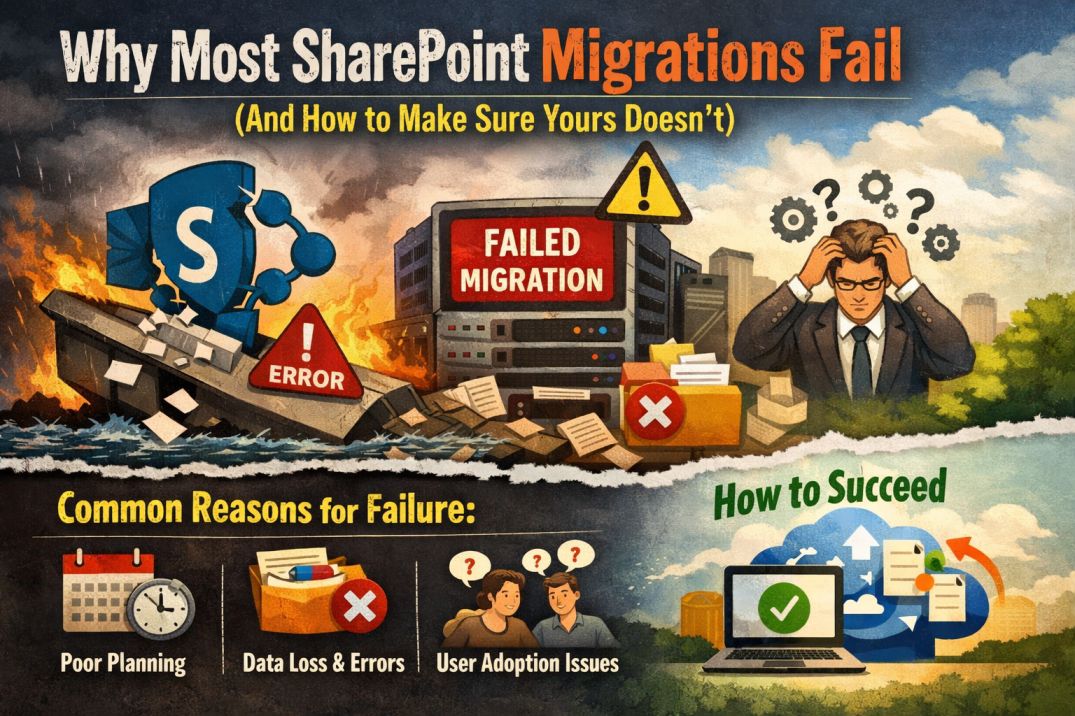
Moving to SharePoint Online sounds straightforward on paper. Pick a migration tool, transfer your files, and you’re done. But anyone who has been through a real migration knows it rarely works that way. Broken permissions, missing metadata, confused employees, and weeks of unexpected downtime are far more common than smooth transitions.
The truth is, most SharePoint migrations don’t fail because of bad technology. They fail because of poor planning, unrealistic timelines, and underestimating the complexity of what’s already in place. If your organization is preparing for a migration, understanding these common pitfalls can save you months of frustration and thousands of dollars.
The Planning Gap That Catches Everyone Off Guard
The biggest mistake organizations make is jumping straight into migration without a proper assessment of their current environment. Many companies have years of accumulated content sitting in legacy SharePoint servers, file shares, or even platforms like OpenText and Confluence. This content often includes outdated documents, duplicate files, broken workflows, and permissions structures that no one fully understands anymore.
Without taking stock of what exists and what actually needs to move, teams end up migrating everything, including the clutter. This inflates migration timelines, increases costs, and creates a messy destination environment that’s no better than what they left behind.
A solid migration starts with information architecture planning. This means mapping out your source and destination structures, deciding what content gets carried over, what gets archived, and what gets left behind entirely. It also means designing a metadata strategy so that documents remain searchable and organized once they land in SharePoint Online.
Companies that specialize in SharePoint migration services typically begin every engagement with this kind of deep-dive assessment before a single file is moved. That upfront investment in planning is often the difference between a migration that finishes on schedule and one that drags on for months.
Custom Workflows and Integrations Are the Silent Killers
Another area where migrations go sideways is custom solutions. If your current SharePoint environment has InfoPath forms, custom workflows built on SharePoint Designer, or third-party web parts, those components won’t simply transfer to SharePoint Online as-is.
Microsoft has deprecated several legacy tools, and modern SharePoint relies on Power Automate, Power Apps, and the SharePoint Framework (SPFx) for customizations. This means any existing workflows or forms need to be rebuilt or replaced during the migration process.
Many organizations discover this mid-migration, leading to project delays and scope creep. The smarter approach is to inventory all customizations before the migration begins, categorize them by business criticality, and plan their replacement as part of the overall migration roadmap.
This is also where the choice between low-code platforms like Power Platform and traditional custom development becomes relevant. For many internal business applications, Power Apps and Power Automate provide a faster and more cost-effective path than building everything from scratch. However, complex integrations with external systems or highly specialized workflows may still require custom code. Understanding where each approach fits is essential for keeping the migration efficient and the resulting environment maintainable.
User Adoption Is the Final Hurdle
Even a technically flawless migration can fail if employees don’t know how to use the new environment. SharePoint Online looks and behaves differently from older on-premises versions. Navigation has changed, document libraries work differently, and features like co-authoring and Teams integration are new to many users.
Organizations that skip user training often see adoption rates drop sharply after go-live. Employees revert to saving files on their desktops, emailing attachments back and forth, or simply avoiding SharePoint altogether. This defeats the entire purpose of the migration.
Effective training doesn’t have to be complicated. Short, role-based sessions that show people how to do their specific tasks in the new environment are far more effective than generic hour-long webinars. Pairing this with a dedicated support channel for the first few weeks after migration helps catch issues early and keeps confidence high.
Making Your Migration Count
A successful SharePoint migration is more than a technical project. It’s an opportunity to clean up years of digital clutter, modernize outdated processes, and give your teams a platform that actually helps them work better. But capturing that opportunity requires treating the migration as a strategic initiative, not just an IT task.
Start with a thorough assessment. Account for every custom workflow and integration. Plan for the human side of the change. And if the complexity exceeds what your internal team can handle comfortably, bringing in experienced migration consultants is not a sign of weakness but a practical decision that typically pays for itself in time saved and problems avoided.
The organizations that get migration right don’t just move files from one place to another. They rethink how their teams collaborate, secure their information properly, and build a foundation that supports growth for years to come.