How to Check Car Insurance Status Online by Vehicle Number
-

- Published Updated
- 8,228 views
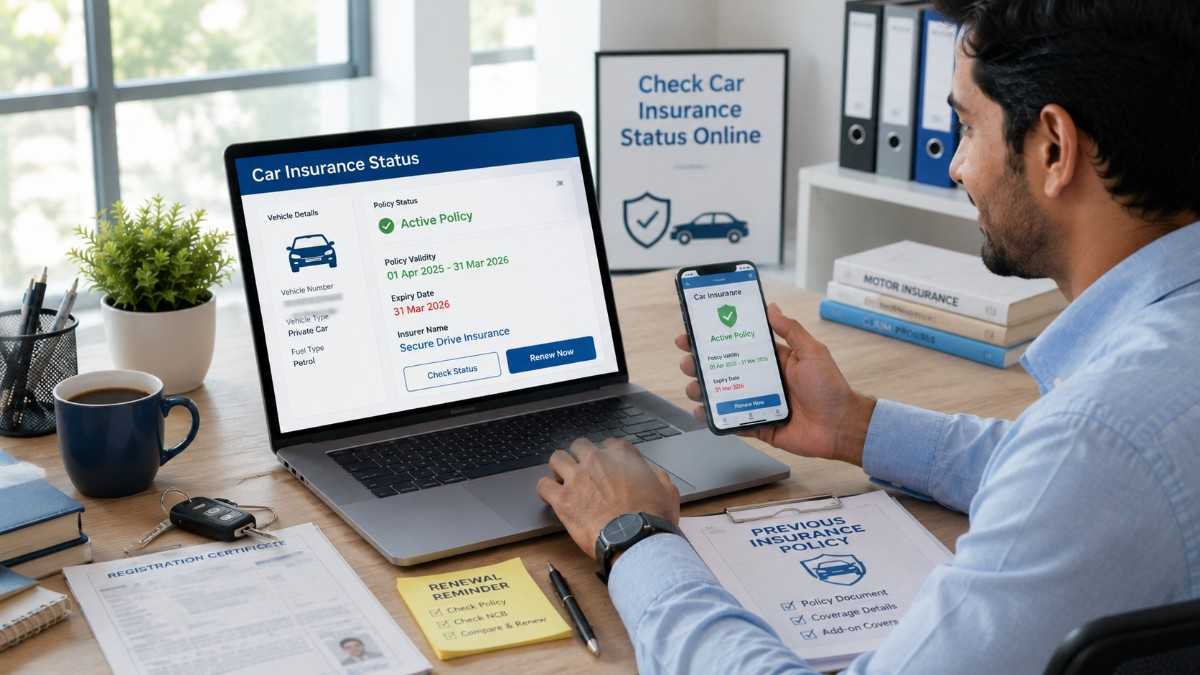
You can check car insurance status online by using your vehicle registration number on platforms such as Parivahan Sewa, VAHAN, mParivahan app, your insurer’s website or your insurance provider’s customer portal. These platforms can help you view insurance validity, expiry date, insurer name and policy status. If your policy is expired, renew it immediately to avoid legal and financial risk.
Car insurance is not just a document you keep in your glove box. It is a legal requirement and an important financial safety tool for every car owner in India. Still, many people forget their policy expiry date or do not know whether their car insurance is active or expired. This is where knowing how to check car insurance status online becomes very useful.
Today, you do not always need to visit an insurance branch or call an agent to confirm your policy status. With your vehicle registration number, policy number or registered mobile number, you can check car insurance validity online through government portals, mobile apps, insurer websites and insurance platforms.
Most ranking pages for this topic focus on simple user intent: how to check insurance status by vehicle number, how to use Parivahan or VAHAN, how to check expiry date, what details are required, why insurance status may not show, and what to do if the policy has expired. This guide covers all these points in a clear and practical way.
Square Insurance helps car owners compare, buy and renew motor insurance with better clarity. If you are unsure whether your car insurance is active, this article will help you understand the easiest ways to check your car insurance status online.
What is Car Insurance Status?
Car insurance status means the current condition of your car insurance policy. It tells you whether your policy is active, expired, cancelled, pending, renewed or not updated in the system.
When you check car insurance status online, you may be able to see details such as insurer name, policy validity, expiry date, vehicle registration number and insurance type. In some cases, full policy details may not be visible due to privacy and database limitations, but the validity status is usually enough to confirm whether your car is insured.
Checking car insurance status is especially important before driving, renewing a policy, buying a used car, selling a car, filing a claim or updating vehicle records.
Why Should You Check Car Insurance Status Online?
Checking car insurance status online helps you avoid driving with an expired policy. In India, third-party motor insurance is mandatory for all vehicles used on public roads. If your car insurance has expired, you may face traffic penalties and financial risk in case of an accident.
It also helps you avoid renewal gaps. If your policy expires and remains inactive for too long, you may lose benefits such as No Claim Bonus. In some cases, the insurer may also require vehicle inspection before renewal.
Online status checking is also useful when buying a second-hand car. You can verify whether the car has valid insurance before completing the deal. It helps you avoid hidden issues and plan policy transfer or renewal on time.
Details Required to Check Car Insurance Status Online
To check car insurance status online, you generally need your car registration number. This is the most common detail used on vehicle information portals.
In some cases, you may need your registered mobile number, policy number, engine number, chassis number or insurer login details. If you are checking through your insurer’s website, policy number and registered mobile number may be required.
Before starting, keep your Registration Certificate, previous policy copy and registered mobile number ready. This will make the process faster and reduce login errors.
How to Check Car Insurance Status Online Through Parivahan
Parivahan Sewa is one of the most commonly used platforms for checking vehicle-related information. It can help users access vehicle details, including insurance validity, through the vehicle registration number.
Step-by-Step Process
First, open the Parivahan vehicle services section and choose the option related to vehicle details. You may need to log in using your mobile number. If you are a new user, you may need to create an account or verify your mobile number through OTP.
After login, enter your car registration number carefully. Make sure you type the number exactly as mentioned on the RC. Then enter the captcha or verification code and submit the request.
If the vehicle details are available, the system may show information such as registration details, fuel type, fitness validity, PUCC status and insurance validity. Check the insurance validity date to know whether your policy is active or expired.
Important Tip
Sometimes the insurance status may not update immediately after renewal. If you recently renewed your policy and the portal still shows old details, wait for database update or confirm directly with your insurer.
How to Check Car Insurance Status Through VAHAN
VAHAN is a national vehicle database used for vehicle-related information. It is connected with registration and transport records. Many users check car insurance status through VAHAN using the vehicle registration number.
To check status, visit the vehicle details service, log in with your mobile number, enter the registration number and verify the captcha. Once the details appear, look for the insurance validity section.
VAHAN is useful because it shows insurance information linked with the vehicle record. However, if the insurer has not updated the policy data or if there is a mismatch in vehicle details, the insurance status may not appear correctly.
How to Check Car Insurance Status on mParivahan App
The mParivahan app is useful for users who prefer mobile access. It allows vehicle owners to check vehicle-related information on a smartphone.
After installing the app, create or log in to your account using your mobile number. Then enter your vehicle registration number and search for vehicle details. If insurance information is available, you can view the validity date and related status.
The app is also useful for keeping digital vehicle documents and checking details while travelling. However, always ensure that you use the correct official app and avoid fake apps that may misuse your personal data.
How to Check Car Insurance Status Through Insurer Website
If you know your insurance company, you can check your policy status directly on the insurer’s website or mobile app. This method is useful when you want more detailed information than basic vehicle validity.
Usually, you need your policy number, registered mobile number, email ID or vehicle registration number. After login, you can view policy status, expiry date, coverage type, add-ons, premium details and policy document.
This method is also helpful if you want to download your policy copy, renew the policy, update contact details or raise a claim.
How to Check Car Insurance Status Through Insurance Platform
If you purchased or renewed your policy through an online insurance platform, you may be able to check your car insurance status from your account dashboard. You can log in using your registered mobile number or email ID and view policy details.
Square Insurance can help users compare and understand car insurance options. If your policy is close to expiry or already expired, you can review available plans, compare coverage and renew your car insurance online.
This is useful because checking status and renewing on time can help you avoid policy lapse, inspection delays and loss of benefits.
How to Check Car Insurance Status Using Policy Number
If you have your policy number, checking status becomes easier. Visit your insurer’s customer portal or contact customer support. Enter the policy number and registered details to view the current status.
The policy number is usually available on your policy document, renewal reminder email, SMS, payment receipt or insurer app. If you cannot find it, search your email inbox for terms like car insurance, policy document, renewal, premium receipt or insurer name.
How to Check Car Insurance Expiry Date
The easiest way to check car insurance expiry date is to look at your policy document. The expiry date is clearly mentioned in the policy schedule.
If you do not have the policy copy, you can check through Parivahan, VAHAN, mParivahan, insurer website or insurance platform. Once you find the insurance validity date, note it and set a renewal reminder.
It is better to renew your car insurance before expiry. Last-minute renewal can create stress, payment issues or inspection requirements.
What to Do If Car Insurance Status Shows Expired
If your car insurance status shows expired, do not drive the car until you renew the policy. Driving without valid insurance can create legal and financial problems.
You should compare renewal options immediately and choose a suitable plan. If the policy has expired recently, renewal may be simple. If the policy has been expired for a longer period, the insurer may ask for vehicle inspection before issuing own damage cover.
Also check your No Claim Bonus status. If renewal is delayed beyond the allowed period, you may lose accumulated NCB benefits.
Why Car Insurance Status May Not Show Online
Sometimes car insurance status may not appear online even if you have renewed the policy. This can happen due to database delay, incorrect registration number, insurer data not updated, policy issued recently, old vehicle records or mismatch in registration details.
If the status does not show, first check whether you entered the correct registration number. Then verify your policy document and contact your insurer. If your policy is active, keep the digital or printed policy copy with you until the online record updates.
Do not assume that “not showing online” always means uninsured. Confirm with your insurer before taking action.
Benefits of Checking Car Insurance Status Online
Online status checking saves time and gives quick clarity. You can check whether your policy is active without visiting an office. It also helps you track expiry date, plan renewal and avoid penalties.
For used car buyers, it helps verify insurance validity before purchase. For existing car owners, it helps prevent accidental policy lapse.
It also supports better financial planning. Car insurance protects you from third-party liabilities and own damage losses, depending on policy type. Square Insurance helps users understand these coverage options so they can renew with the right protection instead of choosing only the cheapest premium.
Safety Tips While Checking Insurance Status Online
Use only trusted portals, insurer websites or reliable insurance platforms. Do not enter your vehicle details, mobile number or OTP on suspicious websites.
Never share OTP, policy login password, Aadhaar details, PAN details or bank information with unknown callers. Fraudsters may call pretending to help with policy renewal or status checking.
Always download policy documents from trusted sources and verify insurer name, vehicle number, policy period and coverage type before making payment.
Conclusion
Checking car insurance status online is simple and useful for every car owner. You can use your vehicle registration number, policy number or registered mobile number to check whether your car insurance is active or expired. Platforms such as Parivahan, VAHAN, mParivahan, insurer websites and insurance dashboards can help you view policy validity and expiry details.
Regularly checking your insurance status helps you avoid penalties, policy lapse, claim rejection and loss of No Claim Bonus. If your policy is expired, renew it before driving the car.
Square Insurance helps car owners compare and renew motor insurance with better understanding. Whether you want to check policy status, renew car insurance or choose suitable coverage, staying informed is the first step toward safer and smarter vehicle ownership.
FAQs on How to Check Car Insurance Status Online
How can I check car insurance status online?
You can check car insurance status online using your vehicle registration number on Parivahan, VAHAN, mParivahan app, insurer website or insurance platform.
Can I check car insurance status by vehicle number?
Yes, vehicle registration number is commonly used to check car insurance status online. Enter the number correctly to view available insurance validity details.
Can I check car insurance expiry date online?
Yes, you can check the expiry date through vehicle information portals, insurer website, insurance app or your policy document.
What details are needed to check car insurance status?
Usually, you need vehicle registration number. In some cases, policy number, registered mobile number or insurer login details may be required.
Is it free to check car insurance status online?
Yes, checking basic car insurance status online is generally free through vehicle information portals and insurer platforms.
Why is my car insurance status not showing online?
It may not show due to database delay, incorrect vehicle number, recent renewal, insurer update delay or mismatch in vehicle records.
What should I do if my car insurance has expired?
Do not drive the car. Renew the policy immediately. If the policy has expired for a long time, vehicle inspection may be required before renewal.
Can I check insurance status on mParivahan?
Yes, you can use the mParivahan app to check vehicle details and insurance validity using your registration number.
Can I check car insurance status without policy number?
Yes, you can often check basic insurance validity using only the vehicle registration number. For detailed policy information, policy number or insurer login may be needed.
Can Square Insurance help with car insurance renewal?
Yes, Square Insurance can help users understand car insurance options, compare suitable plans and renew coverage based on their vehicle and needs.