Practical Guide to Conversion Tracking Implementation for Marketers and Engineers
-

- Published Updated
- 393 views

Conversion tracking implementation should be treated as a project with defined requirements, measurable milestones, and repeatable tests. Use a documented plan to map events, tags, and measurement endpoints so conversion data is reliable across analytics and ad platforms.
- Follow a step-by-step setup: plan, tag, test, deploy, monitor.
- Use the TRACK checklist to avoid common gaps in tagging and attribution.
- Consider server-side tagging for data control and cross-domain tracking needs.
Conversion Tracking Implementation: Step-by-Step
Start with a measurement plan that lists each desired conversion, the triggering conditions, the expected event parameters, and the target platforms. The plan should map to analytics properties and ad accounts so the same event means the same thing across systems.
Step 1 — Define conversions and naming conventions
List primary conversions (purchase, lead, sign-up) and micro-conversions (add-to-cart, sign-in). Use consistent event names and parameter keys across systems to simplify integrations and reporting. Include how UTM parameters will be captured and stored.
Step 2 — Choose a tagging approach
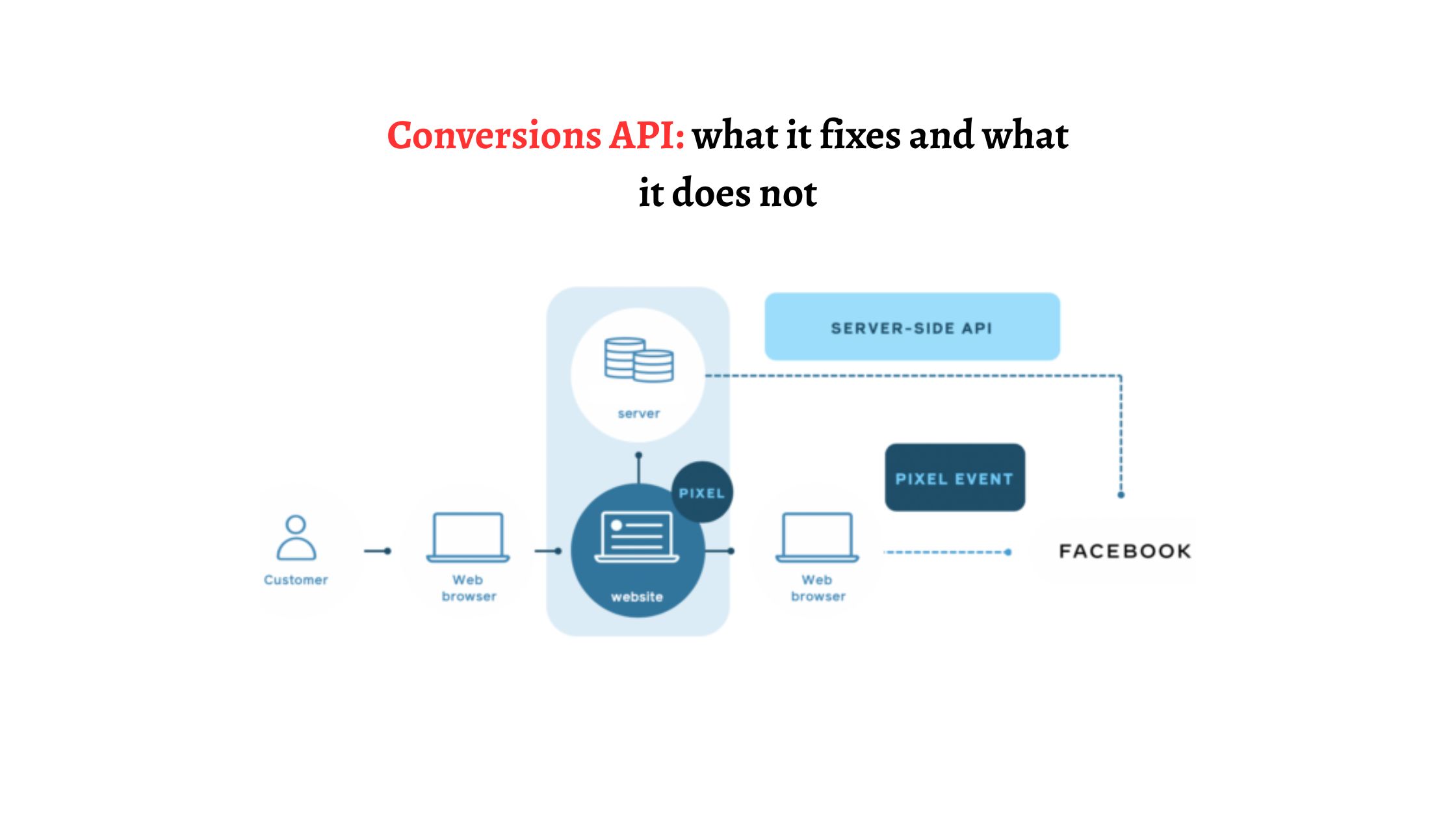
Decide between client-side tags (browser) and server-side tagging. Server-side conversion tracking reduces ad-blocking losses and keeps PII out of vendor endpoints, but requires hosting and maintenance. Use a hybrid approach for many implementations.
Step 3 — Implement tags and event code
Deploy tags using a tag manager or direct code. For GA4 conversion setup, map events to conversions in the analytics interface after the event is firing correctly. For ad platforms, ensure the same event parameters (value, currency, transaction_id) are passed where supported.
Step 4 — Test and validate
Test with browser dev tools, tag manager preview modes, and server logs. Validate that conversions are deduplicated and that attribution windows align between platforms. Use test purchases or sandbox modes where available.
Step 5 — Deploy, monitor, and iterate
After deployment, monitor conversion counts, latency, and differences between analytics and ad platforms. Schedule periodic audits and reconcile data monthly.
TRACK checklist for implementation
Use the TRACK checklist to ensure nothing is missed during rollout.
- Tag plan: Document every event and parameter.
- Rules & governance: Who can change tags and release updates.
- Attribution mapping: Define conversion windows and attribution models.
- Consistency: Standardize names and parameter keys.
- Kontrol & tests: QA, staging environments, and monitoring alerts.
Key implementation choices: client-side vs server-side
Server-side conversion tracking vs client-side
Server-side conversion tracking improves privacy and reduces data loss from ad blockers, but adds hosting costs and engineering work. Client-side is faster to deploy and flexible for marketing teams via tag managers. Weigh privacy, data reliability, and operational overhead.
Cross-domain conversion tracking
For sites that span multiple domains (checkout on a different domain than marketing), implement cross-domain conversion tracking to preserve session continuity. Use first-party cookies in server-side tagging when possible and ensure consistent client IDs or user identifiers are passed across domains.
Real-world example: e-commerce checkout conversion
A mid-size retailer needed accurate purchase conversion data. The plan mapped three events: add_to_cart, begin_checkout, and purchase. Using the TRACK checklist, the team implemented client-side tags for add_to_cart and begin_checkout and a server-side endpoint for purchase events to POST transaction details to analytics and ad platforms. Tests in staging validated transaction_id deduplication and currency parameters before production release.
Practical tips for a reliable rollout
- Use a staging environment and test purchases to validate event flows and deduplication rules.
- Instrument transaction_id and pass it to all platforms to prevent double-counting across client and server calls.
- Document event schemas (parameter names, data types) in a shared spec for analytics, engineering, and marketing teams.
- Schedule automated alerts for sudden drops in conversion volume; pair with logs to find regressions quickly.
Common mistakes and trade-offs
Common mistakes include inconsistent naming, missing transaction identifiers, and assuming tag managers eliminate the need for QA. Trade-offs often center on speed vs control: a pure client-side rollout is faster but less resilient to blockers; server-side increases control but requires engineering and costs.
Trade-offs to consider
- Accuracy vs complexity: Server-side improves accuracy but increases architectural complexity.
- Speed vs governance: Tag manager empowers marketers but requires strict change controls to avoid drift.
- Attribution clarity vs cross-platform differences: Each ad platform has its own attribution model; reconcile expectations accordingly.
Tools, standards, and references
Follow vendor documentation and standards where relevant. For implementation specifics and API references, consult platform developer resources such as the Google Analytics developer guides: https://developers.google.com/analytics. Also align with privacy regulations and guidance from authorities like the IAB for consent frameworks.
Monitoring and ongoing maintenance
Turn on alerts for conversion drops, discrepancies between analytics and ad networks, and changes in GTM or tag behavior. Schedule quarterly audits to validate naming, parameter coverage, and cross-domain behavior.
FAQ: What is conversion tracking implementation best practice?
Best practice is to document a measurement plan, use consistent naming, test in staging, and validate across all target platforms. Include deduplication via transaction_id and consider server-side tagging if reliability and privacy control matter.
FAQ: How long does a typical conversion tracking implementation take?
Small sites can implement basic conversions in days. Complex setups with cross-domain flows, server-side tagging, and multiple ad platforms typically take several weeks including testing and audits.
FAQ: Does conversion tracking implementation require server-side tagging?
Server-side tagging is not required but recommended when ad-blocking, privacy, or data accuracy are major concerns. It reduces client dependencies and centralizes control, at the cost of additional infrastructure.
FAQ: How do data discrepancies occur between platforms?
Discrepancies arise from different attribution models, time zones, deduplication rules, and differences in what counts as a conversion event. Reconcile by aligning attribution windows, passing consistent identifiers, and comparing raw event counts.
FAQ: Where do I start with GA4 conversion setup?
Start by implementing GA4 events on the site, verify events in debug view, then mark the events you care about as conversions in the GA4 interface. Map parameters like value and currency to the purchase event to enable accurate reporting and integration with ad platforms for optimization.