EDB to PST Conversion Myths vs. Reality: 7 Misconceptions About Exchange Mailbox Migration
-

- Published Updated
- 57 views
Introduction
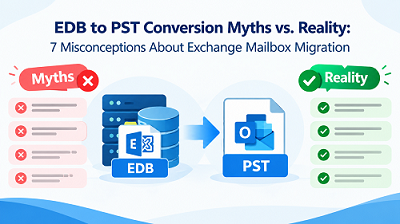
Microsoft Exchange Server stores mailbox data in EDB files and Outlook stores mailbox information in PST files. Users often need to convert EDB files into PST format when moving Exchange mailbox data to Outlook. However, several myths about EDB to PST conversion can cause confusion and lead to incorrect migration decisions.
Understanding these misconceptions helps users choose a suitable conversion method, keep mailbox data safe and ensure data integrity during the conversion process. Let us look at seven typical EDB to PST conversion myths and the truth behind them.
Myth 1: EDB to PST Conversion Always Requires an Exchange Server
Reality: You do not need a fully functioning Exchange Server for every EDB conversion method. Some manual techniques require an Exchange system to be up and running, with the necessary permissions and access to mailbox data. However, depending on the tool's capabilities, specialized EDB to PST converter software can provide an alternative for accessing offline Exchange database files.
Before choosing a method, users should assess the condition of their Exchange database, the available resources and their migration requirements.
Myth 2: EDB Files Can Be Opened Directly in Microsoft Outlook
Reality: Microsoft Outlook cannot open EDB files natively because Exchange databases and Outlook data files use different formats. An EDB file stores Exchange mailbox information, including emails, attachments and other mailbox data. PST files are used by Outlook to import and store mailbox data.
Hence, in most cases, users need to export and convert the required mailbox data into a compatible format so they can open it in Outlook.
Myth 3: Manual EDB to PST Conversion Is Always Simple
Reality: Exporting an Exchange mailbox manually can be a multi-step process that requires configuring Exchange permissions, accessing mailboxes and using supported export options. These tasks can be more complex when administrators manage several mailboxes and work in an older Exchange environment.
The process also depends on the Exchange Server version, database availability and administrator permissions. Users should check these prerequisites before starting mailbox migration to avoid unnecessary delays.
Myth 4: EDB to PST Conversion Always Causes Data Loss
Reality: Data loss is not an unavoidable result of EDB to PST conversion. A well-planned migration can preserve supported mailbox items if the source database is accessible and the selected method works correctly.
Results can vary due to corrupted EDB files, failed exports, insufficient storage and interrupted conversion operations. Users should create a backup of the original Exchange database and check the exported PST files to confirm that important emails and attachments remain available after migration.
Myth 5: Every EDB to PST Converter Supports All Exchange Versions
Reality: Compatibility varies between conversion tools. Some software supports specific versions of Exchange Server, while other solutions can handle different EDB database formats.
Before choosing a professional EDB converter, users should check the supported Exchange versions, Windows requirements, database types and PST output compatibility. This verification is important when working with older Exchange databases and files from a legacy environment.
Myth 6: Converting One EDB File Always Exports Every Mailbox Automatically
Reality: An Exchange database can contain several mailboxes, but the conversion process depends on the method you choose and the software's features. Some solutions allow users to browse database contents, select particular mailboxes and export specific folders. Others may require a few additional steps to locate and export the required data.
Users should check whether the solution supports selective mailbox export, batch conversion and the required folder structure. These capabilities can simplify migration when managing multiple mailboxes.
Myth 7: Successful Conversion Means the Migration Is Complete
Reality: EDB to PST conversion is only one aspect of the mailbox migration process. Users should also check the resulting PST files before importing them into Outlook and using them for archival purposes.
Users should ensure that emails open correctly, attachments are intact, the folder structure is preserved and all expected mailbox items are present. Comparing the source mailbox information with the converted data can help identify missing items and incomplete exports.
For a dedicated conversion approach, users can consider GainTools EDB to PST Converter based on their compatibility requirements, mailbox selection options and export needs. This tool can simplify the EDB to PST conversion process by helping users manage mailbox migration more efficiently.
Conclusion
EDB to PST conversion becomes easier to plan when users understand the difference between common myths and actual migration requirements. Not all methods require the same Exchange environment, EDB files cannot be opened directly in Outlook and conversion results depend on compatibility, database condition and proper verification.
To make better decisions during Exchange to
Outlook migration, users should create a backup, check software compatibility,
select the required mailbox data and verify the resulting PST files. This
careful approach reduces preventable errors and supports more reliable mailbox
data management.
Visit here:
Related Articles