How ERP and HRMS Software Streamline Business Operations: A Practical Guide
-

- Published Updated
- 1,528 views
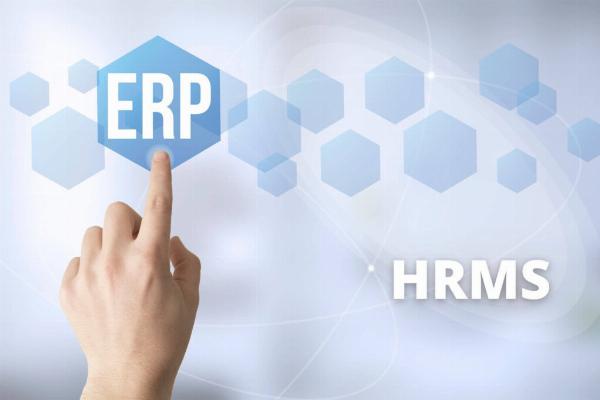
ERP and HRMS software are central to modern operations, combining enterprise resource planning and human resource management to improve efficiency, accuracy, and strategic decision-making across organizations. This guide explains core concepts, benefits, selection criteria, and implementation considerations to help organizations understand how integrated systems can streamline business processes.
What are ERP and HRMS software?
ERP and HRMS software refer to two classes of enterprise systems that often overlap. Enterprise Resource Planning (ERP) systems provide integrated modules for finance, procurement, inventory, manufacturing, and supply chain. Human Resource Management Systems (HRMS) focus on employee lifecycle processes such as recruiting, onboarding, payroll, benefits administration, performance management, and time tracking. When combined or tightly integrated, these systems create a single source of truth for organizational data and enable cross-functional workflows.
Benefits of integrating ERP and HRMS systems
Improved operational efficiency
Integration reduces duplicate data entry, minimizes manual reconciliation, and automates routine transactions—such as posting payroll costs to general ledger accounts—freeing staff to focus on higher-value tasks.
Better workforce planning and analytics
Unified data supports workforce analytics and planning. Shared records on headcount, labor costs, productivity, and skills enable leaders to forecast hiring, budget labor expenses, and align staffing with operational needs.
Stronger compliance and auditability
Integrated systems improve traceability of transactions and personnel actions, which supports internal controls, audits, and statutory reporting requirements.
Key features to evaluate in ERP and HRMS software
Core HR and payroll capabilities
Look for employee master data management, payroll processing (with local tax rules), benefits administration, time and attendance, and self-service portals for employees and managers.
Finance and operational modules
Essential ERP features include general ledger, accounts payable/receivable, procurement, inventory and asset management, and project accounting when relevant to the business model.
Integration and APIs
Assess the ease of integrating with existing systems (CRM, point-of-sale, manufacturing execution systems) and the availability of APIs or prebuilt connectors for common third-party services.
Analytics and reporting
Embedded reporting, dashboards, and support for business intelligence tools enable continuous monitoring of KPIs such as labor cost per unit, overtime trends, and process cycle times.
Implementation considerations and best practices
Define clear business objectives
Establish measurable goals (reduce payroll processing time, improve hiring velocity, consolidate financial close) and align stakeholders from HR, finance, IT, and operations before selecting a solution.
Phased rollout and change management
Adopt a phased approach that balances quick wins with longer-term integrations. Invest in training, communication, and support resources to increase adoption and reduce disruption.
Data migration and testing
Plan data cleansing and robust testing scenarios that cover payroll runs, accounting transactions, security roles, and end-to-end process flows to ensure accuracy after go-live.
Compliance, data security, and standards
Data protection and regulatory compliance are critical when handling employee and financial records. Systems should support role-based access controls, encryption at rest and in transit, and logging for auditing. Consider relevant regional and international requirements such as data protection regulations and information security frameworks. For example, organizations operating in or with partners in the European Union must account for GDPR, and many organizations reference ISO 27001 for information security management when evaluating vendor controls.
Costs, ROI, and vendor selection criteria
Cost components
Budget for software licensing or subscription fees, implementation services, integrations, training, and ongoing support. Understand how costs scale with users, modules, and transaction volumes.
Measuring ROI
Estimate savings from reduced manual work, faster cycle times, improved compliance, and better decision-making. Track KPIs before and after implementation to quantify benefits.
Vendor evaluation
Evaluate vendors on product functionality, industry experience, customer references, roadmap, security posture, and ecosystem of partners and integrations.
Common deployment models
Cloud (SaaS)
Cloud deployments often provide faster time-to-value, managed updates, and reduced infrastructure overhead. Consider data residency and integration latency requirements when choosing cloud options.
On-premises and hybrid
On-premises solutions may be preferred where strict control over infrastructure is required. Hybrid architectures combine on-premises systems with cloud services for specific functions or analytics.
Managed services
Some organizations use managed services for system administration, payroll processing, or application management to reduce internal workload.
FAQ
What is the difference between ERP and HRMS software?
ERP systems cover enterprise-wide financial and operational processes, while HRMS systems concentrate on human capital management. When integrated, they enable consistent data and workflows across finance, operations, and people functions.
How can ERP and HRMS software improve payroll and compliance?
Integrated systems ensure payroll entries post automatically to finance modules, apply local tax rules consistently, maintain audit trails, and provide consolidated reports for statutory and internal compliance reviews.
What factors determine whether to choose cloud or on-premises deployment for ERP and HRMS software?
Consider data residency regulations, integration needs, IT capacity, total cost of ownership, update cadence, and desired level of control. Cloud solutions often reduce infrastructure maintenance, while on-premises deployments may suit organizations with strict control or latency requirements.
How long does implementation typically take?
Implementation timelines vary by scope and complexity. Small deployments with standard configurations can take a few months, while full-scale integrations involving multiple modules, customizations, and data migration can take a year or more. A phased approach often shortens initial time-to-value.
Can small and medium-sized organizations benefit from ERP and HRMS software?
Yes. Scaled solutions and modular approaches allow smaller organizations to adopt essential capabilities first—such as payroll and finance—and expand as business needs grow, gaining improved efficiency and better data for decision-making.