Guide to Parental Control and Mobile Monitoring Apps for Parents
-

- Published Updated
- 1,748 views
Introduction
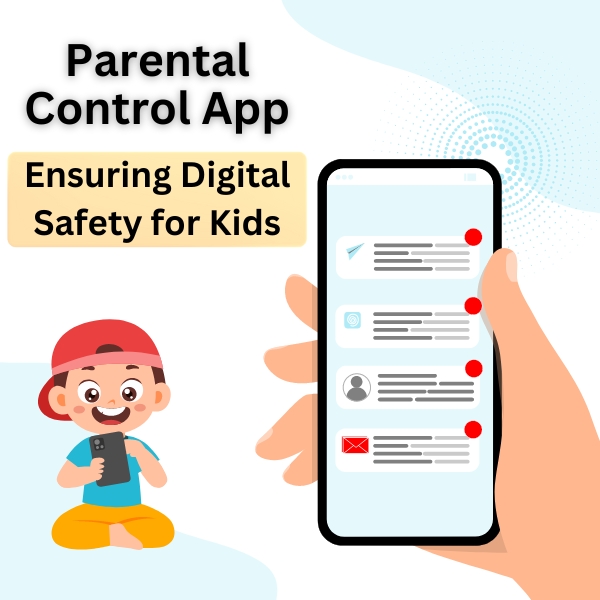
A Parental control and mobile monitoring app can help families manage screen time, limit access to inappropriate content, and receive alerts about risky behavior. These tools are one part of a broader approach to digital safety that includes conversation, boundaries, and education. The information below explains common features, privacy and legal considerations, and practical steps for choosing and using monitoring technology responsibly.
- Understand what monitoring apps do and what they do not do.
- Balance protection with respect for a child’s privacy and autonomy.
- Consider legal rules such as data protection and age restrictions.
- Use clear family agreements and regular conversations about online risks.
Parental control and mobile monitoring app: What it does
Features of parental control and mobile monitoring apps vary. Typical functions include content filtering, app blocking, screen-time scheduling, location sharing, and alerting for certain search terms or contacts. Some tools offer reporting dashboards that summarize activity, while others emphasize blocking or limiting access in real time.
Common features
Content filters block categories of websites and apps. Time controls schedule when devices or specific apps can be used. Location and geofencing provide position updates or alerts when a child leaves a designated area. Activity reports collect data about visited sites, app usage, and search queries. Options for remote lock or pause can reduce distractions during homework or bedtime.
What these apps do not replace
Technology cannot replace ongoing supervision, conversation, and teaching about online behavior. Monitoring tools do not guarantee protection from all harms, and they can miss context or generate false positives. Emphasize the app as one part of a safety plan rather than a single solution.
Choosing tools and legal considerations
Select tools that match family goals, the child’s age, and the household technology ecosystem. Evaluate transparency, data handling, and vendor security practices before installation.
Privacy, data handling, and legal frameworks
Children’s data is often subject to specific legal protections. In the United States, guidance from regulators and privacy laws may apply to how apps collect and use information about minors. In other regions, rules such as the EU’s GDPR include provisions for processing children’s data. Review privacy policies and minimize unnecessary data collection. For practical advice on protecting children’s privacy online, see official consumer guidance from the Federal Trade Commission: FTC: Protecting Your Child's Privacy Online.
Age-appropriate choices
Match the level of monitoring to the child’s developmental stage. Younger children typically need stricter controls and supervision. Older children benefit from graduated privacy and increasing responsibilities to prepare for independent digital use.
Privacy and security best practices
Minimize data collection
Only enable features needed to meet safety goals. Turn off location or continuous logging if not required. Delete older reports and keep retention policies short when possible.
Secure accounts and devices
Use strong, unique passwords and enable two-factor authentication for parent accounts where available. Keep the device operating system and app software up to date to reduce vulnerabilities.
Practical steps for parents and caregivers
Start with a family agreement
Draft clear rules about acceptable use, screen times, and monitoring expectations. Explain why monitoring is used and how long it will continue. Involving teenagers in the discussion can improve buy-in and trust.
Set realistic expectations
Monitoring tools can help surface concerns but are not perfect. Be prepared to discuss any alerts calmly, verify context, and use incidents as learning opportunities rather than only punitive moments.
Balance supervision and independence
Gradually relax controls as children demonstrate safe behavior and maturity. Encourage critical thinking, media literacy, and safe-sharing habits to prepare children for increased autonomy.
Implementation and troubleshooting
Installation tips
Follow manufacturer instructions and install the parent and child apps from official app stores. Test filters and schedules while present to confirm settings work as intended. Keep backup contact methods available in case of unexpected lockouts.
Handling errors and false alerts
Review alerts before reacting. Some filters can misclassify content, and usage reports may lack context. If the app repeatedly fails, consider alternative software or consult vendor support while prioritizing minimal disruption for the child.
When to seek outside help
If monitoring reveals signs of self-harm, exploitation, or immediate safety risk, contact local emergency services or appropriate child protection agencies. For concerns about prolonged or complex issues, consider consulting counselors, school staff, or other professionals trained in child welfare.
Frequently asked questions
How does a Parental control and mobile monitoring app work?
Such an app typically operates by installing companion software on the child’s device and a parent dashboard on the caregiver’s device. The child app enforces rules (filters, time limits) and can report usage data back to the parent dashboard based on permissions configured during setup.
Are these apps legal to use?
Legality depends on jurisdiction, the child’s age, and the specific monitoring methods. Parents and caregivers generally have broad authority to supervise minors, but data protection and workplace laws may apply in some contexts. Review local regulations and app privacy policies.
Will monitoring damage trust with a teenager?
Open communication and clear, time-limited agreements reduce the risk of harming trust. Framing monitoring as a temporary safety measure and gradually reducing oversight as responsibility grows helps maintain a cooperative relationship.
What alternatives exist to monitoring apps?
Alternatives include device-free zones or times, router-level content filtering, parental coaching, digital literacy education, and supervised shared device use. Combining approaches often works better than relying on a single tool.
How often should settings be reviewed?
Review settings periodically—such as every few months or when a child reaches a new developmental stage—to ensure controls remain appropriate and effective.