A Smarter Way to Automate Healthcare Account Payable with Dynamics 365 Business Central
-

- Published Updated
- 9,343 views
Healthcare organizations work in one of the most demanding financial environments. Hospitals, clinics, diagnostic centers, senior care groups, and specialty providers depend on vendors for medical supplies, pharmaceuticals, equipment maintenance, lab services, staffing, and facility operations. When accounts payable depends on paper forms, endless emails, spreadsheets, and manual data entry, the entire process becomes slower, harder to manage, and more costly than it should be.
That is why many healthcare finance teams are
moving toward AP automation. Instead of treating invoice processing as a
routine back-office task, they are turning it into a structured digital
workflow that improves speed, compliance, and visibility. When integrated with Dynamics 365 Business Central, AP
automation provides healthcare organizations with a stronger foundation for
financial management.
Understanding the Complexity of Healthcare Accounts Payable
Accounts payable is challenging in any industry, but healthcare adds unique pressure. A single organization may manage invoices across multiple hospitals, departments, clinics, cost centers, and legal entities. Different locations may buy from the same vendor but require separate approvals, budgets, and reporting structures. Some invoices are linked to purchase orders, while others relate to emergency purchases, recurring services, contracts, or capital equipment.
Manual AP processes struggle under this workload. Invoices arrive in different formats and channels. AP staff spend hours entering vendor details, invoice numbers, tax information, purchase order references, amounts, and general ledger codes. Approvers may be busy with clinical or operational responsibilities, so invoices often wait in inboxes for days. Missing documents, duplicate invoices, and delayed approvals can lead to payment delays and vendor disputes.
Late payments may damage relationships with critical suppliers. Poor visibility into open liabilities can weaken cash flow planning. Inaccurate coding can create reporting issues. Weak audit trails can increase compliance risk during reviews or audits.
What AP Automation Actually Does
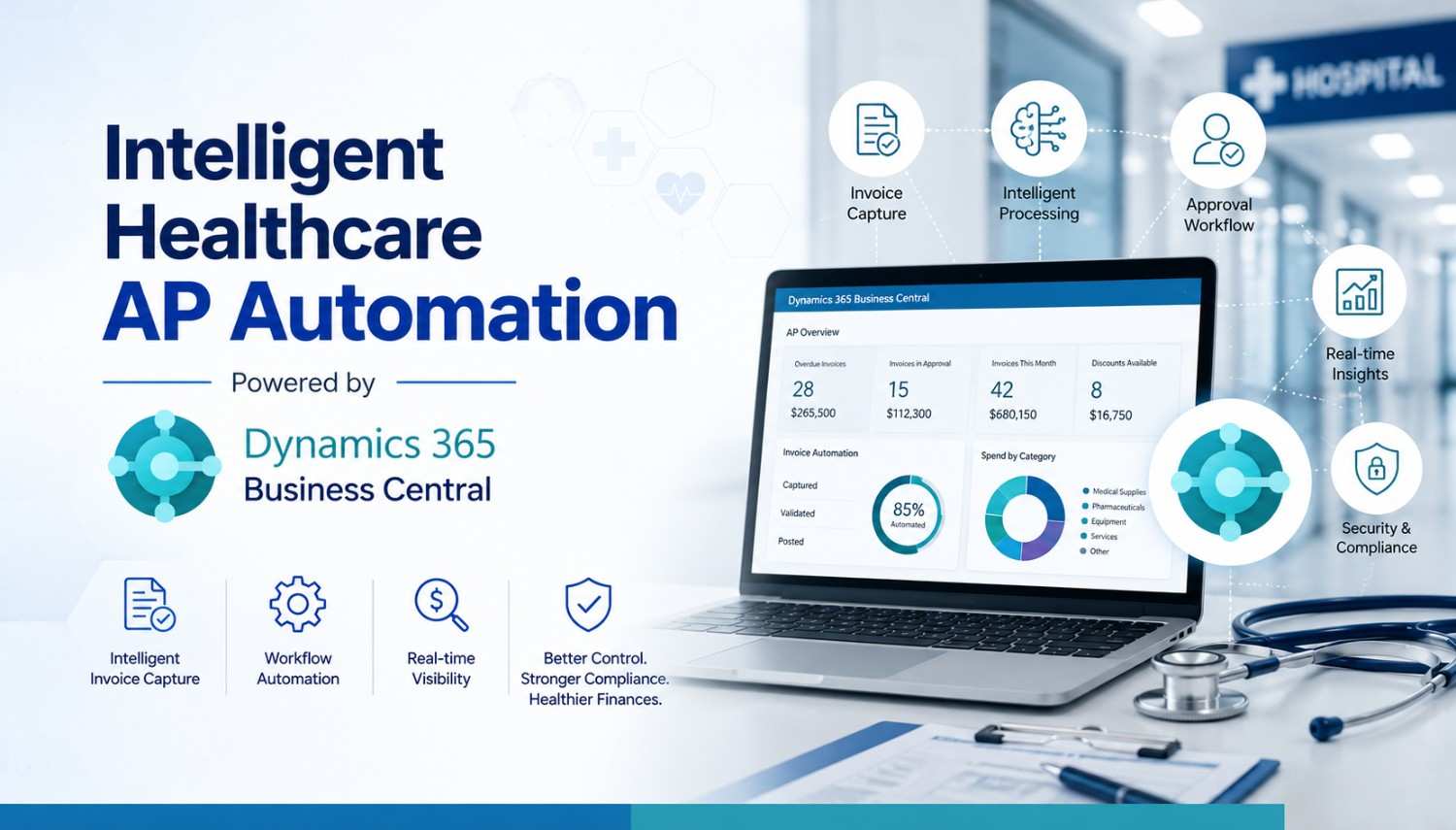
AP automation digitizes the invoice lifecycle from capture to payment. Instead of manually keying invoice details into an ERP system, the solution captures invoice data using intelligent recognition technology. It extracts key fields, validates information, and applies rules based on vendor records, purchase orders, contracts, or previous transactions.
After capture, the invoice moves through an approval workflow. The right approver is selected based on rules such as department, location, invoice amount, vendor type, or cost center. Approvers can review invoices, supporting documents, and exception notes in one place. If the invoice matches the purchase order and the receipt record, it can proceed with minimal manual effort. If something does not match, the system flags the exception for review.
This workflow gives finance teams better control. They can see which invoices are pending, who needs to approve them, which vendors are waiting for payment, and where bottlenecks are occurring. Instead of chasing approvals through email, AP teams can manage the process from a central dashboard.
Enhancing Healthcare AP Automation with Dynamics 365 Business Central Solutions
An AP tool may capture and approve invoices, but the ERP is where financial data becomes part of the larger business record.
With Dynamics 365 business central integration, healthcare organizations can connect invoice automation with financial management, purchasing, inventory, and reporting. Approved invoices can be posted into the ERP with fewer manual steps. Vendor records can be checked against existing master data. Purchase order matching can happen more consistently. Finance leaders can rely on timely information instead of disconnected spreadsheets.
This integration is especially useful for multi-location healthcare groups. Central finance teams can standardize AP rules while still allowing location-specific approval flows. A clinic manager may approve a local expense, while high-value equipment purchases can be routed to regional or corporate leadership.
Key Benefits for Healthcare Finance Teams
The first benefit is speed. Automated invoice capture, routing, and matching reduces the time required to process each invoice. Faster approvals help prevent late payments and may allow organizations to use early payment discounts when available.
The second benefit is accuracy. Manual data entry creates opportunities for mistakes. Automation reduces repetitive typing and applies validation rules before invoices are posted.
The third benefit is visibility. Finance teams need to know what has been received, what is approved, what is disputed, and what is due. Real-time dashboards make it easier to forecast cash needs, prepare for the month-end close, and answer leadership questions.
The fourth benefit is compliance. Healthcare organizations must maintain strong controls over financial processes. AP automation creates a digital record of invoice receipt, coding, review, approval, and posting.
Important Features to Look for AP Automation
Not every AP automation solution is the same. Healthcare organizations should look for features that support complexity, compliance, and growth. Intelligent invoice capture is essential. The system should read invoice data from PDFs, scanned documents, and emailed invoices with a high degree of accuracy. It should also improve over time by learning from corrections and historical patterns.
Flexible approval workflows are also important. Healthcare organizations need routing rules that reflect their structure. The system should support department-based approvals, amount thresholds, delegation, escalation, and mobile approvals.
Purchase order matching is another critical feature. Three-way matching between invoices, purchase orders and receipts helps organizations ensure they only pay for goods or services that were properly ordered and received.
This is valuable for medical supplies, equipment, and inventory-related purchases.
Security and auditability should never be an afterthought. Role-based access, approval history, document storage, and exception tracking help protect financial data and support audit readiness.
Implementation Considerations
Successful automation is not only about software. It requires a clear understanding of current AP processes, approval rules, vendor data, reporting needs, and compliance requirements. Before starting a Dynamics 365 Business Central implementation, healthcare organizations should map the invoice lifecycle and identify the biggest sources of delay or risk.
Change management should be part of the plan. Approvers, department heads, and AP staff need to understand how the new process works and why it matters. Training should focus not only on system steps, but also on the business value: faster approvals, fewer errors, better visibility, and stronger controls.
This is where D365 Business Central consulting can be valuable. Experienced consultants can help healthcare organizations design workflows, configure approvals, plan integrations, migrate data, test processes, and avoid common implementation mistakes. Dynamics 365 ERP Services Provider helps for your manual AP automation.
How AP Automation Supports Better Decision-Making
When AP is manual, finance leaders often operate with incomplete information. They may know what has already been posted, but not what is waiting in approval queues. They may understand vendor payments after the fact but lack visibility into upcoming obligations.
AP automation changes this. By capturing invoice data earlier and tracking every step, finance teams gain a clearer view of committed spend. They can identify departments with frequent exceptions, vendors with recurring invoice issues, and approval steps that slow payment cycles. Over time, this data supports better budgeting, vendor negotiations, cash planning, and operational decision-making.
Ready to Automate AP with Dynamics 365 Business Central?
Manual invoice processing can slow down your healthcare finance team, increase errors, and make compliance harder to manage.
Vaden Consultancy helps healthcare organizations simplify AP automation with reliable Dynamics Business Central Service support, from process assessment and workflow planning to integration, implementation, and ongoing optimization. We can help you create a smarter AP process with Dynamics 365 Business Central Services.
Final Thoughts
Healthcare finance teams are under pressure to do more with less while maintaining accuracy, compliance, and control. Manual AP processes slow approvals, increase errors, limit visibility, and place unnecessary stress on finance staff.
By combining AP automation with a modern ERP foundation, healthcare organizations can simplify invoice management and strengthen financial operations. Dynamics 365 Business Central provides the connected financial environment, while automation streamlines the routine work that often slows AP teams down. For healthcare providers focused on long-term efficiency and stronger financial control, AP automation is a smart step toward building a more agile and resilient finance function.