How to Convert JSON to CSV, XML, YAML, TXT, SQL, and HTML for Different Data Requirements
-

- Published Updated
- 3,493 views
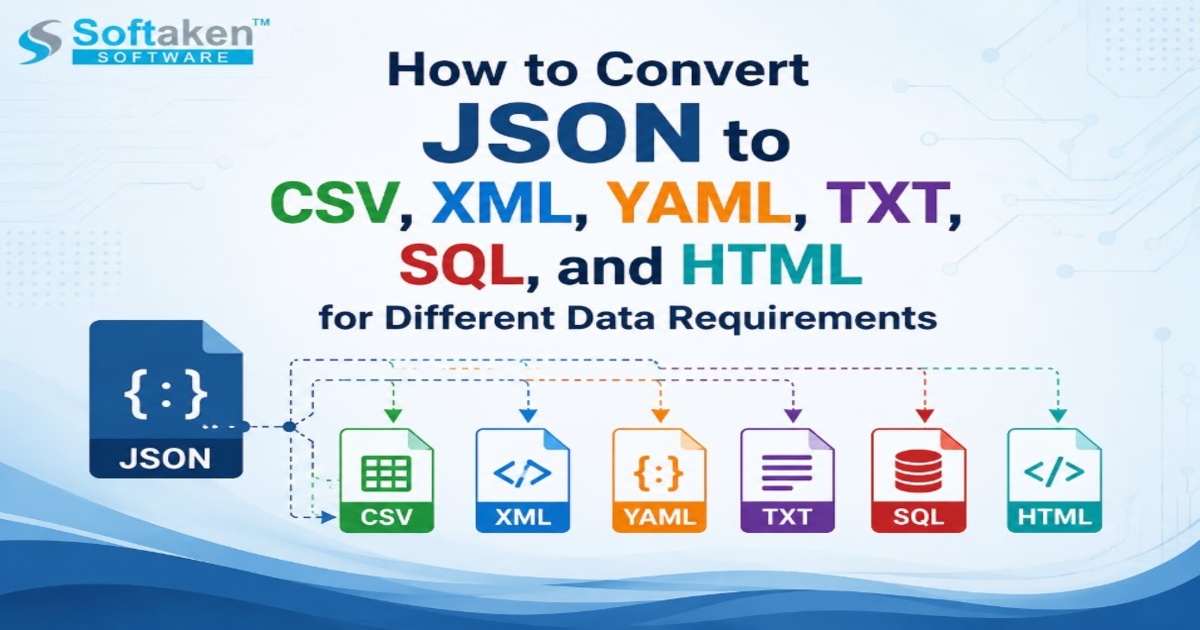
JSON (JavaScript Object Notation) is now one of the most popular formats for storing and exchanging structured data. Developers frequently leverage JSON files in conjunction with APIs, web applications, databases, configuration files, and data-export systems. JSON is flexible and machine-readable, but it’s not always the most convenient format for every task.
For example, a business analyst might prefer CSV for spreadsheet analysis, a database administrator may need SQL, while a developer working with configuration files may find YAML easier to work with. This is where JSON file conversion becomes useful.
In this guide, we’ll walk through how to convert JSON into CSV, XML, YAML, TXT, SQL, and HTML, and when you might want to use each format.
Why Convert JSON Files to Other Formats?
JSON is well-suited for structured and hierarchical data but different applications have different data needs. Converting JSON to another format can make it easier to analyze, import, share, display or process the data.
Common reasons for JSON conversion include:
- Analyzing the API data in excel sheets
- Exporting information to relational databases
- Data integration with legacy applications
- Making the reports easy to read
- Configuration file(s) preparation
- Deliver structured information to non-technical users
- Transferring application data to other platforms
The important thing is that the conversion does more than just change the file extension. A good conversion process should correctly understand the JSON structure and keep relevant information.
How to Convert JSON into CSV
CSV (comma-separated values) is one of the most useful formats for tabular information. It integrates particularly well with spreadsheet applications and data analysis tools.
If the JSON you are working with contains records with relatively consistent fields, converting JSON to CSV can be very useful. You can turn customer information, such as names, email addresses, phone numbers and locations, into columns and rows.
But nested JSON may require extra processing. Objects and arrays might need flattening or mapping to suitable CSV columns.
Common use cases include:
- API response analysis
- Preparing reports
- JSON data can be opened in spreadsheet applications
- Providing structured records to business teams
How to Convert JSON to XML
XML (Extensible Markup Language) remains relevant in enterprise systems, application integration, and XML-based data exchange environments.
Converting JSON to XML can be useful when you need to send data to an application that doesn’t natively support JSON.
During conversion, properties and JSON objects are mapped to XML elements or attributes. Complex or nested structures need to be treated carefully, because JSON and XML store information in different ways.
Generally, JSON to XML conversion is considered for:
- Legacy application integration
- Exchange of commercial data
- XML-based workflows
- Structured markup-dependent systems
Convert JSON to YAML
YAML is known for its human-readable syntax and is widely used for configuration files and application settings.
JSON and YAML can describe similar types of structured information, but YAML tends to be more compact and visually readable.
Therefore, JSON to YAML conversion can be useful in cases where developers need to review or maintain structured configuration data manually.
It can be really useful for:
- Configuration management
- Application configuration
- Infrastructure files
- Dev Docs
Before conversion it is important to verify that the resulting YAML structure is still valid and logically represents the original JSON data.
How to Convert JSON to TXT
TXT is a simple format that is widely compatible. Plain text has no fixed structure like that of structured formats such as JSON, XML, or YAML.
If you want to have human readable text information and you don’t need to keep the complex machine readable hierarchy, JSON to TXT conversion might be useful.
For example, organizations could convert JSON records to text for simple documentation, review, archival, or simple content extraction.
But in general, TXT is the format to choose if you prefer simplicity and readability over structured data representation.
Converting JSON into SQL
SQL is especially useful if you need to push JSON data into a relational database environment.
The JSON-to-SQL conversion process converts the structured records into SQL statements or database-oriented data structures. This can assist users in preparing information for database insertion or migration.
This conversion is useful for:
- Database migration projects
- Relational storage of data
- Building INSERT statements
- Moving application data to SQL-based systems
Relational databases store information differently than JSON does and you need to be extra careful if the JSON has arrays, deeply nested objects or fields that are inconsistent.
How To Convert JSON To HTML
HTML is a way of formatting information so that it can be displayed by web browsers.
Converting JSON to HTML can be useful if you need to present structured information to users in a more visually accessible format. Users can see the converted information in HTML form instead of viewing the raw JSON syntax.
Typical applications include:
- Simple data reporting
- Structured record presentation
- Make information browser-friendly
- Creating simple documentation pages
Selecting the Correct JSON Conversion Format
What you do with the data will determine the best output format.
|
Requirement |
Suitable Format |
|
Spreadsheet analysis |
CSV |
|
XML for exchanging enterprise data |
XML |
|
Configuration and readability |
YAML |
|
Plain text information |
TXT |
|
Relational database operations |
SQL (Structured Query Language) |
|
Presentation in a browser |
HTML |
No one format is universally “best”. A developer might need YAML. A database administrator might need SQL. Someone doing analysis with rows and columns will usually find CSV much more convenient, too.
Softaken JSON Converter provides a practical way to convert JSON to a number of popular formats, reducing repetitive manual work. This can be especially helpful for users who frequently work with different JSON structures and output requirements.
Step-by-Step JSON Conversion Guide
Download and
Install: Download and install the JSON Converter software on your Windows system
(compatible with Windows 11, 10, 8, 7).
Open the Application: Use the intuitive user interface to launch the tool from your desktop or start menu.
Add JSON
Files/Folders: Select the single JSON file, multiple files, or folder containing the
JSON data you want to convert.
Preview View, sort, filter and analyze the structure or contents of uploaded JSON files right in the software panel.
Choose Output
Format: Select your desired target format from the available options (CSV, XML,
YAML, TXT, SQL, HTML).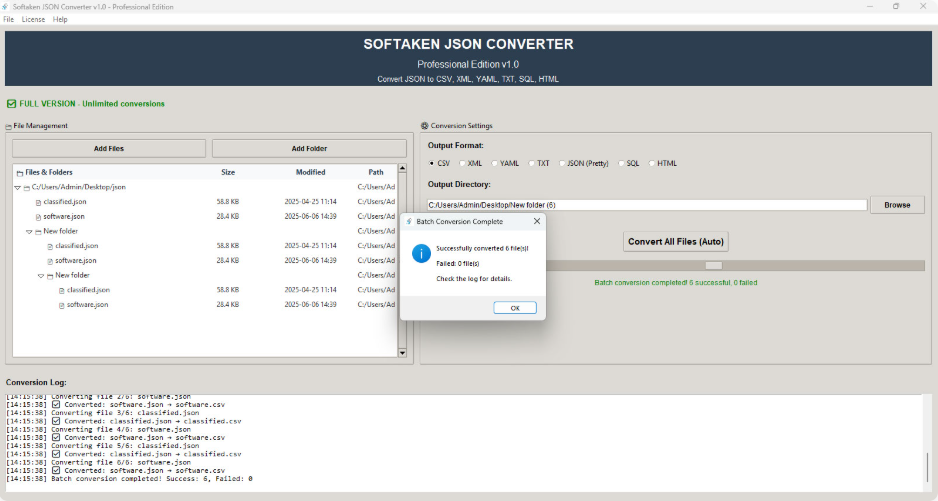
Choose Destination Path: Browse and select the destination folder path on your computer where you want to save the converted files.
Run Conversion: Click the convert/export button to process the files. Once the process is finished, check the output files to confirm data accuracy and integrity.
What to Check Before Converting JSON Files?
It is a good idea to look at the structure of a JSON file before converting it. Does it have nested objects? Arrays? Missing fields? Odd characters? Inconsistent records?
It is also worth validating the source json before conversion Error or incomplete output may be caused by malformed JSON file.
If you have a lot of conversion to do, look for software that can batch process, select fields, detect encodings, filter and otherwise help you manage the process. After the conversion is complete, open the output file and compare the key records to the original data.
Conclusion
JSON is very flexible, but that does not mean it is a good fit for every workflow. The same information can be used for different applications and to meet user requirements through JSON to CSV, XML, YAML, TXT, SQL or HTML conversion.
The trick is picking the format for what you want to do, not the one you're most familiar with. When converted to JSON with proper validation and structure handling, it can make application data easier to analyze, migrate, share, store and present.
If you have recurring or multi-format conversion needs, Softaken JSON Converter can help you ease the process with a dedicated environment to convert JSON data into different usable formats.
Frequently Asked Questions
1. What is JSON file conversion?
JSON File Conversion JSON file conversion is a conversion of JSON data to other file formats such as CSV, XML, YAML, TXT, SQL or HTML while trying to preserve the relevant information and structure.
2. Why would I convert JSON to CSV?
You may convert JSON to CSV if you want to analyze structured records in spreadsheet apps or other tools that primarily work with rows and columns.
3. How to convert nested JSON to CSV?
Yes, but nested objects and Arrays might need to be flattened or mapped to fields, as CSV uses a 2D row-and-column format.
4. How is JSON different from XML?
Both can be used for structured data, but JSON is more popular in modern applications and APIs, while XML is still heavily used in enterprise integration, document-based systems and legacy environments.
5. Is YAML more readable than JSON?
In many cases YAML is more human-friendly because the syntax is less visually cluttered. This is why it is widely used for settings and configuration files.
6. When to convert JSON to SQL?
You might need to convert JSON to SQL if you need to transform the data for storage or migration purposes in a relational database environment.
7. What to do after converting JSON file?
Be sure to check the converted output. Check important records, fields, formatting, and nested information to ensure the generated file meets your intended needs.