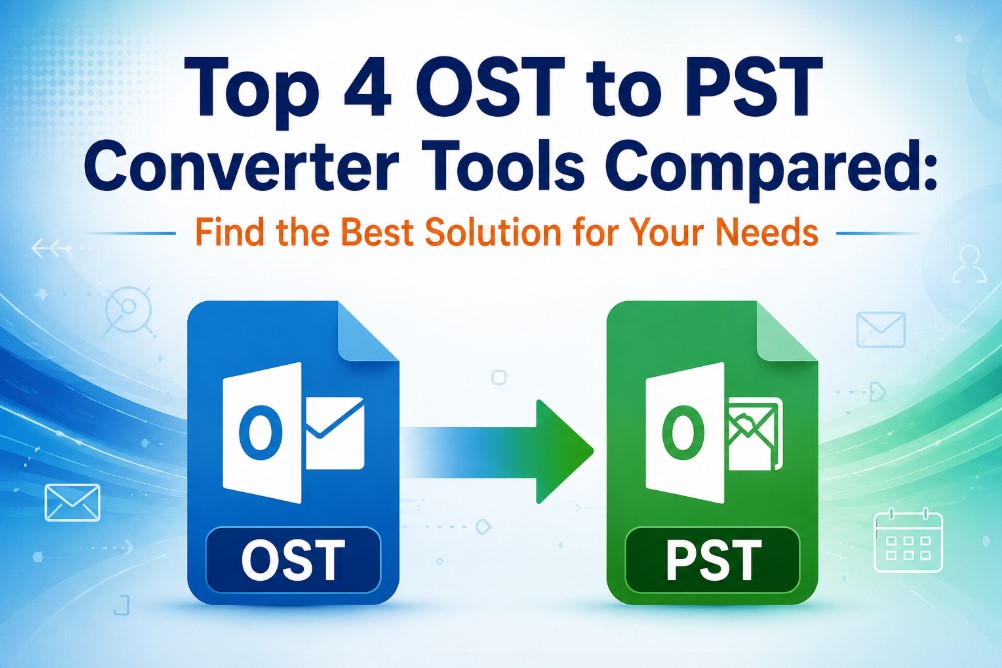
Top 4 OST to PST Converter Tools Compared: Find the Best Solution for Your Needs
-

- Published Updated
- 3,845 views
Overview
Outlook OST to PST conversion is essential when there is no Outlook profile left or an Exchange account is disconnected or an OST file is orphaned or a backup of mailbox data is required independently. Outlook offers some manual options in some cases but those are not always feasible for inaccessible or damaged OST files.
Let's look at the four popular solutions such as SysTools OST to PST Converter, Softaken OST to PST Converter, GainTools OST to PST Converter and DataVare OST to PST Converter in this comparison. The comparison will include their features, pricing information, approach to interface, conversion capabilities and when each tool may be most suitable.
This is more than simply naming one universal winner. Rather, the aim is to help users locate an OST converter that matches their particular needs, whether it is restoring a damaged OST, managing big mailboxes, performing selective conversion, or ensuring a simple process.
Difference Between OST and PST
OST (Offline Storage Table) is an Outlook data file that is associated with offline or cached mailbox access. It allows users to access mailbox data when Outlook is connected to services such as Exchange and synchronizes changes when connectivity is available.
A PST (Personal Storage Table) is a portable Outlook data file, often used to store, back up, transfer or archive mailbox information. OST files can be opened and handled separately, so it is helpful to convert OST data to PST format, when users need to access mailbox information outside of its original Exchange profile.
OST is tightly integrated with the Outlook mailbox environment while PST is more suitable for standalone storage and migration.
Why Users Need an OST to PST Converter?
The need usually occurs when the normal Outlook workflow is no longer sufficient. Some common cases are:
· The Exchange account has been removed or is unavailable.
· An OST file has been orphaned.
· Outlook cannot open or synchronize mailbox.
· Users need to archive mailbox data themselves.
· An organization is moving employee mailboxes.
· Need to recover important emails, contacts, calendars, tasks or attachments.
· Multiple OST files need to be handled by IT admins.
Outlook-based methods may work sometimes for healthy OST files. If the files are orphaned, inaccessible, encrypted, or corrupt, specialized software can give a more streamlined workflow.
Best OST to PST Converter Tools Comparison
|
Criteria |
SysTools |
Softaken |
GainTools |
DataVare |
|
OST to PST Conversion |
Yes |
Yes |
Yes |
Yes |
|
Batch processing |
Yes |
Yes |
Yes/depends on edition |
Yes |
|
Preview |
Yes |
Yes |
Yes |
Yes |
|
Selective conversion |
Yes |
Yes |
Yes |
Yes |
|
Works with no Outlook |
Yes |
Yes |
Yes |
Yes |
|
Corrupted / orphaned OST support |
Yes |
Yes |
Yes |
Yes |
|
Other formats to export to |
Comprehensive |
Comprehensive |
Multiple formats |
Extensive |
|
Windows support |
Yes |
Yes |
Yes |
Yes |
|
Core Strength |
Multiple export options |
Recovery and multiple export options with filtration |
Simplicity and affordability |
Batch processing and organization |
Depending on the product version or license edition, some features may vary, so it’s a good idea to check the current edition before buying.
1. SysTools OST to PST Converter – Best for Multiple Export Options
SysTools is very flexible for OST Converter. Its product information claims the software can convert OST files to PST and other formats like MBOX, MSG, EML, NSF, EMLX, PDF, ICS, CSV, vCard, HTML, DOCX and more. It also supports bulk OST conversion and claims Outlook or Exchange connectivity is not required.
The interface comes with a preview facility to enable users to inspect mailbox data before conversion. Exported files are supposed to retain other attributes like metadata, email headers, HTML formatting, folder order, etc.
Pricing: Currently, the OST to PST Converter is available at the SysTools store with a starting price of $49.
Best for: Users who need to convert OST and want multiple output formats, especially if the converted data is going to be used outside of Outlook.
2. Softaken OST to PST Converter – Ideal for Recovery & Selective Conversion

Softaken is designed for OST recovery and migration. It supports corrupted and orphaned OST files and can convert without Microsoft Outlook. It also mentions support for large ANSI and Unicode OST files, selective folders conversion, filtering, metadata preservation and multiple output formats.
One of the most helpful features is that it can filter. Instead of exporting an entire mailbox, users can filter the conversion by criteria like date range, subject, sender or recipient.
The software also has preview function before export, so that the mailbox structure and content can be checked more easily.
Pricing: Softaken’s current OST conversion solution begins at $49.
Best for: IT admins and users who are facing orphaned, corrupted, or large OST files and need recovery-focused features and selective export.
3. GainTools OST to PST Converter – Best for Easy Conversion
GainTools focuses on a relatively simple OST to PST workflow. Its product page describes a process of selecting the OST file, previewing the mailbox, selecting PST as the output format and saving the result to a chosen location.
The tool can convert mailbox items like emails, contacts, calendars, notes and tasks. Users can also opt for selecting individual folders and not necessarily the entire mailbox for conversion.
Pricing: GainTools lists the full license at $39 with lifetime licensing. The trial allows limited conversion for evaluation.
Best for: Individuals and small teams looking for a relatively inexpensive Windows-based OST to PST conversion workflow without a complex interface.
4. DataVare OST Converter – Best for Batch Conversion & Structured Output
DataVare considers OST conversion as a broader recovery and migration task. The product has key features such as batch processing, maintaining folder hierarchy, filtering by date range, custom naming conventions, and error logging. It can also migrate OST data in PST, MBOX, NSF, TGZ, EML, MSG, HTML, MHTML, PDF and IMAP formats.
The batch feature can be particularly useful for organizations working with multiple employee OST files. You may also opt to retain the original mailbox hierarchy to reduce post-conversion clean up.
The conversion process is clearly defined. Install the software, select the OST file, select an output location and click the convert button.
Pricing: DataVare’s current OST conversion solution begins at $29 for one year.
Best use: Organizations needing batch OST processing, structured output and multiple migration destinations.

Which Company's Specialized Tool Is That?
Instead of treating all four products as equal, they could be regarded as having different strengths:
SysTools: A great option for those who need conversion from OST to PST and many other export options.
Softaken: Well suited for corrupted, orphaned or inaccessible OST recovery and selective mailbox conversion.
GainTools: Suitable for those users who want a simple interface and relatively inexpensive lifetime licenses.
DataVare: Good for batch processing, mailbox organization, filtering and migration in multiple formats.
Recommended Users
Home and individual users: GainTools can be attractive if the need is primarily simple OST to PST conversion and it is affordable.
IT Administrators: When you are unable to access files, need to filter or multiple mailboxes, Softaken and DataVare can be useful.
Business & Migration teams: DataVare and SysTools are worth a look for multiple files or different output formats.
Softaken is especially relevant for recovery-focused users where the source OST is corrupted, orphaned or inaccessible.
FAQs
1. What is the OST to PST Converter?
It is the process of extracting the Outlook mailbox information from an OST file and saving it in the portable PST format.
2. Is Microsoft Outlook required to convert OST to PST?
Not really. The four tools compared here offer standalone conversion workflows that can operate without needing an active Outlook profile.
3. Is it possible to convert corrupted OST file to PST?
Specialized converters offer recovery features for corrupted or orphaned OST files. However, the results depend on the condition and damage level of the source file.
4. Will I keep the emails and attachments after the conversion?
These tools are designed to save the data of mailbox such as emails, attachments and folder structure. However, after conversion users should always check important output.
5. Is it possible to convert multiple OST files?
Yes, the products do have batch functionality but the limits may vary from edition to edition or license to license.
6. Best tool for selective OST conversion?
Selective Conversion is an option available with both Softaken and GainTools. Softaken also offers you more filtering options if you want more control over the exported data.
7. What is the best OST to PST converter?
There is no one best choice for every situation. Choose SysTools for wide format support, Softaken for recovery-centric requirements, GainTools for a simple and cost-effective workflow, and DataVare for batch-based migration and structured output.
Conclusion
The choice of OST to PST converter should depend on the condition of the source file, the amount of data involved and what you plan to do with the converted mailbox after the conversion.
Softaken focuses more on recovery and has useful filtering and selective conversion capabilities. GainTools provides an easy workflow with a relatively cheap lifetime license. DataVare is highly focused on batch conversion, filtering and maintaining an organized mailbox structure.
Before you purchase any tool, try its trial or demo on the copy of actual OST file. Check the PST's resulting folders, attachments, metadata, calendars and contacts. This simple check can help ensure the converter you choose is right for the actual needs of your Outlook migration or recovery project.