How to Choose the Right Presentation Folder for Business Meetings
-

- Published Updated
- 1,547 views
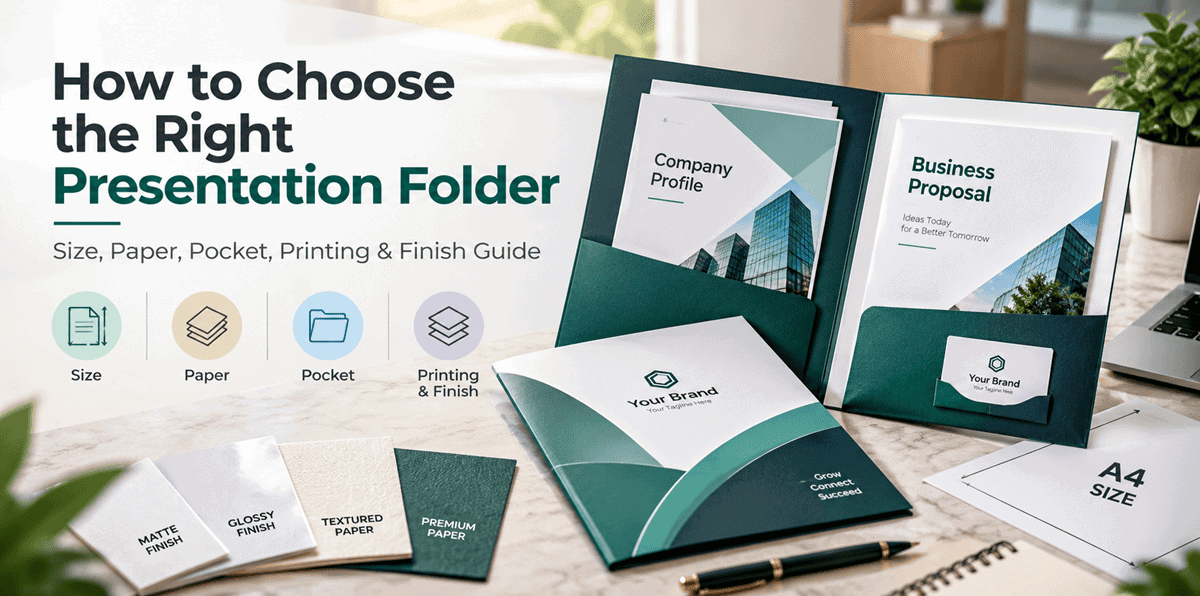
The right presentation folder should match your document size, business purpose, branding needs, paper preference and required pocket space. A well-chosen folder keeps proposals, brochures, quotations and business cards organised while helping your business present information more professionally.
For most companies, the best folder is not the one with the most features. It is the one that fits the documents correctly and supports the way the folder will actually be used.
What Is a Presentation Folder?
A presentation folder is a printed business folder used to hold and organise documents such as proposals, brochures, quotations, company profiles and business cards.
Custom presentation folders can also include a company logo, brand colours, contact details, QR code and other visual elements.
In simple terms:
A presentation folder combines document organisation with business branding.
Why Do Businesses Use Presentation Folders?
Businesses use presentation folders when they need to hand over several printed documents in a clear and organised way.
A single folder can hold:
- a business proposal
- a company profile
- a quotation
- a brochure
- a product sheet
- a business card
- supporting documents
This makes it easier for the recipient to review the information later without losing individual pages.
A presentation folder can also help keep branding consistent across meetings, conferences, exhibitions and client presentations.
What Size Presentation Folder Should You Choose?
Start with the documents that will go inside the folder.
If you regularly use standard office documents, reports or proposals, an A4-compatible presentation folder is usually a practical choice.
Smaller folders may work better for compact brochures, event material or promotional handouts.
The folder should comfortably hold the intended documents without bending, folding or forcing them into the pocket.
Quick Size Decision
| Requirement | What to Consider |
|---|---|
| Standard proposals and reports | A4-compatible folder |
| Compact brochures | Smaller folder size |
| Multiple documents | Larger pocket capacity |
| Business card included | Business card slot |
| Event handouts | Lightweight, easy-to-carry format |
Why Is the Inside Pocket Important?
The inside pocket helps keep documents together and prevents loose sheets from moving around.
For client meetings, a pocket can hold proposals, brochures, quotations or printed reports in one place.
If business cards are regularly included with presentations, a built-in business card slot can make the folder more practical.
The inside layout should make the documents easy to access and review.
Which Paper Type Is Best for Presentation Folders?
Paper choice affects both the look and feel of the finished folder.
Coated paper generally has a smoother surface and works well with printed graphics, photographs and strong brand colours.
Textured paper can create a more tactile and distinctive appearance.
The right choice depends on the design, budget and purpose of the folder.
For example, a colourful marketing folder may suit coated paper, while a clean corporate folder may work well with a more understated paper finish.
Glossy vs Matt Lamination: What Is the Difference?
The difference is mainly in appearance and surface feel.
Glossy lamination gives a brighter, more reflective finish and can make colours and photographs appear more vivid.
Matt lamination gives a softer, low-glare finish and is often suitable for clean corporate designs.
Neither option is better in every situation.
Choose glossy when the artwork relies heavily on colour and imagery. Choose matt when you want a more subtle and restrained appearance.
How Much Branding Should You Add?
A presentation folder should support the brand, not overwhelm the reader.
Useful branding elements may include:
- company logo
- brand colours
- website
- contact details
- tagline
- QR code
- custom artwork
Avoid filling every available space with text and graphics.
A simple design with clear logo placement and consistent brand colours often looks more professional than an overcrowded layout.
How Do You Choose the Right Customisation Options?
Before ordering, compare the folder size, paper, pocket configuration, printing area and finish with your actual business requirements.
If you are exploring custom presentation folders, review the available options based on the documents you need to carry rather than choosing features only for appearance.
This helps keep the decision practical and focused on usability.
Should You Choose Front-Only or Front-and-Back Printing?
Front-only printing is often enough for a simple logo-led design.
Front-and-back printing gives you additional space for:
- contact details
- service information
- company messaging
- images
- branding elements
Choose the option based on how much information genuinely needs to appear on the folder.
More print space does not automatically make the design better.
When Are Bulk Presentation Folders Useful?
Bulk presentation folders are useful when the same folder design is required across a larger team, event or business campaign.
Common bulk uses include:
- conferences
- exhibitions
- sales teams
- dealer meetings
- employee onboarding
- training programmes
- corporate events
- real estate presentations
For larger quantities, finalise the artwork before printing and double-check names, phone numbers, website addresses and QR codes.
A small design error becomes more costly when repeated across hundreds of folders.
What Should Go Inside a Business Presentation Folder?
The contents depend on the purpose of the meeting.
| Document | Typical Use |
|---|---|
| Proposal | Project scope, pricing or solution |
| Company profile | Business introduction |
| Brochure | Products or services |
| Quotation | Commercial information |
| Business card | Contact information |
| Product sheet | Product specifications |
| Forms | Onboarding or administration |
This makes presentation folders especially useful when several documents need to be delivered together.
How Should You Prepare the Folder Design?
Keep the design clear, readable and print-friendly.
Before sending artwork for printing, check:
- logo quality
- image resolution
- spelling
- contact details
- QR codes
- fold positions
- cut areas
- pocket placement
- colour consistency
Important text and logos should not sit too close to fold or cut areas.
Also review the folder together with the brochures, business cards and other materials that will be placed inside it.
This helps create a more consistent presentation kit.
What Mistakes Should You Avoid When Ordering Presentation Folders?
Some common mistakes include:
- choosing a size before checking document dimensions
- using low-resolution logos
- overcrowding the cover
- ignoring pocket capacity
- selecting a finish only because it looks premium
- ordering large quantities before approving the final design
- forgetting to verify contact details
- placing important text too close to folds or cut lines
A simple pre-print review can prevent most of these problems.
Quick Checklist Before Ordering
Before placing an order, confirm:
What documents will go inside?
Check their size and quantity.
Do you need an inside pocket?
Consider how documents will be organised.
Do you need a business card slot?
Useful for proposals and client meetings.
Which paper suits the design?
Compare appearance and feel.
Glossy or matt?
Choose based on the artwork and desired finish.
Front-only or front-and-back printing?
Use only the print area you actually need.
Is the artwork final?
Check spelling, contact details and QR codes.
How many folders do you need?
Choose quantity based on actual business use.
Final Thoughts
The best presentation folder is one that fits your documents, supports your business purpose and keeps branding consistent.
Start by identifying what the folder needs to hold. Then compare the size, paper, pocket style, printing area, lamination and quantity.
A practical, well-designed presentation folder can help businesses organise proposals, brochures and client documents while creating a more consistent and professional presentation.