How to Choose the Right Receipt Printer for Your Business
-
- September 09th, 2026
- 34 views

FREE SEO Topical Map Generator: Find Your Next Content Ideas
A receipt printer is an important part of any modern billing counter. Retail stores, restaurants, supermarkets, pharmacies, cafés, and other businesses use receipt printers to provide customers with quick and clear transaction receipts.
With many models available today, choosing the right receipt printer can be confusing. Different printers offer different paper sizes, printing speeds, connectivity options, and features. Understanding these differences can help you select a printer that matches your business needs.
What Is a Receipt Printer?
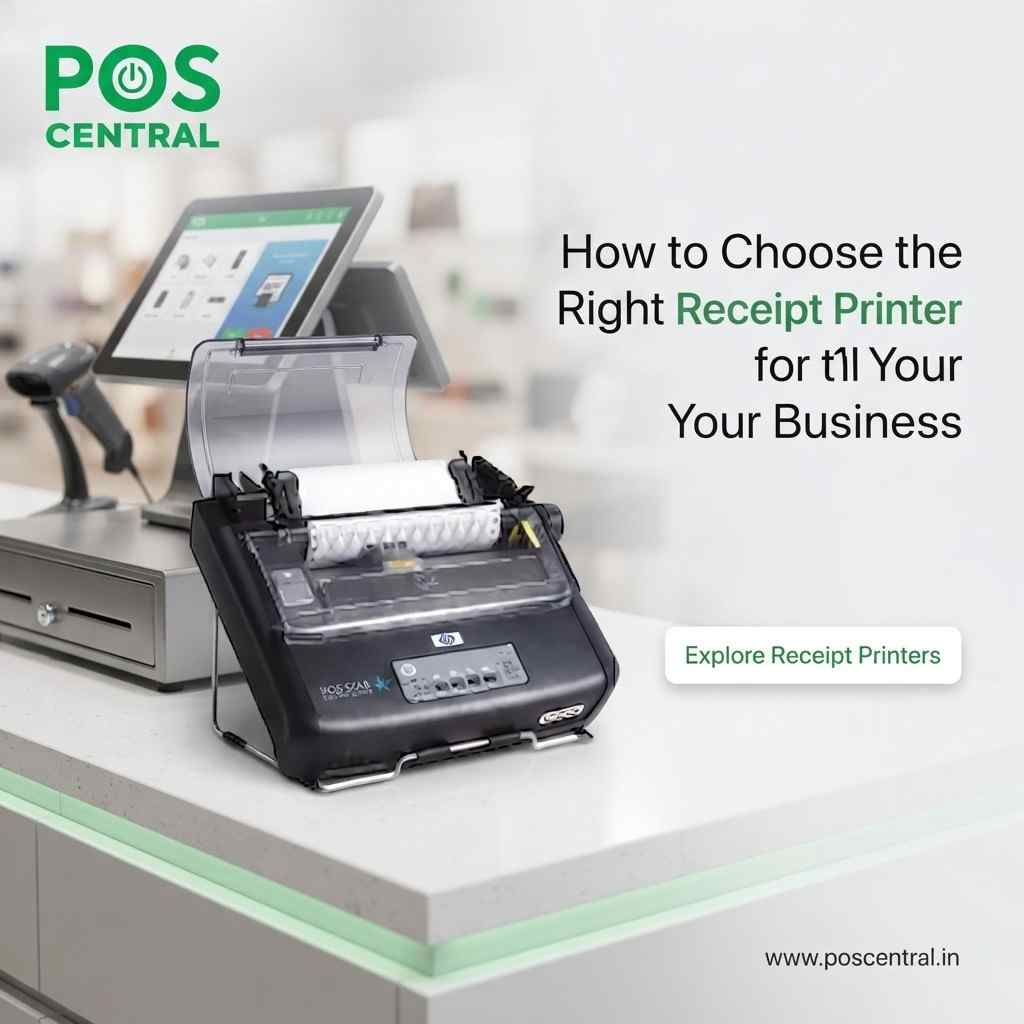
A receipt printer is a compact printer designed to print sales receipts, bills, order tickets, and transaction information. Unlike standard office printers, receipt printers are designed for fast and frequent printing at a POS counter.
Most modern models use thermal printing technology. Thermal printers print by applying heat to special thermal paper, so they do not require traditional ink cartridges or toner.
Types of Receipt Printers
There are several types of receipt printers available, and each one is suited to different business requirements.
Thermal Receipt Printers
Thermal receipt printers are widely used in retail stores, restaurants, supermarkets, and cafés. They provide fast and quiet printing while requiring less maintenance because they do not use ink or toner.
They are a good choice for businesses that print a large number of receipts every day.
Dot Matrix Receipt Printers
Dot matrix printers use an ink ribbon to print on paper. They are useful for businesses that need duplicate or multi-copy receipts and documents.
Although they are generally slower and louder than thermal printers, they can be useful for specific billing applications.
Mobile Receipt Printers
Mobile receipt printers are small and portable. They commonly connect through Bluetooth or Wi-Fi and can be used with smartphones, tablets, or mobile POS systems.
They are suitable for delivery services, field sales, events, and businesses that need billing away from a fixed checkout counter.
What Should You Consider When Buying a Receipt Printer?
Choosing a printer based only on price may not always be the best approach. Consider the following factors before making a purchase.
1. Printing Speed
If your business handles many customers during busy periods, printing speed is important. A faster printer can help reduce waiting time at the checkout counter.
For high-volume retail and restaurant environments, look for a model designed for continuous and reliable receipt printing.
2. Paper Width
Receipt printers are commonly available in different paper widths, including 58mm and 80mm options.
A 58mm printer is useful when you need a compact receipt, while an 80mm printer provides more space for product details, taxes, discounts, business information, and payment details.
3. Connectivity
Check how the printer will connect to your POS system before buying.
Common connectivity options include:
- USB
- Ethernet
- Bluetooth
- Wi-Fi
- Serial
USB is suitable for direct connections, while Ethernet is useful when several systems need to access a network printer. Bluetooth and Wi-Fi are useful for wireless POS setups.
4. Auto Cutter
An automatic paper cutter can make checkout faster and more convenient. Instead of manually tearing every receipt, the printer cuts the paper after printing.
This feature can be particularly useful in busy retail stores, supermarkets, and restaurants.
5. POS Compatibility
Always check whether the receipt printer is compatible with your POS software and operating system.
Before purchasing, confirm the available drivers, connection type, and software compatibility. This can help prevent setup problems after installation.
Thermal vs Dot Matrix Receipt Printers
The right choice depends on your business requirements.
| Feature | Thermal Printer | Dot Matrix Printer |
|---|---|---|
| Printing speed | Generally faster | Generally slower |
| Noise | Quiet | Louder |
| Ink/Ribbon | No ink required | Uses ribbon |
| Maintenance | Low | Higher |
| Multi-copy printing | Usually not suitable | Suitable |
| Common use | Retail, restaurants, POS | Multi-copy documents |
For most modern retail and restaurant POS applications, thermal receipt printers are a practical choice because they offer fast and quiet printing with low maintenance.
Which Receipt Printer Is Best for Your Business?
There is no single receipt printer that is perfect for every business.
A small retail store may need a reliable 80mm thermal printer with USB connectivity. A restaurant may prefer an Ethernet model that can work with its POS network. A delivery business may benefit from a compact Bluetooth receipt printer.
Before buying, consider how many receipts you print, where the printer will be placed, which POS software you use, and which connectivity option works best for your setup.
Why Receipt Printer Quality Matters
A receipt printer is used throughout the working day, so reliability is important. A printer that frequently jams, disconnects, or prints slowly can create delays at the billing counter.
A dependable receipt printer can help businesses maintain a smoother checkout process and provide customers with clear transaction records.
Businesses can explore different receipt printers based on printing speed, paper width, connectivity, and other requirements before selecting a suitable model.
Choosing the right receipt printer starts with understanding your business needs. Consider the printer type, paper size, printing speed, connectivity, POS compatibility, and features such as an automatic cutter.
For most retail stores, restaurants, cafés, and other businesses with regular billing requirements, a reliable thermal receipt printer can provide fast and convenient printing.
Taking a little time to compare specifications before purchasing can help you choose a receipt printer that fits your current requirements and continues to support your business as it grows.