Fix Weak Internet Signals with These Smart Home Network Tips
-

- Published Updated
- 8,856 views
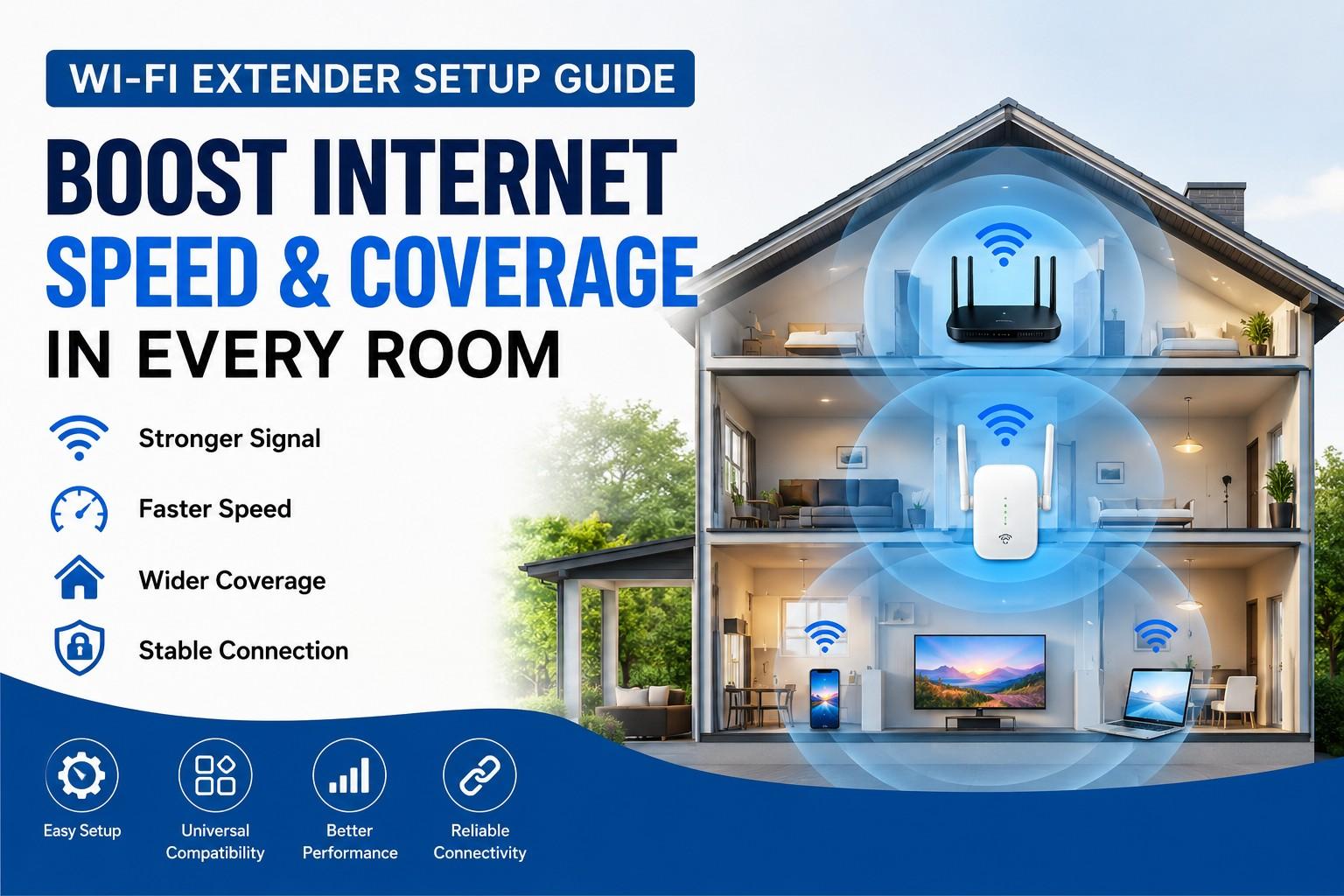
Slow internet in certain parts of your home can be frustrating, especially when streaming videos, attending online meetings, or gaming. Many users experience weak signals in bedrooms, upstairs areas, or outdoor spaces where the main router cannot provide stable coverage. This is where a WiFi extender becomes a practical solution for improving connectivity and extending internet coverage throughout your space.
A properly configured network can significantly improve browsing speed and reduce dead zones. Whether you live in a small apartment or a large house, understanding how to optimize your wireless setup can help you enjoy a smoother online experience without constantly dealing with buffering or connection drops.
What Causes Weak WiFi Signals?
Several factors can affect wireless signal strength inside a home or office. Thick walls, furniture, mirrors, and electronic devices can interfere with signal transmission. In many cases, the router placement itself is the biggest issue.
If your router is placed in a corner room or behind furniture, the signal may not reach every area effectively. Devices connected from long distances may experience slower speeds and unstable performance.
Common causes include:
- Router placed too far from active devices
- Multiple walls blocking the signal
- Network congestion from many connected devices
- Interference from microwaves or Bluetooth devices
- Outdated networking hardware
Identifying the main issue is the first step toward improving wireless coverage.
Choosing the Right Placement
The placement of your networking equipment matters more than most users realize. For the best performance, place your router in a central and elevated location. Avoid placing it near thick concrete walls or inside cabinets.
If you are using an extender, position it halfway between the router and the weak coverage area. This allows it to receive a strong signal while rebroadcasting coverage to distant rooms.
Good placement tips include:
- Keep the router elevated on a shelf or desk
- Avoid placing devices near metal surfaces
- Position hardware away from large appliances
- Maintain open space around the antennas
- Test different locations for optimal coverage
Small placement adjustments can often produce noticeable improvements in speed and reliability.
How to Improve Network Performance
Improving your wireless experience does not always require expensive upgrades. Simple optimization steps can help increase speed and reduce interruptions.
Update Router Firmware
Manufacturers regularly release firmware updates that improve performance, security, and stability. Logging into the router dashboard and installing the latest updates can fix connectivity problems and improve overall efficiency.
Use the Right Frequency Band
Modern routers support both 2.4GHz and 5GHz bands. The 2.4GHz band offers wider coverage, while the 5GHz band delivers faster speeds over shorter distances.
Using the correct band for different devices can improve performance:
- 2.4GHz for long-range coverage
- 5GHz for streaming and gaming
- Separate device loads across both bands
Reduce Device Congestion
Too many connected devices can slow down your network. Disconnect unused devices and prioritize important activities like video calls or gaming sessions.
Many modern routers include Quality of Service (QoS) settings that allow you to prioritize bandwidth for specific applications.
Benefits of Better Wireless Coverage
Improving your home network provides several advantages beyond faster browsing. Stable connectivity creates a smoother digital experience for work, entertainment, and communication.
Key benefits include:
- Faster streaming with fewer interruptions
- Improved online gaming performance
- Better video call quality
- Stronger smart home connectivity
- Reliable internet access in every room
With optimized coverage, users can move freely throughout the home without losing connection quality.
Common Setup Mistakes to Avoid
Many users unknowingly reduce their network performance through incorrect setup practices. Avoiding these mistakes can help maintain a stable connection.
Placing Hardware Too Far Away
An extender cannot improve a weak signal if it barely receives coverage from the router. Positioning matters significantly.
Ignoring Security Settings
Always secure your network with a strong password and updated encryption settings. Weak security can allow unauthorized users to consume bandwidth.
Using Outdated Equipment
Older routers may not support modern internet speeds or advanced connectivity features. Upgrading to newer hardware can dramatically improve performance.
When to Upgrade Your Network
If your internet remains unstable even after optimization, it may be time to upgrade your networking equipment. Newer routers support advanced technologies designed for higher speeds and better device management.
Signs you may need an upgrade include:
- Frequent disconnections
- Slow speeds despite high internet plans
- Poor streaming quality
- Large dead zones in the house
- Difficulty handling multiple devices
Investing in better hardware can provide long-term improvements for both speed and reliability.
Final Thoughts
Reliable internet coverage has become essential for daily life. From remote work and online learning to entertainment and smart home devices, stable connectivity improves productivity and convenience.
By optimizing router placement, updating settings, and improving signal coverage, users can eliminate weak zones and enjoy a smoother online experience. Even simple adjustments can lead to noticeable improvements in speed, stability, and overall network performance.
For users experiencing frequent connection problems, taking the time to improve wireless coverage can make a significant difference in everyday internet use.