Tablet Camera Quality: What Should You Actually Look For?
-

- Published Updated
- 2,126 views
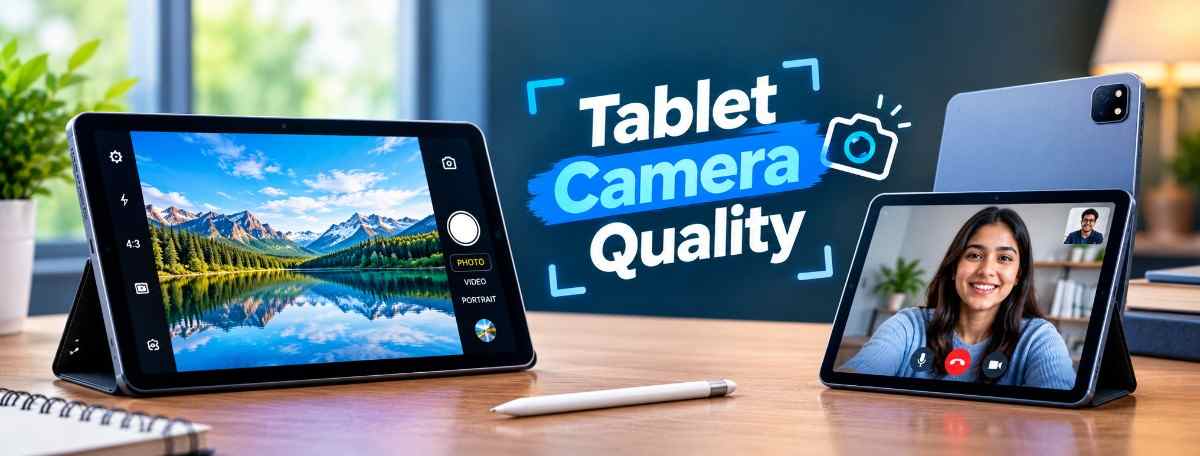
Tablets are usually associated with large displays, long battery life, and portable productivity. Cameras are often treated as a secondary feature. However, tablet cameras have become more useful over the years.
People now use tablets for video calls, online classes, document scanning, photography, social media, and even content creation. Because of this, camera quality can matter more than many buyers expect.
But choosing a tablet camera is not simply about counting megapixels. Sensor size, image processing, autofocus, video quality, front camera placement, and lighting conditions can all affect the final result.
Understanding these factors can help you choose a tablet with cameras that actually match your needs.
Why Tablet Cameras Matter
A tablet is not usually a replacement for a dedicated camera or smartphone. Its larger body also makes it less convenient for taking everyday photos.
Still, the camera can be extremely useful in certain situations.
Students may use the rear camera to scan notes or documents. Professionals can use it for video meetings. Teachers can use it for online classes. Users can also rely on the front camera for video calls with friends and family.
For these activities, camera quality can directly affect the overall experience. (https://www.techlandbd.com/smartphone-and-tablet/tablet-pc)
Megapixels Are Not Everything
Megapixels are one of the most commonly advertised camera specifications.
A higher megapixel count can provide more image detail under suitable conditions, but it does not automatically mean better photos.
Two cameras with the same resolution can produce very different results.
Sensor quality, lens design, image processing, dynamic range, and lighting all influence the final image.
This is why a tablet with a modest camera resolution can sometimes produce better-looking photos than a model with a much higher megapixel count.
When comparing tablets, consider the complete camera system instead of focusing on one number. (https://www.techlandbd.com/smartphone-and-tablet/tablet-pc)
Front Camera for Video Calls
For many tablet users, the front camera is actually more important than the rear camera.
Video calls are now common for education, work, meetings, and personal communication.
A good front camera should provide a clear image with natural colors and reasonable exposure. It should also perform well when lighting conditions are not perfect.
The camera's position matters too.
A front camera placed along the longer edge of the display can be more convenient when the tablet is used horizontally for video meetings. This orientation can make the user appear more naturally positioned during calls.
Camera Quality for Online Classes
Tablets are widely used for online learning, and the camera can be useful for virtual classes.
A decent front camera can make communication easier during video sessions. Clear image quality helps teachers and classmates see the user without excessive blur or noise.
However, camera quality is only part of the experience.
Microphone quality, speaker performance, Wi-Fi connectivity, display quality, and battery life also matter during long online classes.
If you are buying a tablet mainly for education, it is worth considering the entire communication experience rather than looking at camera resolution alone.
Rear Camera for Document Scanning
The rear camera can be particularly useful for scanning documents.
Students can photograph textbook pages, handwritten notes, forms, receipts, and other documents.
A camera with good autofocus can make this process easier because it can quickly lock onto text.
Image processing also matters. A camera that produces sharp images with good contrast can make small text easier to read.
For document scanning, you usually do not need an extremely high-end camera. Good focus, reasonable detail, and accurate exposure are more important.
Low-Light Performance
Camera performance can change significantly when lighting becomes poor.
In bright daylight, even a basic camera may produce acceptable results. Low-light environments are much more challenging.
Small tablet camera sensors can struggle with noise, motion blur, and loss of detail when there is not enough light.
If you frequently use the camera indoors, check real-world camera samples or reviews rather than relying only on the specifications.
A camera's low-light performance is often easier to understand from actual photos than from a specification sheet.
Autofocus Makes a Difference
Autofocus helps the camera quickly lock onto the subject.
This becomes especially useful when photographing documents, objects, or moving subjects.
A fixed-focus camera can still work well for video calls and basic photography, but autofocus provides greater flexibility.
For users who frequently scan documents or take photos with the rear camera, autofocus can be a valuable feature.
Video Recording Quality
Camera quality is not only about taking photos.
Video recording is becoming increasingly important for online meetings, social media, tutorials, and content creation.
When comparing tablet cameras, look at supported video resolutions, frame rates, stabilization, microphone quality, and exposure handling.
A high-resolution video mode can be useful, but stable footage and clear audio are often more important for everyday recording.
A tablet with excellent video resolution but weak microphones may still produce disappointing results.
Image Processing Is Important
Modern cameras rely heavily on software.
After a photo is captured, the tablet's processor and camera software can adjust exposure, colors, sharpness, noise, and dynamic range.
This processing can make a significant difference.
Two tablets with similar camera hardware may produce noticeably different images because their image-processing systems work differently.
This is one reason real-world reviews are valuable when comparing camera performance.