Text to Octal Online Tool
-

- Published Updated
- 38 views
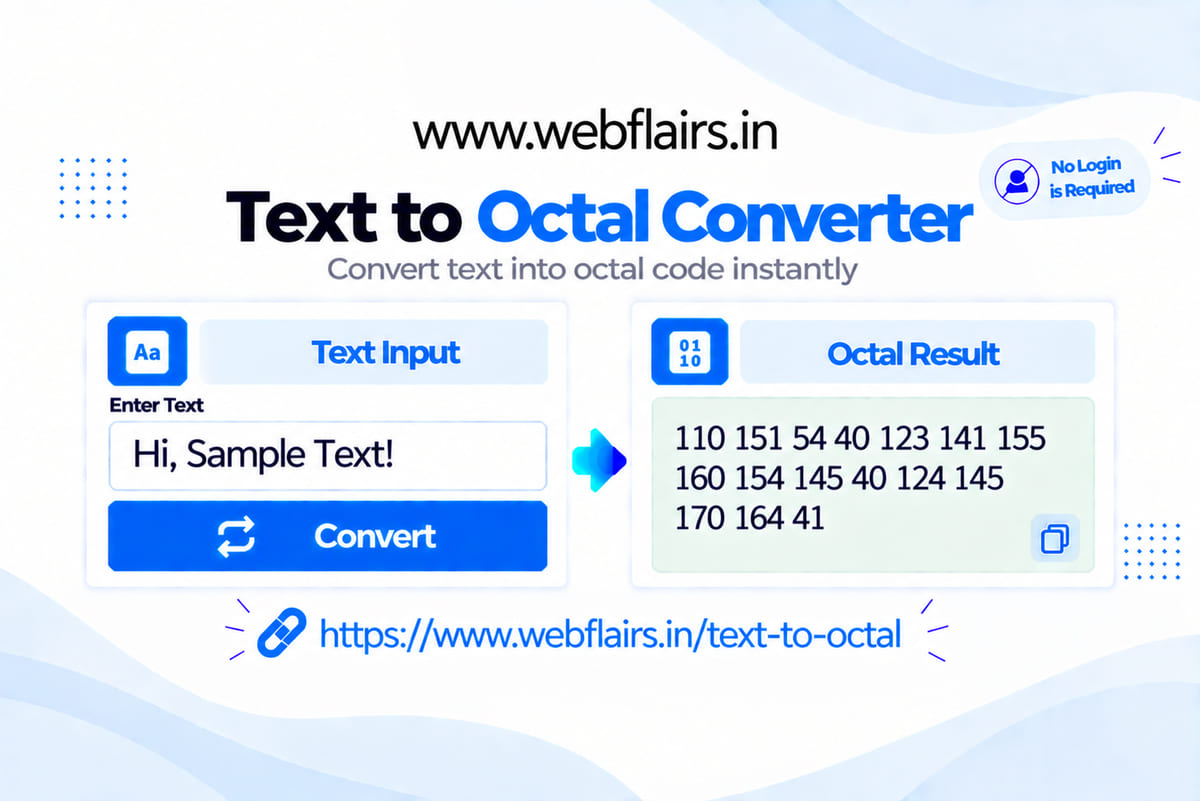
If you want to convert normal text into octal values without dealing with confusing calculations or complicated steps, the Text to Octal Converter is designed to make the process simple, quick, and beginner-friendly. Instead of manually finding character values and converting them into the octal number system, you can simply enter your text and let the tool do the work for you.
You can enter your own text directly into the input box or use the Sample button to test the converter with example text. After entering your content, solve the captcha and click the Convert button. The tool processes your input and displays the corresponding octal values instantly.
Whether you are a student learning computer science, a beginner exploring programming, or someone who needs a quick text conversion utility, this online tool provides a convenient way to convert text into octal without performing manual calculations.
✨ How to Use the Text to Octal Converter
Using the Text to Octal Converter is straightforward. You do not need advanced programming knowledge or special software to get started. Everything can be done directly through your web browser.
Follow these simple steps:
- Enter or paste your text into the input box.
- Click the Sample button if you want to automatically add example text and test the converter.
- Solve the captcha displayed on the page.
- Click the Convert button to start the conversion.
- Your octal values will appear immediately in the output section.
You can then review the generated result and copy it for use in your project, assignment, notes, or other technical work.
The converter can be useful for short words as well as longer sentences. It can also process numbers, spaces, punctuation, and supported special characters. This makes it a convenient option whenever you need to understand or generate octal representations of text.
🚀 Why Use This Text to Octal Tool?
Manually converting every character into octal can take time, especially when working with longer text. An online converter simplifies this process and helps you get the result quickly.
Fast and Convenient
The tool is designed to provide results within seconds. Simply enter your text, complete the captcha, and click Convert.
Beginner-Friendly
You do not need to understand complicated calculations to use the converter. The simple interface makes it easy for beginners to perform conversions.
Sample Option
Not sure how the tool works? Use the Sample button to automatically add example content. This allows you to test the conversion process before entering your own text.
No Manual Calculations
Converting character values manually can involve multiple steps. The online tool handles the conversion process for you, saving time and reducing the possibility of calculation mistakes.
Browser-Based
You can access the converter directly from your web browser. There is no need to install a separate application or software package.
No Signup Required
You can use the tool without creating an account or going through a lengthy registration process.
Works Across Devices
The responsive interface makes the converter convenient to use on desktops, laptops, tablets, and smartphones.
📚 What Is Text to Octal Conversion?
Octal is a base-8 number system that uses the digits from 0 to 7. Computers and programming environments use different number systems to represent and process data.
When text is converted into octal, each character is represented by its corresponding numerical value and then expressed in the octal number system. This can be useful for understanding character encoding and how computers represent text internally.
For example, a character such as A has a numerical value in ASCII. That value can then be represented in octal. A converter makes it easier to perform this process without manually calculating each value.
🎓 Who Can Use This Converter?
The Text to Octal Converter can be useful for different types of users.
Students can use it while learning number systems, ASCII, character encoding, and computer fundamentals.
Programmers can use it when working with character representations or programming exercises.
Beginners can experiment with different words and sentences to better understand how text can be represented numerically.
Developers and technical users can use it as a quick online utility whenever they need an octal representation of text.
❓ Frequently Asked Questions
1. What does Text to Octal mean?
Text to Octal means converting characters from normal text into their corresponding octal, or base-8, numerical representations.
2. Why would someone use Text to Octal?
It can be useful for learning character encoding, studying computer science, understanding number systems, practicing programming concepts, and working with different forms of data representation.
3. What does the Sample button do?
The Sample button automatically fills the input area with example text. It allows you to test the converter and understand how the conversion process works.
4. Can I convert spaces and special characters?
Yes. The tool is designed to process letters, numbers, spaces, punctuation, and supported special characters according to its conversion method.
5. Is my text stored anywhere?
The tool is designed to process your input for conversion without requiring an account or registration. For sensitive or confidential information, it is always best to avoid entering private data into any online tool unless you have verified its data-handling practices.
6. Can I use this tool on mobile?
Yes. The responsive interface allows you to use the Text to Octal Converter on smartphones, tablets, laptops, and desktop computers.
Conclusion
The Text to Octal Converter provides a simple way to convert text into octal values without requiring complicated manual calculations. With features such as a sample option, easy input, instant output, browser-based access, and a straightforward interface, it can be useful for students, programmers, beginners, and anyone interested in text and number-system conversion.
Simply enter your text, solve the captcha, click Convert, and get your octal output instantly.