Top 5 Free SEO Tools to Boost Organic Visibility
-

- February 23rd, 2026
- 1,721 views

FREE SEO Topical Map Generator: Find Your Next Content Ideas
Top 5 Free SEO Tools to Boost Organic Visibility
Free SEO tools can provide essential insights for site owners, content creators, and developers without upfront cost. This article describes five practical, widely used tools, explains what each does best, and outlines limitations to consider when planning an ongoing SEO strategy.
- Google Search Console — index and search performance data.
- Google Analytics (GA4) — traffic and user behavior insights.
- Bing Webmaster Tools — supplemental indexing and diagnostic reports.
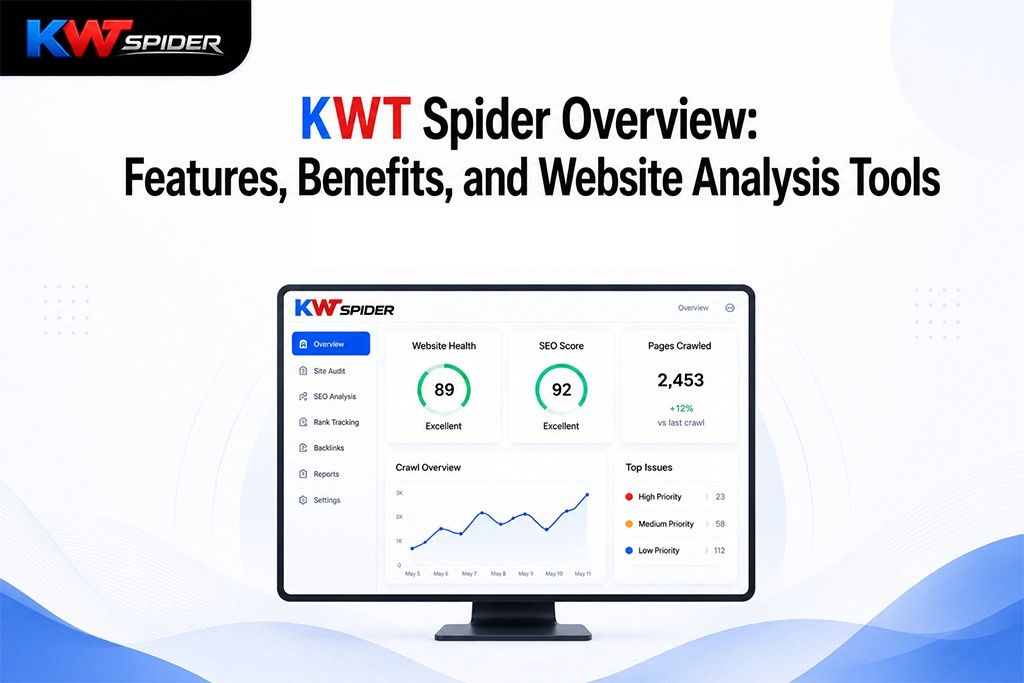
- Screaming Frog SEO Spider (free mode) — technical site crawling up to 500 URLs.
- Chrome Lighthouse — automated audits for performance, accessibility, and best practices.
How free SEO tools support better organic performance
Using free SEO tools provides a foundation for measuring visibility, diagnosing issues, and prioritizing improvements. The suite of tools below covers indexing and search data, user behavior, technical site health, and page-level performance. These capabilities are often sufficient for small-to-medium sites and for guiding initial optimization work before investing in paid platforms.
1. Google Search Console — search indexing and query reports
What it does
Google Search Console (GSC) reports on how Google discovers and shows pages in search results. It includes performance reports (impressions, clicks, CTR, average position), coverage reports for indexing issues, and tools to submit sitemaps or request reindexing.
Best uses
- Track query and page-level performance in Google Search.
- Identify crawl errors, mobile usability issues, and structured data problems.
- Monitor which pages are indexed and inspect individual URLs.
Limitations
Data are limited to Google and typically delayed by a few days. Search Console does not show complete keyword-level traffic like paid tools that estimate broader search volumes.
Official documentation from Google Search Central explains features and recommended workflows: Google Search Central.
2. Google Analytics (GA4) — user behavior and traffic sources
What it does
Google Analytics measures user sessions, traffic sources, engagement events, conversion paths, and site behavior. GA4 focuses on events and cross-device measurement.
Best uses
- Understand which pages drive engagement and conversions.
- Segment organic search traffic to evaluate content performance.
- Set up events to measure site search, downloads, or form submissions.
Limitations
GA4 requires implementation and tuning to capture meaningful events. Data sampling, privacy settings, and cookie restrictions can affect reported numbers.
3. Bing Webmaster Tools — secondary indexing and diagnostic data
What it does
Bing Webmaster Tools provides indexing reports, crawl information, and keyword insights for Microsoft Bing. It also includes SEO reports and tools for reviewing backlinks and page diagnostics.
Best uses
- See how pages perform in Bing and detect issues specific to Microsoft’s crawler.
- Access supplemental keyword and backlink data that can complement Google reports.
Limitations
Traffic from Bing may be a smaller share for some sites; results differ from Google. Use this tool for coverage across multiple search engines and to catch issues missed elsewhere.
4. Screaming Frog SEO Spider (free mode) — technical crawling and on-page checks
What it does
Screaming Frog crawls a site like a search engine bot and reports server responses, meta titles and descriptions, header structure, canonical tags, redirect chains, and broken links. The free version crawls up to 500 URLs per site.
Best uses
- Perform technical audits to find duplicate titles, missing meta tags, or redirects.
- Export crawl data for spreadsheet analysis or for importing into other tools.
Limitations
The free limit of 500 URLs constrains larger sites. Some advanced integrations and reporting features require the paid license.
5. Chrome Lighthouse — automated page performance and accessibility audits
What it does
Chrome Lighthouse runs automated audits for performance (speed), accessibility, best practices, SEO basics, and progressive web app checks. It is available in Chrome DevTools and as a command-line tool.
Best uses
- Measure page load performance and identify opportunities to reduce resource size or improve caching.
- Check accessibility issues and follow remediation hints to improve inclusive design.
Limitations
Lighthouse provides simulated lab data for single page loads; combine results with field data from Google Analytics or real-user metrics for full context.
Putting these free SEO tools into a practical workflow
Start by confirming indexing and search health in Search Console, then review user behavior in Google Analytics to prioritize pages that matter. Run a technical crawl with Screaming Frog to catch on-site issues, and use Lighthouse to address page speed and accessibility. Add Bing Webmaster Tools to cover indexing in another major engine. Re-run audits periodically and track changes using dates and changelogs.
When to consider paid SEO tools
Free tools often cover fundamentals, but paid platforms add competitive keyword research, large-scale site auditing, historical tracking, and advanced backlink analysis. Growth plans or enterprise teams may need those capabilities, but small sites can achieve meaningful gains with the free tools listed above.
Recommended technical and reporting practices
- Verify site ownership and connect Search Console to Analytics where possible.
- Maintain an XML sitemap and use robots.txt to manage crawler access.
- Document audits and fixes; track performance trends over time rather than reacting to single-day fluctuations.
- Follow guidance from standards bodies such as the W3C for structured data and accessibility best practices.
Summary
Free SEO tools provide a robust foundation for monitoring indexing, understanding visitors, diagnosing technical issues, and improving page experience. For many sites, a disciplined workflow using these five tools is enough to make steady SEO progress before investing in paid services for scale.
Are free SEO tools enough for good search rankings?
Free SEO tools can address most technical and content basics that influence rankings. Long-term competitive research, large-scale keyword monitoring, and detailed backlink intelligence may require paid solutions, but the free options are sufficient to implement and measure many of the improvements that affect organic visibility.
Which free SEO tool should be set up first?
Google Search Console is recommended as the first setup because it confirms indexing status and surfaces search issues; pairing it with Google Analytics provides both search and behavior context.
How often should site owners run technical audits?
Monthly audits are practical for most sites; more frequent checks are helpful after site changes, migrations, or content pushes that may introduce issues affecting indexing or performance.
Can these tools help with mobile SEO?
Yes. Search Console includes mobile usability reports, Lighthouse provides mobile performance and accessibility checks, and Screaming Frog can surface mobile-specific meta tags and responsive issues. Combining these insights supports mobile-first optimization.