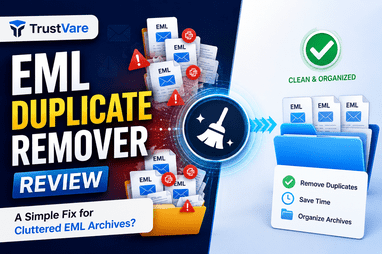
TrustVare EML Duplicate Remover Review: A Simple Fix for Cluttered EML Archives?
-

- Published Updated
- 7,061 views
Introduction
Effective email handling is a perennial problem, especially with open-source email formats like EML. Whether you are migrating from one email client to another, such as Thunderbird, Apple Mail, and Windows Live Mail, or just want to back up your correspondence on a regular basis, duplicate files will inevitably creep in. If you are having a hard time with a messy archive, TrustVare EML Duplicate Remover provides a dedicated, automated solution to clean up your mailboxes.
Why You Need to Delete Duplicate EML Files?
• Wastage of Storage Space: EML files usually consist of high-resolution images, PDF attachments, and documents. Duplicating these messages consumes twice as much hard drive space, driving up storage costs unnecessarily.
• Slow Performance in Email Client: Email clients suffer from a performance hit when they try to index, search or load directories that contain thousands of duplicate files. You can probably expect lag in search results, and freeze-ups with applications.
• Search Confusion and Reduced Productivity – It’s frustrating searching for a specific piece of critical client data and your search queries return multiple identical versions of the same conversation. It is a waste of precious working hours to look through the clones for the definitive thread.
• Risks to Data Integrity: Large, messy backup folders increase the risk of data corruption during system migrations or regular server backups.
The main features of the utility
The software is built to identify and delete duplicate data without requiring complex manual filtering or any advanced technical knowledge.
1. Smart Double Scan Modes
The software offers two flexible structures to process your
• File Mode: Best choice for selecting single EML files scattered across various directories.
• Folder Mode: Select a directory that contains thousands of files and upload them all at once with a single action.
2. De-duplication Granular Logic
Instead of just using simple file names, the utility checks inside each and every email with an advanced scanning algorithm. It looks at things like what the subject line says, the sender/recipient headers, the length of the body text, the size of the attachment and the type of attachment. This prevents two different messages from being accidentally combined, while ensuring that identical items are correctly identified.
Tailor your cleaning plan:
• Within the Folder Identifies and deletes clones that are stored in the exact same folder.
• Across Folder: Scans across completely separate folders and subfolders to ferret out duplicates hidden deep in your backup tree.
3. Complete Autonomy
Another very practical aspect of this tool is that it is stand alone. The software can read, scan and process the files without you having thunderbird, Windows Live Mail or any other mail application installed on your computer.
Clean Up Process Step By Step
The user interface is built on a clean, single panel that collapses the entire workflow into four distinct actions:
1. Import the Files: Open the application and choose File Mode or Folder Mode to import your data.
2. Define the Scope: Choose whether you want the algorithm to search for duplicate entries Within the Folder or Across the Folder.
3. Choose Destination: Browse your computer and choose a clean local folder to safely save the newly created EML files without duplicates.
4. Execute: Click the Remove Duplicate button to start the automatic filtering.
Real World Scenario: The “50,000 Emails” Nightmare
A tool that’s automated is a lifesaver, but why is that? Let’s look at a classic agency horror story that happens all too often:
• The Backdrop: A fast-growing digital marketing agency decides it’s time to clean house and move five years of legacy client archives from disparate local machines to a central office server.
• The Chaos: Over the years, three different account managers took care of the same client accounts. In order to be "safe" everyone backed up exactly the same project folders multiple times. The outcome? A giant master backup folder with 50,000 EML files, almost a third of them identical clones of weekly status updates and huge design attachments.
• The Breakdown: The nightmare climaxes when a high-profile client demands a specific 2024 contract revision within the next hour. The account team does a search. The server stalls, chokes and freezes instantly. When it eventually catches up, it churns out six identical copies of the same email thread. No one knows which file contains the real, unedited attachment. The agency is looking at a looming deadline and total productivity disaster.
The Manual Option: Assigning an intern the task of manually opening, checking and clicking through 50,000 individual files. It would take weeks, kill office morale and, inevitably, result in human error.
The Software Rescue: The IT manager dumps the enormous folder into the utility instead of losing weeks. The software cuts through the clutter by matching deep internal criteria – such as identical message headers, timestamps and attachment sizes.
It finds and safely deletes the 15,000 hidden duplicates in minutes. The server’s search tool stops lagging, gigabytes of server storage clears instantly and the team gets the right contract thread on the first try. Crisis avoided.
Safety and Performance Evaluation
Testing reveals that it copes with large file directories with aplomb, without consuming excessive system memory or slowing down background applications. The utility writes the newly filtered unique files to a brand new local destination folder of your choice, leaving your original source files untouched during the scan process. It also provides an automatic safety net for accidental data loss.
Software Rating
Ease of Use & Interface (4.8/5)
Scanning Speed & Precision (4.7/5)
Customization (4.5/5)
Cost-effectiveness (4.6/5)
Overall Rating 4.6 / 5
Conclusion
Manually sorting is rarely a good solution if duplicate data is making your email harder to manage and eating up too much space on your local storage. TrustVare EML Duplicate Remover makes this time consuming maintenance task quick and reliable. It combines deep attachment scanning with a simple, wizard-style workflow to help you free up your storage space and keep your archiving systems running at peak performance. Grab their free trial version to conduct an initial scan on your directories before you buy a full license.