WhatsApp Business API Pricing: What Businesses Should Know
-

- Published Updated
- 3,266 views
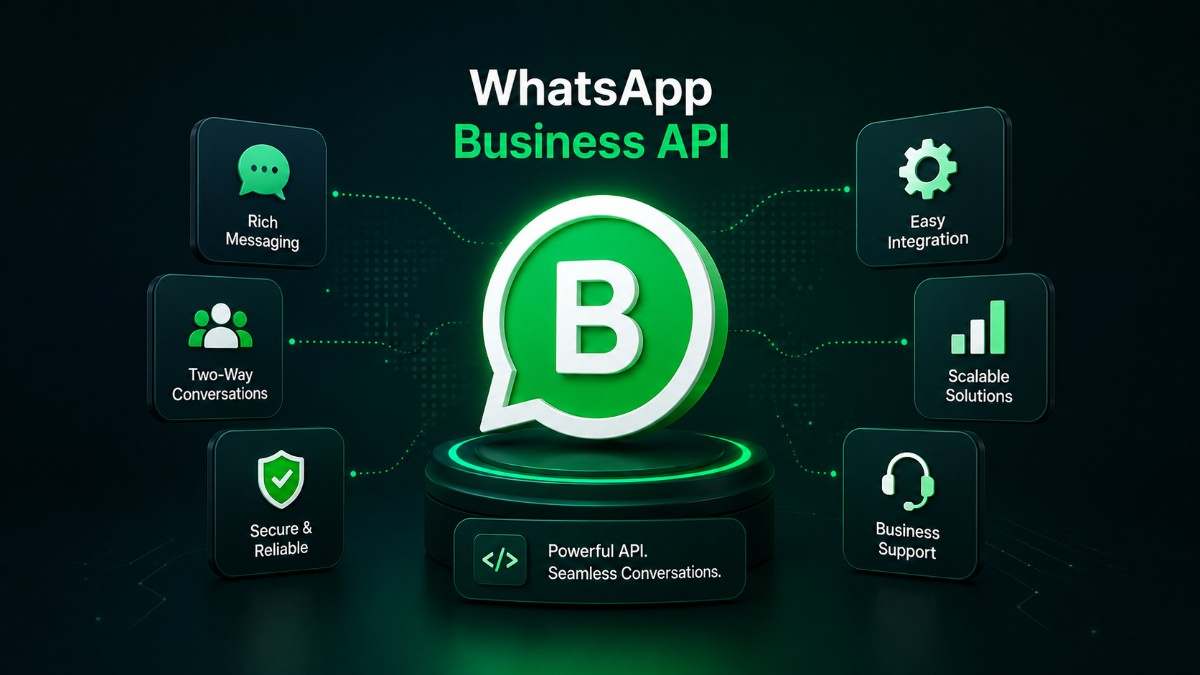
WhatsApp Business API pricing depends on factors such as message category, destination market, business-initiated conversations, customer-initiated conversations, message volume, and the pricing model of your WhatsApp API provider. Businesses may also pay provider or platform fees. Before choosing a solution, compare Meta charges, provider fees, automation features, support, integrations, and total cost—not just the advertised API price.
Table of Contents
What Is WhatsApp Business API Pricing?
Why Businesses Need to Understand WhatsApp API Costs
How WhatsApp Business API Pricing Works
Main Factors That Affect WhatsApp API Cost
Key Benefits of WhatsApp Business API
Important Features to Look For
How WhatsApp Business API Works
Industry Use Cases
Real Business Challenges Solved
Traditional vs Cloud vs SparkTG Solution
Why Choose SparkTG
WhatsApp API Implementation Process
WhatsApp API Pricing Best Practices
Common Mistakes to Avoid
Future Trends
Expert Recommendations
Frequently Asked Questions
Conclusion
Introduction
WhatsApp has become an important business communication channel for customer support, sales, notifications, marketing, and transactional communication.
For organizations handling thousands or even millions of customer interactions, the WhatsApp Business API provides capabilities that the standard WhatsApp Business App cannot deliver at enterprise scale.
However, one question comes up before implementation:
How much does WhatsApp Business API cost?
The answer is more nuanced than a simple monthly subscription.
WhatsApp Business API pricing can involve Meta's messaging charges, provider fees, platform subscriptions, message-template costs, implementation expenses, integrations, automation, and other services depending on the solution you choose.
This is why businesses should evaluate total cost of ownership (TCO) rather than comparing providers solely on their headline price.
For Indian businesses in particular, selecting the right WhatsApp API provider can make a significant difference in scalability, automation, customer experience, and operational costs.
What Is WhatsApp Business API Pricing?
Definition Box
WhatsApp Business API pricing refers to the costs associated with using WhatsApp's business messaging infrastructure at scale. Depending on the setup, these costs can include Meta's applicable messaging charges, WhatsApp API provider fees, platform subscriptions, template-related services, integrations, automation, and professional support.
Unlike a traditional software license, WhatsApp communication costs can depend on how businesses communicate with customers and the applicable Meta pricing rules.
Why Businesses Need to Understand WhatsApp API Costs
A common mistake is to assume that WhatsApp Business API is simply a monthly software subscription.
In reality, businesses should consider several cost components.
For example, a company may need:
WhatsApp Business Platform access
Business verification
Message templates
Customer support automation
Chatbot functionality
CRM integration
Agent inbox
Campaign management
Analytics
API integration
Contact center integration
Technical support
A low-cost API may therefore become expensive if essential features are charged separately.
Conversely, a slightly higher platform fee can sometimes produce a lower overall cost if it includes automation, integrations, analytics, and support.
The right question is not:
"Which WhatsApp API provider is cheapest?"
Instead, ask:
"Which provider gives us the lowest predictable cost for the communication volume and business outcomes we need?"
How WhatsApp Business API Pricing Works
WhatsApp's business messaging model has evolved beyond the older concept of charging businesses simply for conversation sessions.
The applicable cost can depend on message category, destination market, and other Meta-defined pricing rules.
Businesses should therefore verify the current rates applicable to their account and destination markets before creating a budget.
At a high level, business communication can involve categories such as:
Message Type |
Typical Purpose |
Marketing |
Promotions, offers, product announcements |
Utility |
Order updates, reminders, confirmations |
Authentication |
OTPs and identity verification |
Service |
Customer support and responses |
The actual commercial treatment depends on Meta's current policies and pricing structure.
Important distinction
There are usually two separate commercial layers to evaluate:
1. Meta/WhatsApp charges
These are charges associated with using the WhatsApp Business Platform under Meta's pricing model.
2. WhatsApp API provider/platform charges
A provider may charge for software access, inboxes, automation, integrations, chatbot functionality, campaigns, support, or other services.
This distinction is critical when comparing providers.
What Factors Affect WhatsApp Business API Pricing?
Several variables can influence the final cost.
1. Message Category
Marketing, utility, authentication, and service communications may have different commercial treatment.
2. Destination Market
WhatsApp pricing can vary by market. A business communicating with customers across multiple countries should therefore model costs geographically.
3. Messaging Volume
A company sending 500 messages per month has very different economics from one sending 5 million.
4. Message Initiation
Whether the customer starts the interaction or the business initiates a message can affect the applicable pricing and messaging rules.
5. Provider Pricing
Some WhatsApp API providers use subscription-based pricing, while others may use usage-based, markup-based, or hybrid models.
6. Automation Requirements
Businesses requiring AI chatbots, automated workflows, routing, lead qualification, or conversational AI may require a more advanced platform.
7. Integrations
CRM, ERP, helpdesk, e-commerce, contact center, and custom API integrations can affect implementation costs.
8. Number of Agents
Large customer support teams may require multi-agent inboxes, role-based access, routing, monitoring, and reporting.
9. Support and SLA Requirements
Enterprise businesses may require dedicated technical support, onboarding, monitoring, and service-level commitments.
What Are the Main Benefits of WhatsApp Business API?
The value of WhatsApp Business API extends well beyond messaging.
1. Scalable Customer Communication
Businesses can manage high volumes of conversations without relying on a single mobile device or individual employee.
2. WhatsApp Automation
Automated workflows can handle repetitive customer interactions such as FAQs, order updates, appointment reminders, lead qualification, and support requests.
3. Faster Customer Support
Customers can communicate through a channel they already use, while businesses can route conversations to the appropriate team.
4. Better Lead Conversion
Sales teams can follow up with prospects, qualify leads, share information, and move conversations toward conversion.
5. CRM Integration
WhatsApp conversations can be connected with customer records and business workflows.
6. Omnichannel Communication
WhatsApp can work alongside:
Cloud Telephony
IVR
Email
SMS
Voice Solutions
Contact Center Software
Conversational AI
This creates a more unified customer experience.
7. Improved Visibility
Business messaging platforms can provide reporting around conversations, agents, campaigns, response times, and customer interactions.
Key Features to Look for in a WhatsApp API Platform
Before selecting a provider, evaluate these features:
Official WhatsApp Business Platform integration
Multi-agent inbox
WhatsApp chatbot
WhatsApp automation
Message templates
Campaign management
CRM integration
API and webhook support
Automated routing
Agent assignment
Analytics and reporting
Contact management
Role-based access
Security controls
Conversation history
IVR and telephony integration
Conversational AI
Developer support
Enterprise scalability
A strong business messaging platform should not merely send WhatsApp messages. It should fit into your broader communication architecture.
How WhatsApp Business API Works
The typical workflow looks like this:
Step 1: Business Setup
The organization establishes its business identity and WhatsApp Business Platform setup.
Step 2: API Provider Integration
A business can work with a suitable WhatsApp API provider or platform partner.
Step 3: Number Configuration
The business configures an appropriate WhatsApp business number according to the platform requirements.
Step 4: Template Creation
Approved message templates can be created for outbound business communication where required.
Step 5: Customer Interaction
Customers can contact the business through WhatsApp.
Step 6: Automation
Chatbots and workflows can answer frequently asked questions, collect information, qualify leads, or perform other predefined tasks.
Step 7: Agent Handoff
Complex conversations can be routed to human agents.
Step 8: Integration
The WhatsApp channel can connect with CRM, helpdesk, contact center, ERP, or other enterprise systems.
Step 9: Analytics
Businesses can monitor conversations, response performance, campaigns, and operational metrics.
WhatsApp Business API Use Cases by Industry
E-commerce
Businesses can use WhatsApp for:
Order confirmations
Delivery updates
Abandoned-cart communication
Customer support
Product inquiries
Promotional campaigns
Banking and Fintech
Potential applications include:
Customer notifications
Authentication workflows
Service requests
Transaction-related communication
Support automation
Organizations must, of course, follow applicable regulatory and platform requirements.
Education
Schools, universities, and edtech companies can automate:
Admission inquiries
Application updates
Fee reminders
Student support
Event notifications
Healthcare
Healthcare organizations can use WhatsApp for:
Appointment reminders
Scheduling assistance
Patient communication
FAQs
Service notifications
Travel and Hospitality
Common use cases include:
Booking confirmations
Travel updates
Customer support
Hotel inquiries
Promotional communication
Real Estate
Real estate businesses can use WhatsApp to:
Capture leads
Share property details
Schedule site visits
Qualify prospects
Route leads to sales teams
Follow up automatically
What Business Problems Can WhatsApp API Solve?
Challenge 1: High Support Volume
Problem: Agents spend too much time answering repetitive questions.
Solution: Deploy WhatsApp automation and conversational AI for routine requests.
Challenge 2: Slow Lead Follow-Up
Problem: Sales leads are not contacted quickly enough.
Solution: Automate lead notifications and WhatsApp follow-ups while routing qualified prospects to sales representatives.
Challenge 3: Disconnected Communication
Problem: Customer conversations exist across different systems.
Solution: Integrate WhatsApp with CRM, contact center, and customer support systems.
Challenge 4: Poor Visibility
Problem: Managers cannot easily understand agent or campaign performance.
Solution: Use analytics and centralized reporting.
Challenge 5: Growing Communication Costs
Problem: Messaging expenses become difficult to forecast as volume grows.
Solution: Monitor message categories, usage patterns, provider fees, and automation ROI.
Traditional Solution vs Cloud Solution vs SparkTG
Factor |
Traditional Solution |
Cloud-Based Solution |
SparkTG Solution |
Infrastructure |
Often hardware-dependent |
Cloud hosted |
Cloud-based communication platform |
Scalability |
Limited |
High |
Designed for business growth |
WhatsApp Automation |
Limited/manual |
Available |
Automation and conversational workflows |
CRM Integration |
Complex |
API-based |
Integration-focused |
Multi-Agent Support |
Limited |
Supported |
Centralized business communication |
AI Capabilities |
Minimal |
Varies |
Conversational AI options |
Analytics |
Basic |
Advanced |
Business-focused reporting |
Omnichannel |
Difficult |
Possible |
WhatsApp + voice + communication ecosystem |
Customization |
Often expensive |
Flexible |
Business-specific workflows |
Support |
Vendor-dependent |
Provider-dependent |
Dedicated business support options |
Why Choose SparkTG for WhatsApp Business API?
For businesses evaluating the SparkTG WhatsApp API, the decision should be based on more than messaging.
SparkTG positions WhatsApp as part of a broader Unified Communication ecosystem.
Reliability
Business communication needs dependable infrastructure. SparkTG focuses on reliable communication services designed for organizations where customer conversations are business-critical.
Scalability
Whether you're a startup handling a few thousand conversations or an enterprise managing large communication volumes, the platform should be capable of growing with your requirements.
Security
Customer conversations and business information require appropriate security controls, access management, and responsible data handling.
Support
Implementation does not end when the API goes live. Businesses often need technical assistance, workflow configuration, integration support, and troubleshooting.
Customization
Different industries require different workflows. SparkTG can be positioned around use cases such as:
Customer support
Lead generation
Sales automation
Notifications
Conversational AI
CRM integration
Contact center workflows
Pricing Benefits
The best pricing strategy is not necessarily the lowest per-message price.
Businesses should evaluate total communication cost, including:
Meta charges + provider/platform fees + integration + automation + support + operational costs.
Automation can also reduce the amount of human effort required for repetitive conversations, improving the overall ROI of the platform.
WhatsApp API Implementation Process
A practical implementation can follow these steps:
Define business objectives
Estimate monthly messaging volume
Identify message categories
Map customer journeys
Select an official WhatsApp API provider
Configure the business account
Create required templates
Integrate CRM and business systems
Build automation workflows
Set up agent routing
Test customer journeys
Launch and monitor performance
A pilot rollout is often preferable to launching every workflow simultaneously.
Best Practices for Managing WhatsApp API Costs
Track Cost by Use Case
Separate marketing, support, authentication, and transactional communication.
Monitor Message Volume
Identify which workflows generate the highest volume.
Automate Repetitive Questions
Use chatbots for FAQs and routine processes.
Use Human Agents Strategically
Let automation handle predictable interactions while agents focus on complex or high-value conversations.
Review Provider Fees
Ask whether your provider charges:
Monthly subscription
Per-message markup
Platform fee
Agent fee
Integration fee
Setup fee
Support fee
Measure ROI
Track metrics such as:
Cost per conversation
Lead conversion rate
Customer response rate
Agent productivity
Resolution time
Customer satisfaction
Revenue influenced by WhatsApp
Common WhatsApp API Pricing Mistakes to Avoid
1. Choosing the Cheapest Provider
A low advertised price may exclude important platform features.
2. Ignoring Meta Charges
Always distinguish platform/provider fees from applicable Meta charges.
3. Not Checking Message Categories
Different communication purposes can have different pricing implications.
4. Overlooking Integration Costs
CRM and contact-center integrations may require development resources.
5. Automating Everything
Poorly designed automation can frustrate customers. Use human handoff where appropriate.
6. Ignoring Compliance
Businesses should follow WhatsApp Business Platform policies, consent requirements, applicable privacy laws, and industry regulations.
7. Not Measuring ROI
Messaging volume alone does not indicate business value.
Future Trends in WhatsApp Business Communication
WhatsApp business communication is moving toward a more intelligent and integrated model.
Conversational AI
AI-powered assistants can handle increasingly complex customer conversations.
AI + Human Handoff
The most effective customer support models will combine automation with human expertise.
Omnichannel Contact Centers
WhatsApp will increasingly work alongside voice, IVR, email, SMS, and other channels.
CRM-Driven Messaging
Instead of treating WhatsApp as an isolated channel, organizations will increasingly connect conversations with customer data and business workflows.
Personalized Automation
Businesses can use customer context to create more relevant communication journeys.
Voice and Conversational Experiences
The convergence of WhatsApp, voice automation, AI Voicebots, and Contact Center Software will create more connected customer experiences.
Expert Recommendations
If you are evaluating WhatsApp Business API pricing, use this five-step framework:
Calculate your monthly communication volume.
Separate Meta-related costs from provider/platform costs.
Identify the features your support and sales teams actually need.
Calculate integration and operational costs before signing up.
Compare providers based on total cost, reliability, scalability, support, and ROI.
For startups, simplicity and predictable pricing may be the priority.
For enterprises, scalability, security, integration, analytics, automation, and support are usually more important than the lowest entry-level price.
For contact centers, WhatsApp should ideally be evaluated as one component of an omnichannel communication strategy rather than as a standalone messaging tool.
Frequently Asked Questions
1. What is WhatsApp Business API pricing?
WhatsApp Business API pricing refers to the costs involved in using WhatsApp's business messaging platform. Depending on the setup, businesses may need to consider Meta's applicable messaging charges, provider fees, platform subscriptions, integrations, automation, and support.
2. Is WhatsApp Business API free?
The WhatsApp Business API should not be treated as universally free. Businesses may incur Meta messaging charges and/or provider or platform costs depending on their implementation and usage.
3. How much does WhatsApp Business API cost in India?
There is no single universal price for every Indian business. Costs depend on applicable Meta rates, message category, destination market, volume, provider fees, automation, integrations, and other services. Businesses should request a current, use-case-specific quotation.
4. Does WhatsApp charge businesses for every message?
Not necessarily in a simple one-price-per-message model. Applicable charges depend on Meta's current business messaging pricing structure, including factors such as message category and market. Always verify the current pricing applicable to your account.
5. Do WhatsApp API providers charge extra?
Some providers may charge platform subscriptions, usage fees, markups, setup fees, integration charges, agent fees, or support fees. Pricing structures vary, so businesses should request a complete cost breakdown.
6. What is the cheapest WhatsApp API provider?
There is no universally cheapest provider because pricing depends on usage and included services. A better comparison considers total cost, Meta charges, provider fees, automation, integrations, support, reliability, and scalability.
7. Can WhatsApp Business API integrate with a CRM?
Yes. WhatsApp Business Platform implementations can be integrated with CRM systems through APIs, webhooks, middleware, or provider-supported integrations.
8. Can WhatsApp API automate customer support?
Yes. Businesses can use WhatsApp automation, chatbots, conversational AI, routing, predefined workflows, and human-agent handoff to automate customer support.
9. Can businesses use WhatsApp API for marketing?
Yes, businesses can use WhatsApp for permitted marketing communication, subject to applicable Meta policies, template requirements, consent requirements, and other relevant rules.
10. Is WhatsApp Business API suitable for enterprises?
Yes. WhatsApp Business Platform is particularly useful for organizations requiring scalable customer communication, automation, CRM integration, multi-agent support, notifications, and omnichannel customer engagement.
11. How do I choose a WhatsApp API provider?
Evaluate official platform access, pricing transparency, scalability, security, integrations, automation, analytics, support, onboarding, and the provider's ability to support your expected messaging volume.
12. Can SparkTG integrate WhatsApp with voice communication?
A Unified Communication approach can connect WhatsApp workflows with other communication technologies such as Cloud Telephony, IVR, contact center systems, and conversational AI, depending on the required architecture and integration.
Conclusion
Understanding WhatsApp Business API pricing is essential before building WhatsApp into your customer support, sales, marketing, or notification strategy.
The actual cost is rarely determined by one number.
Businesses need to consider applicable Meta messaging charges, provider fees, message categories, communication volume, automation, CRM integrations, agent requirements, support, and long-term scalability.
The smartest approach is to calculate total cost of ownership and business ROI rather than selecting a provider solely because it advertises the lowest price.
For organizations looking for a scalable business messaging platform, SparkTG can bring WhatsApp communication into a broader Unified Communication ecosystem that includes automation, CRM integration, conversational AI, voice solutions, IVR, and contact center capabilities.