Practical Automation Use Cases for Lead Management, Data Sync, and Task Scheduling
-

- Published Updated
- 325 views

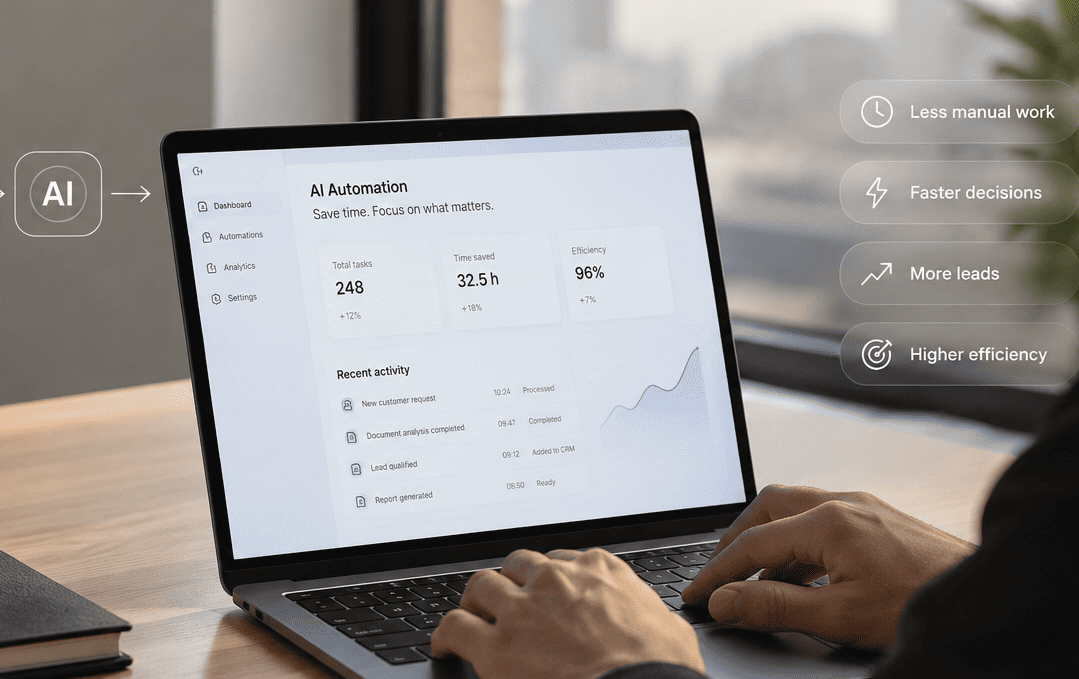
Businesses of all sizes evaluate automation to remove manual bottlenecks, reduce errors, and improve responsiveness. This guide explains practical automation use cases for three common needs—lead management, data synchronization, and task scheduling—and shows how to choose approaches that match operational constraints and compliance requirements.
- Lead management automation speeds qualification, routing, and follow-up.
- Data sync automation keeps CRMs, ERPs, and analytics accurate and auditable.
- Task scheduling automation ensures repeatable jobs run reliably and retry on failure.
- Use the AIM automation checklist (Analyze, Integrate, Monitor) before deployment.
Automation Use Cases: Lead Management, Data Sync, and Task Scheduling
Lead management automation: speed and consistency
Lead management automation routes inquiries from web forms, chatbots, and ad platforms into a CRM, assigns owners based on rules, and triggers personalized follow-up. Typical components include lead capture, scoring, enrichment, and routing. Lead management automation reduces lead response time and enforces consistent qualification criteria across teams.
Data sync automation: keep systems aligned
Data sync automation ensures records are consistent between systems (CRM ↔ ERP, marketing platform ↔ data warehouse). Common patterns are batch ETL pipelines, near-real-time webhook replication, and CDC (change data capture) streams. Data sync automation reduces reconciliation work and improves the confidence of reports and dashboards.
Task scheduling automation: reliable background work
Task scheduling automation runs periodic jobs such as nightly data jobs, subscription billing, or routine maintenance. Reliable schedulers handle retries, exponential backoff, and alerts for failure. Use scheduling for time-based work that must run without human intervention.
Named framework: AIM automation checklist
Use the AIM automation checklist before building or expanding automations:
- Analyze — Map inputs, outputs, SLAs, and compliance needs (GDPR, ISO 27001 where relevant).
- Integrate — Choose synchronization patterns (webhook, polling, CDC) and define idempotent APIs.
- Monitor — Implement observability: logs, metrics, alerts, and dashboards for SLA tracking.
Short real-world example
Scenario: A mid-market B2B SaaS vendor receives leads from paid search, webinars, and a website form. An automation pipeline captures leads, enriches records with a third-party data service, scores them, then routes hot leads to sales with task creation in the CRM. Lower-score leads enter a nurture campaign and automated monthly requalification. Simultaneously, customer records sync hourly to the analytics data warehouse to keep reporting accurate.
Practical tips for implementation
- Design idempotent operations: ensure retries do not create duplicate records or repeated charges.
- Use unique correlation IDs across systems to trace records end-to-end.
- Start with conservative automation rules and add complexity after measuring results.
- Implement health checks and alerts for sync failures, backlogs, and SLA breaches.
- Document data contracts and retention rules to support audits and compliance.
Trade-offs and common mistakes
Trade-offs to consider:
- Latency vs cost: realtime webhooks cost more than hourly batches but reduce time-to-contact for leads.
- Simplicity vs coverage: simple routing rules are easier to maintain but may miss nuanced handling of edge cases.
- Control vs autonomy: tightly controlled workflows reduce errors but slow iteration; more autonomous automations speed delivery but require stronger monitoring.
Common mistakes:
- Not planning for failures—missing retries, dead-letter handling, and alerting.
- Ignoring data quality—automating the wrong source amplifies bad data.
- Over-automation—automating processes that require judgment without human-in-the-loop checkpoints.
Choosing the right technical approach
Match patterns to needs: use webhook-based near-real-time flows for high-value lead routing, batch ETL or scheduled tasks for reporting loads, and message queues or CDC for robust data sync between transactional systems. Include authentication, rate limits, and governance around API keys and service accounts.
Consider compliance and standards bodies when designing data flows—apply principles from GDPR for personal data, and follow security controls common to ISO standards for sensitive systems. For small-business guidance on automation and process design, consult official resources such as the U.S. Small Business Administration's automation guidance: SBA: Automate business processes.
Operational checklist before launch
- Define SLAs and success metrics (lead response time, sync latency, task completion rate).
- Run end-to-end tests with synthetic and real data samples.
- Set up rollback and manual override processes for exceptions.
- Establish logging, tracing, and an on-call rotation for critical failures.
Monitoring and measuring success
Track KPI dashboards for throughput, error rates, time-to-first-contact for leads, and reconciliation mismatches. Use alert thresholds tied to business impact (e.g., lead routing failure affecting top-of-funnel conversion) and automate escalation paths.
FAQ: What are the most common automation use cases for sales and marketing?
Most common cases include lead capture and routing, lead scoring and enrichment, campaign segmentation, and automated outreach sequences. Integrating these with CRM and analytics systems closes the measurement loop.
FAQ: How does lead management automation reduce time-to-contact?
Automated routing and notification reduce manual handoffs. When high-scoring leads trigger immediate alerts and task creation in the CRM, sales teams can respond within minutes instead of hours or days.
FAQ: What are best practices for data sync automation between CRM and analytics?
Use change data capture or reliable batching with checksums, verify record counts, and monitor latency. Implement data contracts and reconciliation jobs to detect drift early.
FAQ: How should scheduled tasks be designed for reliability?
Design scheduled jobs with idempotency, exponential backoff for retries, dead-letter queues, and observability. Stagger schedules to avoid resource contention and enforce quotas.
FAQ: Where to start when evaluating automation use cases for a small team?
Start by mapping high-frequency manual tasks that cause business delays, measure current effort and error rates, and pilot automation on one workflow. Use the AIM checklist to analyze, integrate, and monitor pilot deployments before scaling.